Apr 1, 2026
AI Session Continuity: Resume Claude Code, Codex & Gemini Sessions in 1DevTool v1.11.0
Close your laptop, reopen it, and your AI conversations resume where you left off. 1DevTool v1.11.0 adds session persistence with smart detection, one-click resume, and auto-resume for Claude Code, Codex, Gemini CLI, and Amp.
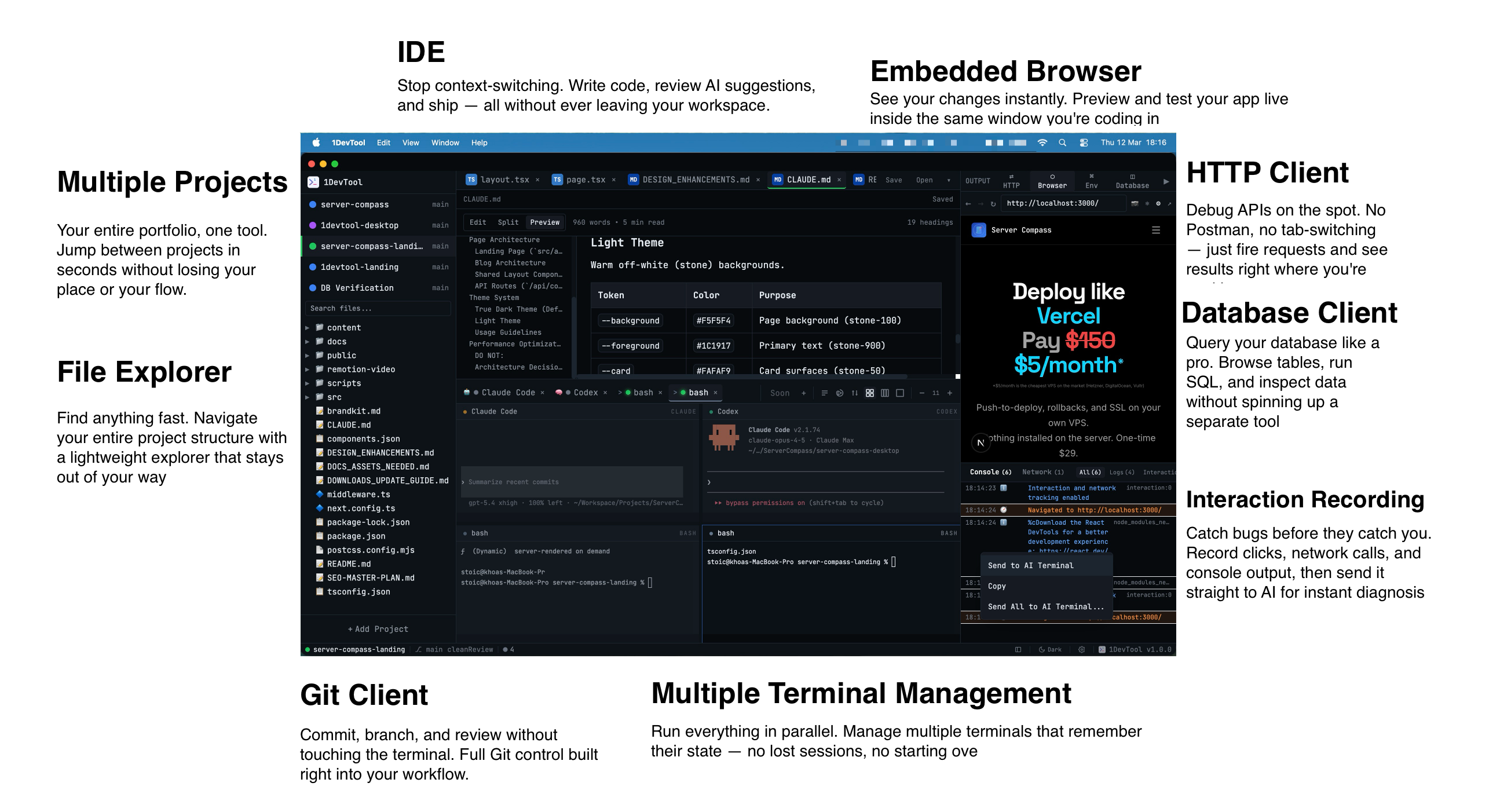
You close your laptop at the end of the day. Claude Code is mid-refactor, Codex is halfway through a migration, and Gemini CLI just started generating tests. You reopen your machine the next morning, launch your terminals, and… everything is gone. Fresh prompts. Empty buffers. No memory of what any agent was doing. You spend the next ten minutes re-explaining context that your AI already understood.
This is the silent tax of agentic coding in 2026: AI conversations vanish the moment you close the app. Every restart means lost context, re-typed prompts, and wasted time rebuilding momentum.
1DevTool v1.11.0 fixes this with AI Session Continuity — close and reopen the app, and your AI conversations resume exactly where you left off. Here's how it works and why it matters.
Why Session Continuity Matters for AI Coding
Traditional terminals are stateless by design. You open a shell, run commands, close the shell, and the history lives only in ~/.bash_history as flat text. That was fine when you were the one typing every command. But AI agents are different.
When you give Claude Code a prompt like "refactor the authentication module to use refresh tokens," the agent builds up an internal conversation context: it understands your codebase, the files it has already read, the decisions it has made, and the changes it has applied. That context is expensive — both in tokens and in the time you spent explaining your intent. Losing it on every restart is like asking a contractor to re-read the blueprints every morning.
Session continuity solves three concrete problems:
- No more re-prompting. Your agent already knows what it was working on. Resume the session and it picks up mid-task — no need to re-explain the goal, the constraints, or the files involved.
- No more lost scrollback. The full conversation history — every prompt, every response, every code block — is restored as scrollback in your terminal. You can scroll up, review what happened, and continue seamlessly.
- No more context window waste. Re-prompting forces the AI to re-read files and rebuild understanding. Resuming skips all of that. You get back to productive work in seconds, not minutes.
For developers running multi-agent workflows across multiple projects, this compounds. If you have four agents across two projects, restarting without session continuity means re-prompting all four. With continuity, you reopen 1DevTool and every terminal is exactly where you left it.
How It Works
AI Session Continuity in 1DevTool is built on four layers: smart session detection, one-click resume, auto-resume on restart, and project-aware filtering. Each layer solves a distinct part of the problem.
Smart Session Detection
The foundation of session continuity is knowing which session belongs to which terminal. This is harder than it sounds. AI agents store their history files in different locations and formats:
- Claude Code writes JSONL files to
~/.claude/projects/*.jsonl - Codex stores sessions at
~/.codex/sessions/YYYY/MM/DD/*.jsonl - Gemini CLI keeps session JSON at
~/.gemini/tmp/{project}/chats/session-*.json
1DevTool's Resume Manager scans these history files and uses a detectSessionForTerminal() function that filters by three criteria: the agent type running in the terminal, the project path the terminal is associated with, and the timestamp (using a 10-second grace period to handle minor clock drift between process start and file creation). This means even if you have five Claude Code terminals across three projects, each terminal finds its own session — not someone else's.
To prevent race conditions, 1DevTool uses an atomic claim mechanism. When a terminal binds to a session, it claims it exclusively. Two terminals can never bind to the same session, even during rapid restarts or if multiple instances of 1DevTool are running simultaneously.
One-Click Resume
When 1DevTool detects a previous session for a terminal, a Resume button appears directly in the terminal chrome. Click it, and 1DevTool calls the agent-specific resume command:
claude --resume {session-id}for Claude Codecodex resume {session-id}for Codex- Agent-specific variants for Gemini and other supported agents
Under the hood, the Resume button calls window.api.resume.getCommand(agentType, sessionId), which returns the correct CLI invocation for whichever agent ran in that terminal. You don't need to remember command flags or hunt for session IDs — one click and you're back.
Auto-Resume on Restart
One-click is good. Zero-click is better. For agents that support it, 1DevTool can automatically resume sessions when you restart the app — no button press needed.
Here's how it works: each terminal stores a lastSessionId and lastSessionAgentType. When 1DevTool starts and initializes its terminals, it checks the canAutoResume flag on each agent's contract. If auto-resume is supported (currently Claude Code and Codex), the terminal automatically sends the resume command and updates the tab name to reflect the resumed session.
The result: you close 1DevTool with three agent terminals running. You reopen it. All three terminals are back in their previous conversations, scrollback intact, ready for your next prompt. No clicking, no typing, no re-explaining.
Project-Aware Filtering
The Resume Panel gives you a bird's-eye view of all resumable sessions across your machine. But raw session lists are noisy — you might have dozens of sessions from different projects, different days, different agents. The Resume Panel solves this with intelligent filtering:
- Auto-selects the active project so you immediately see sessions relevant to what you're currently working on
- Filters by project path so sessions from
~/projects/backenddon't mix with sessions from~/projects/frontend - Shows agent type, session ID, and timestamp for each entry so you can identify exactly which conversation you want to resume
When resuming, the terminal's scrollback is restored from the saved buffer — complete with a visual separator and dimmed text so you can clearly distinguish previous conversation from new output. The session ID is displayed in the terminal chrome for reference.
Supported AI Agents
Session continuity is not a one-size-fits-all feature. Each AI agent has different capabilities around session persistence. 1DevTool defines agent contracts that specify exactly what each agent supports:
Agent
Session Detection
One-Click Resume
Auto-Resume
Transcript Restore
Claude Code
Yes
Yes
Yes
Yes
Codex
Yes
Yes
Yes
Yes
Gemini CLI
Yes
Yes
No
Partial
Amp
Yes
Yes
No
No
The agent contract system is extensible. As new CLI agents ship resume capabilities, 1DevTool can add support without changes to the core architecture — just define the contract (does this agent support detection? resume? auto-resume? transcript restore?) and the Resume Manager handles the rest.
Before vs After
To see why this matters, compare the daily workflow with and without session continuity:
Before: Every Restart Is a Cold Start
- Close laptop at end of day with 3 agent terminals running
- Open laptop next morning, launch 1DevTool
- All terminals show fresh shells — no history, no context
- Try to remember what Claude Code was working on. Was it the auth refactor or the API migration?
- Re-prompt Claude Code: "Continue the auth module refactor from yesterday, here are the files..."
- Re-prompt Codex: "You were migrating the database schema, pick up where you left off..."
- Re-prompt Gemini: "Generate tests for the endpoints we built yesterday..."
- Wait for each agent to re-read files and rebuild context
- 15 minutes later, you're finally back to productive work
After: Seamless Continuity
- Close laptop at end of day with 3 agent terminals running
- Open laptop next morning, launch 1DevTool
- All three terminals auto-resume: Claude Code picks up the auth refactor, Codex continues the migration, Gemini resumes test generation
- Scrollback shows the full previous conversation — you can see exactly where each agent stopped
- Type your next prompt. Zero re-explaining. Zero context rebuilding.
- 30 seconds from laptop open to productive work
The difference is stark: 15 minutes of re-prompting and waiting versus 30 seconds to full productivity. Over a week, that's over an hour saved just on session recovery — time that goes back into building.
Scrollback Restoration: The Underrated Detail
One detail worth highlighting: when a session resumes, 1DevTool doesn't just send the resume command and hope for the best. It restores the full terminal scrollback from the previous session.
This means you can scroll up and read the entire previous conversation — every prompt you sent, every response the agent gave, every code block it produced. The restored content is visually distinct: it appears with dimmed text and a clear separator line so you always know where the previous session ends and the new one begins. The session ID is also displayed so you can reference it if needed.
This is possible because 1DevTool saves terminal buffers when resumeHydration is enabled. On restart, the saved buffer is restored into the terminal before the resume command runs. The result is a terminal that looks and feels like you never closed the app.
Under the Hood: Agent-Specific Resume Commands
Different AI agents implement session resumption differently, and 1DevTool abstracts this complexity away. When you click Resume or auto-resume triggers, 1DevTool calls window.api.resume.getCommand(agentType, sessionId), which maps to the correct CLI invocation:
- Claude Code:
claude --resume {session-id}— Claude Code natively supports session resumption via its--resumeflag, picking up the full conversation context from its JSONL history files. - Codex:
codex resume {session-id}— Codex uses aresumesubcommand rather than a flag, loading session state from its date-organized session directory. - Gemini CLI: Uses its own session identifier scheme with project-scoped session files. Resume support is available via one-click, though auto-resume is not yet supported.
- Amp: Session detection is supported, enabling one-click resume. Full auto-resume and transcript restore are on the roadmap.
You never need to know these details. 1DevTool handles the mapping and gives you a single, consistent experience regardless of which agent is running.
Tips for Getting the Most Out of Session Resume
Here are practical tips to maximize the value of AI session continuity in your workflow:
- Name your terminals. When you have multiple agent sessions, descriptive tab names ("Claude - Auth Refactor," "Codex - DB Migration") make it instantly clear which session is which on resume.
- Use project-specific terminals. Sessions are filtered by project path. Keeping agents scoped to their project directory ensures clean session detection with no cross-project interference.
- Let auto-resume handle the common case. For Claude Code and Codex, auto-resume works out of the box. You don't need to do anything — just close and reopen 1DevTool. The Resume button is there for cases where auto-resume isn't available or you want to resume a different session.
- Check scrollback before prompting. After a resume, scroll up to review where the agent stopped. Sometimes the agent was mid-thought or waiting for a decision. Seeing the full context helps you write a better follow-up prompt.
- Use the Resume Panel for older sessions. The Resume Panel shows all resumable sessions for the current project, not just the most recent one. If you want to pick up a session from two days ago, it's there.
Try It Today
AI Session Continuity is available now in 1DevTool v1.11.0. Update the app, run your AI agents, close the app, reopen it, and watch your sessions resume automatically. It is the kind of feature that feels obvious once you have it — and unbearable once you try to go back.
No more re-prompting. No more lost context. No more cold starts. Close your laptop, reopen it, and keep building.
Download 1DevTool and try session continuity with Claude Code, Codex, Gemini CLI, or Amp. One workspace. Every agent. Every session — resumed.