1DevTool vs VS Code + Copilot
Dedicated AI workspace vs AI-enhanced editor
Last updated October 27, 2026
Short answer
Keep VS Code + Copilot for editing; add 1DevTool when you need multi-agent Charts, persistence, and a built-in DB/HTTP/browser stack.
- •1DevTool: dedicated agent workspace — 20 CLIs, Charts, Conversation Mode — free plan, Pro from $29 one-time
- •VS Code + Copilot: free editor + $19–39/month for completions and agent mode
- •Year 1 often $29 vs $228–468
- •They complement each other: edit in VS Code, orchestrate agents in 1DevTool
1DevTool
1DevTool is a purpose-built multi-agent workspace: Charts, teams, pipelines, Conversation Mode, Autopilot, and 20 CLI agents — plus DB (23 engines), HTTP, browser profiles, Docker, and a Repo panel for pull requests and CI. It sits beside your editor, not inside it. Free plan, Pro from $29 one-time.

VS Code + Copilot
VS Code with GitHub Copilot extension adds inline AI completions to Microsoft's popular editor. Requires VS Code + Copilot subscription ($19-39/month).
Pricing
| Feature | 1DevTool | VS Code + Copilot |
|---|---|---|
| 1DevTool | From $29 one-time | - |
| VS Code | - | Free |
| Copilot | - | $19-39/month |
| Total year 1 | From $29 | $228-468 |
AI Approach
| Feature | 1DevTool | VS Code + Copilot |
|---|---|---|
| Autonomous agents | Charts, teams & pipelines | Single agent mode |
| Claude Code | ✓ | ✗ |
| Codex CLI | ✓ | ✗ |
| Gemini CLI | ✓ | ✗ |
| AI CLI agents supported | 20 built in (Claude, Codex, Gemini, Cursor, Cline, Amp, OpenCode, Qwen, Grok, Kimi, Antigravity, Hermes, Pi, Oh My Pi, Aider, Devin, Kiro, Qoder, Command Code, Kilo Code) + custom agents | Copilot |
| Switch AI agent per terminal | ✓ | ✗ |
| Inline completions | Via agents | ✓ |
AI orchestration
| Feature | 1DevTool | VS Code + Copilot |
|---|---|---|
| Run agents in parallel | Charts, teams & pipelines | ✗ |
| Draw org charts & pipelines | ✓ | ✗ |
| Automatic fallback when an agent is rate-limited | ✓ | ✗ |
| Answer agent questions in chat | Conversation Mode | ✗ |
| Agents hand work to each other | ✓ | ✗ |
| MCP server for agents | ✓ | ✗ |
| Bring your own AI subscription (no per-seat AI fee) | ✓ | GitHub-hosted |
Terminal & Sessions
| Feature | 1DevTool | VS Code + Copilot |
|---|---|---|
| Multi-terminal workspace | ✓ | Integrated terminal |
| Tmux-backed session persistence | Survives restart | ✗ |
| Resume sessions from Ghostty / iTerm / Warp | ✓ | ✗ |
Built-in developer tools
| Feature | 1DevTool | VS Code + Copilot |
|---|---|---|
| Database client | 23 engines | ✗ |
| HTTP client + Postman/Insomnia/Bruno import | ✓ | ✗ |
| Embedded browser with per-tab profiles | ✓ | ✗ |
| Docker manager | ✓ | ✗ |
| Git graph + worktrees | ✓ | Extensions |
| Remote control from phone | Web UI + iOS app (Android beta) | ✗ |
Use Together
| Feature | 1DevTool | VS Code + Copilot |
|---|---|---|
| Complementary | Yes - run agents here | Yes - edit here |
| File sync | Automatic | Automatic |
How to run 1DevTool beside VS Code
VS Code stays your editor. 1DevTool runs and watches the agents working on the same folder.
- 1
Add the project
In 1DevTool, add the folder you already have open in VS Code.
- 2
Give risky work its own worktree
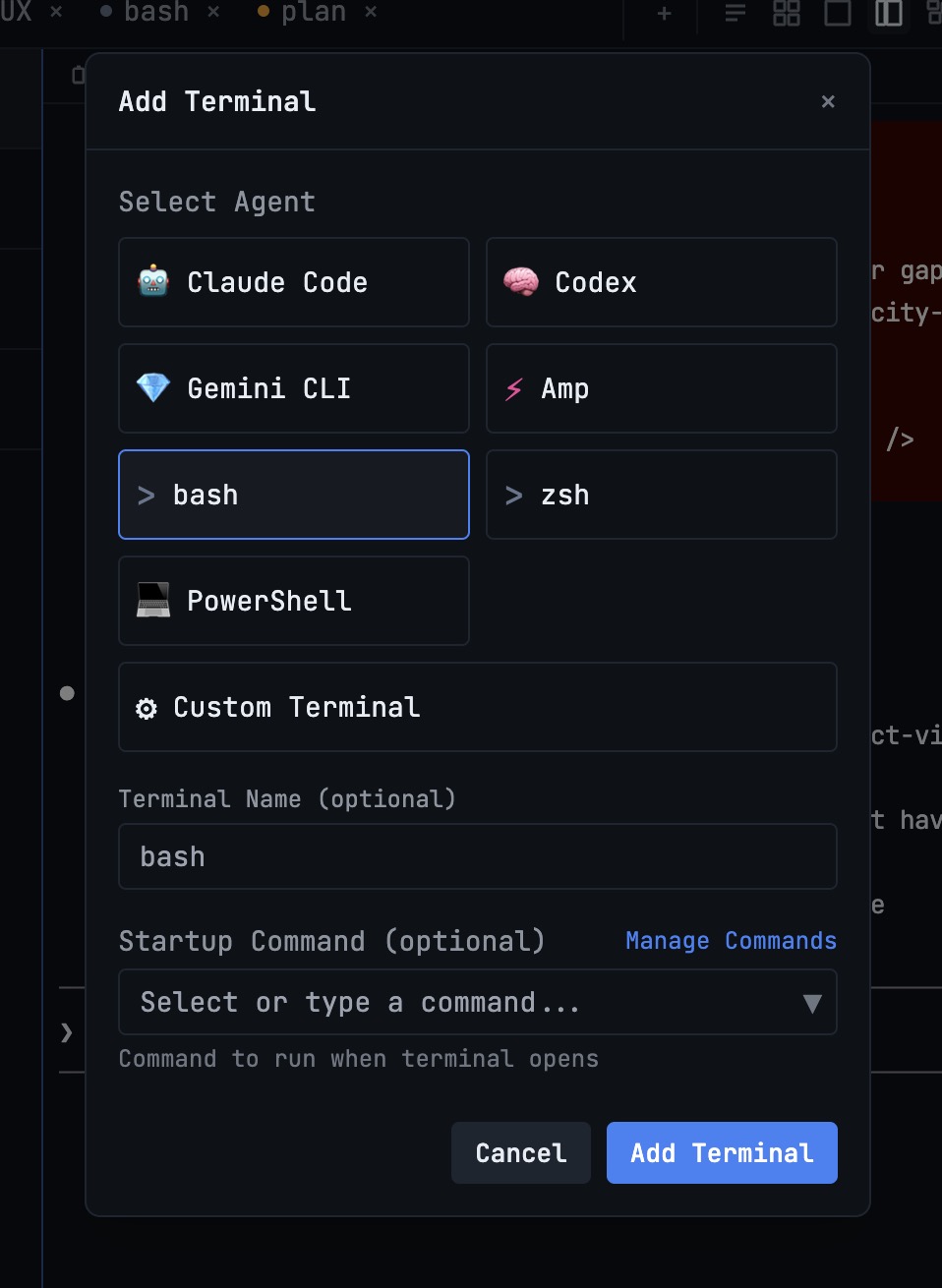
Start Claude Code, Codex or another agent from Add Terminal. Put a risky task in its own Git worktree and switch worktrees from the status bar.
- 3
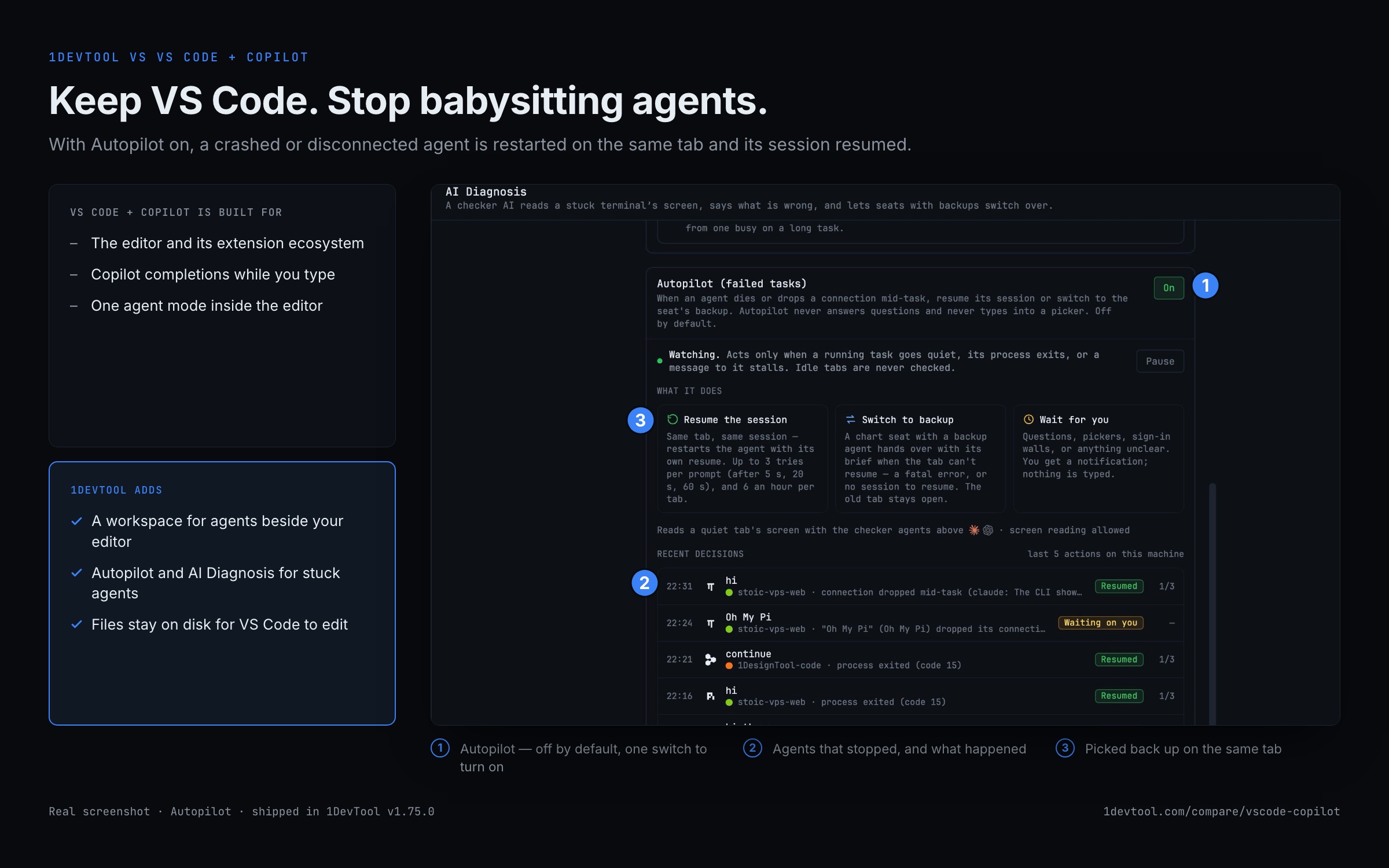
Turn on Autopilot
In the Dashboard's AI Diagnosis tab, switch on Autopilot so a crashed or disconnected agent is restarted on the same tab with its session resumed.
- 4
Review in VS Code
Files change on disk, so VS Code picks them up. Agent Changes in 1DevTool tells you which agent touched which file.
- 5
Use the tools VS Code needs extensions for
Query the database, send HTTP requests and check the page in the built-in browser, then send the result to an agent.
What you get with 1DevTool
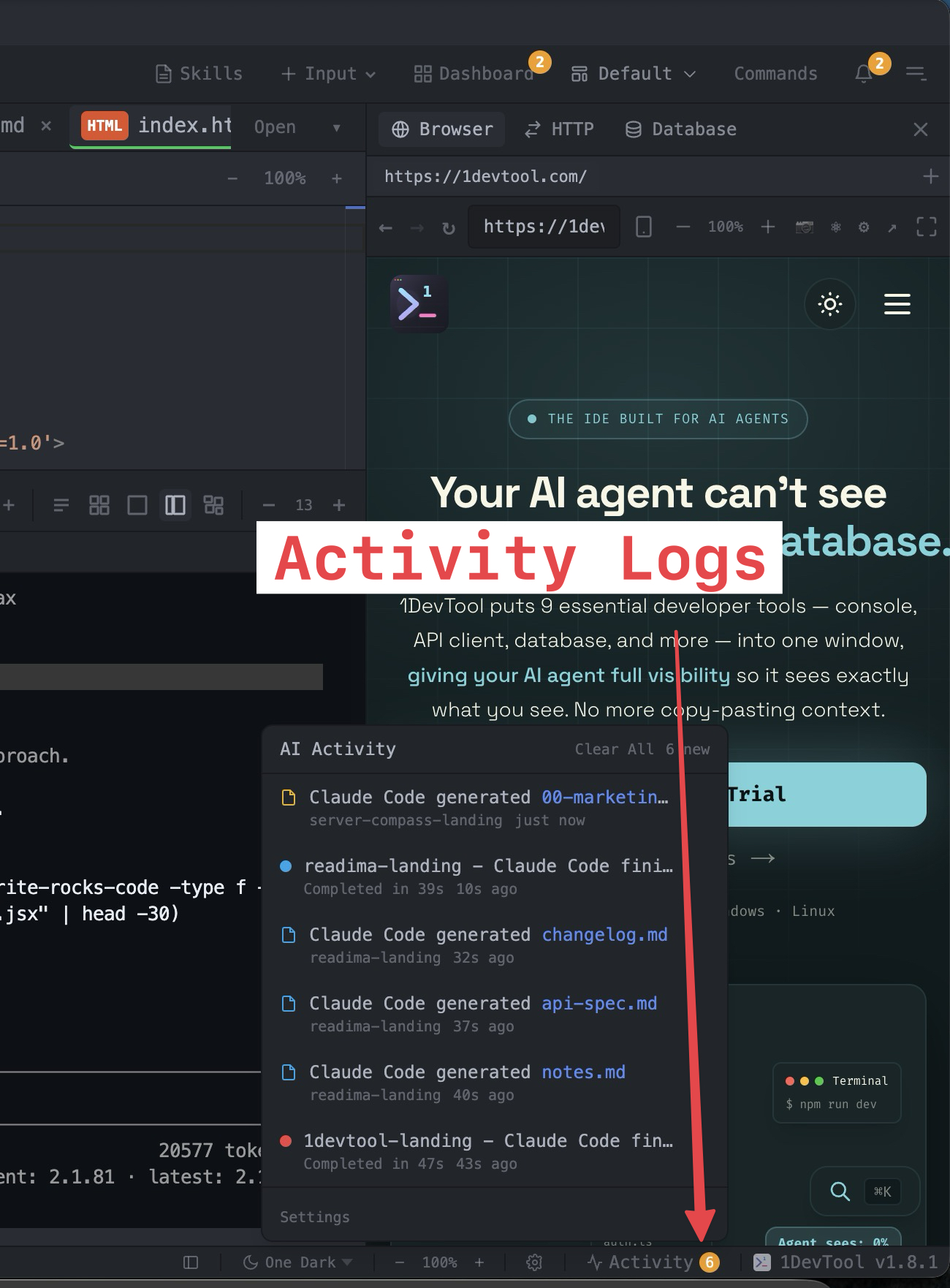
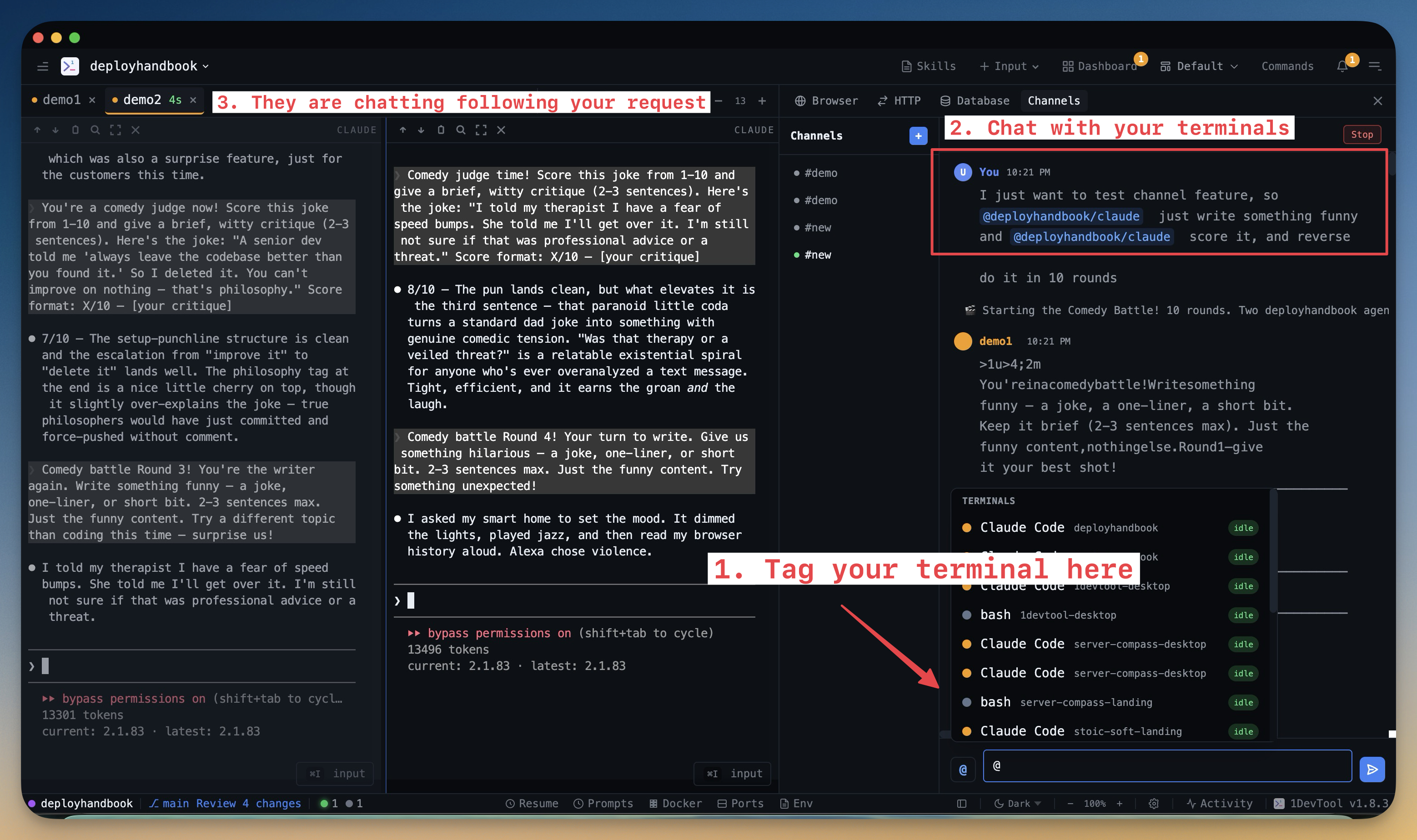
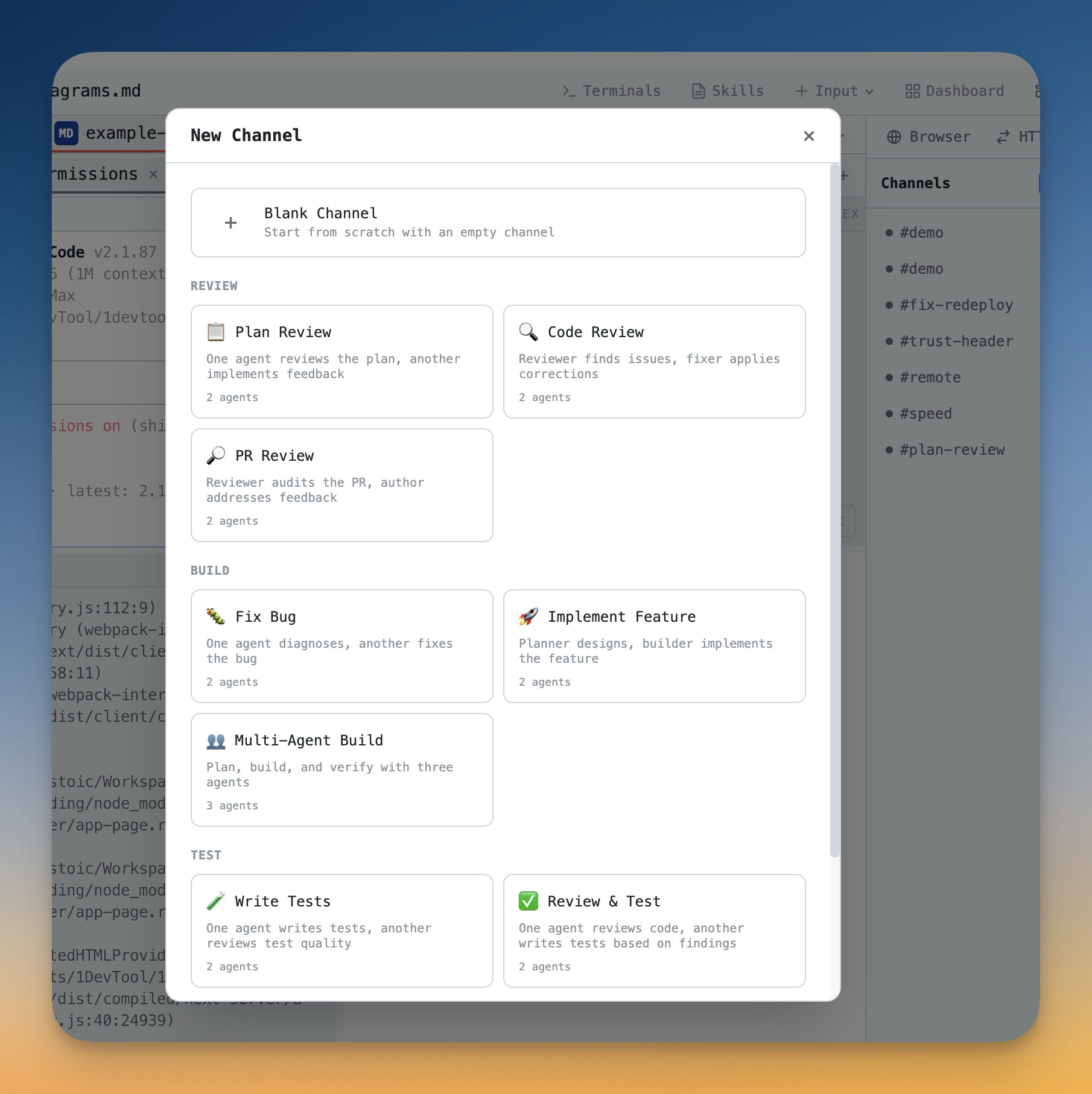
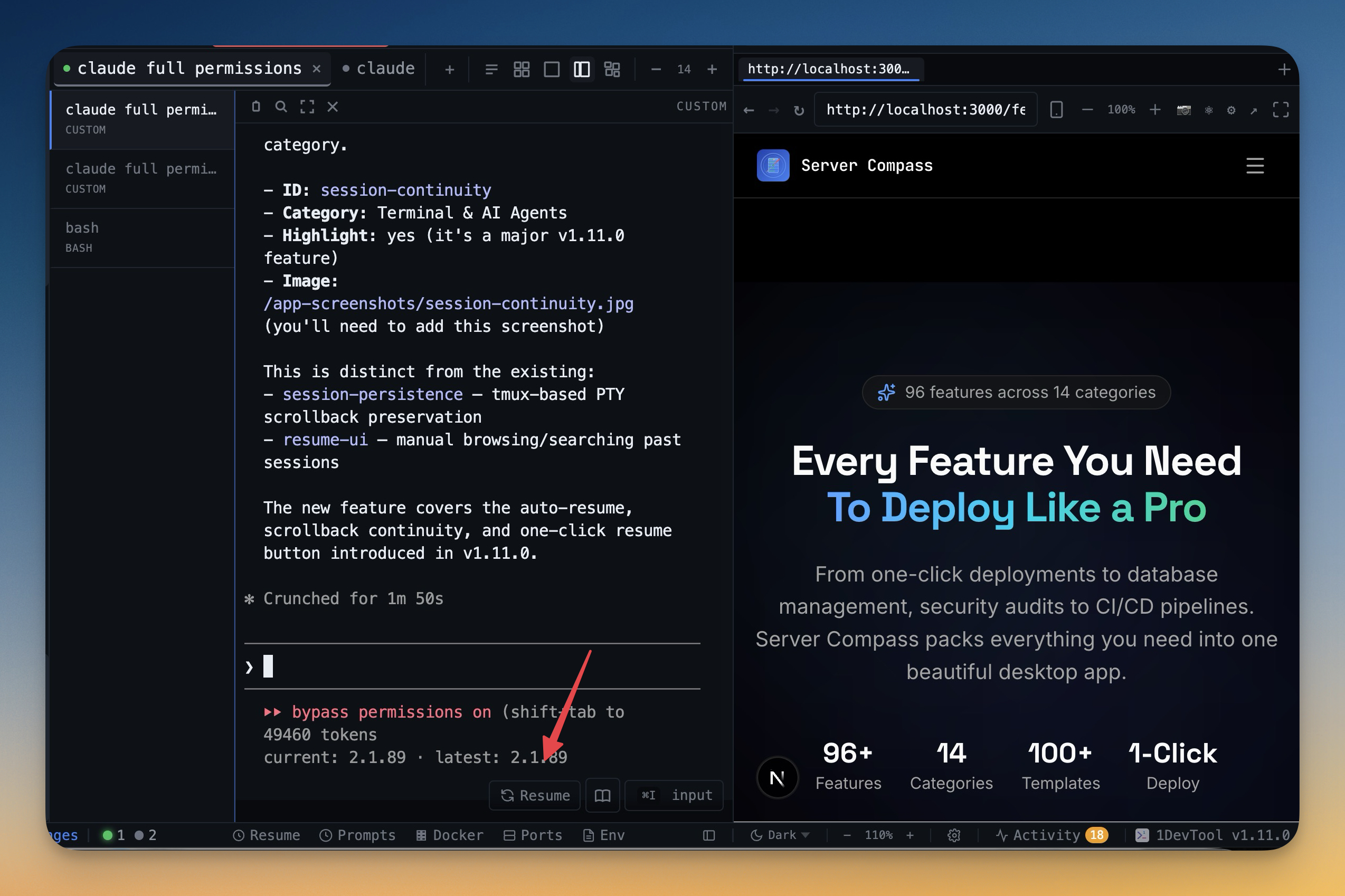
The tools that set 1DevTool apart from VS Code + Copilot — built in, no plugins.
The Verdict
Choose 1DevTool if...
- ✓You want Charts, teams, and 20 agents — not only Copilot agent mode
- ✓You want Conversation Mode, backup agents, and Autopilot across agents
- ✓You prefer a free plan or $29 one-time for the workspace
- ✓You want a 23-engine DB client, HTTP, and browser profiles without hunting extensions
Choose VS Code + Copilot if...
- •You want AI inline completions while typing
- •You need full VS Code extension ecosystem
- •You prefer AI integrated directly in your editor
- •You're already invested in VS Code workflow
Go deeper
Tutorials, posts and docs for the 1DevTool features on this page.
Frequently asked questions
Do I need to leave VS Code to use 1DevTool?
No. 1DevTool runs alongside VS Code. Use Copilot for inline help while typing; use 1DevTool for parallel agents, Charts, and built-in DB/HTTP/browser tools.
Can 1DevTool run Claude Code and Codex while I stay in VS Code?
Yes. Agents run in 1DevTool terminals with Charts and pipelines; your files stay on disk for VS Code to edit.
Is 1DevTool a one-time purchase?
There is a free plan; Pro is $29 one-time for 1 device ($59 / 3, $89 / 5). Copilot remains a monthly subscription on top of free VS Code.
Does 1DevTool need tmux installed?
1DevTool uses tmux-backed persistence under the hood for sessions that survive restart. You do not need to learn tmux keybindings or maintain a config.
What about browser and database tools?
1DevTool includes a 23-engine database client, HTTP client, and embedded browser with per-tab profiles — none of which Copilot adds to VS Code by itself.
What happens if an agent crashes while I am working in VS Code?
With Autopilot on, 1DevTool notices a crashed or disconnected agent, restarts it on the same tab with its session resumed, and sends it back to work. AI Diagnosis explains agents stuck on a quota wall or a sign-in prompt.
Try 1DevTool Today
Multi-agent AI workspace for developers. Free plan, Pro from $29 one-time.
Compare 1DevTool with other tools
More side-by-side breakdowns across the tools developers ask about.