1DevTool vs Cursor
Which AI coding tool is right for you?
Last updated October 27, 2026
Short answer
Pick 1DevTool if you want a multi-agent workspace with 20 CLIs, charts/pipelines, and a built-in toolchain — pick Cursor if you want an AI-native editor with inline completions.
- •1DevTool: Charts, teams & pipelines across Claude, Codex, Gemini, Cursor CLI, Cline, and 15 more agents — free plan, Pro from $29 one-time
- •Cursor: VS Code fork with hosted models and deep inline AI — $20/month
- •1DevTool brings DB (23 engines), HTTP, browser profiles, Docker, and an iOS app (Android in beta); Cursor focuses on the editing surface
- •You can run both: edit in Cursor, orchestrate agents in 1DevTool
1DevTool
1DevTool is a multi-agent AI workspace: draw Charts and pipelines across 20 CLI agents (Claude Code, Codex, Gemini, Cursor CLI, Cline, and more), with backup agents when one is rate-limited, Autopilot for agents that crash, and Agent Changes to see which agent edited which file. Around those agents it ships a local-first toolchain — 23-engine database client, HTTP client, browser profiles, Docker, Git worktrees with pull requests and CI — plus an iOS app (Android in beta). Free plan, Pro from $29 one-time.

Cursor
Cursor is a VS Code-based AI IDE with built-in AI assistant powered by GPT-4 and Claude. It focuses on tight editor integration with inline AI features. Subscription pricing at $20/month.
Pricing
| Feature | 1DevTool | Cursor |
|---|---|---|
| Price | From $29 one-time | $20/month |
| Free tier | Free plan (1 project, 4 terminals) | Limited free tier |
| Team pricing | $59 / 3 devices, $89 / 5 — one-time | $40/user/month |
AI Capabilities
| Feature | 1DevTool | Cursor |
|---|---|---|
| AI model choice | Any CLI agent | Cursor-hosted models |
| Claude Code support | ✓ | ✗ |
| Codex CLI support | ✓ | ✗ |
| Gemini CLI support | ✓ | ✗ |
| AI CLI agents supported | 20 built in (Claude, Codex, Gemini, Cursor, Cline, Amp, OpenCode, Qwen, Grok, Kimi, Antigravity, Hermes, Pi, Oh My Pi, Aider, Devin, Kiro, Qoder, Command Code, Kilo Code) + custom agents | Cursor agent |
| Switch AI agent per terminal | ✓ | ✗ |
| Resume sessions from Ghostty / iTerm / Warp | ✓ | ✗ |
| Live AI usage tracking (Claude/Codex plan) | ✓ | ✗ |
| Inline AI completions | Via agents | ✓ |
| AI chat | Via agents | ✓ |
AI orchestration
| Feature | 1DevTool | Cursor |
|---|---|---|
| Run agents in parallel | Charts, teams & pipelines | ✗ |
| Draw org charts & pipelines | ✓ | ✗ |
| Automatic fallback when an agent is rate-limited | ✓ | ✗ |
| Answer agent questions in chat | Conversation Mode | ✗ |
| Agents hand work to each other | ✓ | ✗ |
| MCP server for agents | ✓ | ✗ |
| Live quota tracking | ✓ | ✗ |
| Bring your own AI subscription (no per-seat AI fee) | ✓ | Cursor-hosted |
Editor Features
| Feature | 1DevTool | Cursor |
|---|---|---|
| Code editor | Monaco (same as VS Code) | VS Code fork |
| Extensions | Limited | Full VS Code extensions |
| Git integration | Graph, worktrees, PRs & pipelines | ✓ |
| GitHub + GitLab publish | ✓ | GitHub |
| File explorer | ✓ | ✓ |
Built-in developer tools
| Feature | 1DevTool | Cursor |
|---|---|---|
| Tmux-backed session persistence | Survives restart | ✗ |
| Database client | 23 engines | ✗ |
| HTTP client + Postman/Insomnia/Bruno import | ✓ | ✗ |
| Embedded browser with per-tab profiles | ✓ | ✗ |
| Docker manager | ✓ | ✗ |
| SSH manager | ✓ | ✗ |
| Git graph + worktrees | ✓ | ✓ |
| Mermaid & whiteboard | ✓ | ✗ |
| Send-to-AI from every tool | Browser / HTTP / DB → agent | ✗ |
| Remote control from phone | Web UI + iOS app (Android beta) | ✗ |
| Resource Manager | ✓ | ✗ |
How to use Cursor and 1DevTool together
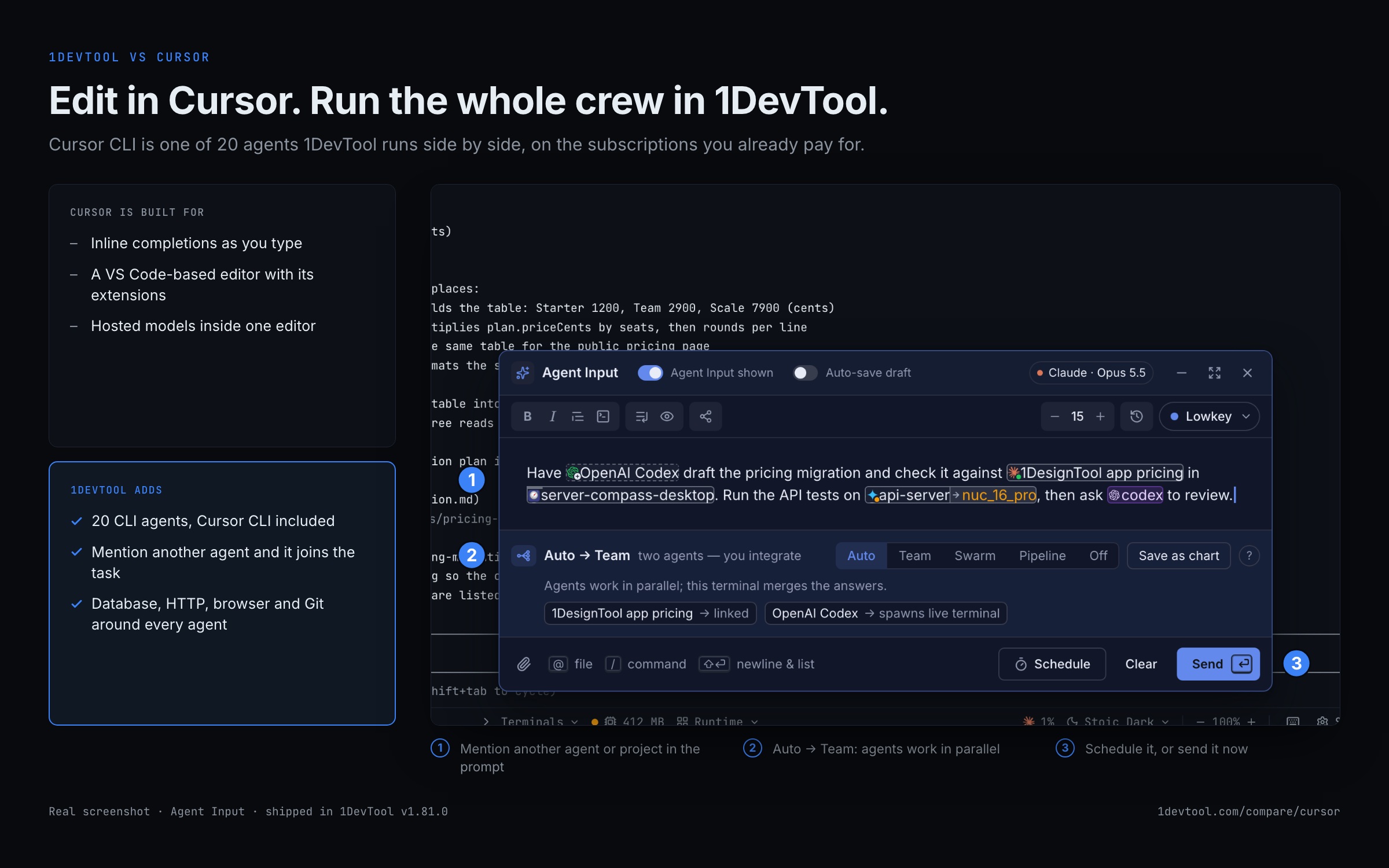
Most people who compare the two end up running both. Cursor stays your editor, and 1DevTool runs the agents around it.
- 1
Open the same folder in both
Add the project in 1DevTool and open the same folder in Cursor. Both work on the files on disk, so there is nothing to sync.
- 2
Start your agents in 1DevTool
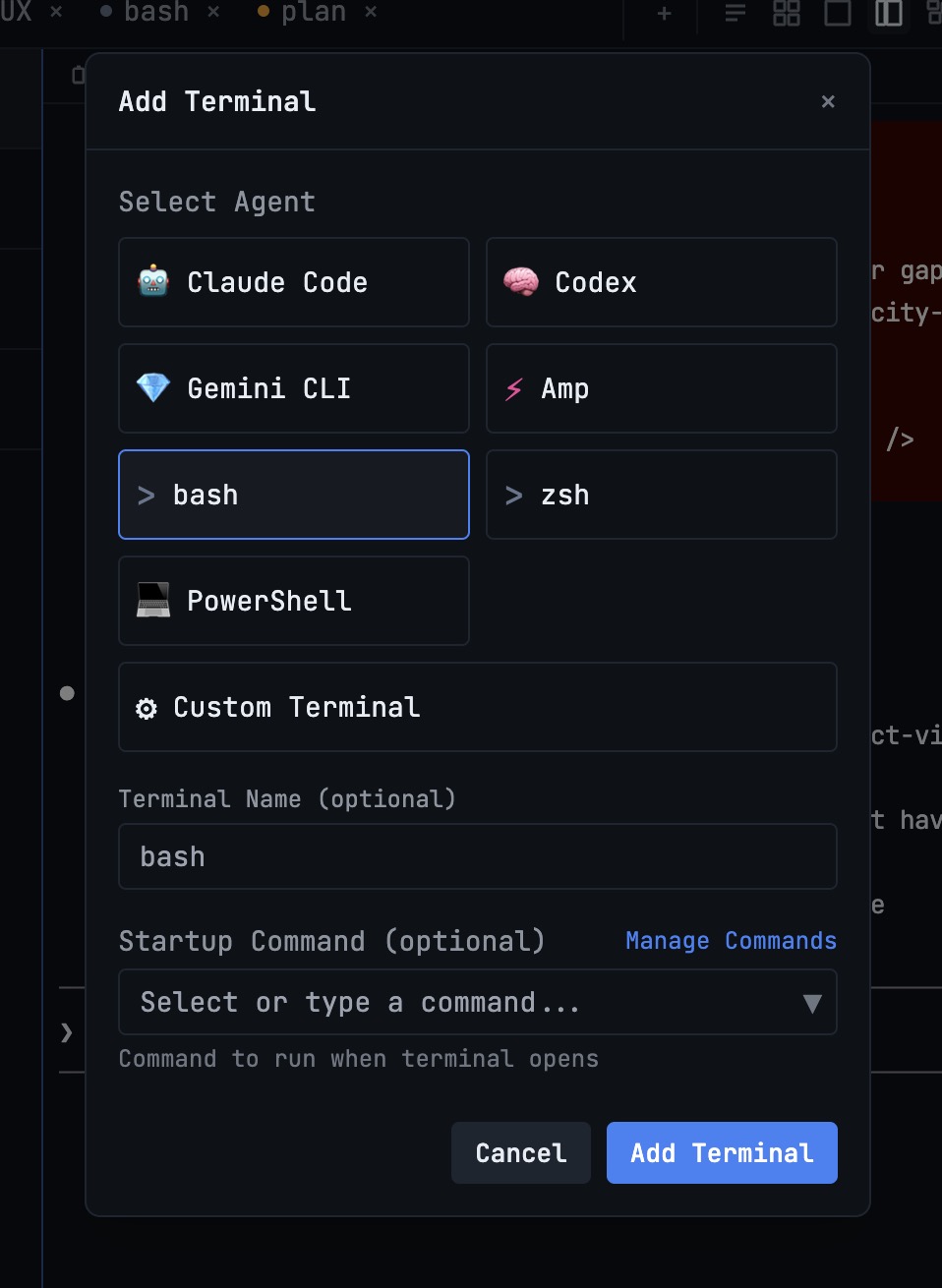
In Add Terminal, pick Cursor CLI, Claude Code, Codex or any of the 20 built-in agents. Each runs in its own terminal on your own subscription.
- 3
Fan one prompt out
Write the task once in Agent Input and use Send to many to give it to several agents. Each one gets it as soon as its agent is ready.
- 4
Check who changed what
Set Agent Changes to Watch to see which agent is editing which file, then review the diff in Cursor or in the 1DevTool Git client.
- 5
Merge from the Repo panel
Watch CI and merge the pull request from the Repo panel without leaving your terminals.
What you get with 1DevTool
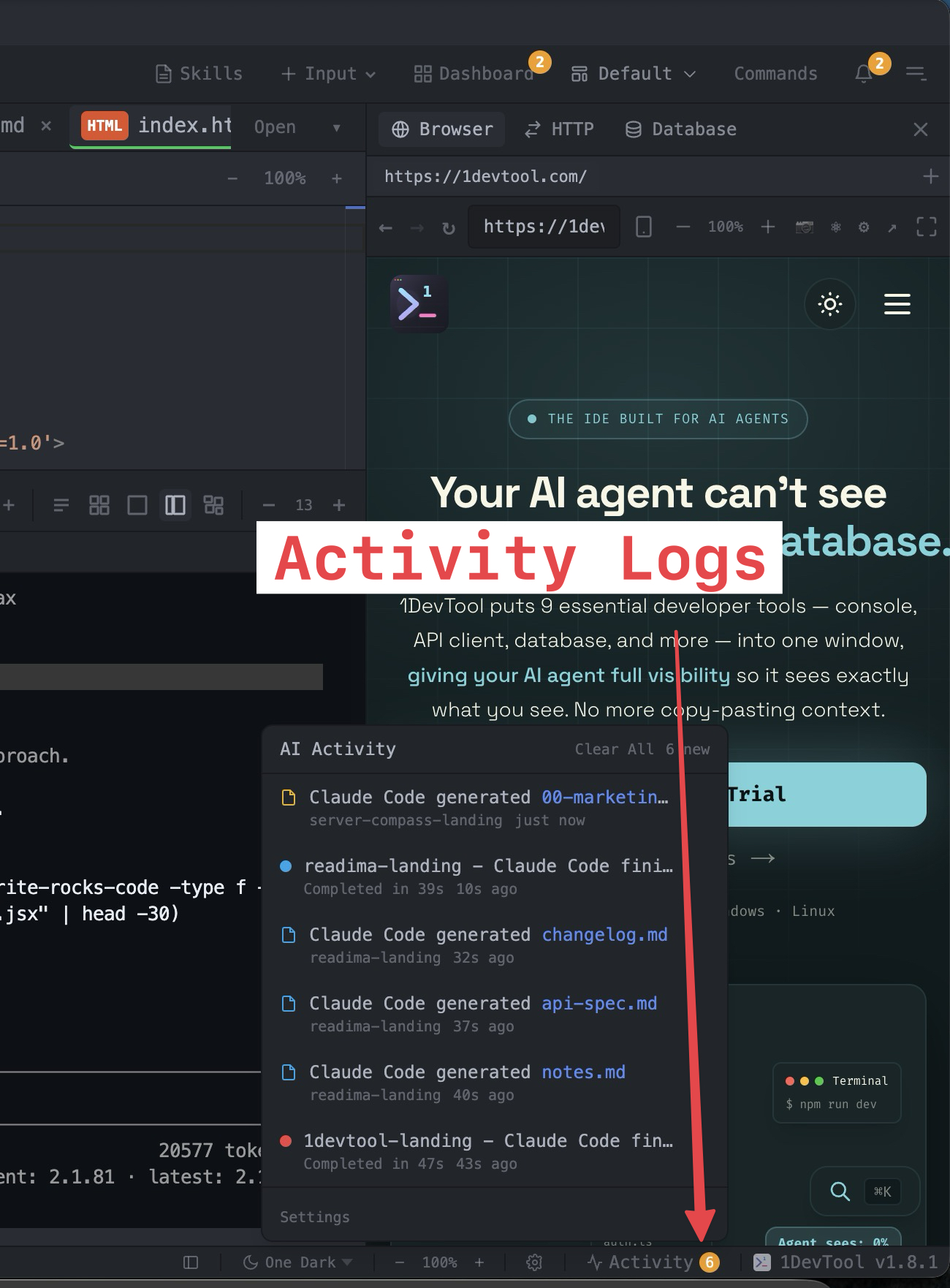
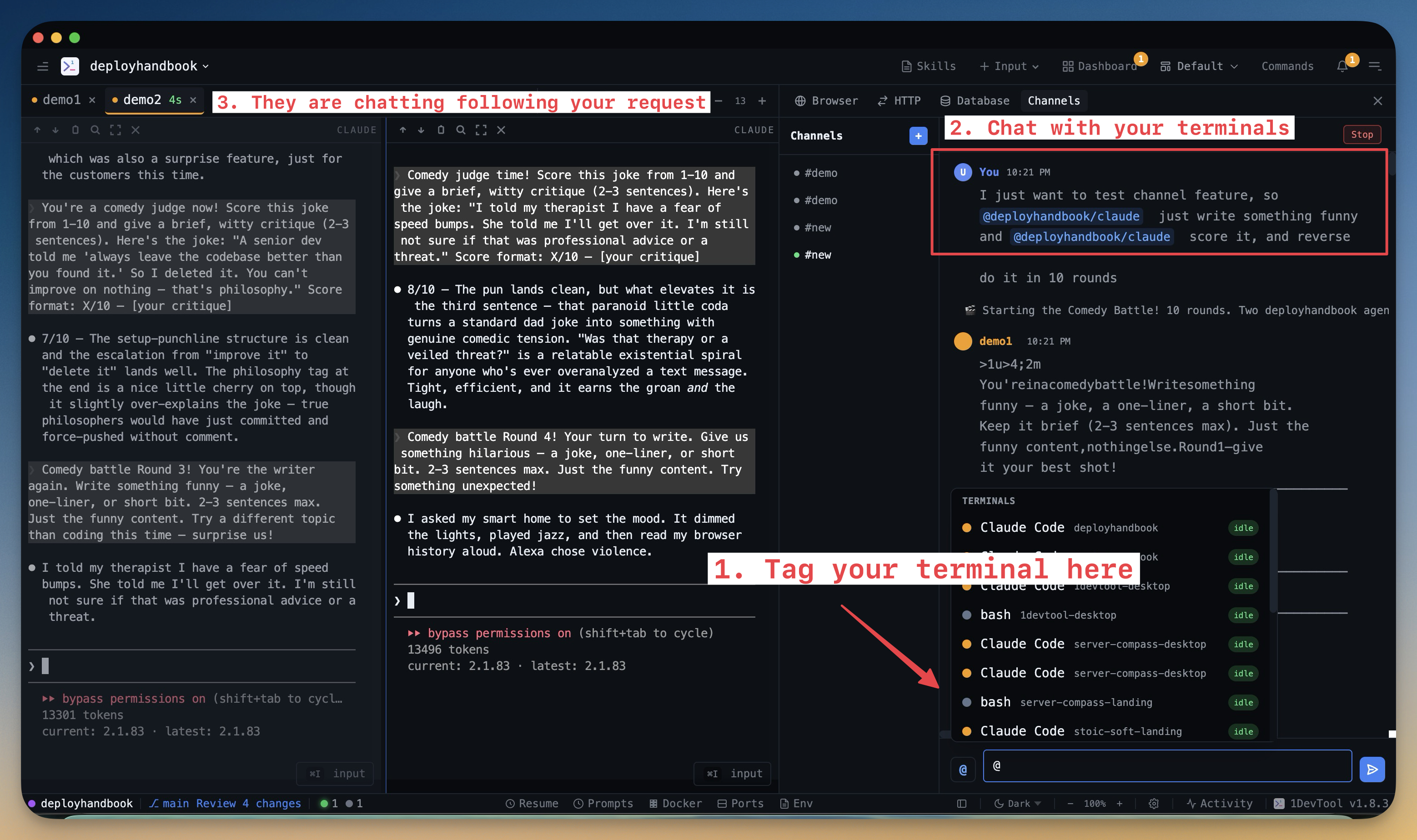
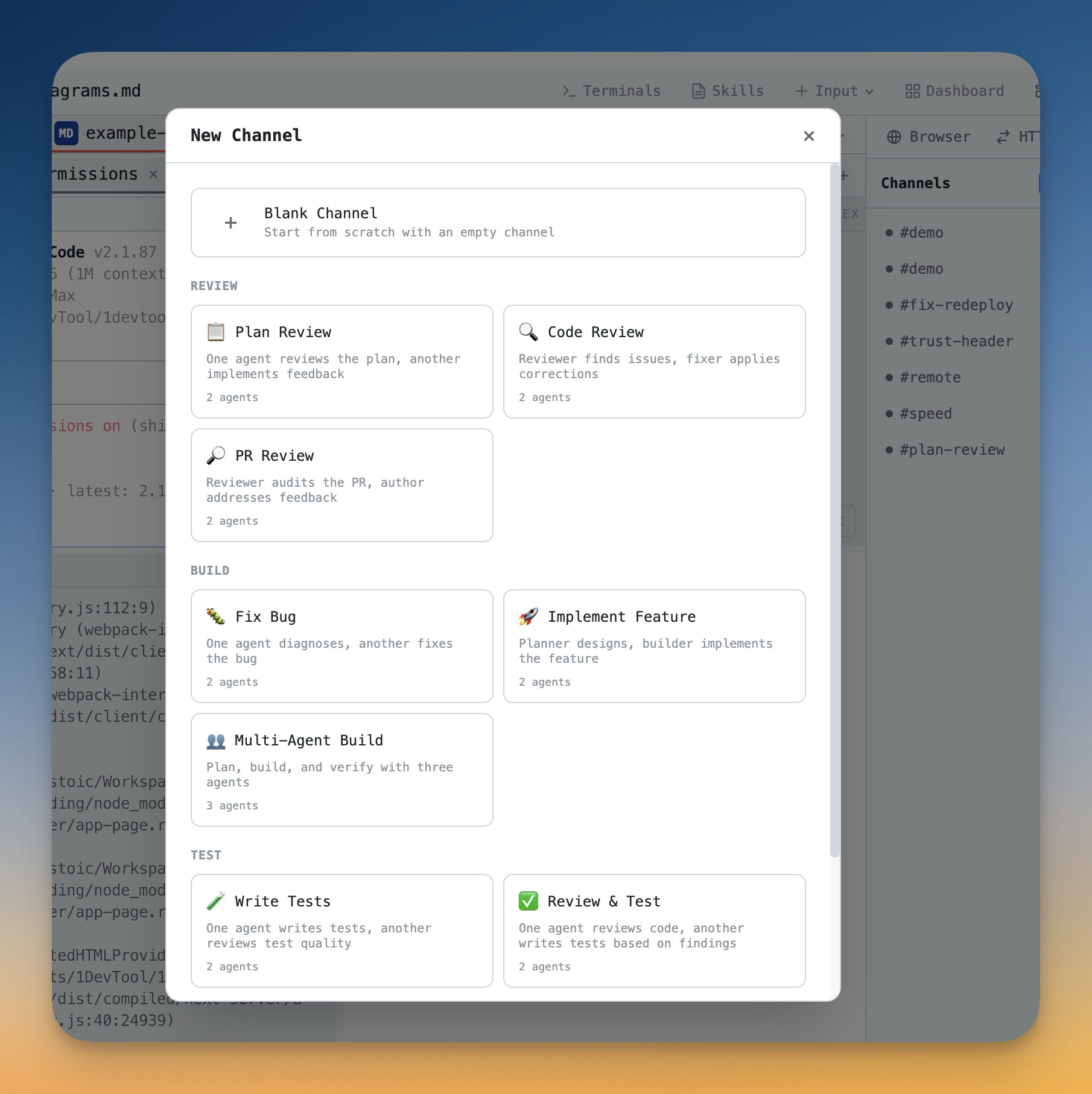
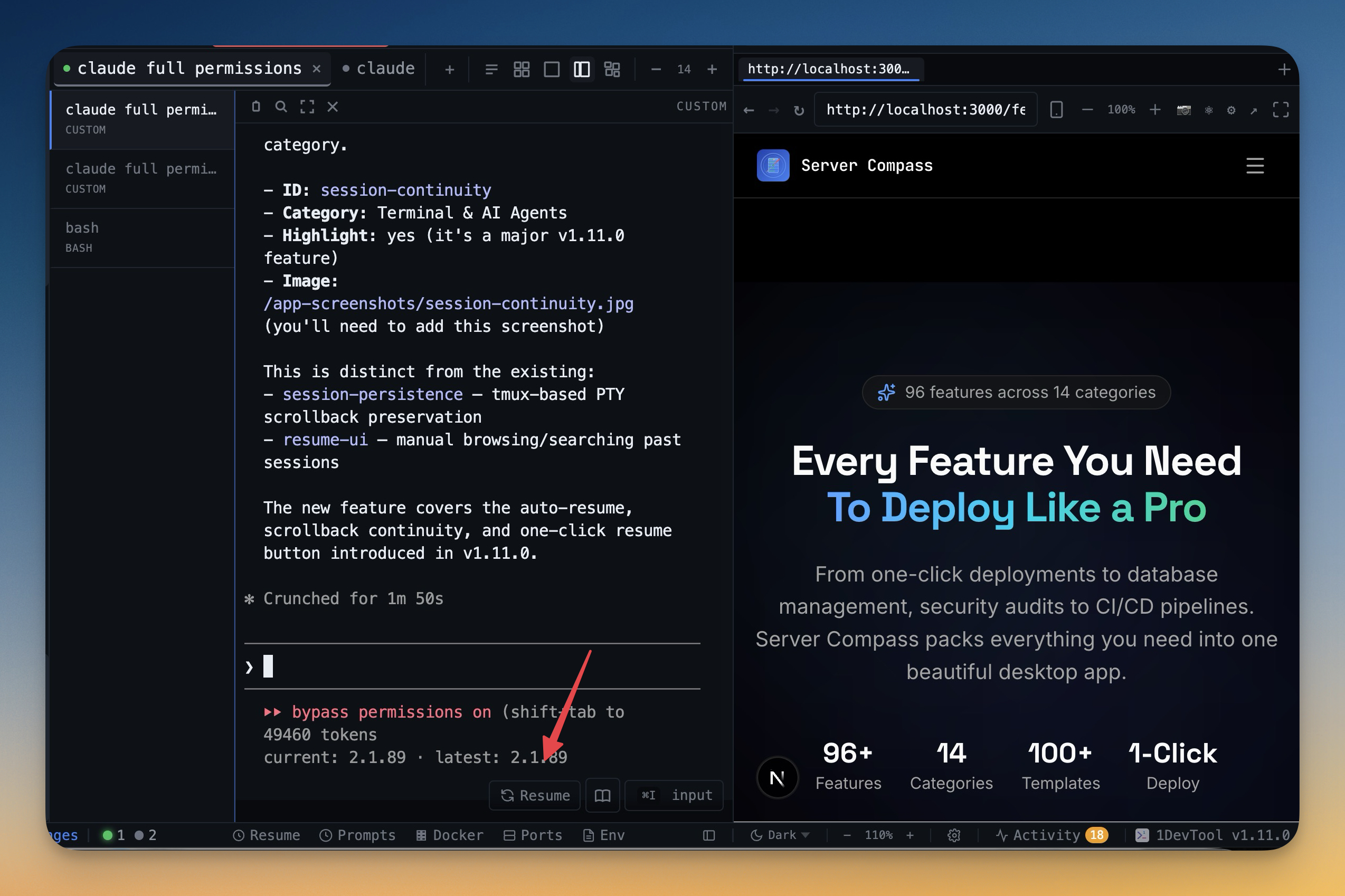
The tools that set 1DevTool apart from Cursor — built in, no plugins.
The Verdict
Choose 1DevTool if...
- ✓You want Charts, teams, and pipelines across 20 CLI agents — not a single hosted model
- ✓You need backup agents and Autopilot when Claude or Codex hits a limit or crashes
- ✓You prefer a free plan or $29 one-time over a monthly IDE subscription
- ✓You want a 23-engine database client, HTTP client, and browser profiles built in
- ✓You want to see which agent changed which file, and steer agents from your phone
Choose Cursor if...
- •You want deep VS Code integration with extensions
- •You prefer inline AI completions over autonomous agents
- •You need full VS Code extension compatibility
- •You want AI tightly integrated into the editing experience
Go deeper
Tutorials, posts and docs for the 1DevTool features on this page.
Frequently asked questions
Is 1DevTool a replacement for Cursor?
Not exactly. Cursor is an AI IDE with inline completions; 1DevTool is a multi-agent workspace with terminals, charts, and a built-in DB/HTTP/browser toolchain. Many developers use both — Cursor for editing, 1DevTool for running agents in parallel.
Can I use my Claude Max / Cursor / Codex subscription inside 1DevTool?
Yes. 1DevTool brings your own AI subscriptions — Claude Code, Codex, Gemini CLI, Cursor CLI, and more. There is no per-seat AI markup; you use the plans you already pay for.
How many AI CLI agents does 1DevTool support?
Twenty built-in agents: Claude Code, Codex, Gemini CLI, Cursor CLI, Antigravity, Kimi Code, Cline, Amp, OpenCode, Qwen Code, Grok, Hermes Agent, Pi, Oh My Pi, Aider, Devin, Kiro, Qoder, Command Code, and Kilo Code. Any other coding CLI can be registered as a custom agent.
Is 1DevTool a one-time purchase?
Yes. The free plan covers 1 project with 4 terminals and needs no account. Pro is $29 one-time for 1 device, $59 for 3 devices, or $89 for 5 devices. No monthly seat fee for the app itself.
Does 1DevTool include a database and HTTP client?
Yes. The built-in database client covers 23 engines (Postgres, MySQL, MongoDB, Redis, ClickHouse, Kafka, and more), plus an HTTP client with Postman/Insomnia/Bruno import and an embedded browser with per-tab profiles.
Can 1DevTool show which agent changed a file?
Yes. Agent Changes shows which agent is editing which file while it happens, opens a review when two agents touch the same file, and keeps every version. Pick Off, Watch or Guide per project.
Try 1DevTool Today
Multi-agent AI workspace for developers. Free plan, Pro from $29 one-time.
Compare 1DevTool with other tools
More side-by-side breakdowns across the tools developers ask about.