Mar 12, 2026
GitHub Copilot Alternatives: 10 Best Options in 2026 (Free & Paid)
Looking for GitHub Copilot alternatives? Compare the best AI coding assistants including free options like Codeium, and premium tools like Cursor and 1DevTool.
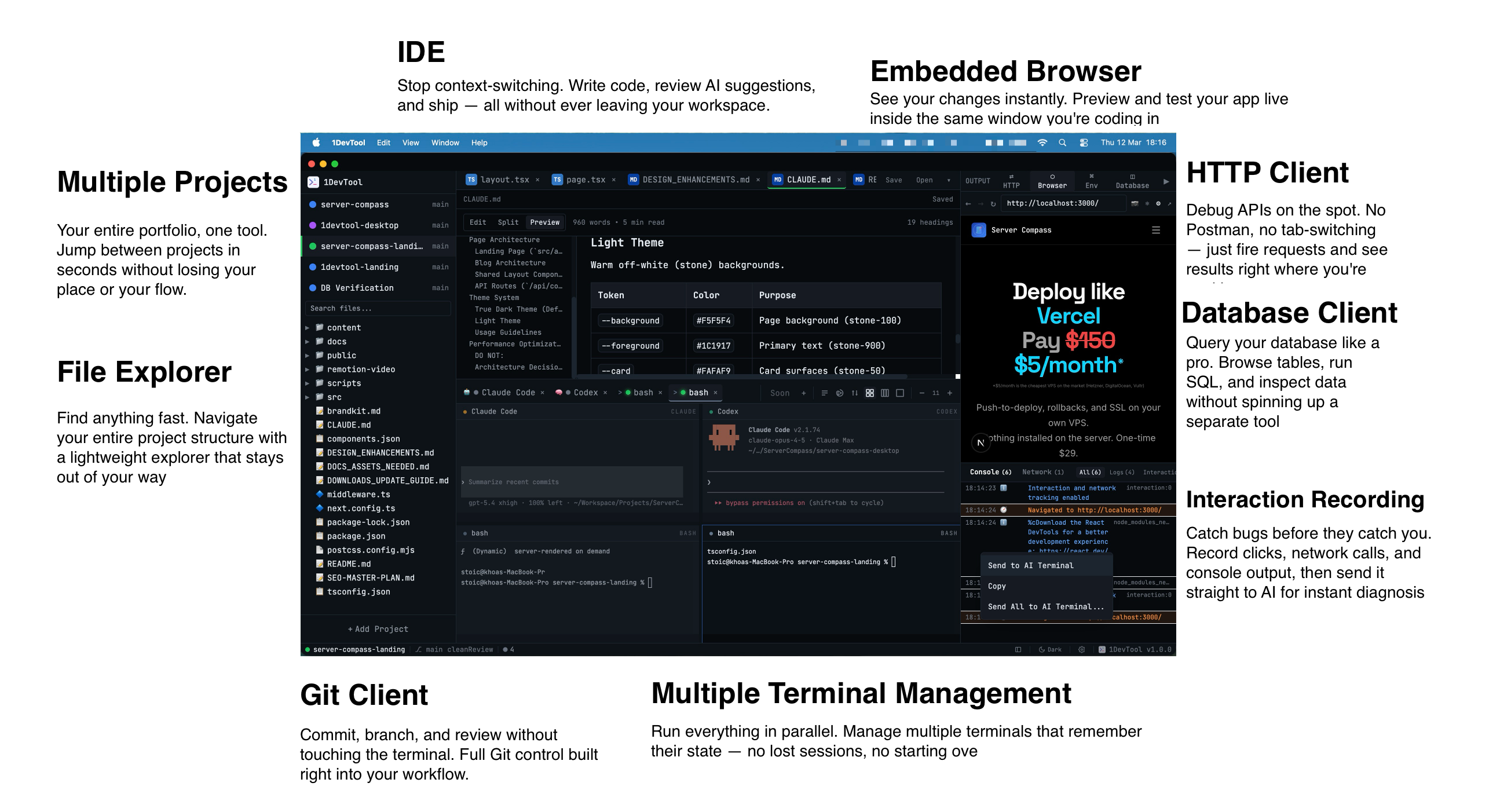
GitHub Copilot revolutionized AI-assisted coding, but it's not the only option. Whether you're looking for a free alternative, better features, or different AI models, this guide covers the best GitHub Copilot alternatives in 2026.
Why Consider Copilot Alternatives?
Developers switch from Copilot for various reasons:
- Cost: Copilot costs $10-19/month with no free tier
- AI Models: Access to Claude, GPT-4, or other models
- Features: Multi-file editing, chat, and deeper integration
- Privacy: Concerns about code being used for training
- Integration: Better fit with specific workflows
Best GitHub Copilot Alternatives
1. Cursor - Best Overall Alternative
Cursor is a full AI-native IDE that offers everything Copilot does and more. Built on VS Code, it feels familiar while providing superior AI capabilities.
- Pros: Composer for multi-file edits, Claude/GPT-4 support, excellent UX
- Cons: $20/month, requires switching editors
- Best for: Developers wanting the most advanced AI features
2. Codeium/Windsurf - Best Free Alternative
Codeium offers a generous free tier that rivals Copilot's paid features. Their Windsurf IDE takes it further with advanced AI capabilities.
- Pros: Free tier, fast completions, works in VS Code
- Cons: Proprietary models only
- Best for: Budget-conscious developers, students
3. 1DevTool - Best All-in-One Alternative
1DevTool combines AI coding assistance with a complete development workspace. Get AI-powered code editing plus terminals, database client, and more in one app.
- Pros: Multiple AI models, integrated workspace, AI terminals
- Cons: New to market
- Best for: Full-stack developers wanting unified tools
4. Tabnine - Best for Privacy
Tabnine focuses on privacy with options for self-hosted AI models. It works entirely offline if needed, making it ideal for enterprise environments with strict data policies.
- Pros: Privacy-focused, self-hosted option, offline mode
- Cons: Less capable than cloud models
- Best for: Enterprise, regulated industries
5. Amazon Q Developer - Best for AWS
Amazon Q Developer (formerly CodeWhisperer) is excellent for AWS-focused development. It understands AWS services deeply and offers a free tier.
- Pros: Free tier, excellent AWS integration, security scanning
- Cons: AWS-focused, less general coding knowledge
- Best for: AWS developers, cloud infrastructure
6. Claude Code - Best for Complex Tasks
Claude Code brings Anthropic's Claude model to your terminal. It excels at understanding complex codebases and making multi-file changes.
- Pros: Powerful Claude model, understands full codebase
- Cons: Terminal-based, requires API access
- Best for: Complex refactoring, codebase exploration
Free Copilot Alternatives
If budget is your main concern, these options offer substantial free tiers:
- Codeium: Unlimited completions, free forever
- Amazon Q Developer: Free tier with 50 AI completions/month
- Tabby: Open source, self-hosted
- Continue: Open source VS Code extension
Quick Comparison Table
Tool
Price
AI Models
IDE Support
Copilot
$10-19/mo
GPT-4
VS Code, JetBrains
Cursor
$20/mo
Claude, GPT-4
Cursor IDE
Codeium
Free
Proprietary
All major IDEs
1DevTool
Free tier
Claude, GPT-4+
1DevTool App
Tabnine
$12/mo
Proprietary
All major IDEs
How to Choose the Right Alternative
Consider these questions when evaluating alternatives:
- Do you need a free option? → Try Codeium or Amazon Q
- Want the best AI capabilities? → Consider Cursor or 1DevTool
- Privacy concerns? → Look at Tabnine or self-hosted options
- Need to stay in VS Code? → Codeium extension or Amazon Q
Conclusion
GitHub Copilot is great, but it's no longer the only game in town. Cursor offers superior AI features, Codeium provides excellent free access, and 1DevTool combines AI with a complete workspace. The best choice depends on your budget, workflow, and feature requirements.
Related in the StoicSoft network
If you're self-hosting on a VPS or working through a deployment guide like the one above, DeployToVPS is the StoicSoft network's handbook for VPS deployment recipes — docker-compose, nginx, traefik, and common app self-hosts.