Apr 18, 2026
Resume a Previous AI Session in a Different Agent Without Re-Explaining Context
Resume a past Claude Code, Codex, or Gemini session in a different AI agent, get explicit SSH connection status, and avoid Vercel deploy failures on unsupported local Node versions.
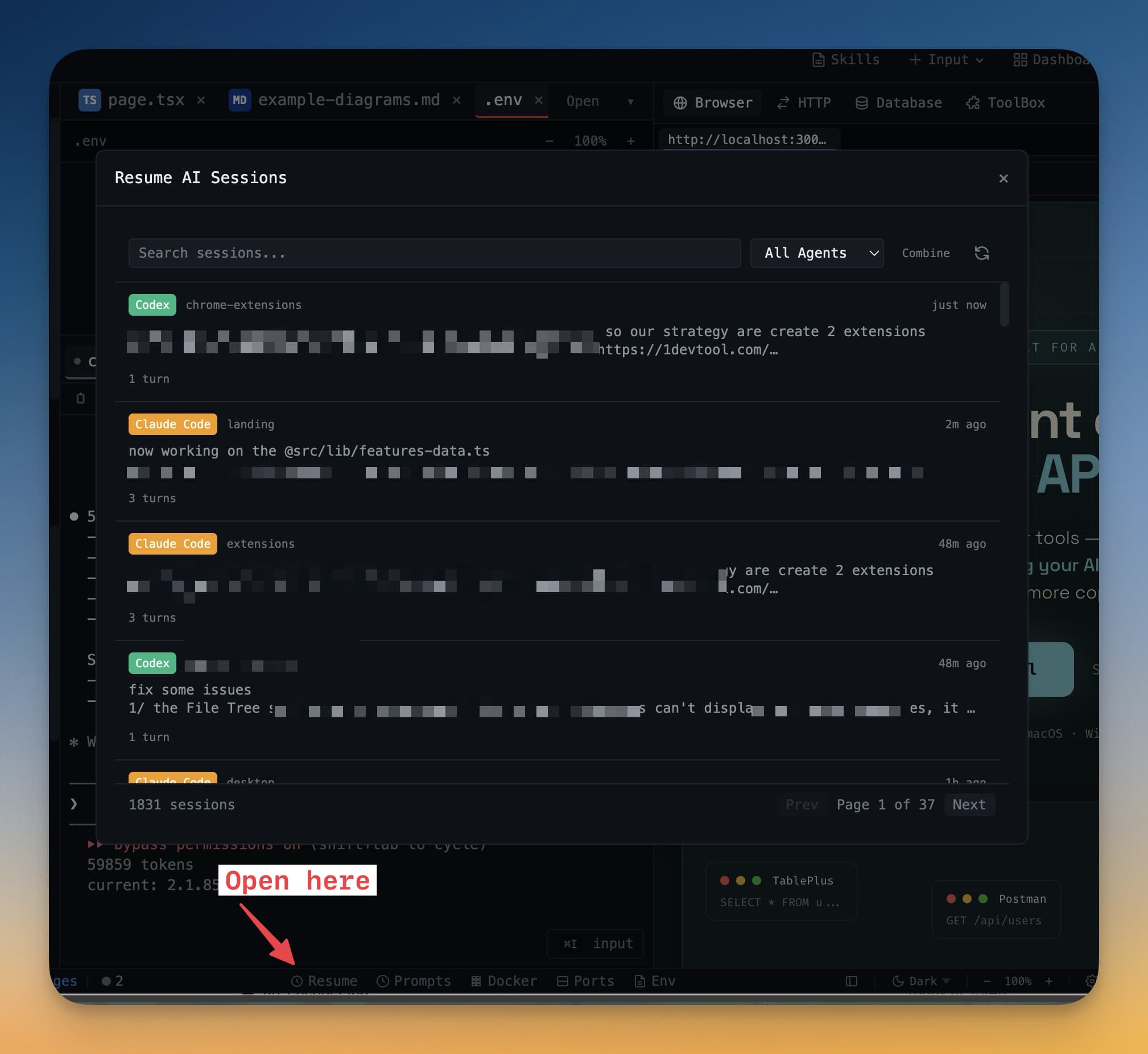
You resume a previous AI session because the conversation history matters. The problem is that sometimes you do not want to resume it in the same agent. Maybe Claude Code did the exploration and now you want Codex to critique it. Maybe Gemini CLI generated a draft and you want Amp to continue with a different style. In most tools, the resume action assumes sameness. Same agent. Same conversation lane. Same execution model.
1DevTool v1.15.1 changes that. The Resume panel can now hand a previous chat to a different AI agent, while the rest of the release improves two other parts of the shipping loop that usually fail under pressure: SSH project visibility and Vercel deploy reliability on modern Node versions.
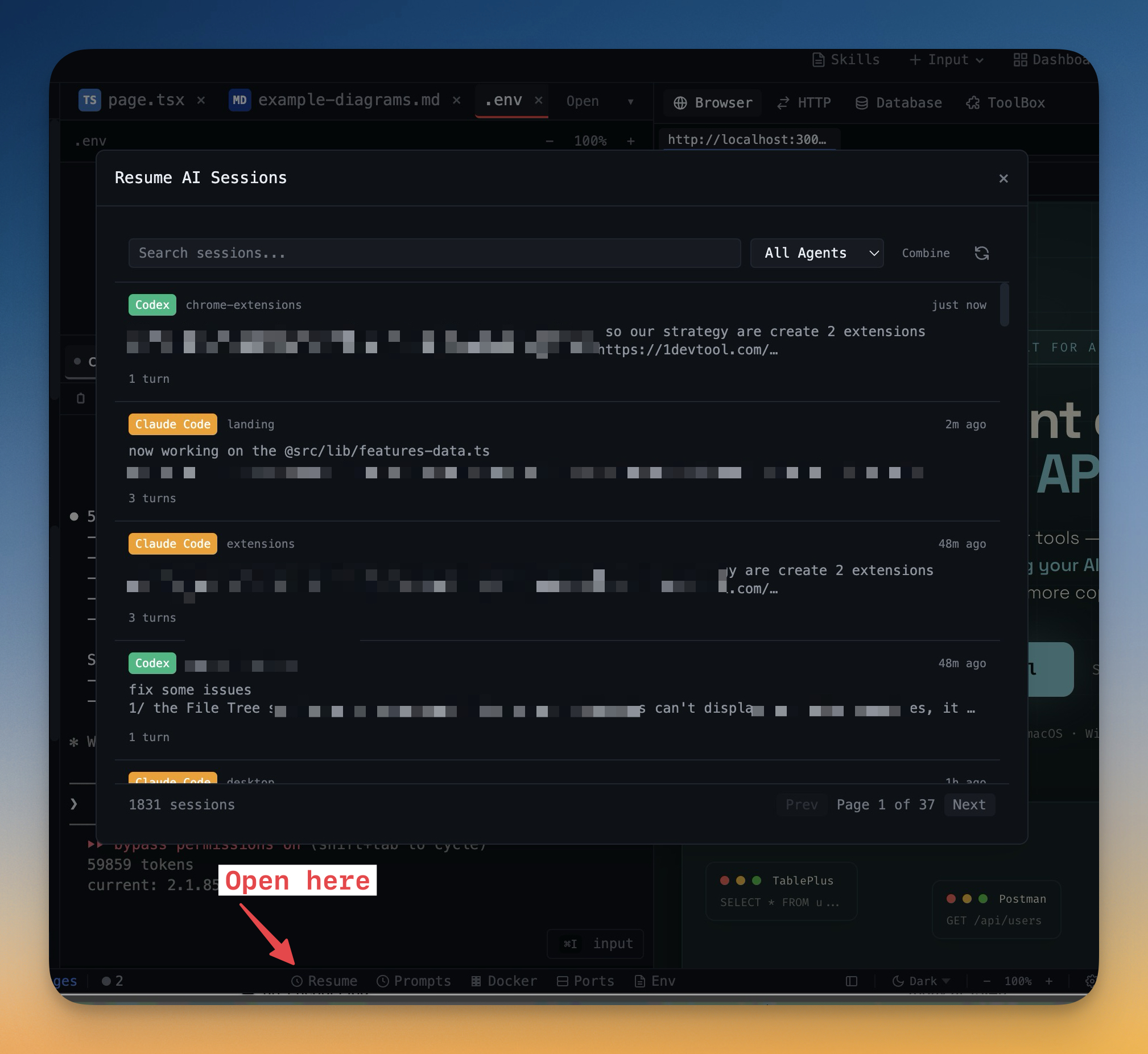
Resume the Conversation, Not the Same Agent
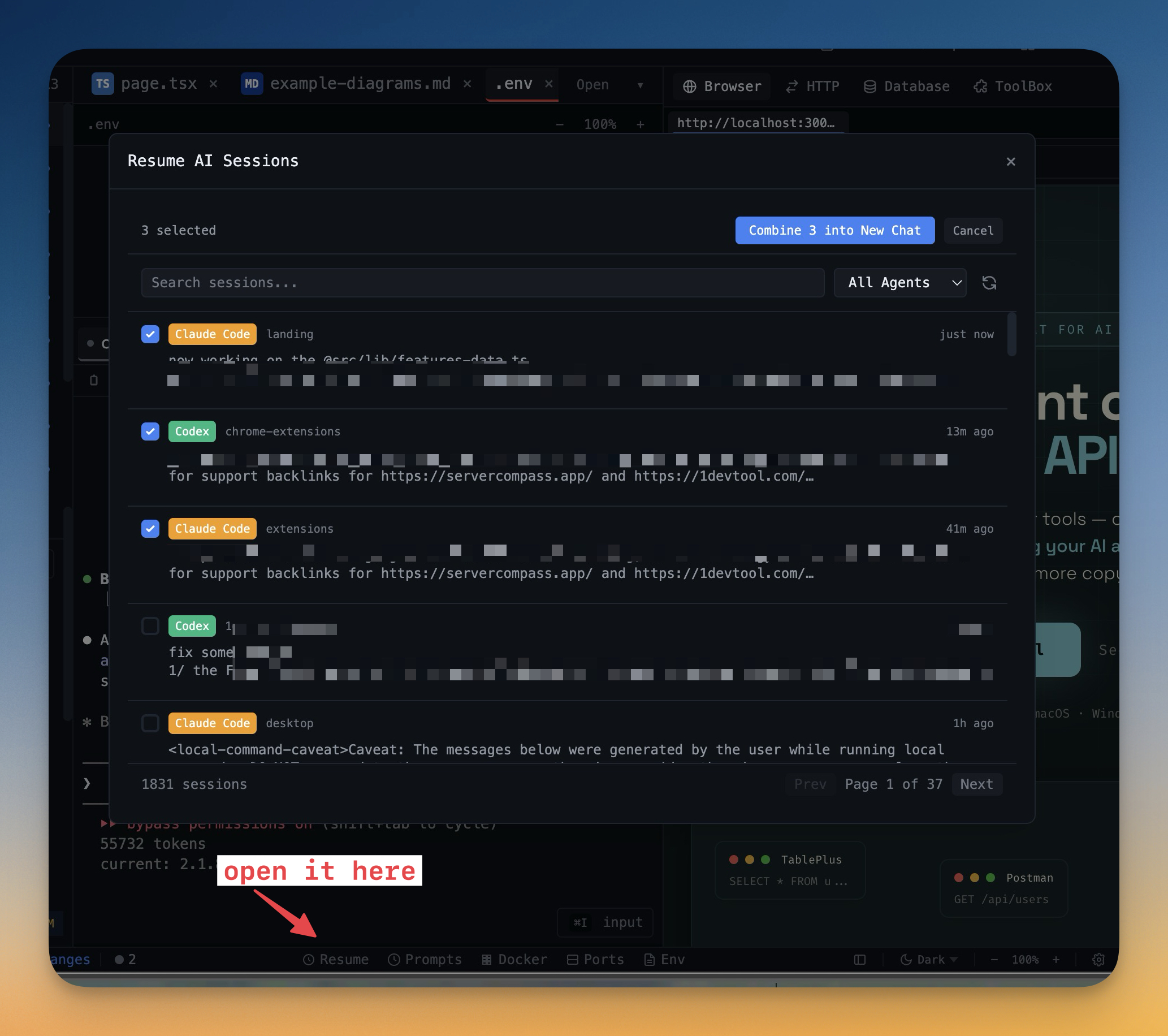
The most important change in v1.15.1 is conceptual: a past session becomes reusable context, not a lock-in to the original tool. In the Resume panel source, the combine target list is built from two groups: visible built-in AI agents and custom AI command presets. That means the same stored session can be continued in Claude Code, Codex, Gemini CLI, Amp, Qwen Code, or one of your own custom AI launches.
The defaults are also smarter. If you resume a single session, the UI deliberately picks a different built-in agent first when one is available. That is a strong clue about the intended workflow: second opinions, alternate execution styles, and cleaner handoffs. If you combine multiple sessions, the app instead defaults to the most common agent in the selection, which is usually the least surprising target for merged context.
Why Cross-Agent Resume Is Useful
Cross-agent resume helps in at least three real cases:
- Planning vs execution. Use one agent for architecture and another for patching.
- Second opinions. Hand the same thread to another model without retyping the brief.
- Custom workflows. Resume a previous session directly into a preset command you built for your team.
Even the generated prompt text adapts to what you selected. For one session, it says "Here is the chat from a previous session for context." For multiple sessions, it says "Here are the combined chats from previous sessions for context." That seems small, but it keeps the next agent from inheriting awkward framing.
SSH Project Status at a Glance
The second major improvement in v1.15.1 is operational clarity for remote projects. If you open an SSH-backed workspace and the host is slow, unreachable, or still mounting, the old failure mode was uncertainty. Are you connected? Is it hung? Is the filesystem loading? Do you need to wait or retry?
The status bar now answers that directly. In the source, SSH-backed projects surface four explicit states: Checking SSH…, Mounting…, SSH connected, and SSH failed. The file tree mirrors the same lifecycle with a spinner, phase-specific copy such as Checking host… and Mounting remote workspace…, plus a visible Retry action if the mount fails.
That is the difference between a remote project feeling brittle and feeling observable. When the connection path is explicit, you stop guessing and start deciding.
Vercel Deploys That Survive Modern Node
The third part of the release is about delivery. Vercel's CLI does not run correctly on Node 24+, which is exactly the kind of mismatch that produces confusing deploy failures: your local environment is modern, the provider tooling is not, and the terminal output does not always make that obvious.
v1.15.1 addresses this in the deploy provider itself. Before running the Vercel flow, 1DevTool resolves a supported runtime and searches common version-manager locations such as ~/.nvm, ~/.volta, ~/.asdf, and ~/.local/share/fnm for Node 22, 20, or 18. If a supported fallback exists, it is used automatically for the deploy without mutating your shell's default Node.
The UI then pairs that with better failure recovery. The deploy error panel can open build logs and preview URLs directly, and it explains when a Vercel failure happened after the prebuilt upload already reached the platform. That means you spend less time spelunking through raw CLI output and more time acting on the right diagnosis.
Before vs After
Workflow
Before v1.15.1
After v1.15.1
Resume an old AI conversation
Continue in the same agent or retype context elsewhere
Send the session to a different agent or custom preset directly
Open an SSH-backed project
Infer connection state from partial UI behavior
Read explicit checking, mounting, connected, or failed states
Deploy on a machine using Node 24+
Hit vague Vercel CLI failures
Auto-fallback to supported Node 22/20/18 when available
Who Benefits Most
Developer
Why v1.15.1 helps
Multi-agent users
You can move a conversation from one agent to another without rebuilding context from scratch.
Remote-first developers
SSH projects become legible during connection and mount phases instead of feeling stuck.
Frontend teams shipping often
Vercel deploys become more resilient on modern local Node setups and easier to debug when they fail.
Anyone using custom AI presets
Old sessions become inputs to your preferred command model, not just to the tool that created them.
Try It Today
v1.15.1 is a strong example of workflow maturity. It does not just add a feature. It removes assumptions. Resume does not assume the same agent. SSH does not assume you can infer connection state. Deploys do not assume your Node version matches the provider's comfort zone.
If you already work across Claude Code, Codex, Gemini CLI, and remote projects, download the latest build from 1devtool.com and try one simple exercise: resume an old chat in a different agent, then ship the result without leaving the workspace.
From across the StoicSoft network
Hand-curated reads on the same topic from sister sites in the StoicSoft family.
 ServerCompass25 min read
Save 5 hours a month: The lazy developer's guide to VPS deployments
Tired of typing ssh user@server and running the same 10 commands every time you deploy? This guide shows how to transform your VPS deployment workflow from terminal chaos to visual simplicity.
Read on servercompass.app ServerCompass5 min read
Never Lose Your SSH Connection Again: Auto-Recovery and Database Table Browser
Automatic SSH reconnection with retry logic, plus a database table browser with data viewer, pagination, search, and smart record creation forms.
Read on servercompass.app