Environment Manager
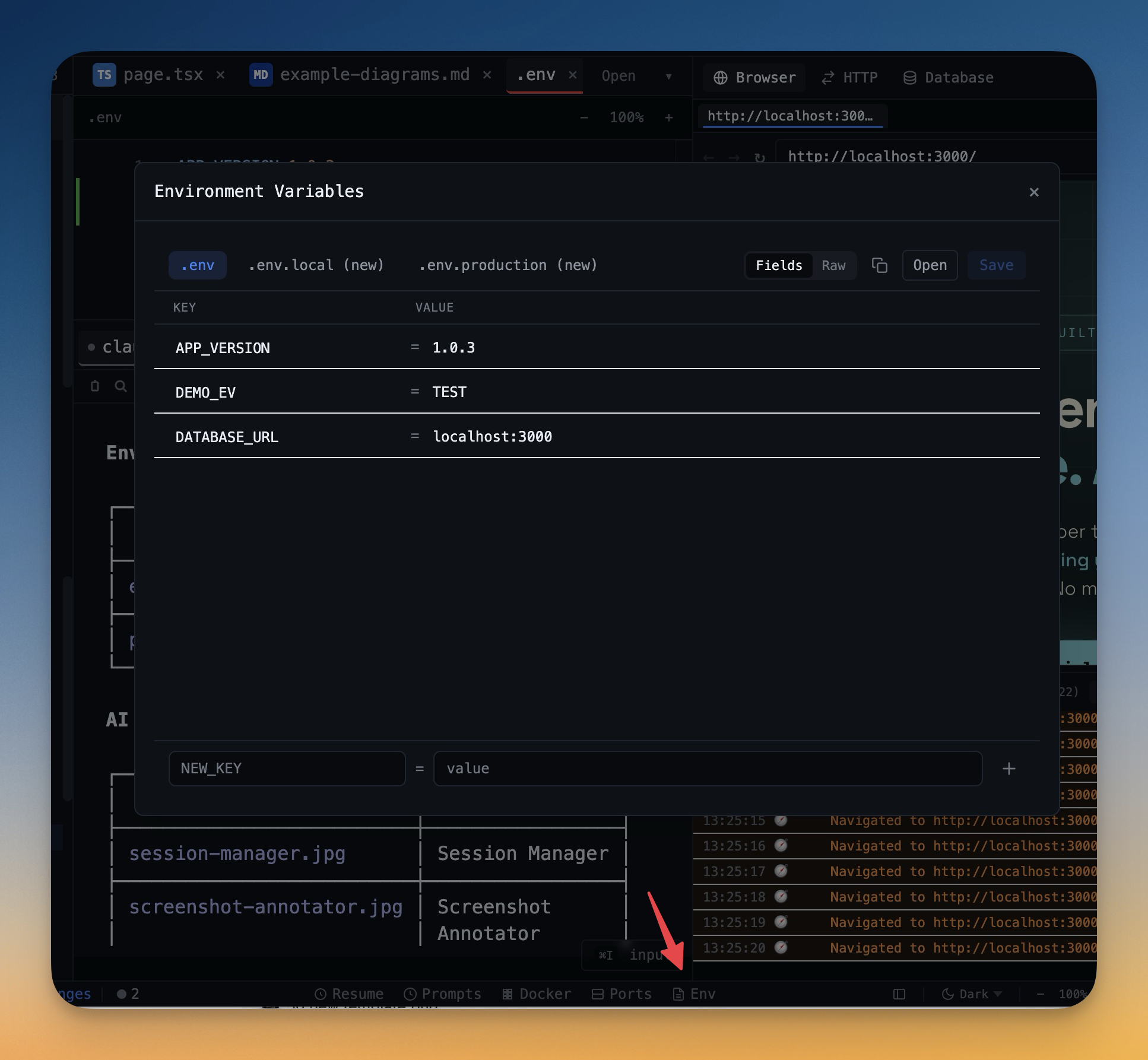
Structured .env editor with key-value pairs, secret masking, and multi-file support (.env, .env.local, .env.production).
Why You Need This
How this feature boosts your daily productivity
Environment variables are the most common source of "works on my machine" bugs. Editing .env files in a text editor gives you no validation, no visibility into which variables are set across environments, and no protection against accidentally committing secrets. The Environment Manager shows all your env files in a structured key-value view with secret masking, draft saving, and instant switching between .env variants.
How It Works
Get started in 4 simple steps
Open Your Env Files
The Environment Manager detects all .env files in your project. Switch between .env, .env.local, and .env.production.
Edit Key-Value Pairs
Add, modify, or delete environment variables in a structured editor. Secrets are masked by default.
Save Safely
Changes are saved as drafts first. Preview what changed before writing to the file.
Monitor Ports
Switch to the Port Manager to see all active ports. Filter and kill processes that are blocking your dev server.
Without 1DevTool
The manual way vs. the 1DevTool way
The Hard Way
The 1DevTool Way
Key Capabilities
Everything included with Environment Manager
Why It Matters
The productivity impact of having environment & ports built into your workspace
Structured Editing
Key-value editor with secret masking is safer and clearer than editing raw .env files in a text editor.
Multi-Environment Support
Switch between .env, .env.local, and .env.production instantly. Compare variables across environments.
Instant Port Resolution
See what's using port 3000 and kill it in one click. No more lsof | grep | kill command chains.
Draft Protection
Preview changes before saving. Never accidentally overwrite production secrets or break your local setup.
More in Environment & Ports
Other features in this category you might find useful
Port Manager
View all active ports and processes with filtering. Kill processes directly from the interface.
Port Manager: Inline Process Details
Click any PID in the Port Manager to expand a process detail panel under the row — parent PID, user, CPU%, memory%, RSS, started-at timestamp, process state, working directory, full command line, and a per-row Copy command button on hover.
Ready to boost your workflow?
Download 1DevTool for free and experience Environment Manager along with 305 other features — all in one app.