Apr 15, 2026
Prompt Fatigue Is Real: Build Reusable AI Execution Playbooks Instead
If you keep rewriting the same prompts for every bugfix, refactor, and review, you do not need a bigger prompt. You need reusable execution playbooks with outputs, checklists, and feedback loops.
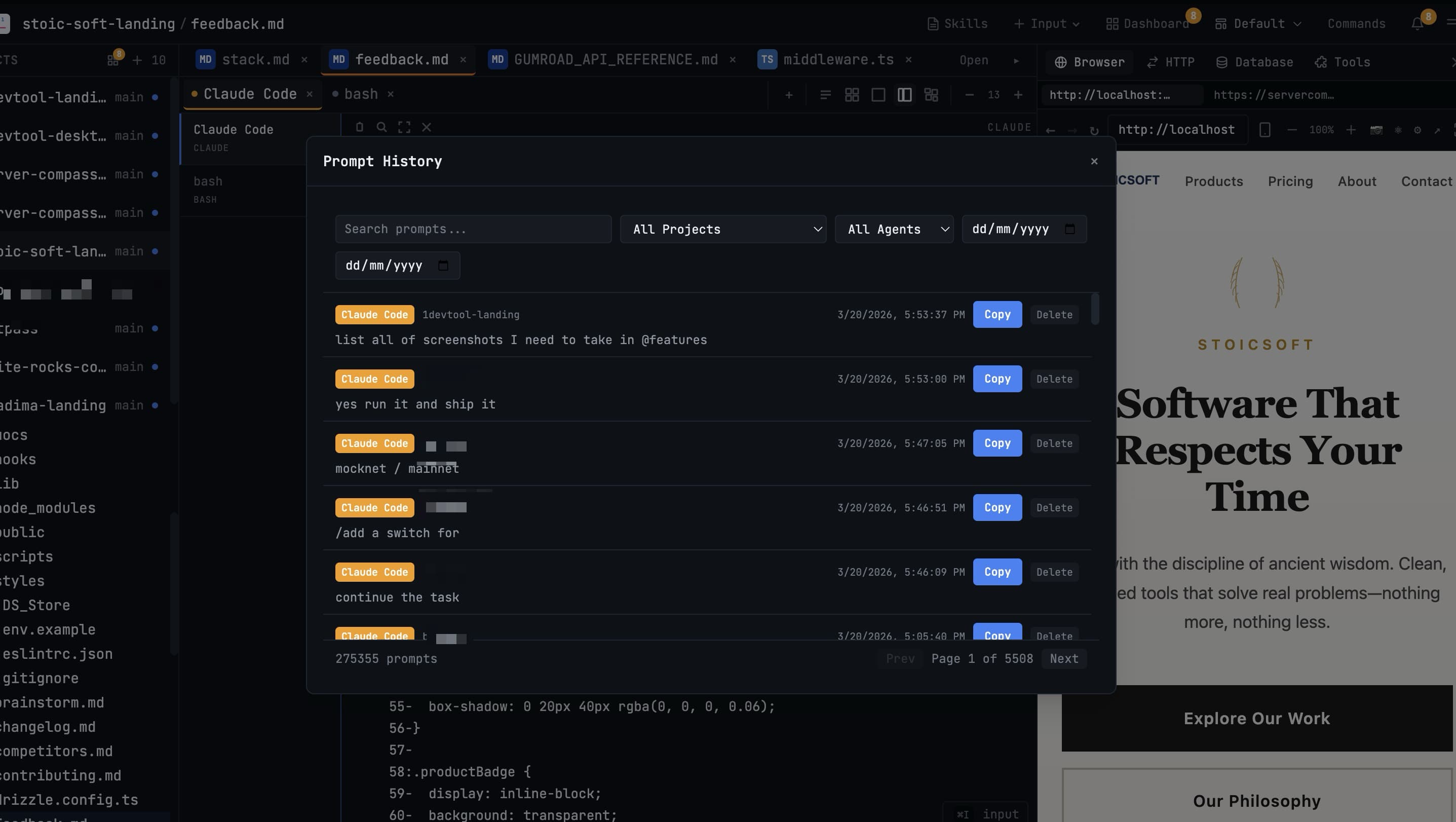
Prompt fatigue starts small. You write a good prompt for a bugfix in Claude Code, then rewrite it for a refactor in Codex CLI, then rewrite it again for a review, then spend five minutes explaining your repository rules to the same agent for the fourth time that week.
The problem is not that you need a perfect mega-prompt. The problem is that your AI coding workflow needs repeatable execution playbooks: task type, context, constraints, output format, review checklist, and a feedback loop. Think of them as reusable prompt templates with built-in quality gates.
What a Playbook Contains
A playbook is a short, reusable contract for one class of work. It should be specific enough to guide an agent and small enough that you will actually maintain it.
- Task archetype: bugfix, feature, refactor, review, migration, docs.
- Inputs: files, logs, screenshots, failing tests, linked notes.
- Constraints: scope, coding style, forbidden files, performance limits.
- Output contract: plan, patch summary, tests run, risks, follow-ups.
- Review checklist: what you verify before accepting the work.
Start With Five Task Archetypes
Do not build a prompt library around technology names. Build it around work shapes. Most AI-assisted development falls into a few repeatable patterns.
Archetype
Useful Output Contract
Bugfix
Reproduction, root cause, minimal patch, regression test
Feature
Implementation plan, touched files, user-facing behavior, tests
Refactor
Preserved behavior, moved code, compatibility risks, verification
Review
Findings by severity, file references, missing tests, open questions
Migration
Before and after contract, data risk, rollback plan, validation query
A Minimal AI Prompt Playbook Template
Use this as a starting point for your reusable prompt templates. The important part is the output contract at the end; that is what makes AI responses comparable across runs and reviewable by teammates.
`Role: You are helping with <bugfix|feature|refactor|review|migration>. Goal: <single measurable outcome> Context: <files, logs, screenshots, failing tests> Constraints: - Stay within <scope> - Preserve <behavior or API> - Do not touch <files or modules> Process: 1. Restate the goal. 2. Give a concise plan before editing. 3. Make the smallest useful change. 4. Run or recommend verification. Return: - Summary - Files changed - Tests run - Risks - Follow-up questions`
Filled-In Example: Bugfix Playbook
Here is what the template looks like filled in for a real bugfix task. Notice that the constraints and output contract remove ambiguity before the coding agent writes a line:
`Role: You are fixing a bug in the payment module. Goal: Stripe webhook returns 400 on subscription renewal events. Context: src/webhooks/stripe.ts, logs from Sentry issue #4821. Constraints: - Stay within src/webhooks/ and src/billing/. - Preserve the existing StripeEvent type contract. - Do not touch user-facing API routes. Process: 1. Restate the bug and confirm the failing path. 2. Show the root cause before patching. 3. Write a minimal fix and a regression test. 4. Run npm test -- --grep "stripe webhook". Return: - Root cause summary - Files changed - Test output - Remaining risk (e.g., other event types) - Follow-up questions`
Store Prompt Playbooks Where You Use Them
A prompt library only works if it is close to the execution surface. If your reusable prompts live in a forgotten Notion doc, you will still improvise under pressure. For Claude Code users, project-level CLAUDE.md files are one natural home for durable instructions. For broader workflow storage, you need something searchable.
1DevTool gives you several places to keep AI execution playbooks close to work:
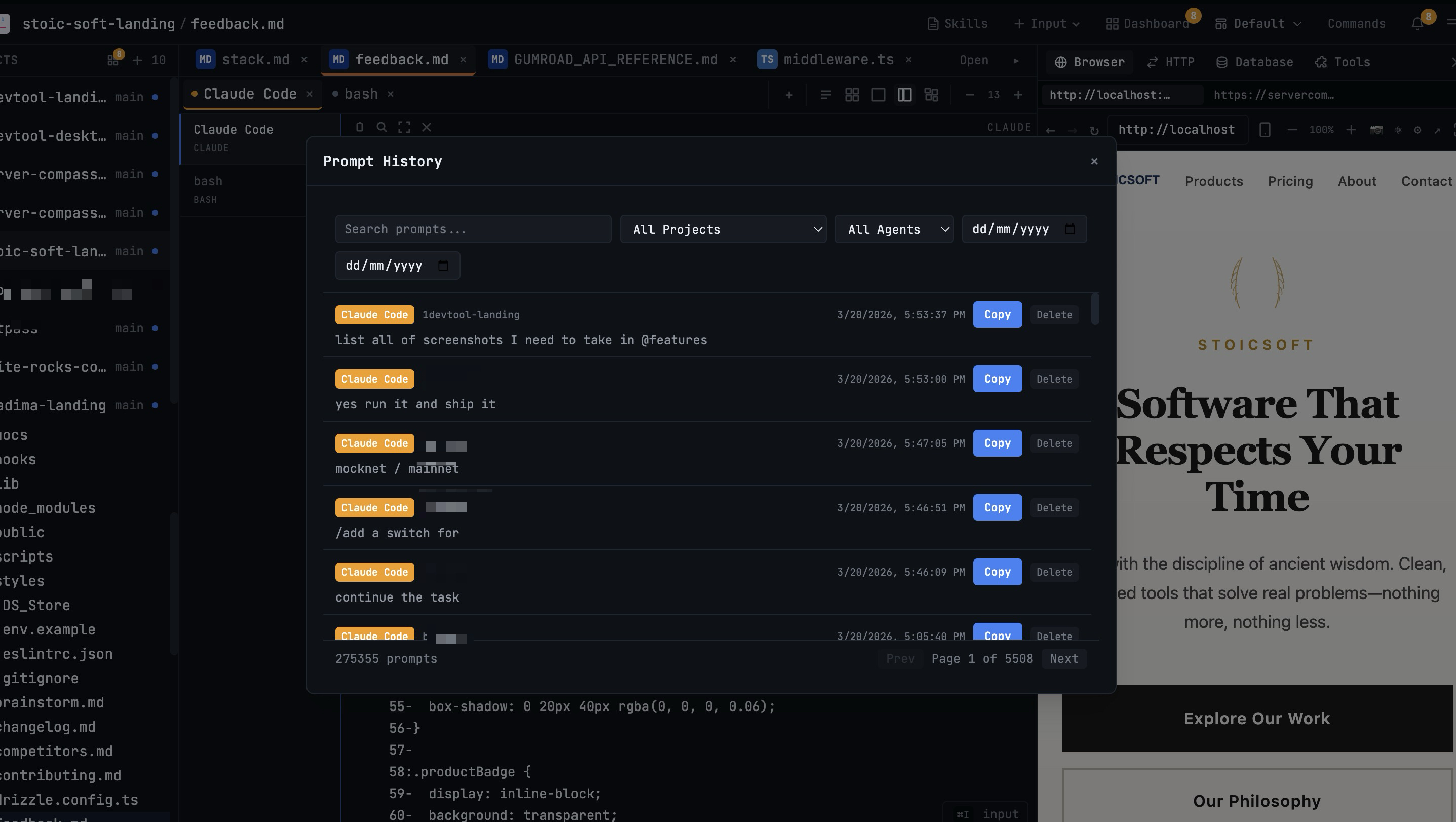
- Prompt History for finding and reusing past successful prompts.
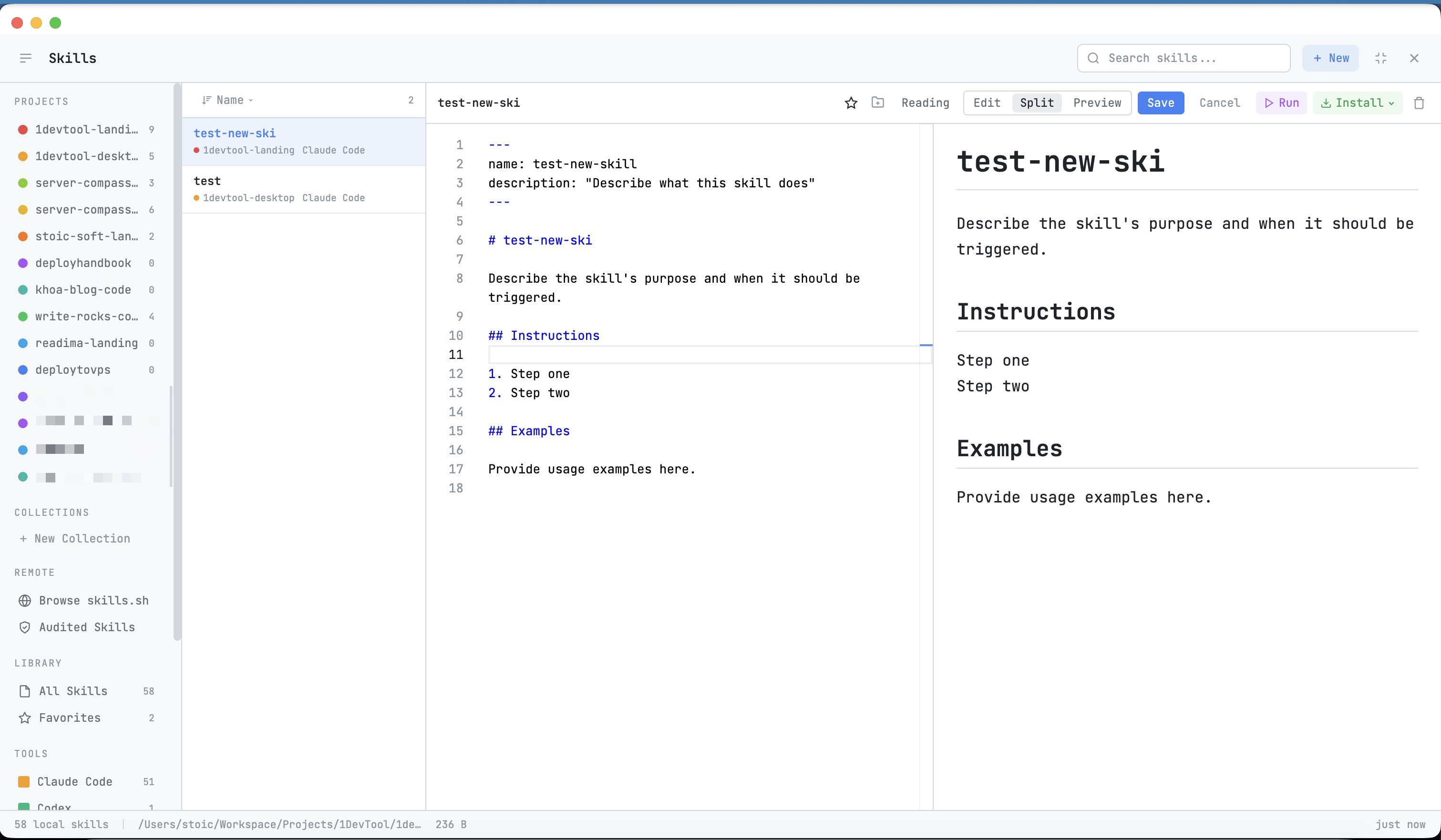
- Skills Manager for turning durable workflows into reusable skills.
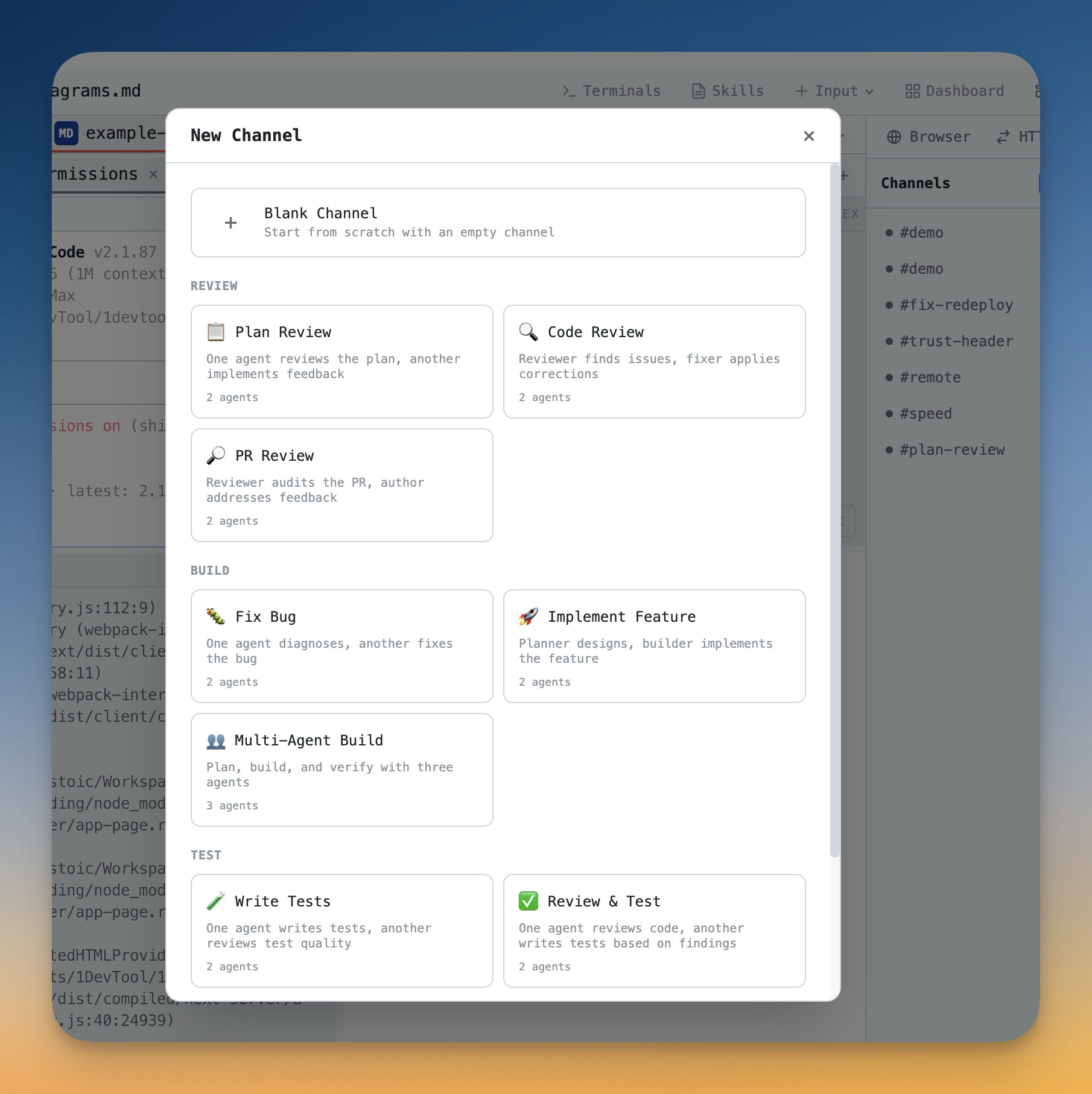
- Channel Templates for multi-agent workflows with pre-assigned roles.
- Drag Files Into the AI Prompt for attaching the right files without path-copying mistakes.
Use Channel Templates for Multi-Agent Workflows
Prompt fatigue gets worse when you coordinate more than one coding agent. Now you are not only writing the task prompt; you are also assigning roles to Claude Code and Codex CLI sessions, setting handoff rules, choosing files, and deciding how far each agent can continue autonomously.
Channel Templates make those multi-agent choices explicit and reusable. A review workflow can start with a reviewer and fixer. A build workflow can start with a planner and implementer. A test workflow can start with a tester and analyst. You still edit the prompt, but you do not rebuild the coordination structure each time.
Review Your Prompt System Weekly
A playbook library should improve. Once a week, review the prompts that failed or caused cleanup work. Look for unclear scope, missing files, weak output contracts, and missing verification.
Keep the review practical:
- Delete prompts you never reuse.
- Promote successful prompts into templates or skills.
- Add one missing constraint to each failed playbook.
- Keep output formats consistent so responses are easy to review.
Common Mistakes
- One giant generic prompt: it becomes too vague and too hard to improve.
- No output schema: every answer arrives in a different shape.
- No review checklist: you generate faster but accept work inconsistently.
- No prompt feedback loop: the same failure repeats every week.
Prompt fatigue is a process smell, not a creativity problem. When you notice yourself typing the same setup again — whether in Claude Code, Codex CLI, or any AI terminal — turn it into a playbook, prompt template, or skill. Your AI coding workflow gets faster because reusable prompt templates carry the repetition for you.
Use 1DevTool to capture searchable prompt history, build reusable AI execution skills, and run template-based multi-agent workflows without rebuilding the same instructions every session.