Apr 1, 2026
API Client and Terminal in One Workspace: Faster Debugging Guide
Combining API requests, terminal logs, and code context in one interface eliminates a major source of debugging latency. Here's how to run a tighter request-fix-verify loop.
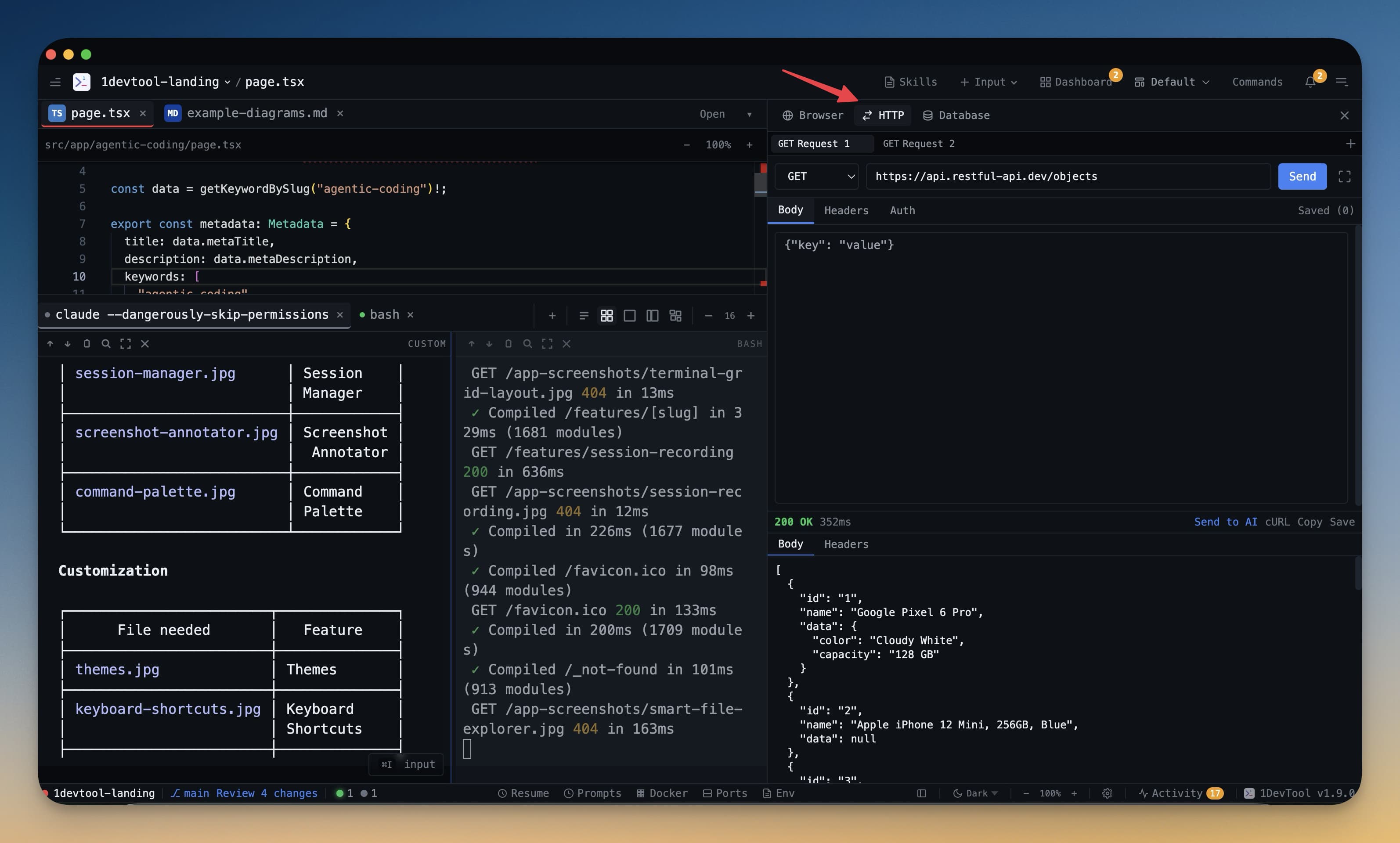
A common bottleneck in API-heavy projects is context switching: request in one app, logs in another, code in another. Combining API and terminal workflows in one surface speeds up every debug cycle.
The Fast Request-Fix-Verify Loop
- Send request and inspect status, payload, and timing.
- Jump to terminal logs to trace service behavior.
- Edit code, rerun service, and retest immediately.
This loop should take minutes, not context-switch-heavy half-hours.
Features That Unblock Speed
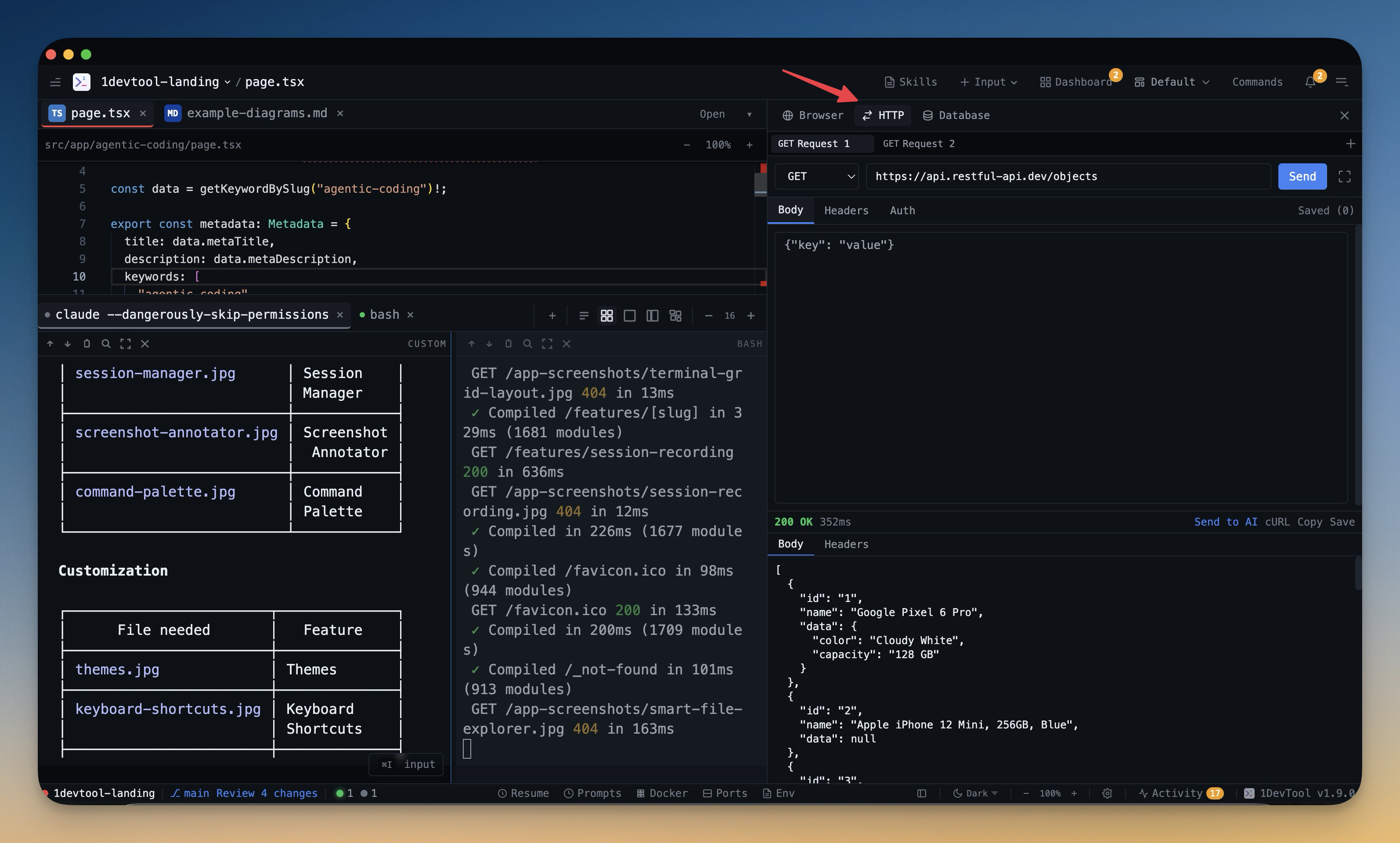
- Request Workspace for endpoint organization.
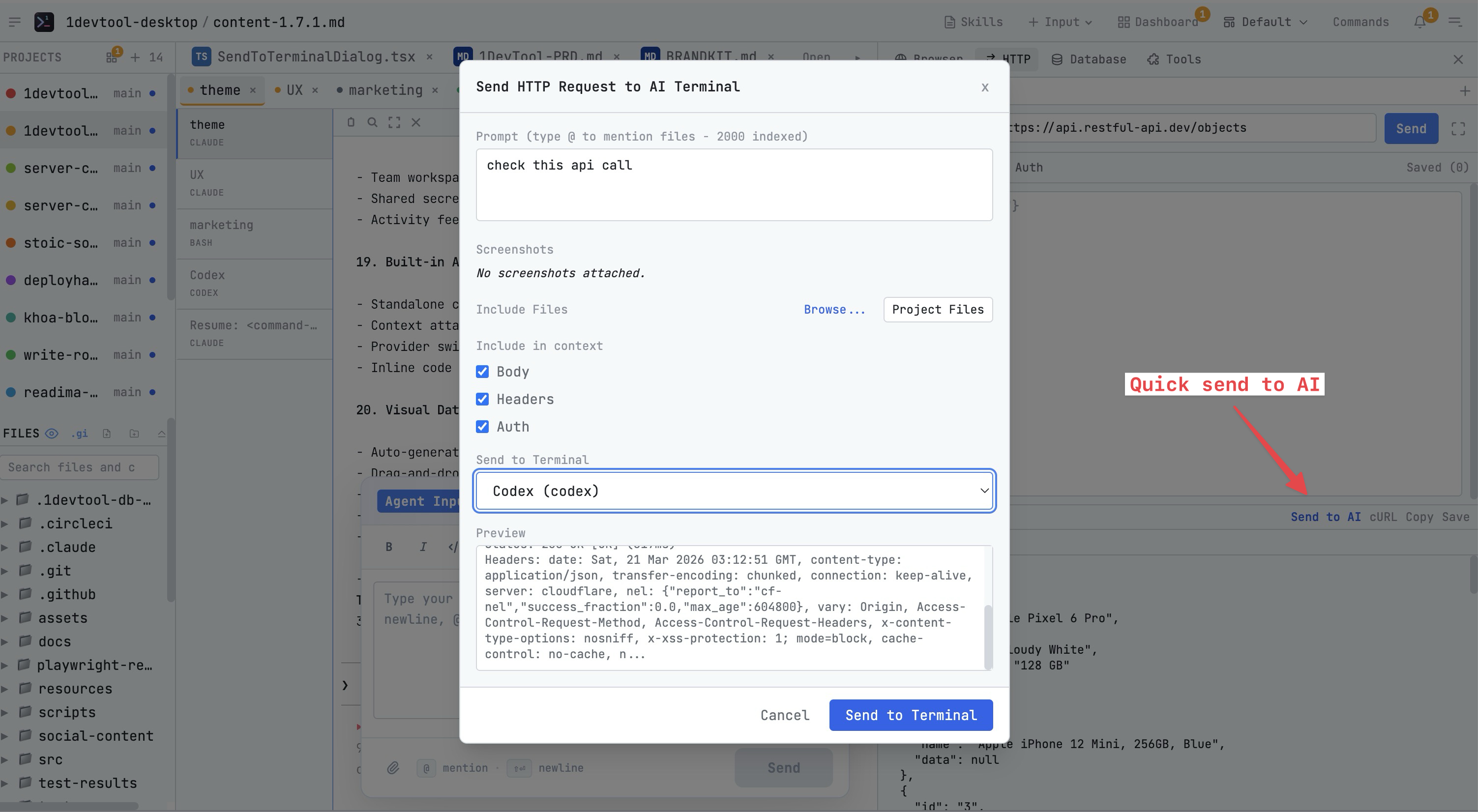
- Response Inspector for failure triage.
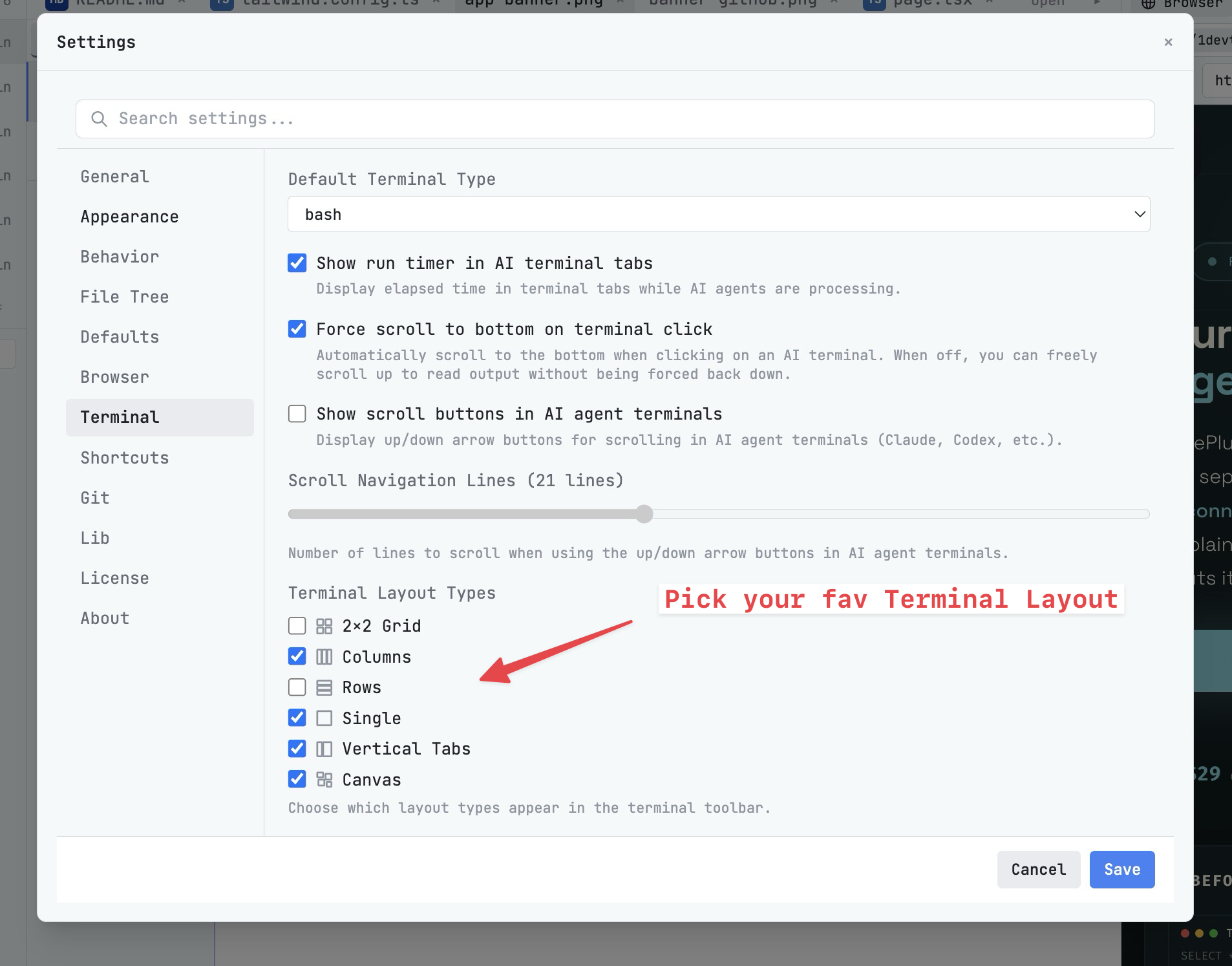
- Terminal Grid Layouts for side-by-side visibility.
When This Model Pays Off
This setup has the biggest impact when you maintain multiple services, run AI-generated changes, or debug integration issues that require logs and request context together.
Final Takeaway
The best API client for developers is the one that stays attached to code and terminal context. Unified workflows reduce time-to-fix and improve repeatability across the team.