Open Remote Projects Over SSH
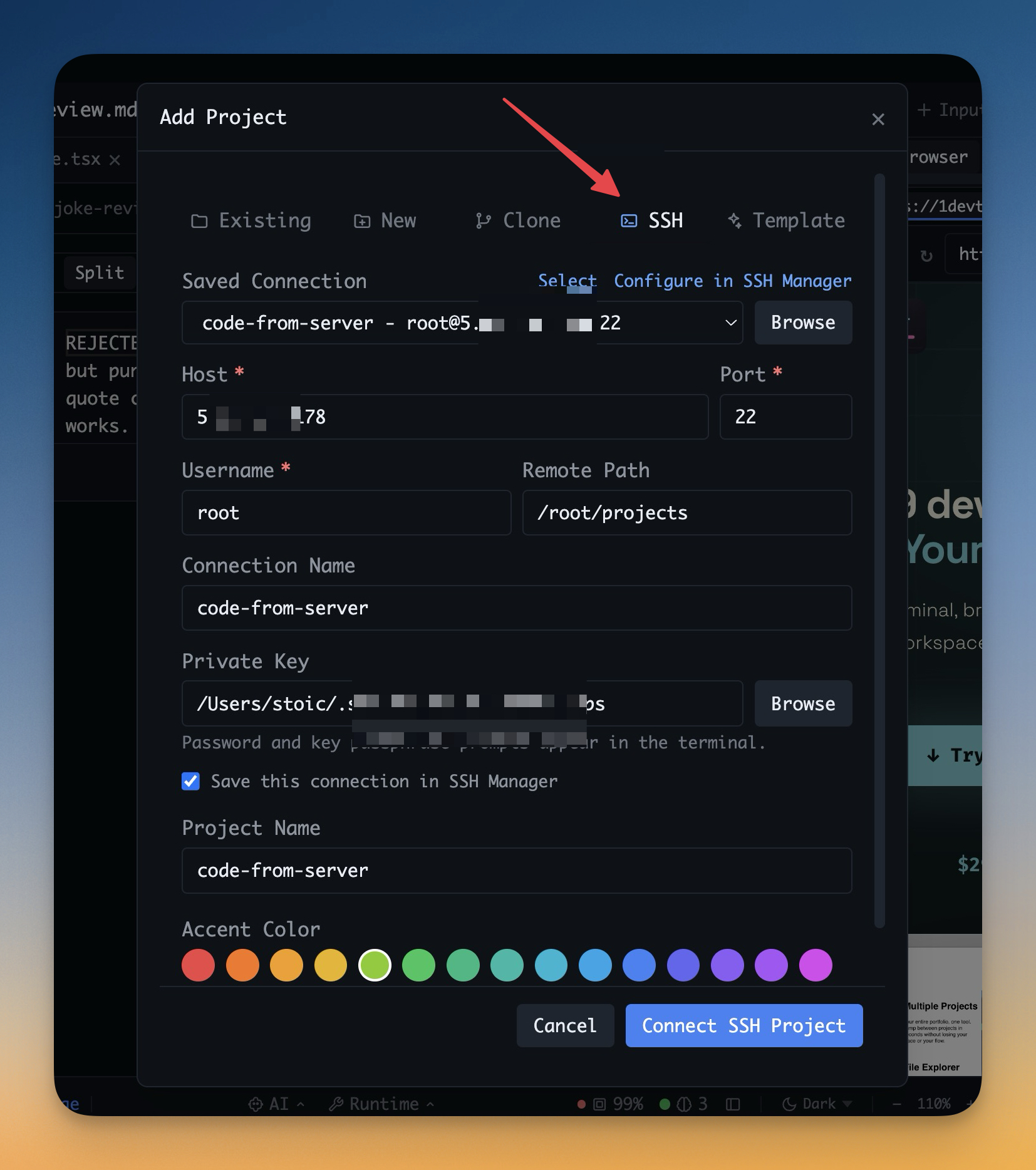
Open remote server folders as first-class projects, scan the remote filesystem before saving, and recover stale mounts without restarting 1DevTool.

More Screenshots
Click any image to zoom in
Why You Need This
How this feature boosts your daily productivity
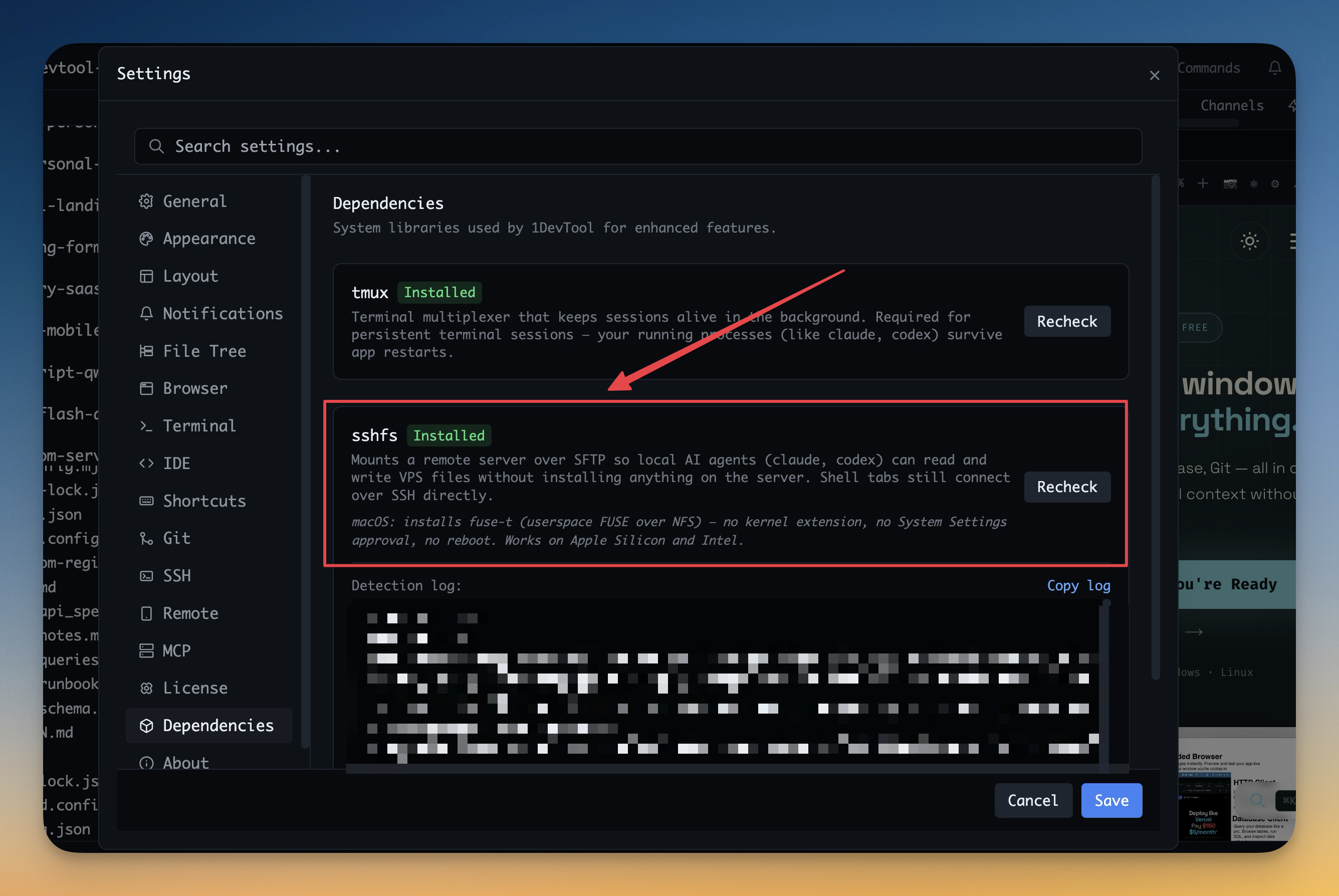
Remote projects are easiest to trust when setup and recovery happen where you are already working. Remote SSH Projects now let you scan the target machine before choosing a workspace root, install or retry sshfs from the Files sidebar, and use the SSH status pill to refresh a stale mount after sleep, restart, or a network drop.
How It Works
Get started in 4 simple steps
Choose Add Project → SSH
Open the SSH tab in the Add Project flow and pick a saved remote connection.
Select the Remote Folder
Enter or browse the remote path you want to treat as a project.
Mount With Guidance
If the machine is missing a dependency such as `sshfs`, 1DevTool surfaces that requirement instead of failing silently.
Work Like Local
The mounted folder becomes a normal project with terminals and file workflows starting directly on the target machine.
Without 1DevTool
The manual way vs. the 1DevTool way
The Hard Way
The 1DevTool Way
Key Capabilities
Everything included with Open Remote Projects Over SSH
Why It Matters
The productivity impact of having project management built into your workspace
Remote Feels Local
A server folder becomes a normal project surface with terminals and file workflows attached.
Onboarding Gets Shorter
Remote access starts from Add Project instead of a separate chain of shell commands and manual mounts.
Dependency Problems Surface Early
Missing requirements such as `sshfs` are shown directly in the flow instead of failing later in confusing ways.
Better for Real Maintenance Work
Hotfixing, debugging, and inspecting remote code become part of the same workspace you already use locally.
More in Project Management
Other features in this category you might find useful
Multi-Project Workspace
Work on multiple projects simultaneously with instant switching. Entire workspace state is preserved per project.
Smart File Explorer
Real-time file tree with type icons, .gitignore filtering, search, and right-click context menus.
Per-Project Code Intelligence
Spawn real typescript-language-server, gopls, pyright, rust-analyzer, clangd, solargraph, intelephense, or sourcekit-lsp for the projects you opt into — with project-aware errors and zero false positives.
Color-Coded Projects
Assign accent colors to each project for instant visual identification across your workspace.
Ready to boost your workflow?
Download 1DevTool for free and experience Open Remote Projects Over SSH along with 335 other features — all in one app.