Clone Repositories From Saved GitHub Accounts
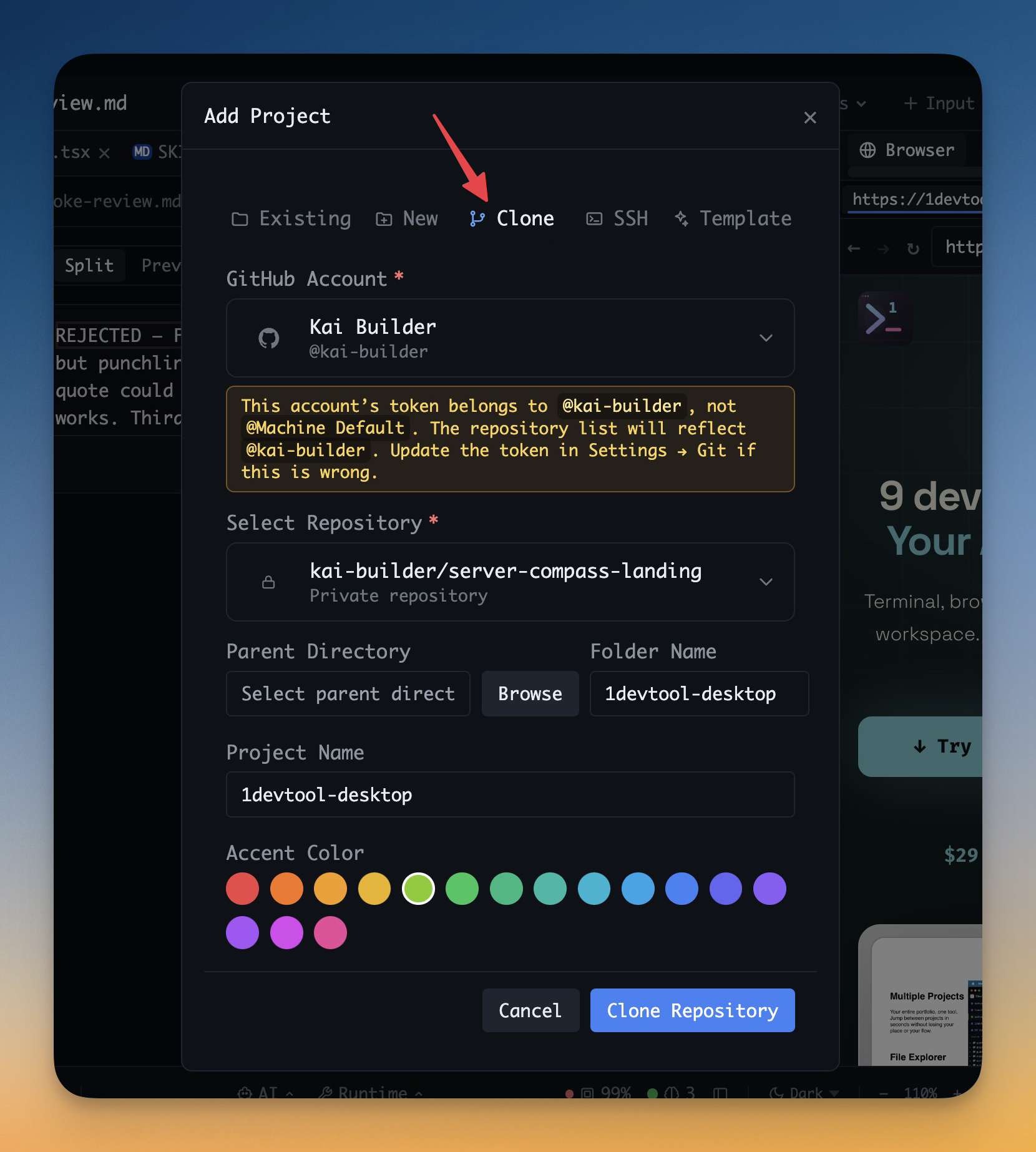
Browse repositories available to a saved GitHub account and clone one directly into a new project in a single flow.
Why You Need This
How this feature boosts your daily productivity
Project onboarding should not start with copying clone URLs between the browser and the terminal. If you already connected your GitHub account to 1DevTool, the app should know which repositories you can access and let you pull one in immediately. This flow shortens repo setup from a manual ritual into a guided Add Project path with the right identity already attached.
How It Works
Get started in 4 simple steps
Choose Add Project → Clone
Open the Clone tab and select one of your saved GitHub accounts.
Browse Accessible Repositories
Search repositories you own or can access as a collaborator from inside the app.
Pick a Destination
Confirm the destination folder and clone directly into your workspace without copying a URL manually.
Start Working Immediately
The cloned repository is added as a project in the same flow, ready for terminals, files, and the rest of your setup.
Without 1DevTool
The manual way vs. the 1DevTool way
The Hard Way
The 1DevTool Way
Key Capabilities
Everything included with Clone Repositories From Saved GitHub Accounts
Why It Matters
The productivity impact of having project management built into your workspace
Fewer Manual Steps
No browser-to-terminal copy and paste just to start a repo.
Correct Identity Up Front
Choosing the GitHub account at clone time reduces wrong-account mistakes later.
Works With Shared Access
You can discover repositories you collaborate on, not just ones you own personally.
Project Creation Is Continuous
Clone and add the project to your workspace in one pass instead of stitching those steps together manually.
More in Project Management
Other features in this category you might find useful
Multi-Project Workspace
Work on multiple projects simultaneously with instant switching. Entire workspace state is preserved per project.
Smart File Explorer
Real-time file tree with type icons, .gitignore filtering, search, and right-click context menus.
Per-Project Code Intelligence
Spawn real typescript-language-server, gopls, pyright, rust-analyzer, clangd, solargraph, intelephense, or sourcekit-lsp for the projects you opt into — with project-aware errors and zero false positives.
Color-Coded Projects
Assign accent colors to each project for instant visual identification across your workspace.
Ready to boost your workflow?
Download 1DevTool for free and experience Clone Repositories From Saved GitHub Accounts along with 335 other features — all in one app.