Multi-Project Workspace
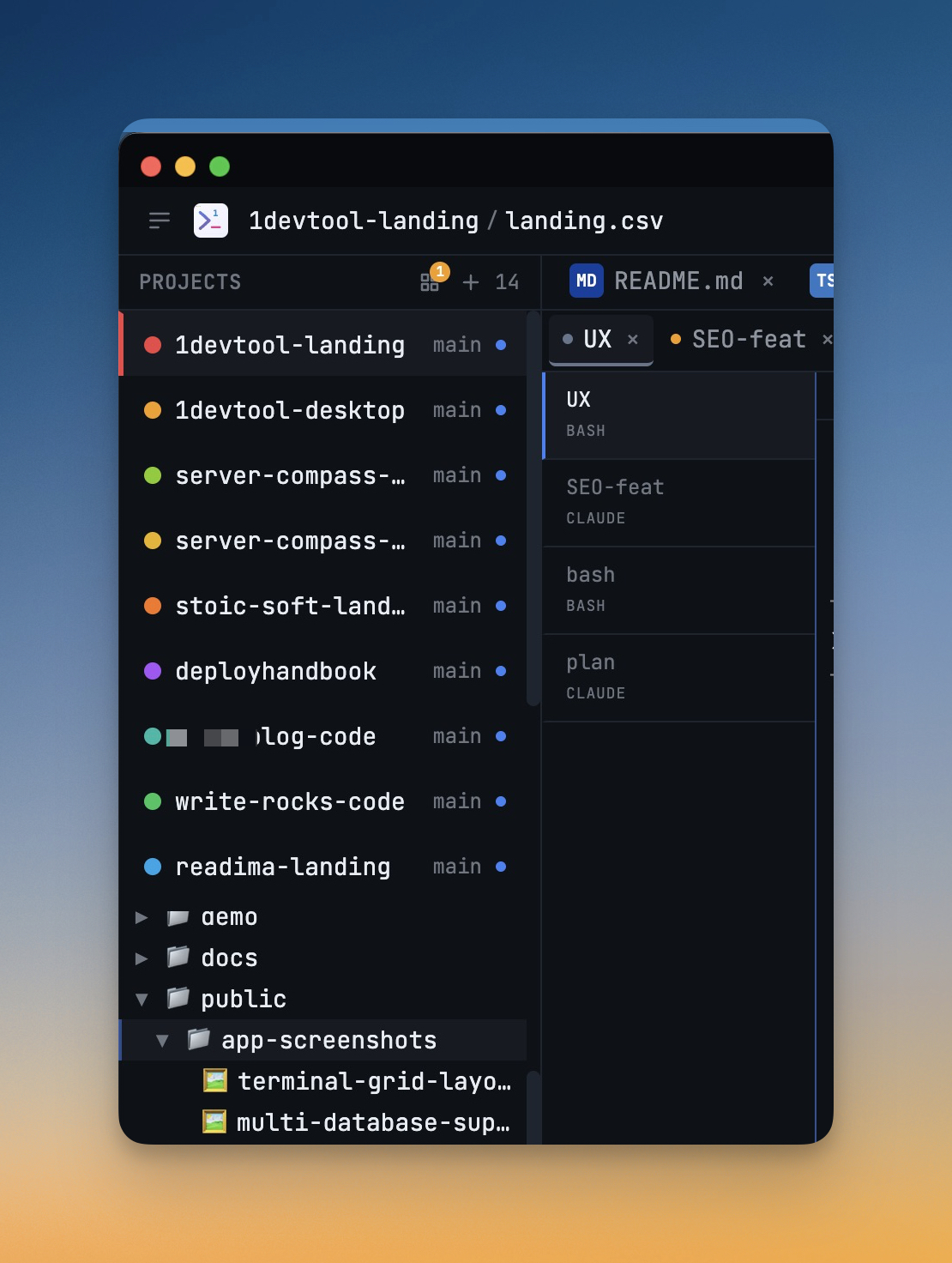
Work on multiple projects simultaneously with instant switching. Entire workspace state is preserved per project.
Why You Need This
How this feature boosts your daily productivity
Full-stack developers routinely touch 3-5 projects in a single day — a frontend, a backend API, a shared library, infrastructure configs. Each project has its own terminals, open files, database connections, and layout preferences. Without per-project state management, switching projects means reconfiguring everything from scratch. 1DevTool saves your complete workspace state per project, so switching takes one click instead of five minutes.
How It Works
Get started in 4 simple steps
Add Your Projects
Click the "+" button to add project folders. Assign unique colors for instant visual identification.
Browse & Navigate
Use the file explorer to browse your project. Filter files, toggle hidden items, and search instantly.
Switch Instantly
Click any project to switch. Your entire workspace state — terminals, files, layout — restores automatically.
Choose Your Layout
Select a preset layout or create a custom one. Your layout is saved per project for consistent workflows.
Without 1DevTool
The manual way vs. the 1DevTool way
The Hard Way
The 1DevTool Way
Key Capabilities
Everything included with Multi-Project Workspace
Why It Matters
The productivity impact of having project management built into your workspace
Instant Project Switching
Switch between projects in one click with complete state restoration. No more 5-minute setup rituals.
Visual Organization
Color-coded projects, file type icons, and layout presets keep your workspace organized and recognizable.
Smart File Navigation
.gitignore-aware filtering, instant search, and context menus make finding and opening files effortless.
Workspace Memory
Every project remembers its terminals, open files, database connections, and layout. Pick up exactly where you left off.
More in Project Management
Other features in this category you might find useful
Smart File Explorer
Real-time file tree with type icons, .gitignore filtering, search, and right-click context menus.
Per-Project Code Intelligence
Spawn real typescript-language-server, gopls, pyright, rust-analyzer, clangd, solargraph, intelephense, or sourcekit-lsp for the projects you opt into — with project-aware errors and zero false positives.
Color-Coded Projects
Assign accent colors to each project for instant visual identification across your workspace.
Layout Presets
Pre-configured layouts for Focus, Terminal, Web Dev, API Dev, and Database work — or create your own.
Ready to boost your workflow?
Download 1DevTool for free and experience Multi-Project Workspace along with 305 other features — all in one app.