SSH Manager & Key Browser
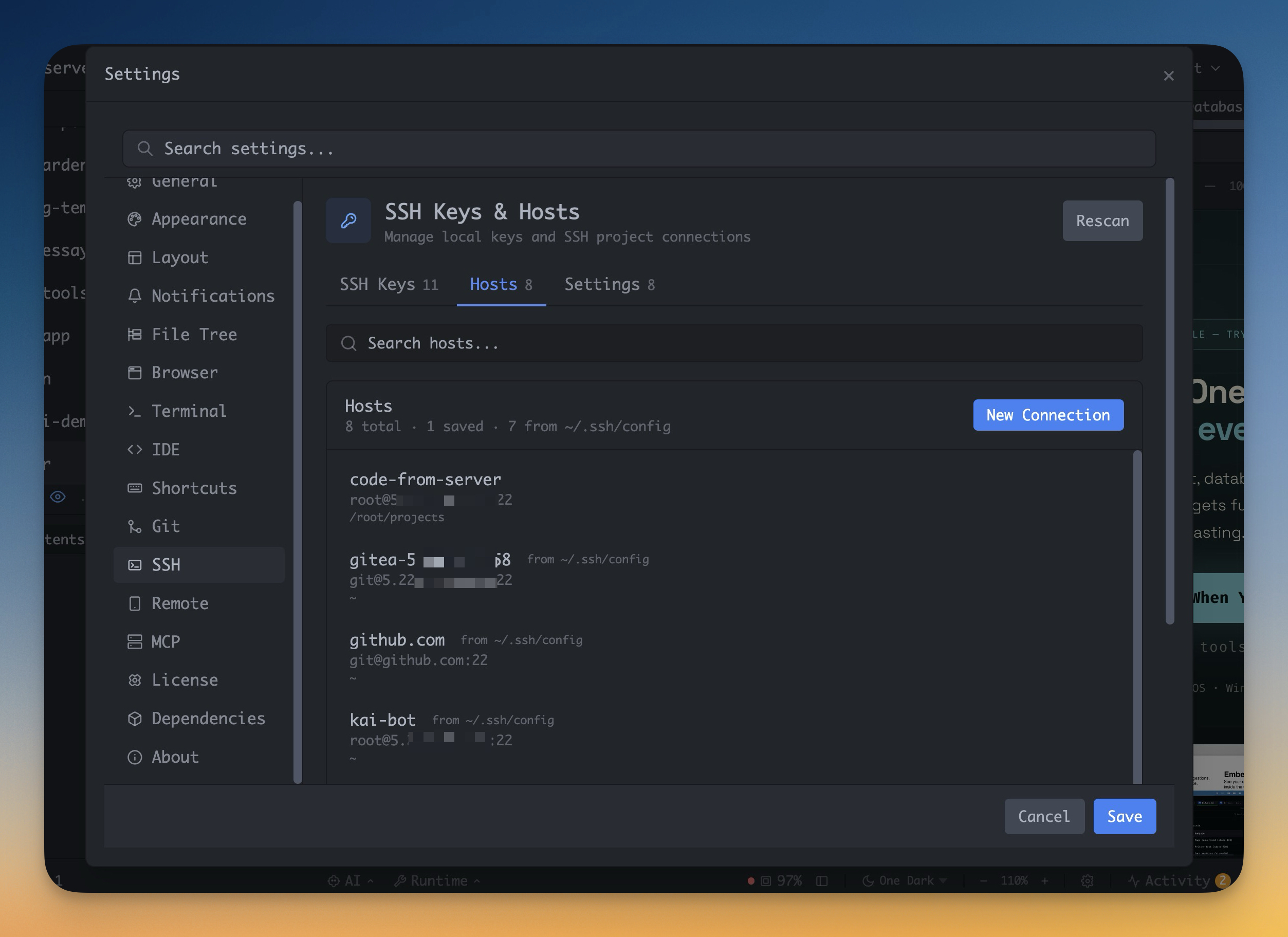
Manage saved SSH hosts, inspect keys, and scan remote folders before choosing the path that will become a workspace.
More Screenshots
Click any image to zoom in
Why You Need This
How this feature boosts your daily productivity
Remote setup usually fails because the wrong path, key, host key, or dependency is discovered too late. SSH Manager now lets you browse remote directories with `Scan`, pick `Use this folder`, and surface key-auth or missing-path problems before you create the project.
How It Works
Get started in 4 simple steps
Review Hosts
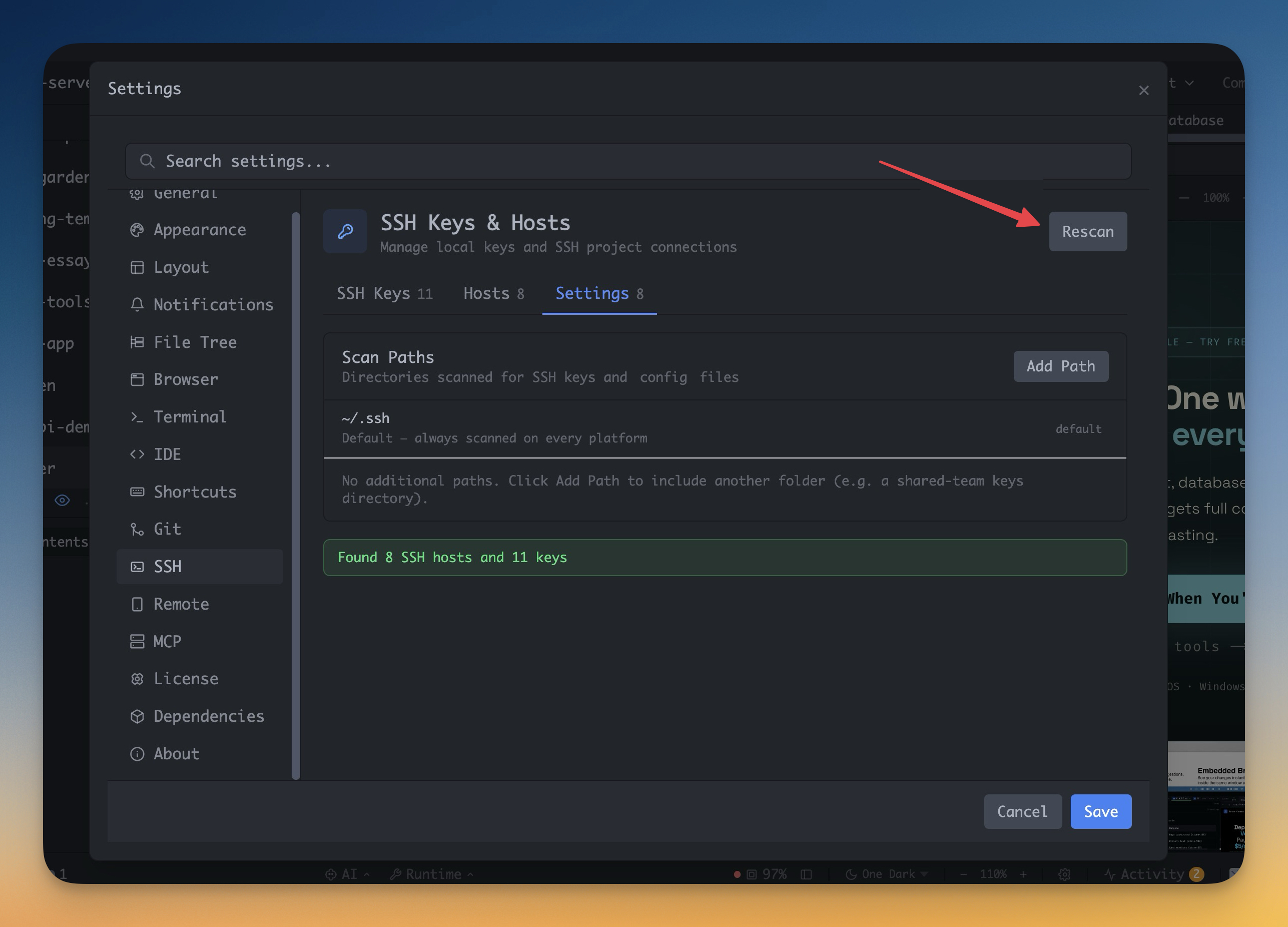
Open SSH Manager to see saved hosts from `~/.ssh/config` and custom entries with host, user, port, and identity details.
Inspect Keys
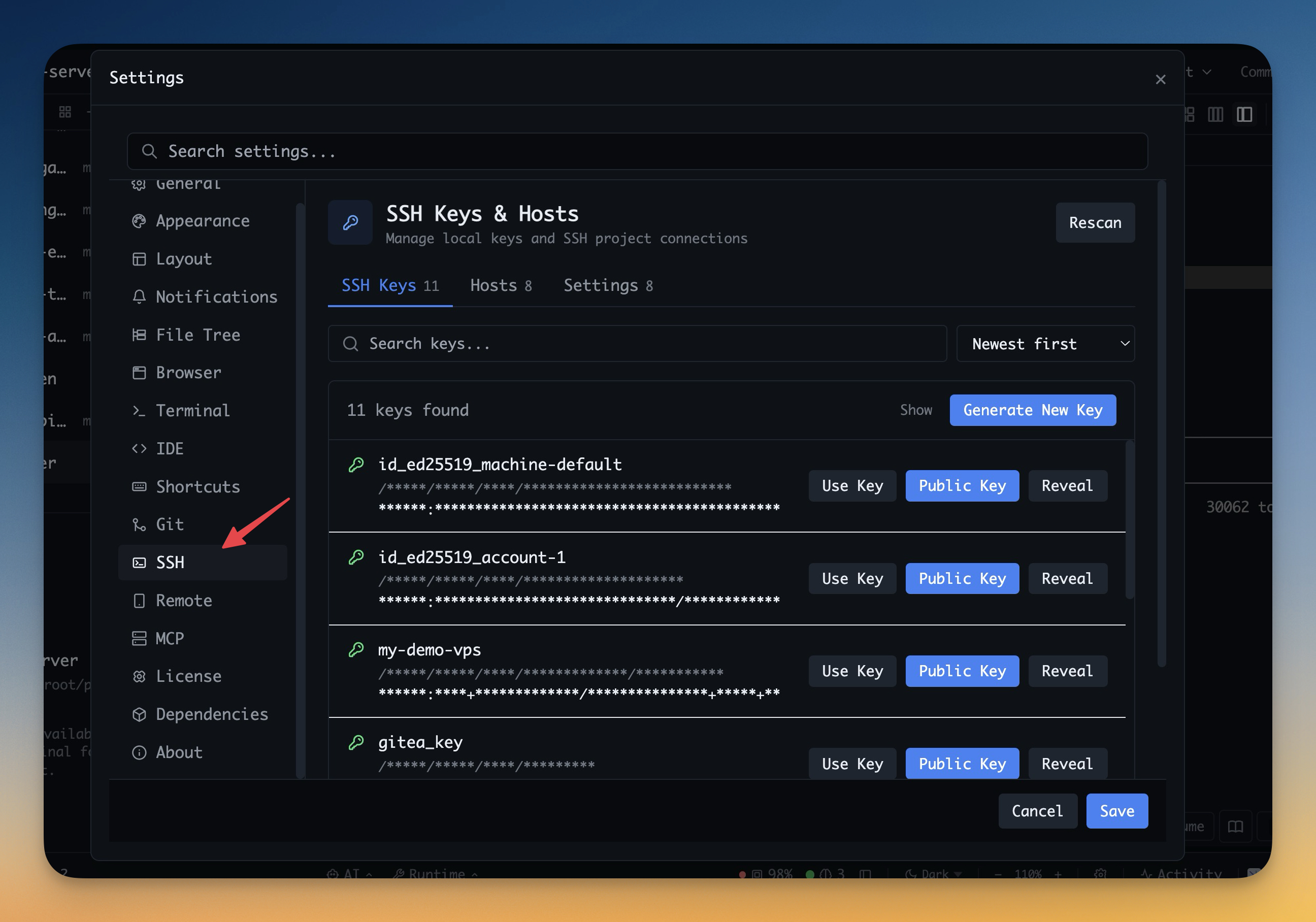
Check which RSA, ED25519, or ECDSA keys exist locally and which ones are already loaded in your SSH agent.
Fix or Generate
Generate a new key or adjust host settings before you try to open a remote project.
Reuse Everywhere
Use the same saved SSH setup across remote project onboarding and future connections instead of re-entering it each time.
Without 1DevTool
The manual way vs. the 1DevTool way
The Hard Way
The 1DevTool Way
Key Capabilities
Everything included with SSH Manager & Key Browser
Why It Matters
The productivity impact of having project management built into your workspace
Remote Setup Becomes Visible
Hosts, users, ports, identity files, and loaded keys are all inspectable before you connect.
Less SSH Guesswork
You stop bouncing between config files, shell commands, and memory just to understand your remote setup.
Faster Recovery
When the wrong key or host config is in play, you can see it and fix it without digging through dotfiles.
Reusable Remote Foundation
One SSH inventory powers later remote project onboarding instead of forcing repeat setup.
More in Project Management
Other features in this category you might find useful
Multi-Project Workspace
Work on multiple projects simultaneously with instant switching. Entire workspace state is preserved per project.
Smart File Explorer
Real-time file tree with type icons, .gitignore filtering, search, and right-click context menus.
Per-Project Code Intelligence
Spawn real typescript-language-server, gopls, pyright, rust-analyzer, clangd, solargraph, intelephense, or sourcekit-lsp for the projects you opt into — with project-aware errors and zero false positives.
Color-Coded Projects
Assign accent colors to each project for instant visual identification across your workspace.
Ready to boost your workflow?
Download 1DevTool for free and experience SSH Manager & Key Browser along with 335 other features — all in one app.