Jul 8, 2026
Guided Startup Commands & Antigravity: Launch Any AI Agent Faster
1DevTool 1.34.0 builds your agent startup commands for you with a guided form, and makes Antigravity a first-class AI agent in every launcher and orchestration handoff.
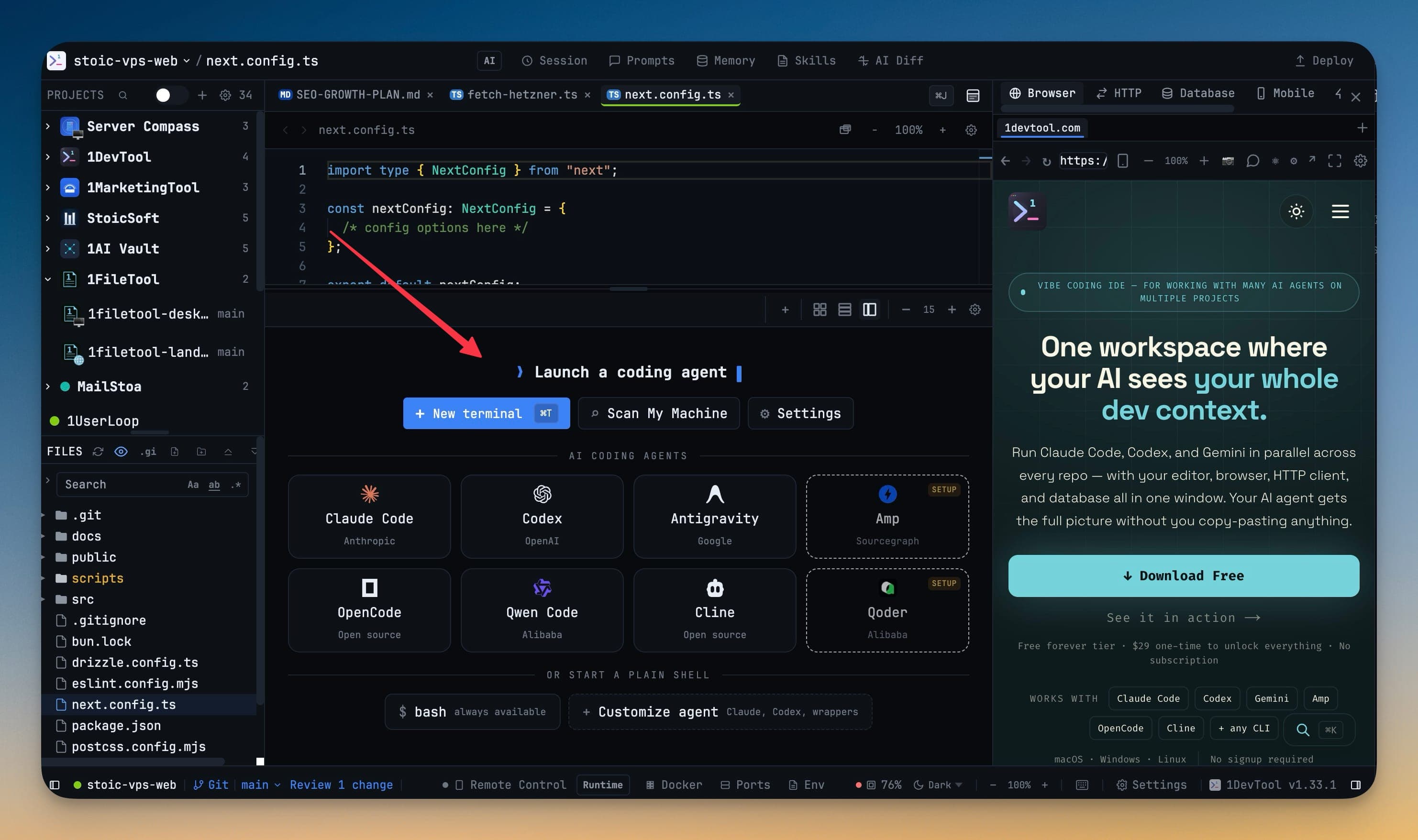
You picked your coding agent a long time ago. What you never quite settled is how it launches.
Every agent has its own incantation. Claude wants --dangerously-skip-permissions, plus a --model flag if you care which model answers. Codex wants --dangerously-bypass-approvals-and-sandbox. Get one flag wrong and the terminal either refuses to start or quietly runs in a mode you didn't intend. So you keep a scratch file of commands somewhere, or you retype the same long string every time you open a project — and you certainly don't hand that setup to a teammate.
The moment a new agent shows up, none of that muscle memory helps either. Google's Antigravity lands, you want to try it next to Claude, and it's simply not in your launcher. You're back to a plain shell, pasting a command from a README, with none of the prompt handling, quota tracking, or orchestration the built-in agents get.
What changed
1DevTool 1.34.0 takes both problems off your plate.
First, a guided form now builds your startup commands for you. You type or paste a command, and 1DevTool fills in the name, sets the run mode, and recognizes the agent — before it ever appears in a launcher. Second, Antigravity is now a built-in AI agent, wired into the same launchers, settings, quota lookups, and orchestration handoffs that Claude, Codex, and Gemini already use.
How it works in practice
A form that reads your command back to you
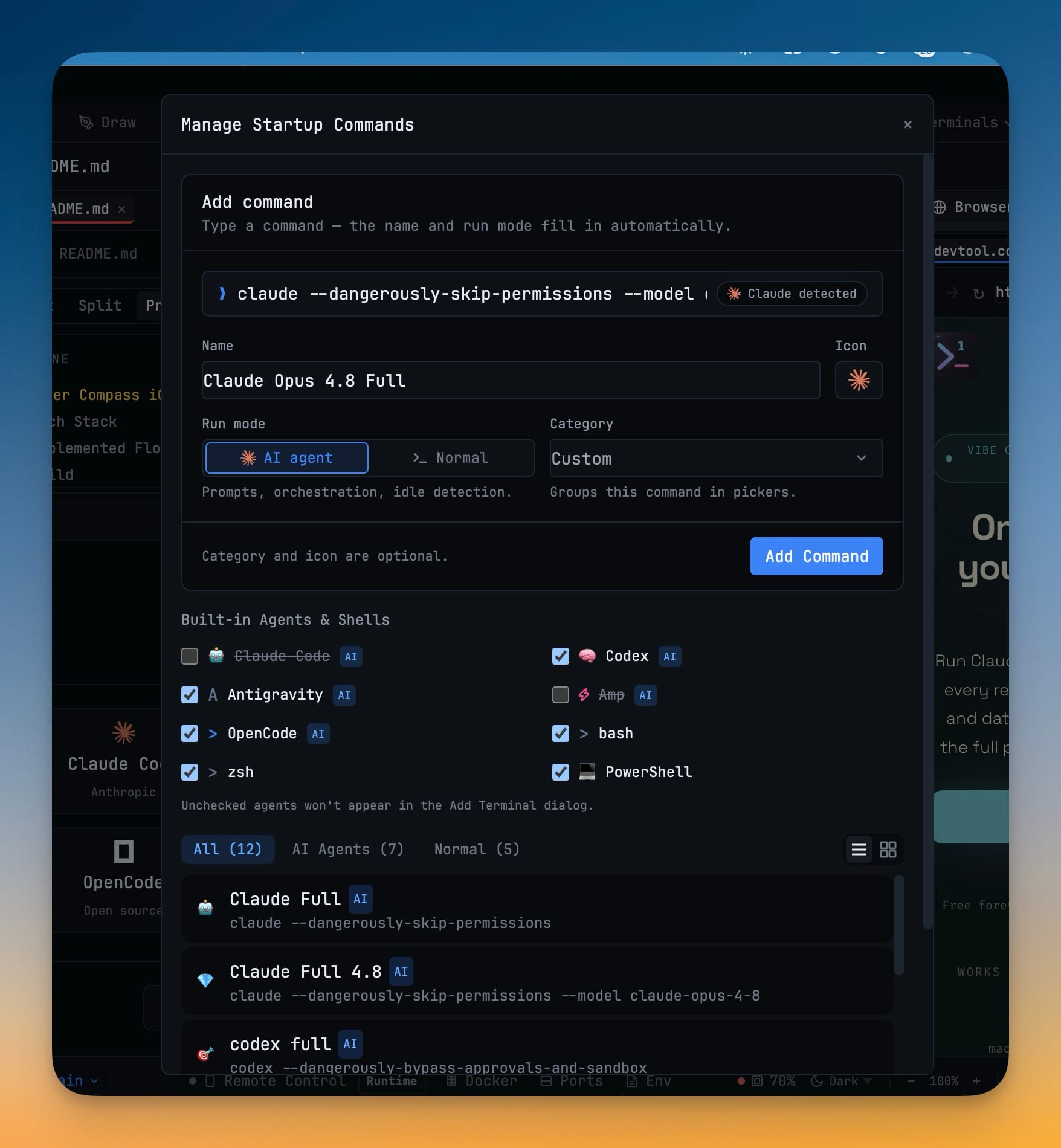
Open Manage Startup Commands (or Settings → Terminal → Commands) and you get a single prompt line with one instruction: "Type a command — the name and run mode fill in automatically."
Paste claude --dangerously-skip-permissions --model claude-opus-4-8 and watch the rest of the form respond. The Name field fills itself in with "Claude Opus 4.8 Full." The Run mode flips to AI agent — the mode that turns on prompt handling, orchestration, and idle detection. A small "Claude detected" chip appears to confirm it recognized the CLI. You labelled nothing; the form read the command and did it for you.
It recognizes more than the big three. Package scripts like npm run dev, Docker Compose, and package-runner commands such as npx all get readable names automatically. When you're wrapping an agent inside a script — the one case detection can't see through — a manual AI agent / Normal switch lets you set the mode yourself. Pick an emoji, drop it in a category so it groups cleanly in the picker, and click Add Command.
Set one up before you even have a terminal
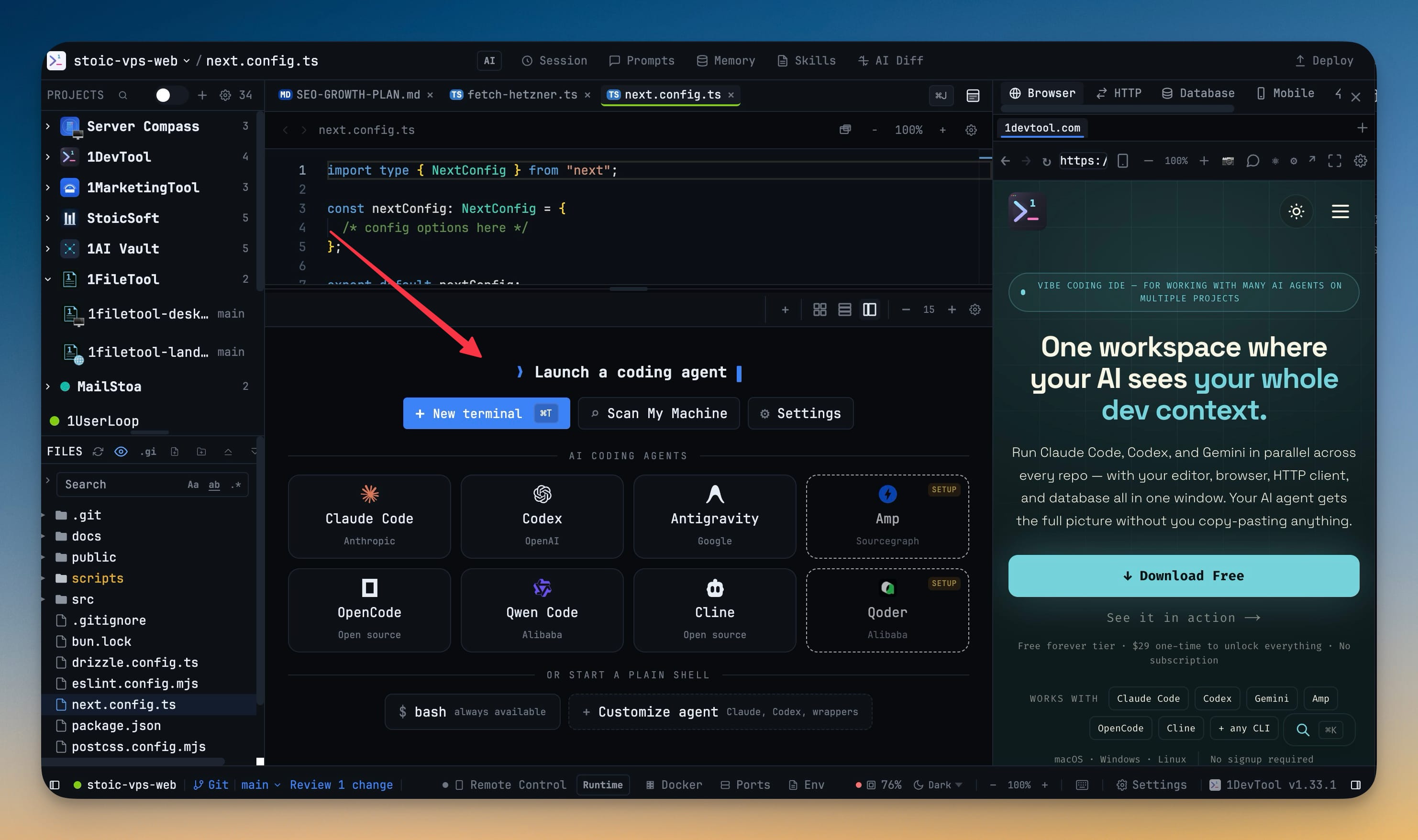
You don't have to open a terminal first to configure one. A project with no terminals now shows a Customize agent action right on the empty-workspace launcher, next to New terminal and Scan My Machine. Add your custom agent command there and it's ready before your first shell exists — which is exactly when you want it.
Antigravity, orchestrated like everything else
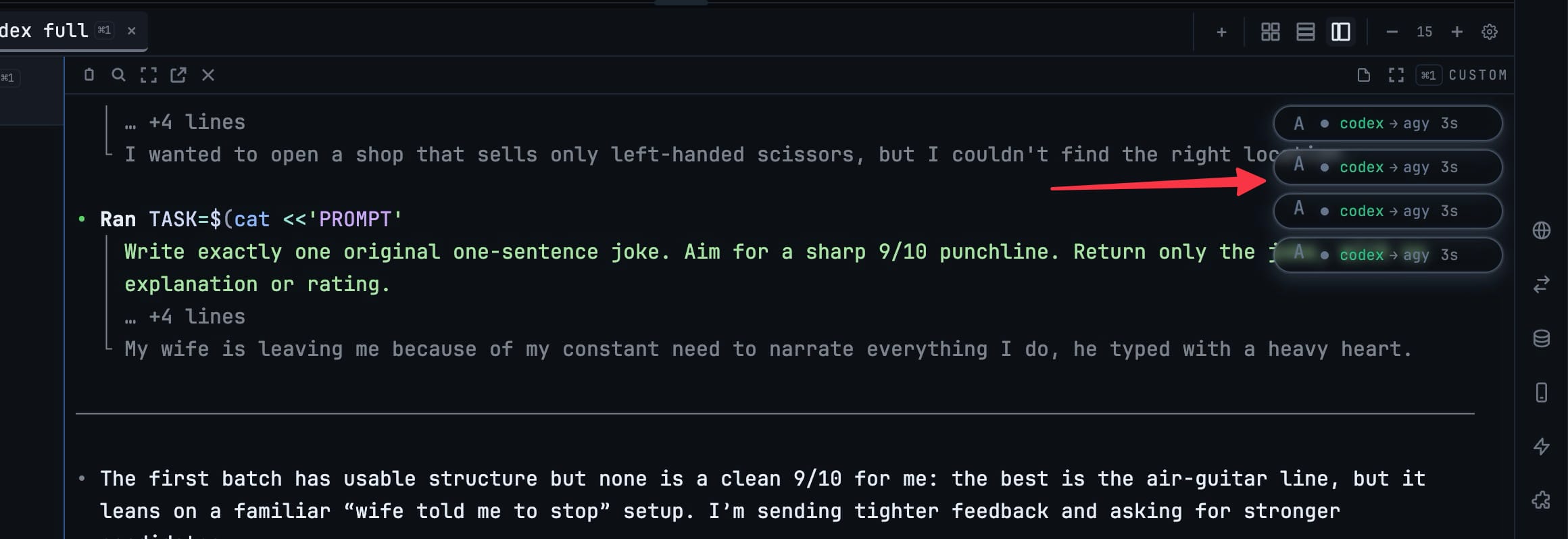
Antigravity now shows up everywhere the other agents do: the empty-workspace launcher, the Add Terminal dialog, command detection, and the built-in agents checklist. Launch it and the terminal behaves like any other AI agent — it gets headless prompt mode, its quota appears in the usage pill next to Claude and Codex (on desktop and on your phone through Remote Control), and its sub-agent runs surface in the badge stack.
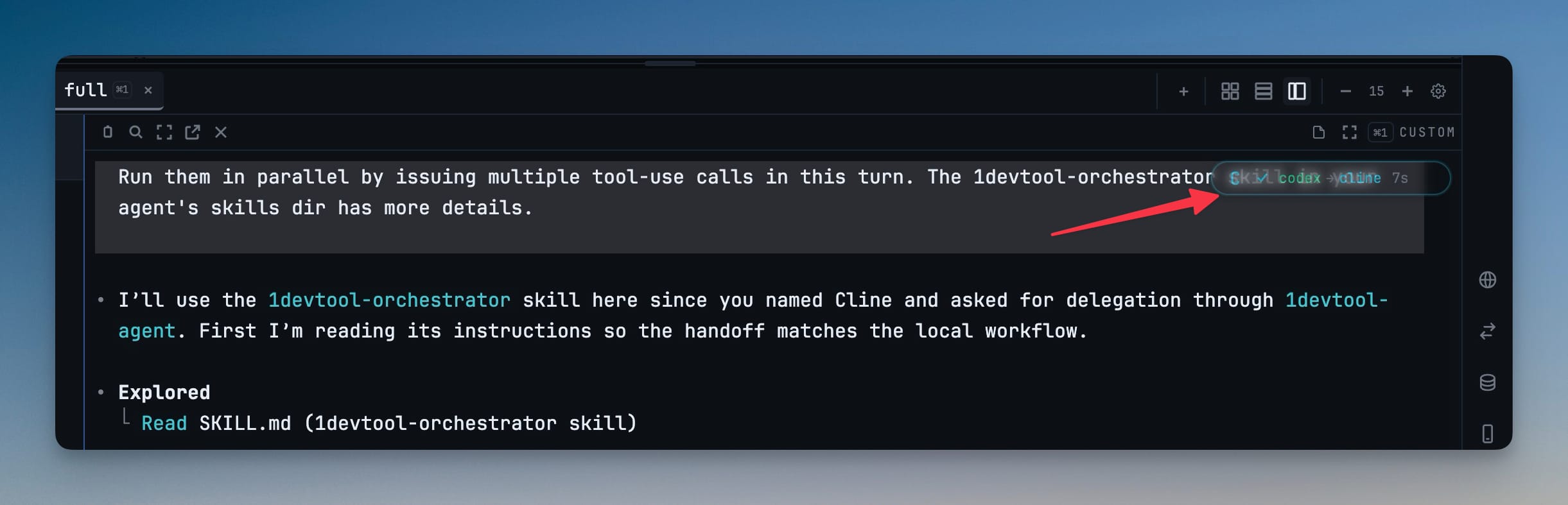
That last part matters for orchestration. When you delegate work across agents, a handoff can now target Antigravity directly, and those delegated runs show up as badges so you can watch the chain — codex handing off to Antigravity, a few seconds each — instead of guessing what ran where.
The orchestration skill install widened, too. 1DevTool can now install its orchestrator skill for fourteen host tools — Claude, Codex, Gemini, Antigravity, OpenCode, GitHub Copilot, Roo, Qoder, Trae, Droid, Kilo Code, Warp, Augment, and Cline — so the agent you drive from can hand work to the ones you don't.
Before vs after
| Setting up an agent | Before | With 1.34.0 |
|---|---|---|
| Naming a startup command | Type a name by hand, hope it reads clearly later | Auto-filled from the command ("Claude Opus 4.8 Full") |
| Getting the run mode right | Remember to mark it as an AI agent | Flipped to AI agent on detection, with a manual override |
| Trying Antigravity | Plain shell, pasted command, no quota or prompt handling | First-class agent in every launcher |
| Delegating to Antigravity | Not a valid handoff target | Direct orchestration handoff with sub-agent badges |
| Configuring before a terminal exists | Open a terminal first, then reconfigure | "Customize agent" on the empty workspace |
Who benefits most
If you run more than one agent — a Claude tab and a Codex tab side by side — the guided form is the difference between a launcher you trust and a pile of half-remembered flags. If you're evaluating Antigravity, you get to judge it on equal footing with the agents you already use, quota and orchestration included. And if you hand your setup to teammates, a named, categorized command is something you can actually share.
Try it
Update to 1DevTool 1.34.0, open Manage Startup Commands, and paste in the ugliest launch command you've got. Watch it name itself. Then add Antigravity next to your usual agent and give them the same task. The setup that used to live in your head now lives in the launcher — ready the next time you open the project.