1DevTool vs Superset
Two parallel multi-agent coding workspaces — integrated dev toolchain vs open-source worktree orchestration
Last updated October 27, 2026
Short answer
Both run many agents in parallel; 1DevTool adds Charts/fallbacks plus a full DB/HTTP/browser toolchain, while Superset is free OSS focused on worktree scale.
- •1DevTool: Charts, teams, Conversation Mode, 23-engine DB — free plan or $29 one-time; Windows included
- •Superset: free OSS, 10–100+ agents, cloud workspaces + native mobile
- •1DevTool edits inline (Monaco); Superset opens worktrees in your own IDE
- •Pick Superset for raw agent count and open source; pick 1DevTool for integrated tools

1DevTool
1DevTool orchestrates agents with Charts, teams, pipelines, and backup agents across 20 CLIs — then keeps you in-app with Monaco, a 23-engine DB client, HTTP, browser profiles, and Docker. Agent Changes shows which agent edited which file, and Simple Handoff moves a project to your own VPS when you close the laptop. Free plan, Pro from $29 one-time.

Superset
Superset (superset.sh) is an open-source, local-first desktop app for running 10–100+ coding agents in parallel. Each agent runs in its own isolated Git worktree, you open worktrees in any IDE, and sessions persist across restarts. It's agent-agnostic (Claude Code, Codex, Cursor, OpenCode, Gemini, and more) and adds cloud workspaces, a native mobile app, and a CLI. Free, with your code and keys staying on your machine.
Pricing & Licensing
| Feature | 1DevTool | Superset |
|---|---|---|
| Price | From $29 one-time | Free |
| Source model | Proprietary | Open source |
| AI cost model | Bring your own keys (no markup) | Bring your own keys / agent plans |
AI orchestration
| Feature | 1DevTool | Superset |
|---|---|---|
| Run agents in parallel | Charts, teams & pipelines | 10–100+ at scale |
| AI CLI agents supported | 20 built in (Claude, Codex, Gemini, Cursor, Cline, Amp, OpenCode, Qwen, Grok, Kimi, Antigravity, Hermes, Pi, Oh My Pi, Aider, Devin, Kiro, Qoder, Command Code, Kilo Code) + custom agents | Agent-agnostic |
| Draw org charts & pipelines | ✓ | ✗ |
| Automatic fallback when an agent is rate-limited | ✓ | ✗ |
| Answer agent questions in chat | Conversation Mode | ✗ |
| Agents hand work to each other | ✓ | ✗ |
| Git worktree isolation per agent | ✓ | Core model |
| MCP server for agents | ✓ | ✗ |
| Bring your own AI subscription (no per-seat AI fee) | ✓ | ✓ |
Built-in developer tools
| Feature | 1DevTool | Superset |
|---|---|---|
| Code editor | Built-in Monaco | Opens in external IDE |
| HTTP / API client | ✓ | ✗ |
| Database client | 23 engines | ✗ |
| Embedded browser with per-tab profiles | ✓ | ✗ |
| Docker manager | ✓ | ✗ |
| Git graph + worktrees | ✓ | Worktrees |
| Send-to-AI from tools | Browser / HTTP / DB → agent | ✗ |
| Resource Manager | ✓ | ✗ |
Sessions, Access & Privacy
| Feature | 1DevTool | Superset |
|---|---|---|
| Tmux-backed session persistence | Survives restart | ✓ |
| Resume sessions from Ghostty / iTerm / Warp | ✓ | ✗ |
| Cloud workspaces | ✗ | ✓ |
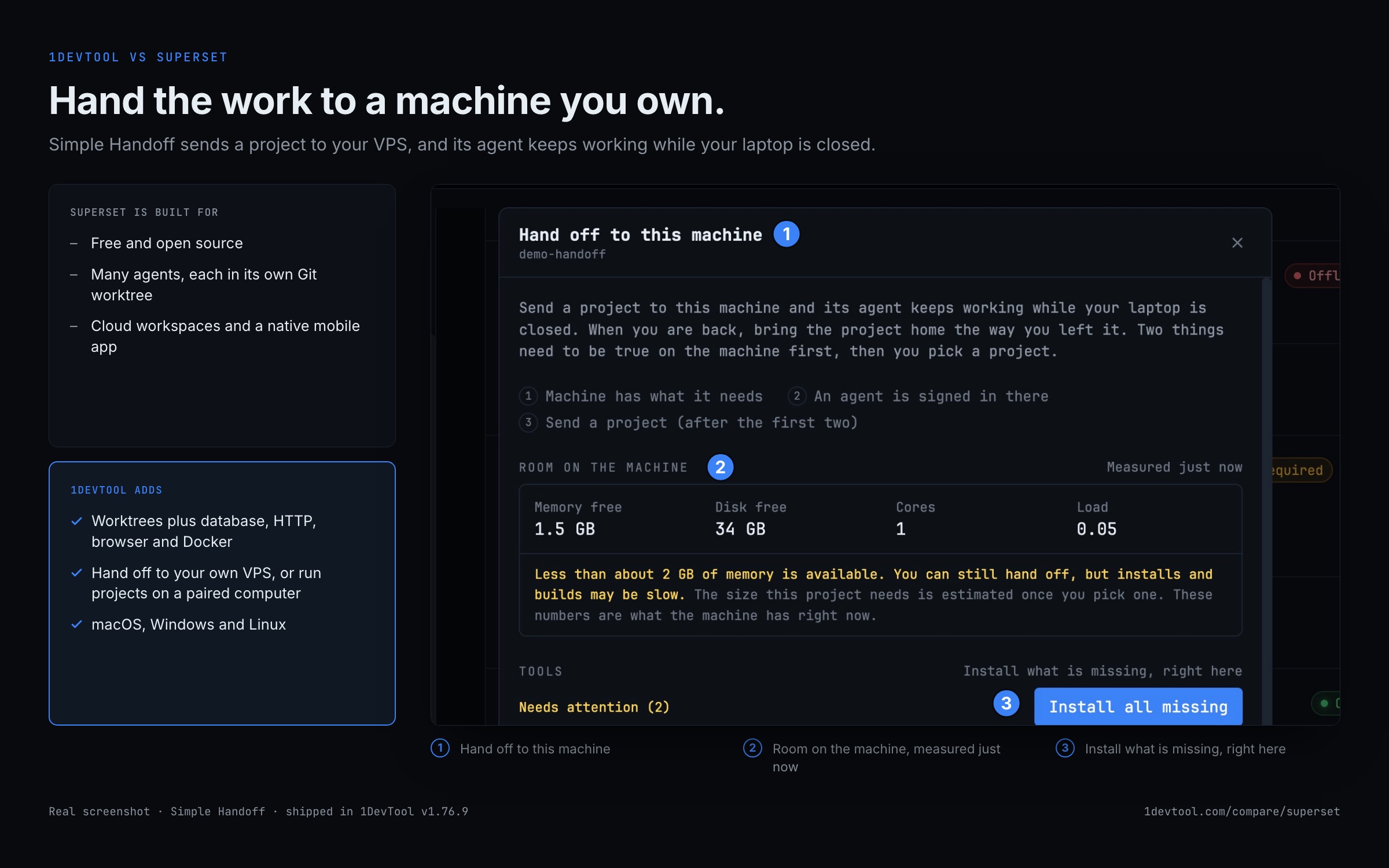
| Keep agents running with the laptop closed | Simple Handoff to your own VPS | Cloud workspaces |
| Mobile access | Web UI + iOS and Android apps | Native mobile app |
| Local-first, no code telemetry | ✓ | ✓ |
| Platforms | macOS, Windows, Linux | macOS, Linux |
How to run parallel agents in worktrees with 1DevTool
If you are coming from Superset, the worktree-per-agent habit carries straight over.
- 1
Create a worktree per task
Add a worktree for each task from the Git client. The worktree picker in the status bar switches between them.
- 2
Start an agent in each
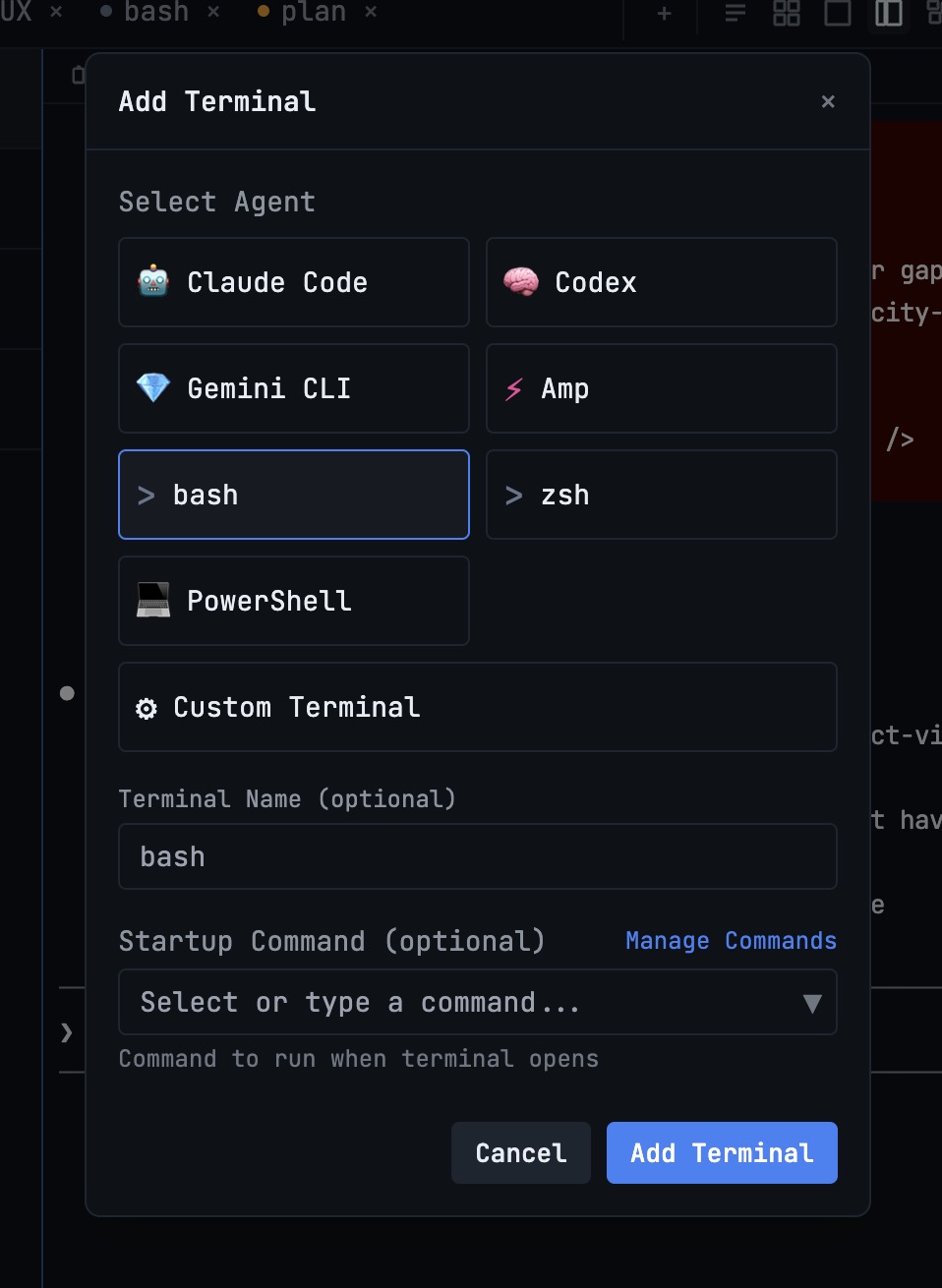
Open a terminal per worktree and pick its agent, or save the set as a chart so the whole team opens in one click.
- 3
Watch for collisions
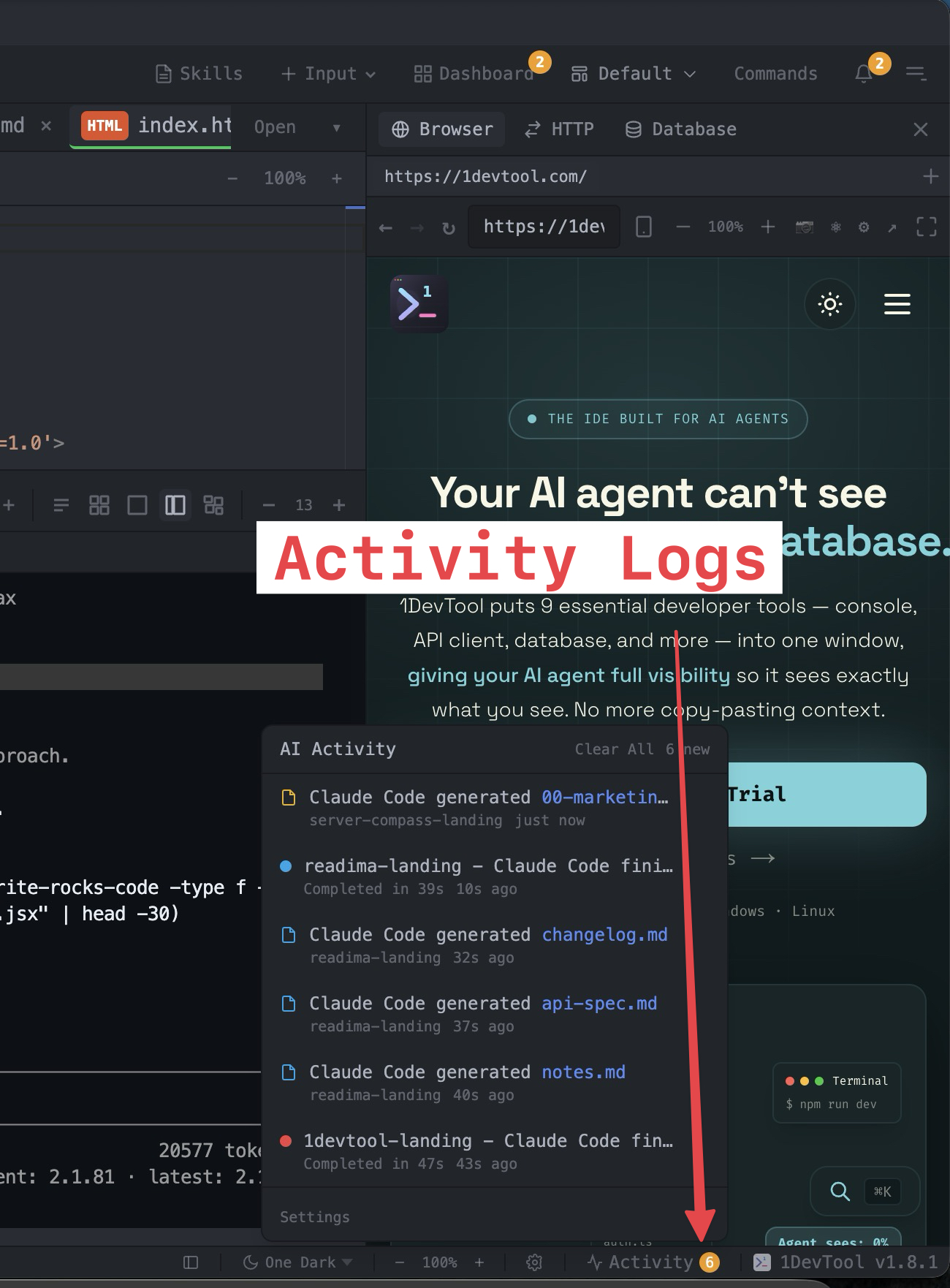
Agent Changes shows which agent is editing which file and opens a review when two agents touch the same one.
- 4
Hand it off overnight
Use Hand off on the project to send it to your VPS, where its agent keeps working with the laptop closed.
- 5
Merge
Merge the finished branches from the Repo panel's Pull requests tab, several at once if you like.
What you get with 1DevTool
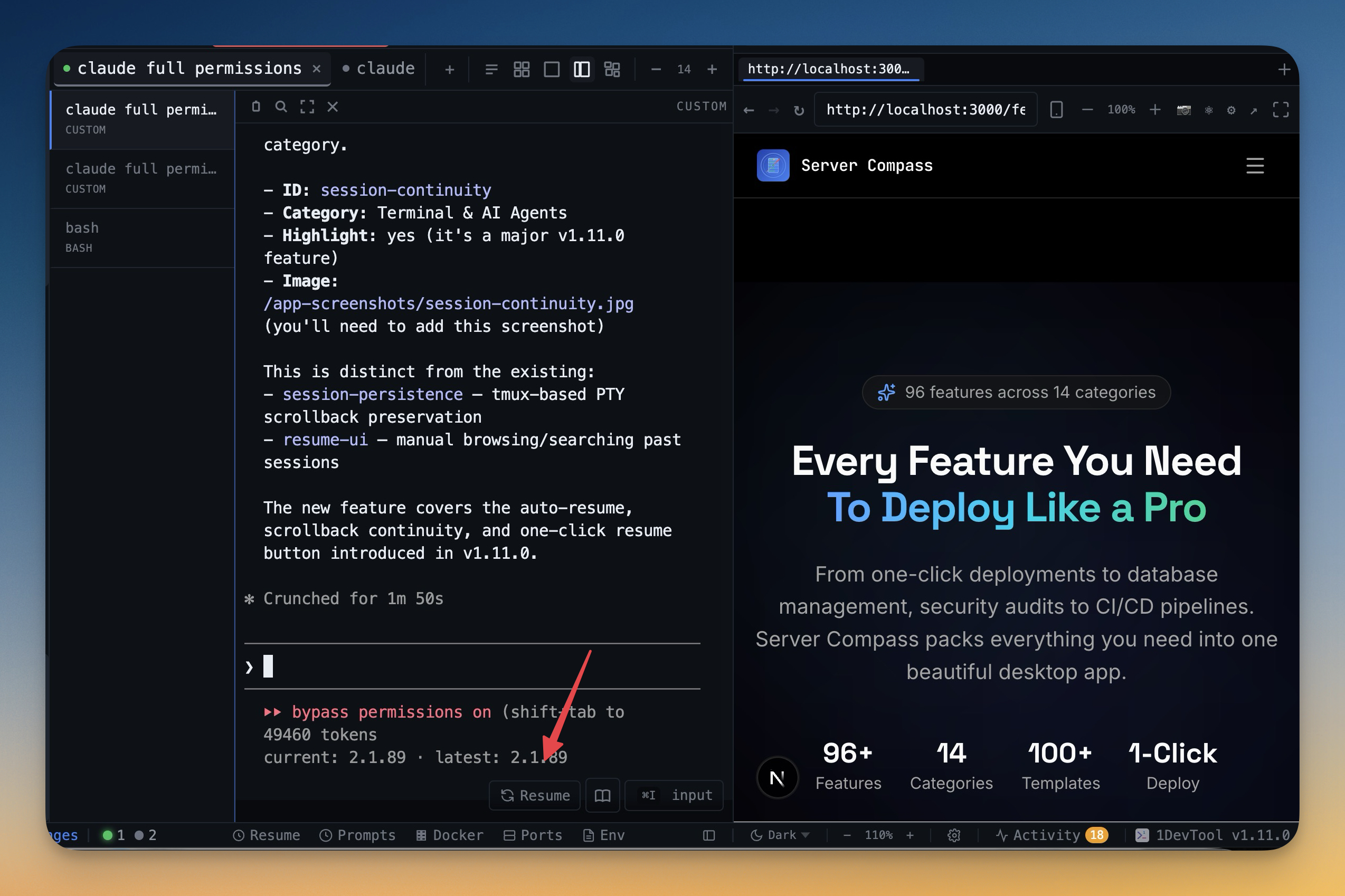
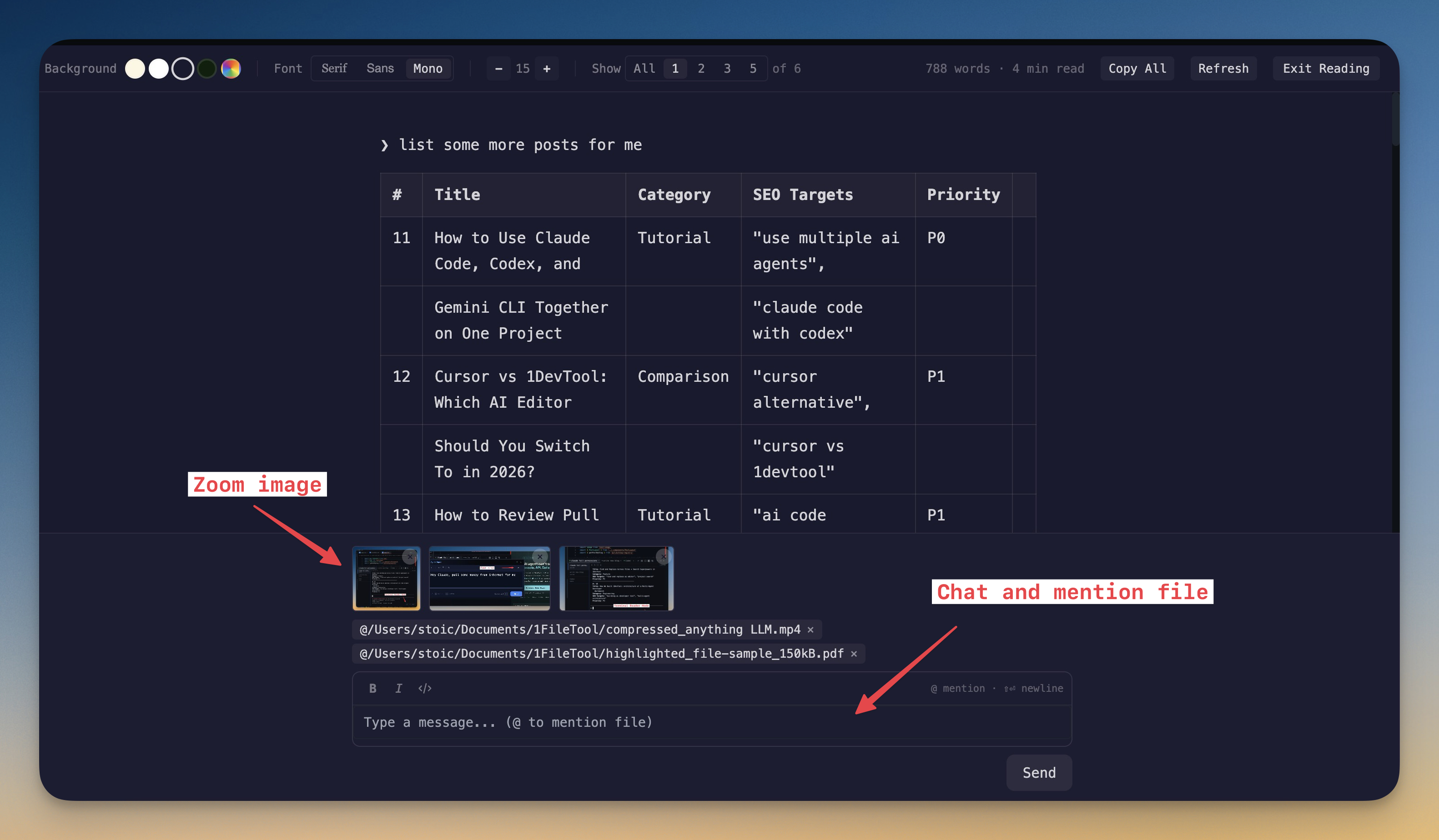
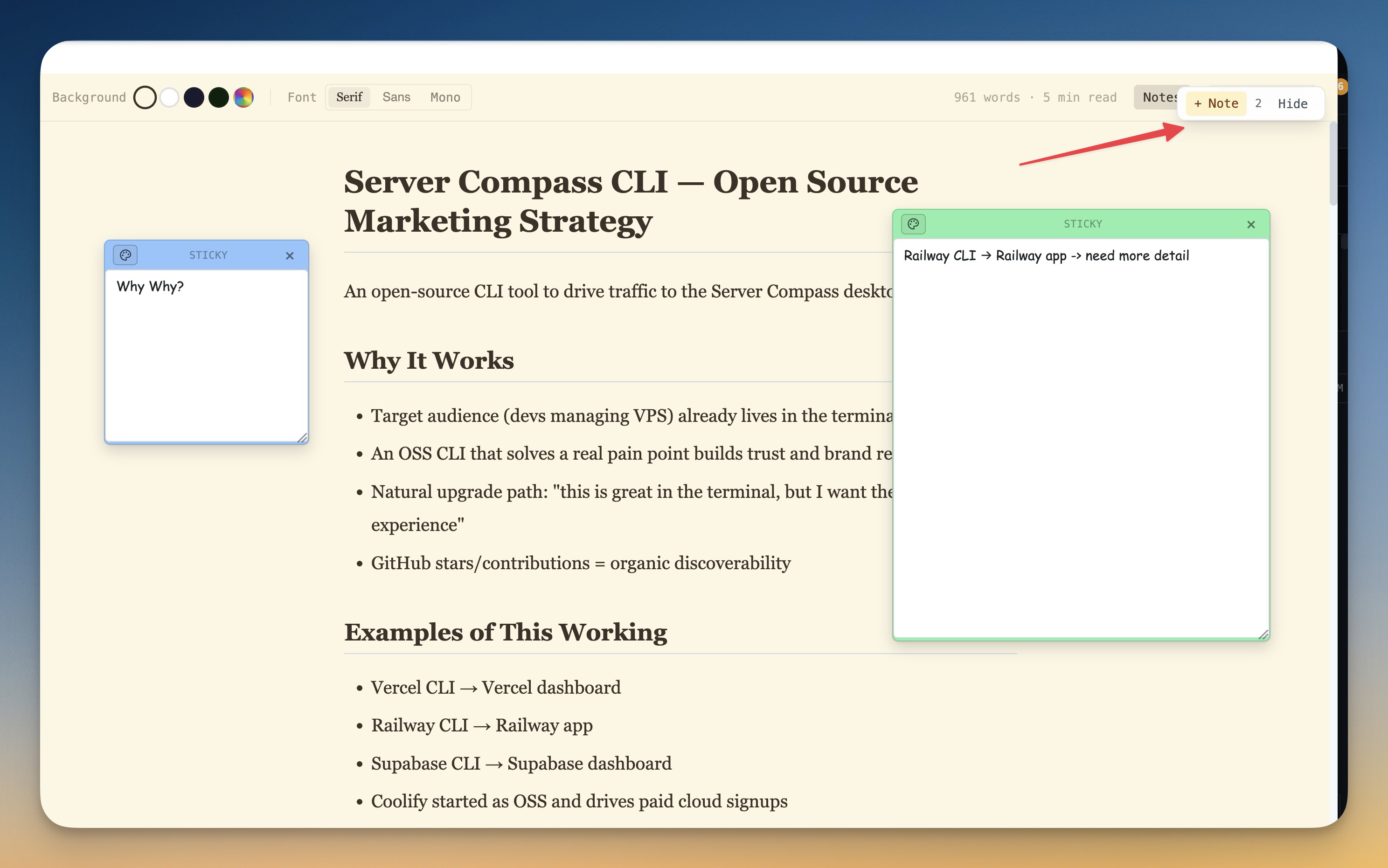
The tools that set 1DevTool apart from Superset — built in, no plugins.
The Verdict
Choose 1DevTool if...
- ✓You want Charts, Conversation Mode, and backup agents — not only worktree fan-out
- ✓You want a 23-engine DB client, HTTP, and browser profiles around your agents
- ✓You prefer editing and debugging inline instead of bouncing to a separate IDE per worktree
- ✓You're on Windows — Superset's desktop app is macOS / Linux only
- ✓You want agents to keep working on your own VPS while your laptop is closed
- ✓You prefer a free plan or $29 one-time with no account and offline use
Choose Superset if...
- •You want a free, open-source tool you can self-host, fork, and patch yourself
- •Your priority is raw scale — orchestrating dozens to 100+ agents at once
- •You want managed cloud workspaces instead of your own machine or VPS
- •You're happy opening each worktree in your own IDE (VS Code, Cursor, JetBrains)
Go deeper
Tutorials, posts and docs for the 1DevTool features on this page.
Frequently asked questions
Is 1DevTool or Superset better for running agents in parallel?
Both excel at parallel agents. Superset emphasizes raw scale (10–100+). 1DevTool emphasizes Charts, teams, pipelines, Conversation Mode, and automatic fallbacks — plus a built-in toolchain.
Does 1DevTool include HTTP and database tools that Superset lacks?
Yes. 1DevTool ships a 23-engine database client, HTTP client, embedded browser with profiles, Docker, and Send-to-AI. Superset focuses on orchestration and opens worktrees in external IDEs.
Is 1DevTool available on Windows?
Yes — macOS, Windows, and Linux. Superset's desktop app is macOS / Linux.
Can I bring my own AI subscriptions?
Yes for both — 1DevTool and Superset are agent-agnostic and use your existing plans.
Is 1DevTool open source?
No — proprietary, with a free plan and Pro from $29 one-time. Superset is free and open source.
Can agents keep working after I close my laptop?
Yes. Simple Handoff sends a project to your own VPS, where its agent keeps working as a background service. Scan the Open on phone QR code to watch and steer it, then bring the project home when you are back.
Try 1DevTool Today
Multi-agent AI workspace for developers. Free plan, Pro from $29 one-time.
Compare 1DevTool with other tools
More side-by-side breakdowns across the tools developers ask about.