1DevTool vs Trae
Bring-your-own-key multi-agent workspace vs ByteDance's AI IDE
Last updated October 27, 2026
Short answer
1DevTool for BYO multi-agent Charts and a local toolchain with no account; Trae for a free VS Code-style IDE with ByteDance's built-in SOLO agent.
- •1DevTool: 20 CLIs, Charts/pipelines, Conversation Mode, 23-engine DB — free plan or $29 one-time, offline-capable
- •Trae: free IDE + token-metered tiers ($3–$100/mo) with SOLO
- •Privacy angle: 1DevTool is BYO keys / no lock-in; Trae has reported telemetry concerns
- •Pick Trae if you want free inline autocomplete without configuring agents

1DevTool
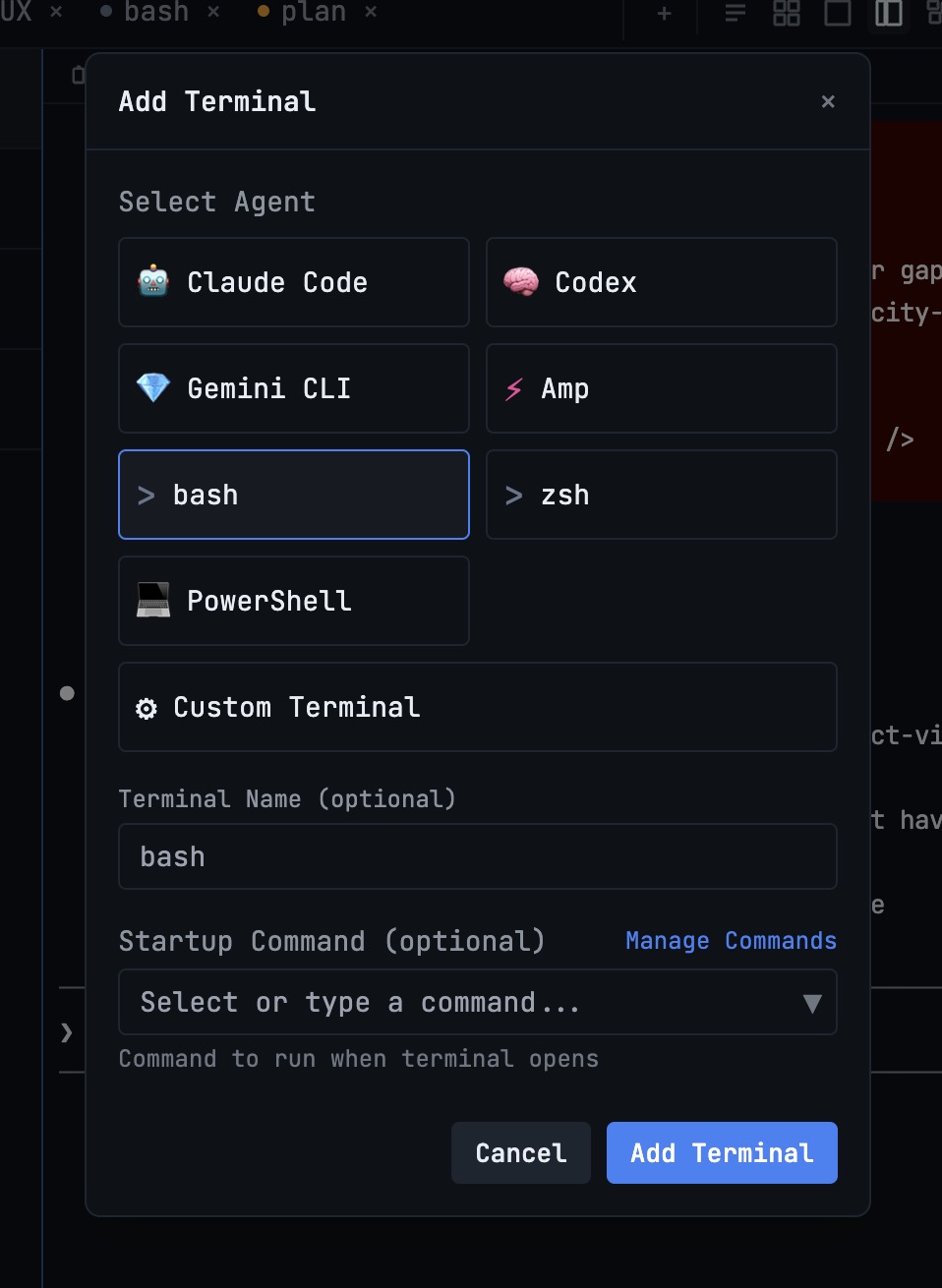
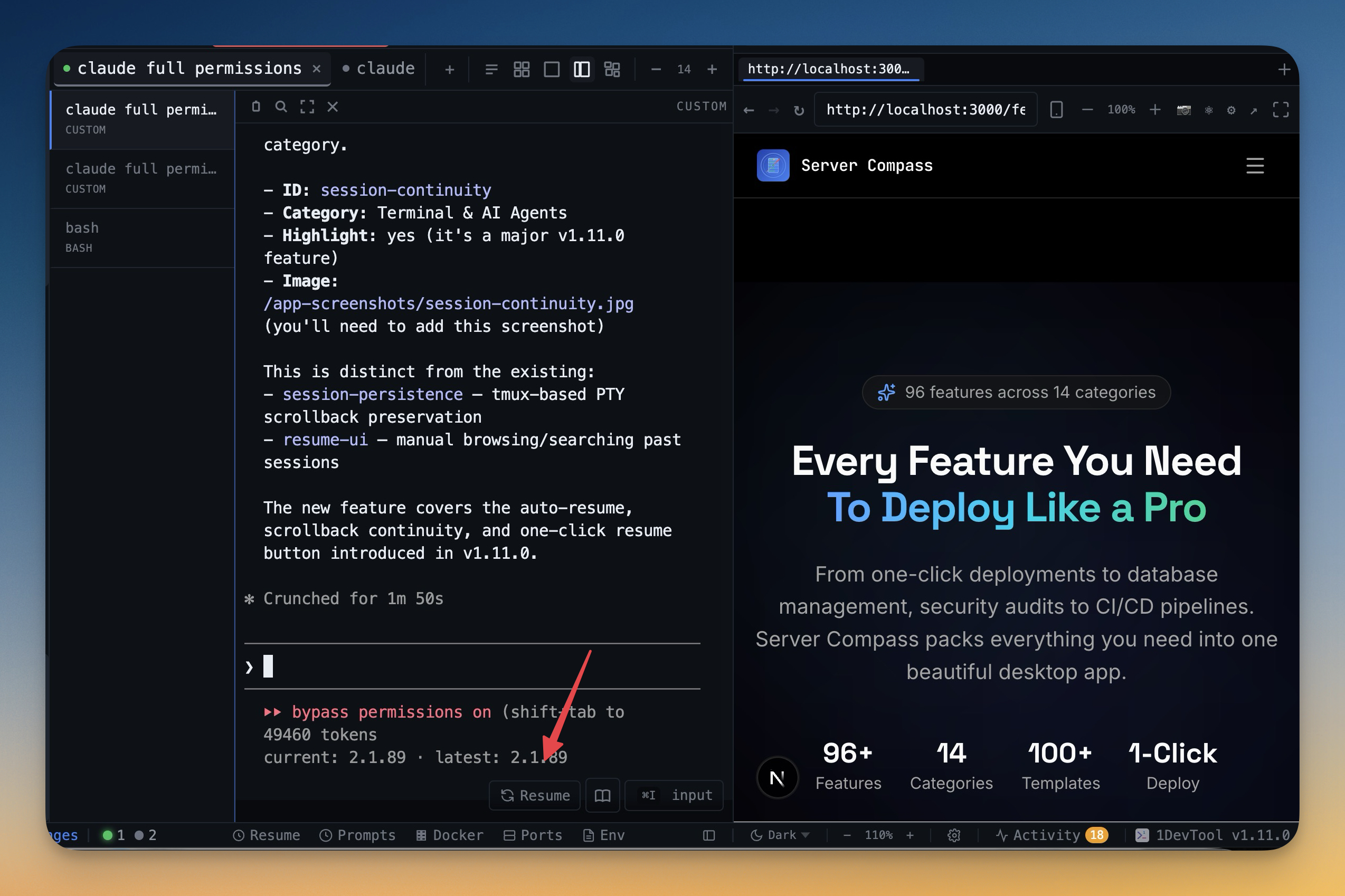
1DevTool runs 20 CLI agents through Charts, teams, and pipelines — with Conversation Mode, backup agents, and Autopilot — then wraps them in a local toolchain: 23-engine DB, HTTP, browser profiles, Docker, and phone apps for iOS and Android. Analytics stays on your machine. Bring your own keys, no account, free plan or $29 one-time.

Trae
Trae is ByteDance's AI-native IDE — a VS Code fork with built-in chat, autocomplete, and an agentic SOLO mode. The editor is free up to a monthly cap, then moves to token-metered tiers ($3–$100/mo as of Feb 2026). It runs ByteDance's own integrated AI, and researchers have flagged telemetry and long data-retention concerns.
Pricing
| Feature | 1DevTool | Trae |
|---|---|---|
| Price | From $29 one-time | Free tier + $3–$100/mo |
| AI cost model | Bring your own keys (no markup) | Token-metered after free tier |
| Free tier limits | Free plan: 1 project, 4 terminals | 5,000 completions + limited SOLO/mo |
AI Capabilities
| Feature | 1DevTool | Trae |
|---|---|---|
| AI model / agent choice | Any CLI agent | Trae's own agent |
| Claude Code support | ✓ | ✗ |
| Codex CLI support | ✓ | ✗ |
| Gemini CLI support | ✓ | ✗ |
| AI CLI agents supported | 20 built in (Claude, Codex, Gemini, Cursor, Cline, Amp, OpenCode, Qwen, Grok, Kimi, Antigravity, Hermes, Pi, Oh My Pi, Aider, Devin, Kiro, Qoder, Command Code, Kilo Code) + custom agents | Trae SOLO |
| Agentic project scaffolding | Via Claude Code / Codex | SOLO Builder |
| Inline completions | Via agents | ✓ |
AI orchestration
| Feature | 1DevTool | Trae |
|---|---|---|
| Run agents in parallel | Charts, teams & pipelines | Single SOLO loop |
| Draw org charts & pipelines | ✓ | ✗ |
| Automatic fallback when an agent is rate-limited | ✓ | ✗ |
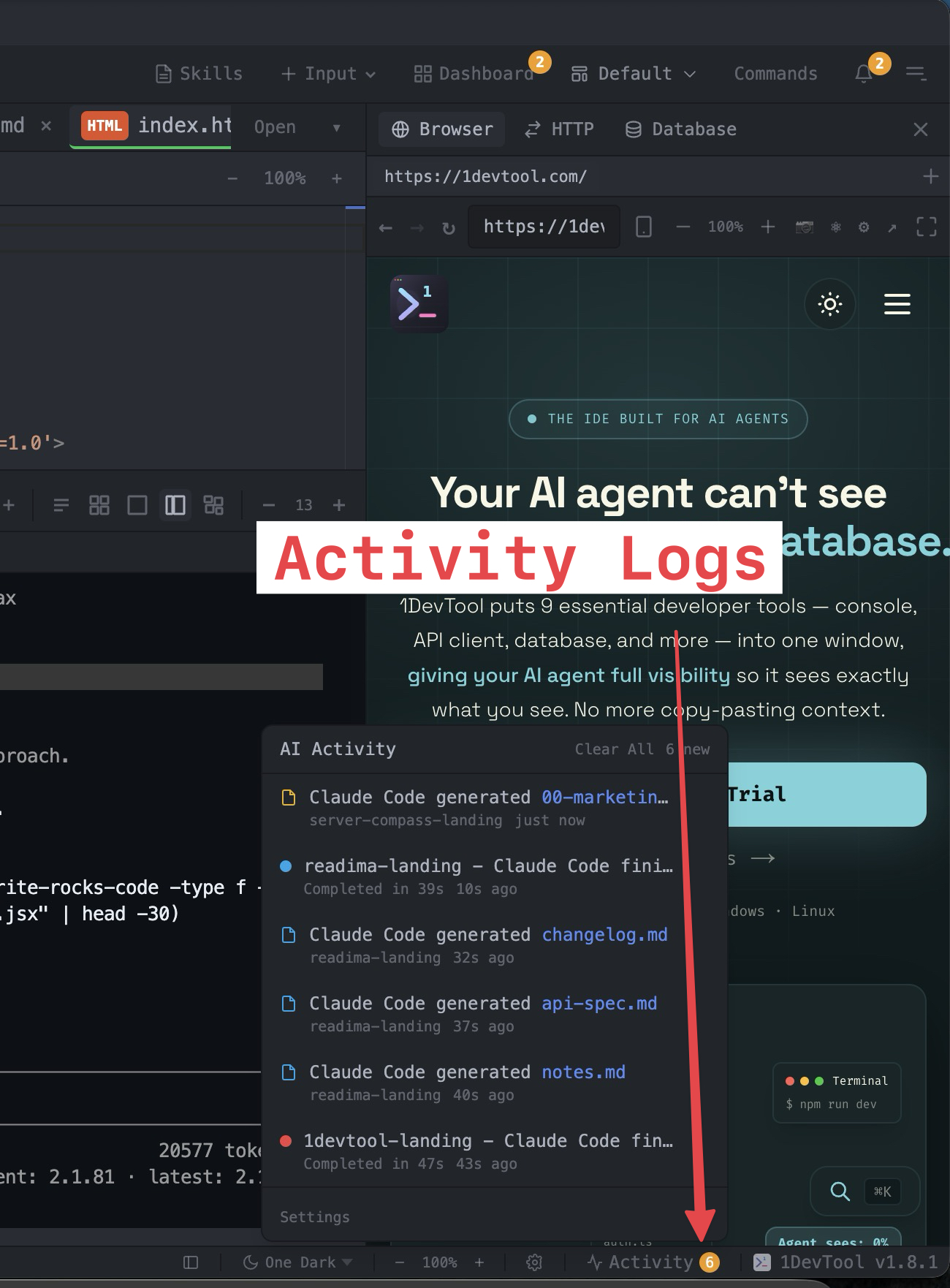
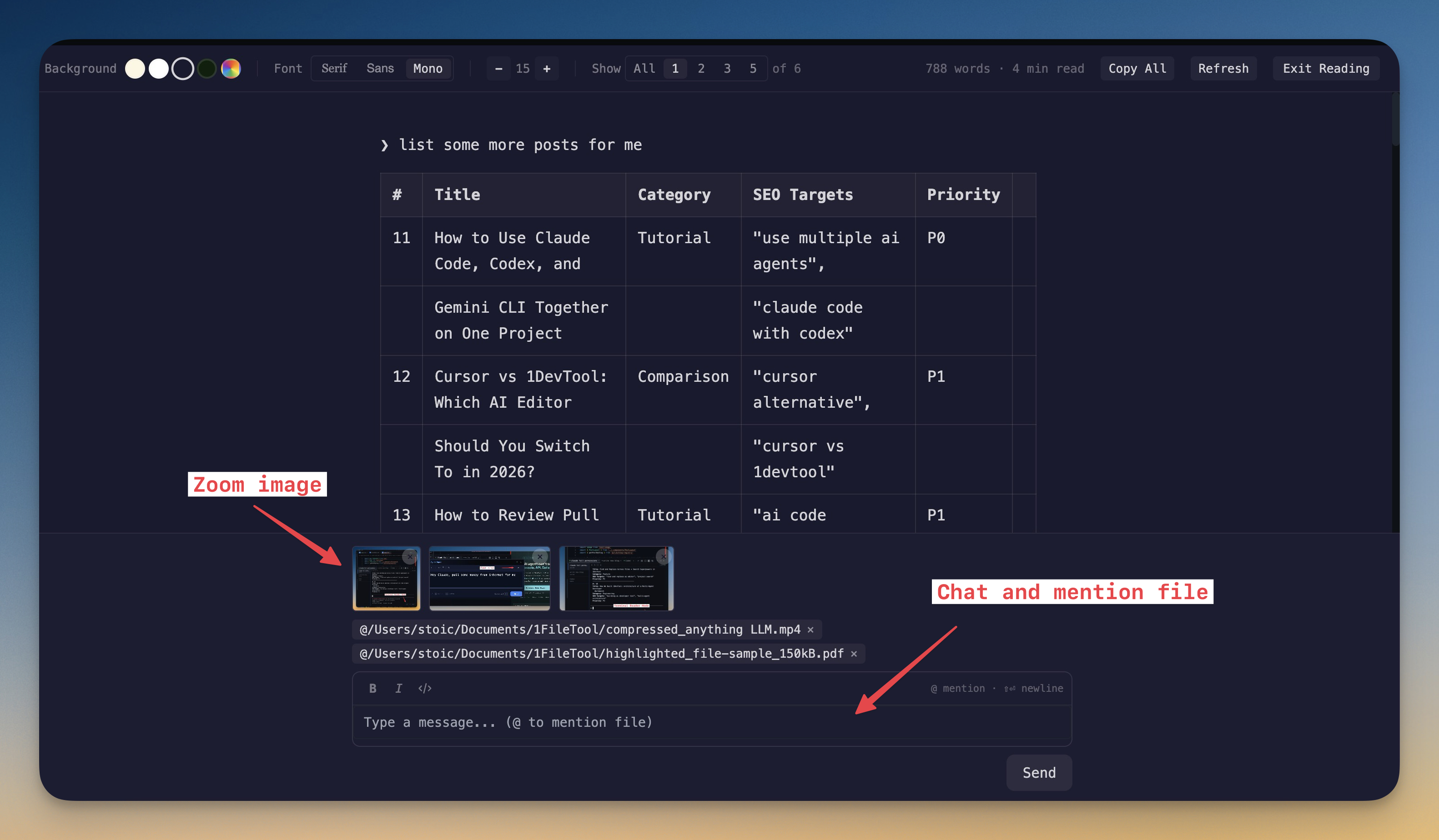
| Answer agent questions in chat | Conversation Mode | ✗ |
| MCP server for agents | ✓ | ✗ |
| Live quota tracking | ✓ | ✗ |
| Bring your own AI subscription (no per-seat AI fee) | ✓ | Token-metered |
Built-in developer tools
| Feature | 1DevTool | Trae |
|---|---|---|
| Editor engine | Monaco (same as VS Code) | VS Code fork |
| Database client | 23 engines | ✗ |
| HTTP client + Postman/Insomnia/Bruno import | ✓ | ✗ |
| Embedded browser with per-tab profiles | ✓ | ✗ |
| Docker manager | ✓ | ✗ |
| Git graph + worktrees | ✓ | ✗ |
| Send-to-AI from tools | Browser / HTTP / DB → agent | ✗ |
| Remote control from phone | Web UI + iOS and Android apps | ✗ |
| Tmux-backed session persistence | Survives restart | Basic |
Privacy & Access
| Feature | 1DevTool | Trae |
|---|---|---|
| Account required | ✗ | ✓ |
| Offline capable | ✓ | Partial (cloud tasks) |
| Telemetry / data retention | BYO keys, no lock-in | Reported telemetry + multi-year retention |
| Platforms | macOS, Windows, Linux | macOS, Windows, Linux |
How to move from Trae to your own agents
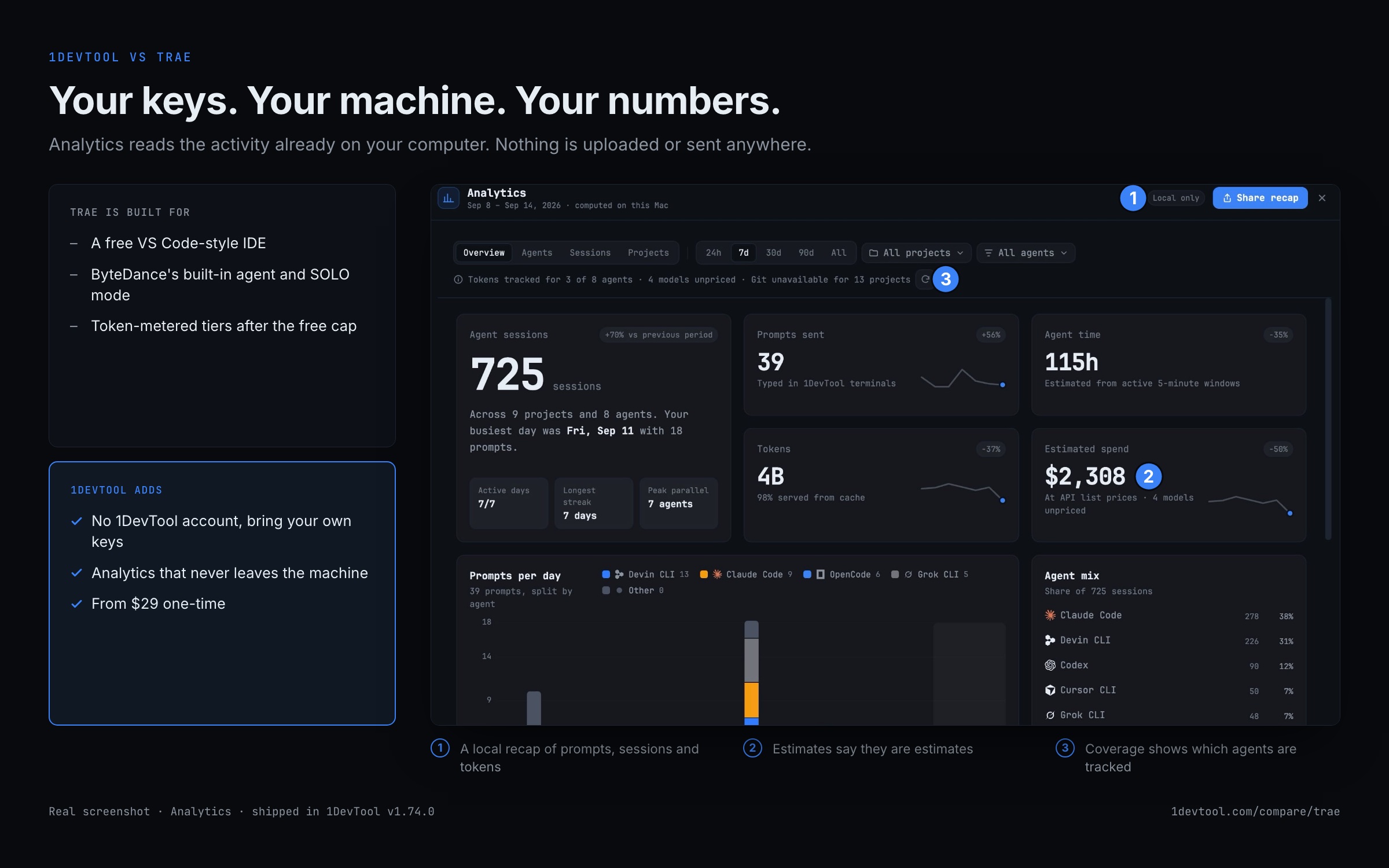
Trae bundles one agent with metered tokens. 1DevTool runs the agents you sign in to yourself, on your machine.
- 1
Download 1DevTool
Install it on macOS, Windows or Linux. The free plan needs no account.
- 2
Sign in to your own agents
Add Claude Code, Codex, Gemini CLI or another built-in agent with your own subscription in Accounts & Quota.
- 3
Open your project
Add the folder you used in Trae. Edit in the built-in editor, or keep any editor you like.
- 4
Run agents in parallel
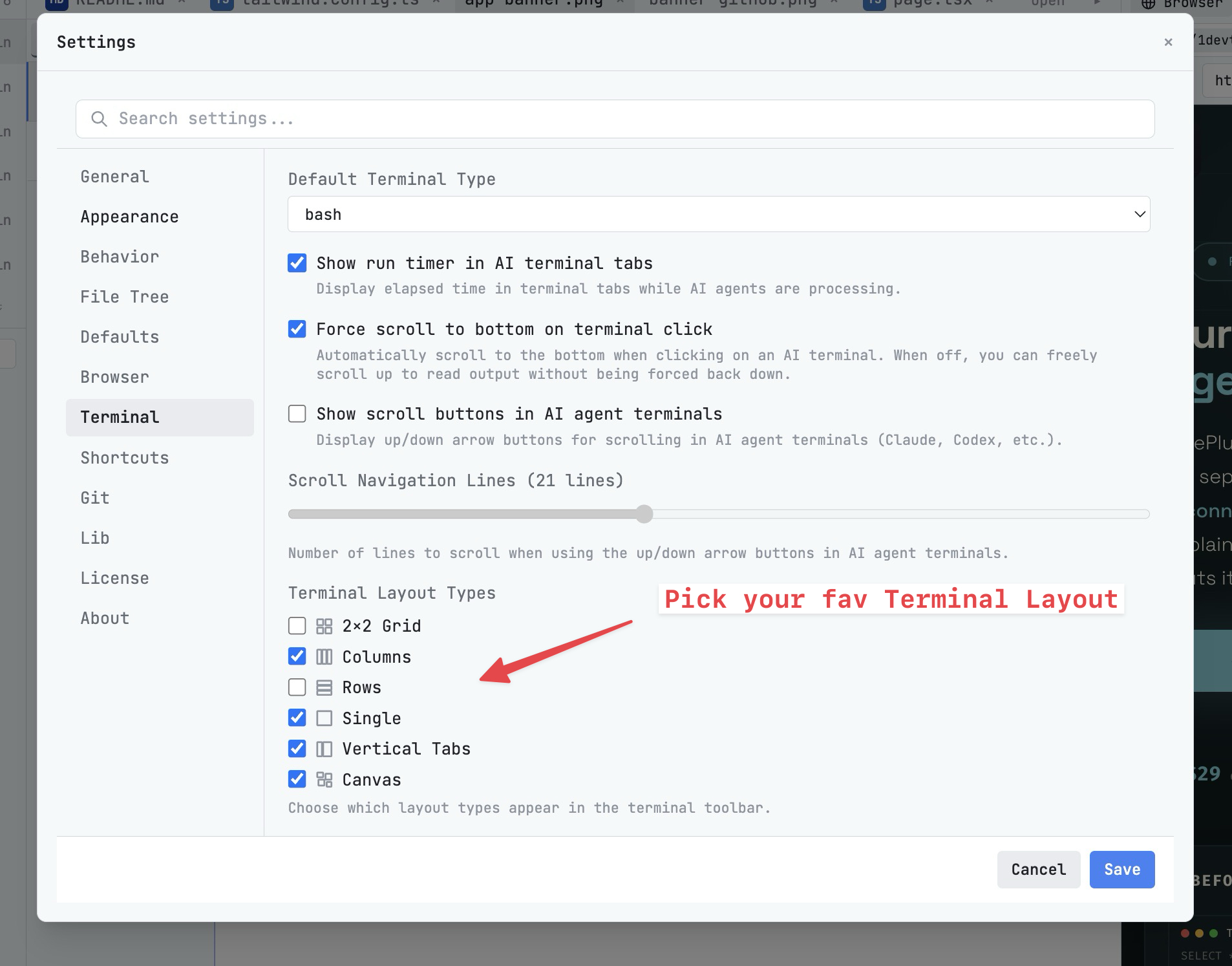
Start several terminals, or draw a chart so a lead agent hands work to the others.
- 5
See what it cost
Analytics (⌘⇧A) recaps prompts, sessions and tokens from the activity on your machine. Nothing is uploaded.
What you get with 1DevTool
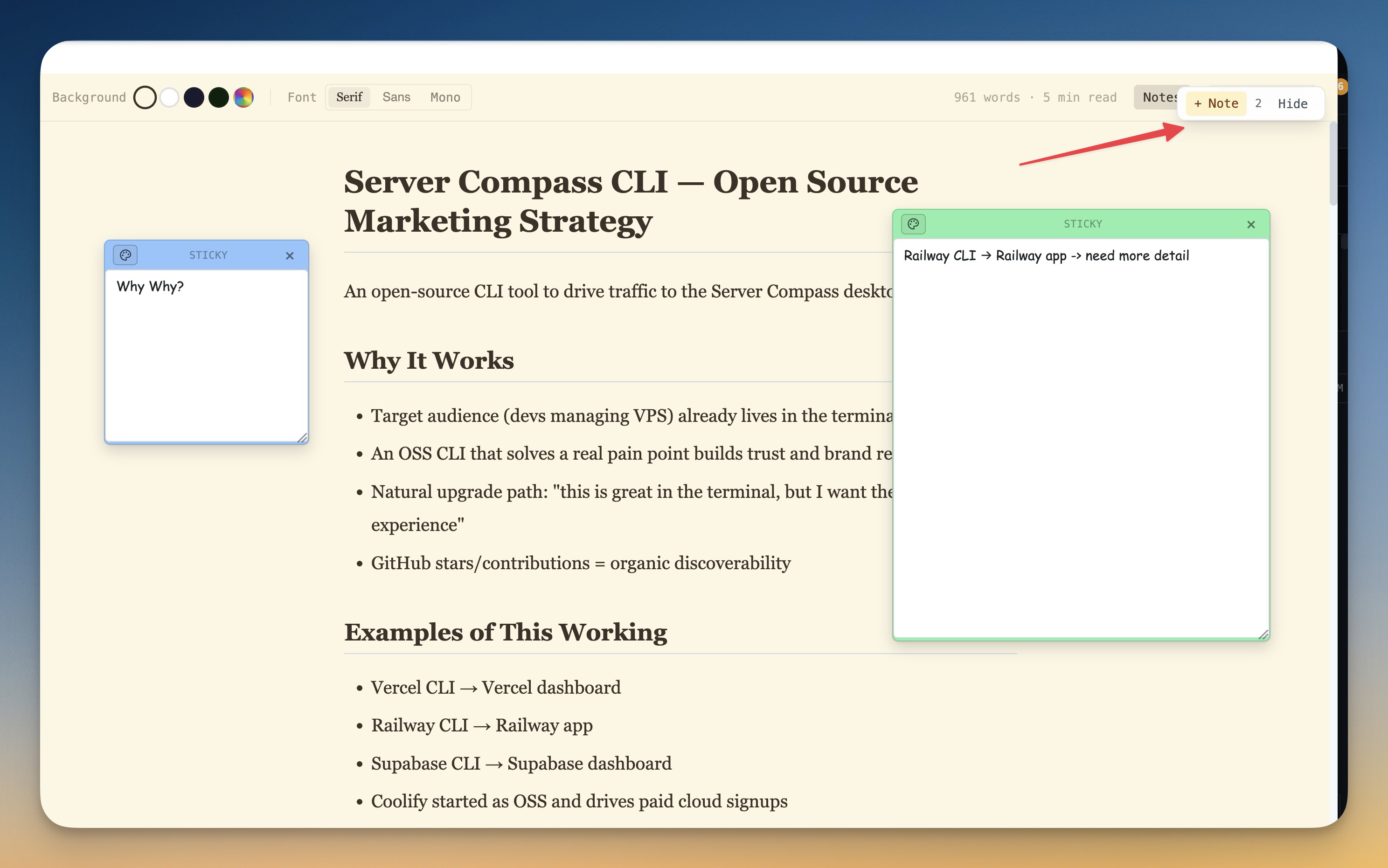
The tools that set 1DevTool apart from Trae — built in, no plugins.
The Verdict
Choose 1DevTool if...
- ✓You want Charts and pipelines across 20 agents — not one built-in SOLO loop
- ✓You want Conversation Mode, backup agents, and Autopilot
- ✓Privacy matters: no account, offline-capable, keys and code stay local
- ✓You want a 23-engine DB client, HTTP, and browser profiles wired into agents
- ✓You prefer a free plan or $29 one-time over token-metered tiers
Choose Trae if...
- •You want a free, polished VS Code-style editor with built-in AI out of the box
- •You're happy using ByteDance's integrated agent and SOLO mode
- •You want inline autocomplete bundled without configuring API keys
- •You're comfortable with token-metered AI pricing and cloud tasks
Go deeper
Tutorials, posts and docs for the 1DevTool features on this page.
Frequently asked questions
Is 1DevTool more private than Trae?
1DevTool is local-first: bring your own keys, no account required, offline-capable, and its Analytics reads the activity already on your machine without uploading it. Trae researchers have flagged telemetry and long data-retention concerns.
Can I run Claude Code and Codex in parallel in 1DevTool?
Yes. Charts, teams, and pipelines run 20 built-in CLI agents in parallel, with backup agents taking over when one is rate-limited.
Is 1DevTool a one-time purchase?
There is a free plan (1 project, 4 terminals); Pro is from $29 one-time (1 / 3 / 5 device tiers). Trae is free up to a cap, then token-metered.
Does 1DevTool include HTTP and database tools?
Yes — 23 engines, HTTP with Postman/Insomnia/Bruno import, browser profiles, Docker, SSH, and Resource Manager.
Can I answer agent questions without scrolling the raw terminal?
Yes. Conversation Mode parses agent terminals into chat — including multiple-choice and review-then-submit prompts.
Try 1DevTool Today
Multi-agent AI workspace for developers. Free plan, Pro from $29 one-time.
Compare 1DevTool with other tools
More side-by-side breakdowns across the tools developers ask about.