1DevTool vs Synara
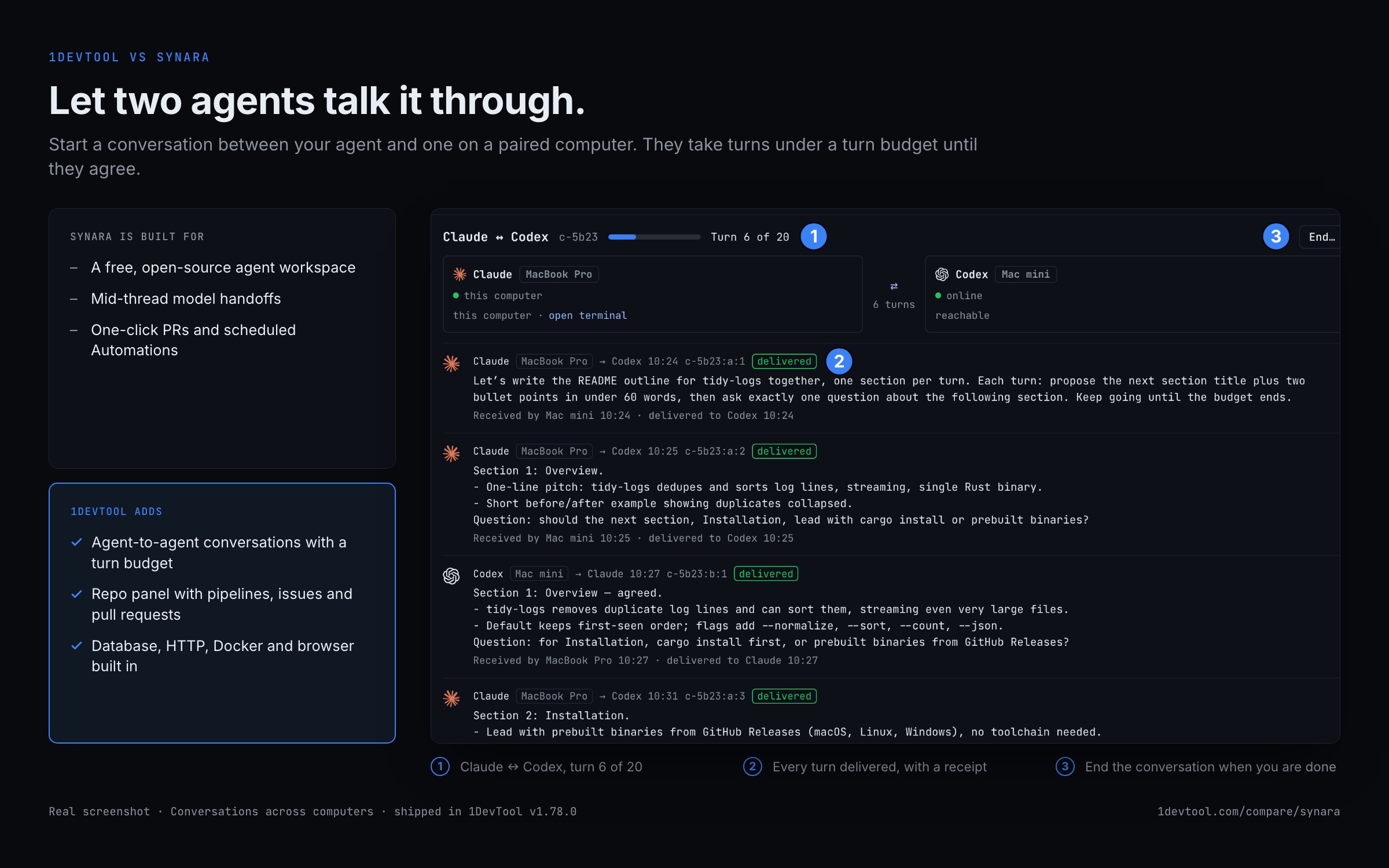
Integrated dev toolchain vs free open-source agent workspace
Last updated October 27, 2026
Short answer
Both unify multi-agent desktops; 1DevTool leans Charts/fallbacks plus DB/HTTP/Docker, Synara leans free OSS with mid-thread handoffs and one-click PRs.
- •1DevTool: 20 CLIs, Charts, Conversation Mode, 23-engine DB — free plan or $29 one-time
- •Synara: free OSS, 8 harnesses, mid-thread handoffs, scheduled Automations
- •1DevTool adds tmux persistence, an iOS app (Android in beta), and a full HTTP/DB stack
- •Pick Synara if free OSS + PR automation is the priority

1DevTool
1DevTool is a multi-agent workspace with Charts, teams, pipelines, Conversation Mode, and backup agents across 20 CLIs — wrapped in Monaco, a 23-engine DB client, HTTP, browser profiles, Docker, a Repo panel for pull requests and CI, and an iOS app (Android in beta). Free plan, Pro from $29 one-time.

Synara
Synara is a free, open-source desktop app that unifies AI coding agents in one workspace — chats, terminals, browser previews, inline diffs, Git branches, and model handoffs in a single window. It runs eight harnesses (Claude Code, Codex, Gemini, Cursor, OpenCode, Grok, Kilo Code, Pi), each keeping its own models. Built for parallel work: split chats and isolated Git worktrees, mid-thread model switching that passes context between agents, a one-click PR the moment an agent finishes, and scheduled Automations. Local-first, no sign-up — use the AI subscriptions you already pay for.
Pricing & Licensing
| Feature | 1DevTool | Synara |
|---|---|---|
| Price | From $29 one-time | Free |
| Source model | Proprietary | Open source |
| AI cost model | Bring your own keys (no markup) | Use your existing AI subscriptions |
AI orchestration
| Feature | 1DevTool | Synara |
|---|---|---|
| Run agents in parallel | Charts, teams & pipelines | Split chats + threads |
| AI CLI agents supported | 20 built in (Claude, Codex, Gemini, Cursor, Cline, Amp, OpenCode, Qwen, Grok, Kimi, Antigravity, Hermes, Pi, Oh My Pi, Aider, Devin, Kiro, Qoder, Command Code, Kilo Code) + custom agents | 8 supported harnesses |
| Draw org charts & pipelines | ✓ | ✗ |
| Automatic fallback when an agent is rate-limited | ✓ | ✗ |
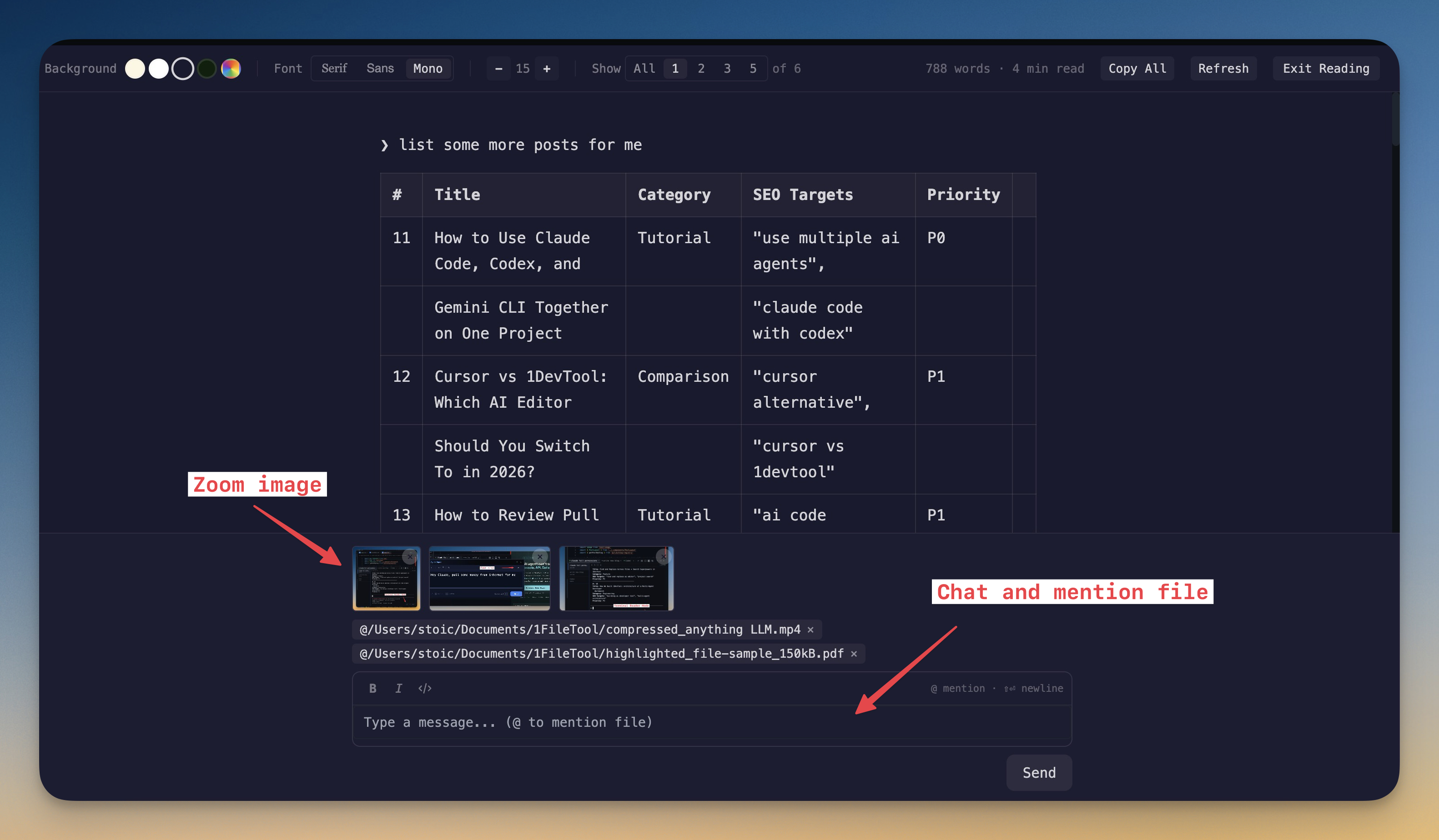
| Answer agent questions in chat | Conversation Mode | ✗ |
| Mid-thread model handoff (pass context) | Merge sessions into another agent | ✓ |
| Git worktree isolation per agent | ✓ | ✓ |
| One-click PR when agent finishes | Repo panel (merge many at once) | ✓ |
| Scheduled automations | Scheduled prompts + cron jobs | ✓ |
| Bring your own AI subscription (no per-seat AI fee) | ✓ | ✓ |
Built-in developer tools
| Feature | 1DevTool | Synara |
|---|---|---|
| Code editor | Built-in Monaco | Inline diffs |
| HTTP / API client | ✓ | ✗ |
| Database client | 23 engines | ✗ |
| Embedded browser with per-tab profiles | ✓ | Browser previews |
| Docker manager | ✓ | ✗ |
| Git graph + worktrees | ✓ | ✓ |
| Send-to-AI from tools | Browser / HTTP / DB → agent | ✗ |
| Remote control from phone | Web UI + iOS app (Android beta) | ✗ |
Sessions, Access & Privacy
| Feature | 1DevTool | Synara |
|---|---|---|
| Tmux-backed session persistence | Survives restart | ✗ |
| Resume sessions from Ghostty / iTerm / Warp | ✓ | ✗ |
| Local-first, no telemetry | ✓ | ✓ |
| Account required | ✗ | ✗ |
| Platforms | macOS, Windows, Linux | macOS, Windows, Linux |
How to go from agent branch to merged PR in 1DevTool
Synara's pitch is a quick PR when the agent finishes. Here is the same loop in 1DevTool.
- 1
Give the task its own worktree
Add a worktree from the Git client and start the agent in it.
- 2
Queue the follow-ups
Schedule more prompts on the terminal, or with orchestration on, ask Agent Input to wait for terminal <id> to finish and then send the next step.
- 3
Review the change
Agent Changes and the Git client's diff show exactly what the agent changed.
- 4
Push and watch CI
Commit and push from the Git client, then watch the pipeline in the Repo panel.
- 5
Merge
Open the Pull requests tab, tick the requests that are ready and merge them in one go.
What you get with 1DevTool
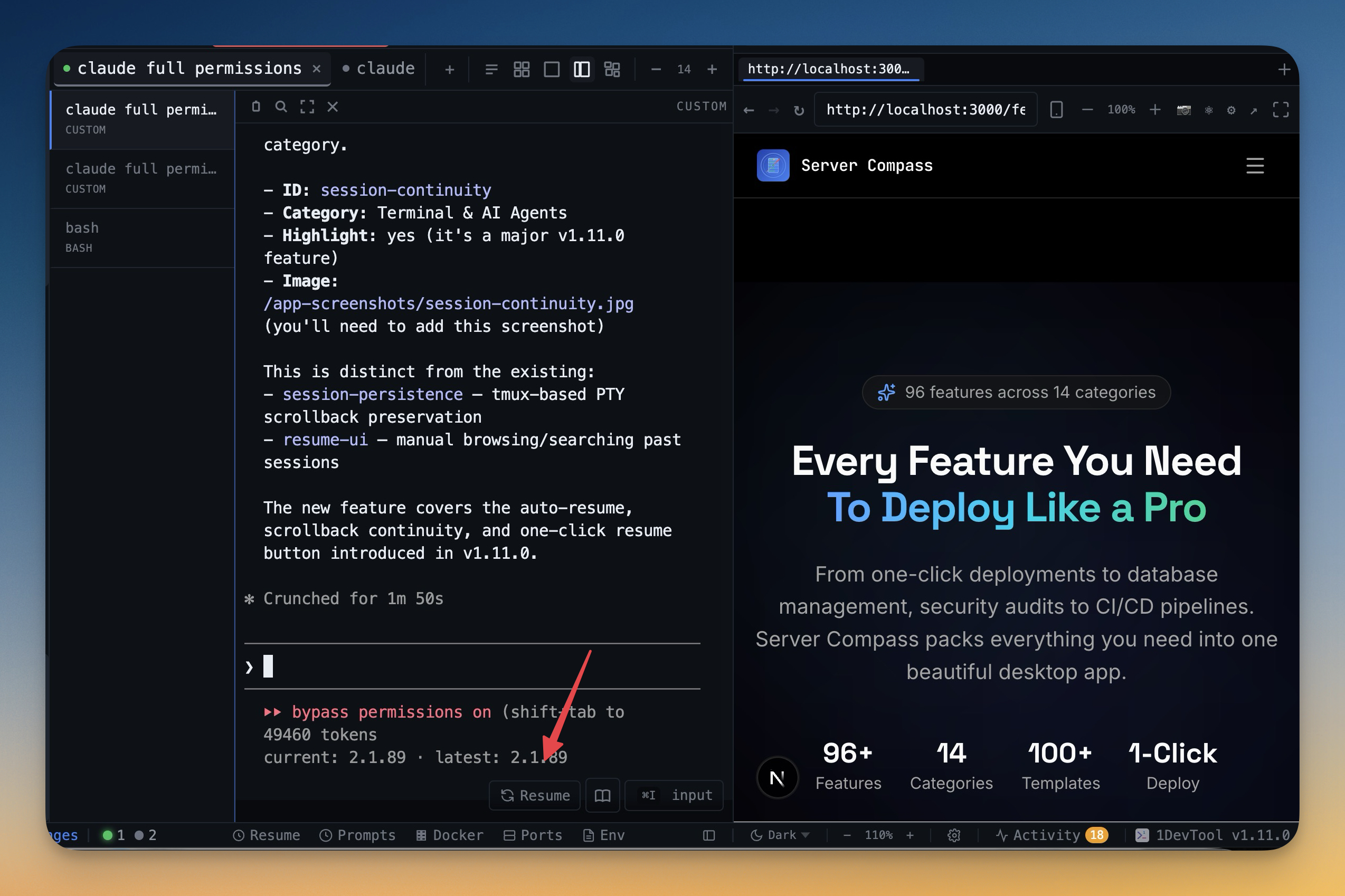
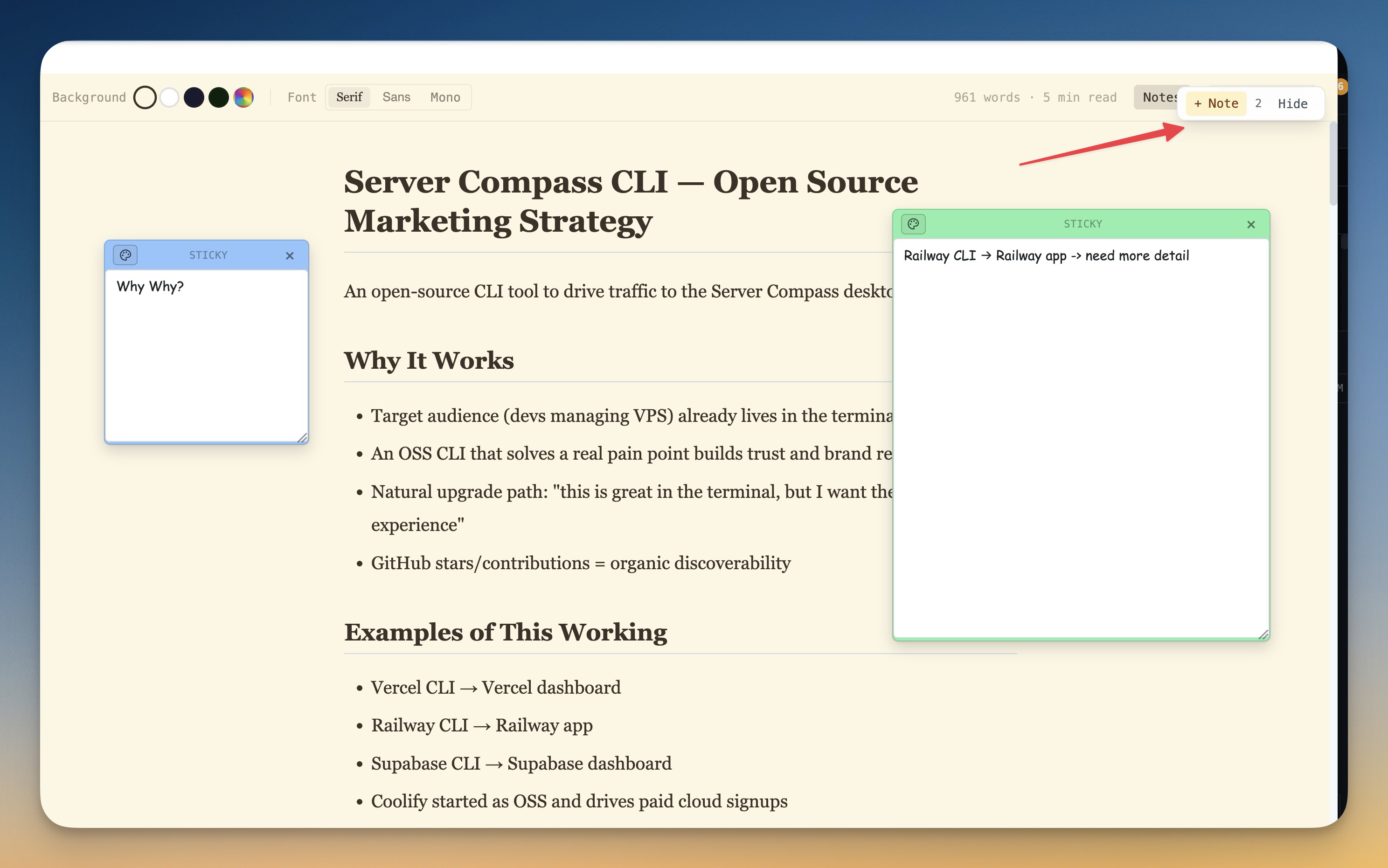
The tools that set 1DevTool apart from Synara — built in, no plugins.
The Verdict
Choose 1DevTool if...
- ✓You want Charts, Conversation Mode, and backup agents around 20 agents
- ✓You want a 23-engine DB client, HTTP, Docker, and browser profiles — not just chats and diffs
- ✓You want tmux-backed persistence and resume from Ghostty / iTerm / Warp
- ✓You want to steer agents from your phone with the iOS app (Android in beta) or the Web UI
- ✓You prefer a free plan or $29 one-time with BYO keys
Choose Synara if...
- •You want a completely free, open-source workspace
- •You want mid-thread model handoff that passes context from one agent to another
- •You want a one-click PR the moment an agent finishes
- •You want scheduled Automations for recurring agent work
- •You're happy driving everything from the desktop and don't need HTTP or database tooling
Go deeper
Tutorials, posts and docs for the 1DevTool features on this page.
Frequently asked questions
Does 1DevTool support mid-thread model handoffs like Synara?
Not in the same way. 1DevTool lets agents hand work between terminals through Charts, teams, and pipelines, and you can select several terminals and merge their transcripts into another agent. Synara's mid-thread model handoff that passes context is a Synara strength — we mark it as theirs.
Does 1DevTool include HTTP and database tools?
Yes — 23 engines, HTTP with Postman/Insomnia/Bruno import, browser profiles, Docker, and Resource Manager. Synara focuses on chats, diffs, and previews.
Is 1DevTool a one-time purchase?
There is a free plan; Pro is from $29 one-time. Synara is free and open source.
Can I use my existing AI subscriptions?
Yes for both. 1DevTool and Synara use the AI plans you already pay for.
Does 1DevTool persist terminals across restart?
Yes — tmux-backed persistence, plus resume of sessions started in Ghostty / iTerm / Warp.
Can 1DevTool schedule agent work?
Yes. Scheduled prompts queue up per terminal — timers, alarms and sends at a quota reset — and the Cron Jobs manager edits your system crontab on macOS and Linux.
Try 1DevTool Today
Multi-agent AI workspace for developers. Free plan, Pro from $29 one-time.
Compare 1DevTool with other tools
More side-by-side breakdowns across the tools developers ask about.