1DevTool vs Paseo
Integrated dev toolchain vs cross-platform agent orchestrator
Last updated October 27, 2026
Short answer
1DevTool for Charts + a full desktop toolchain on Windows too; Paseo for free OSS with native mobile/web clients and on-device voice.
- •1DevTool: Charts/pipelines, Conversation Mode, 23-engine DB, iOS and Android apps — free plan or $29; macOS/Windows/Linux
- •Paseo: free OSS, 34+ providers, native iOS/Android + web, voice control
- •Both use worktrees and BYO credentials
- •Pick Paseo for true mobile parity; pick 1DevTool for DB/HTTP/Docker in-desktop

1DevTool
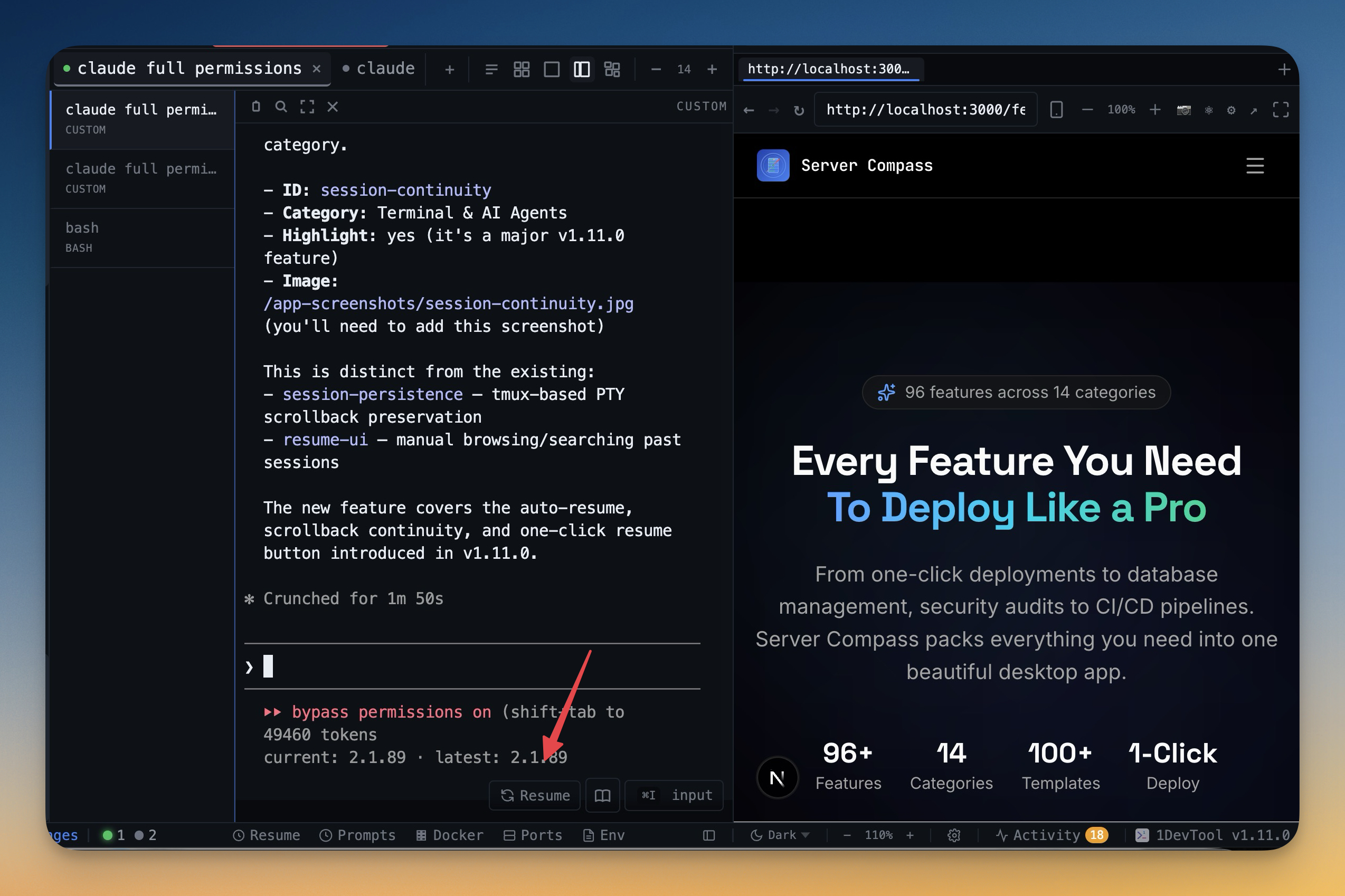
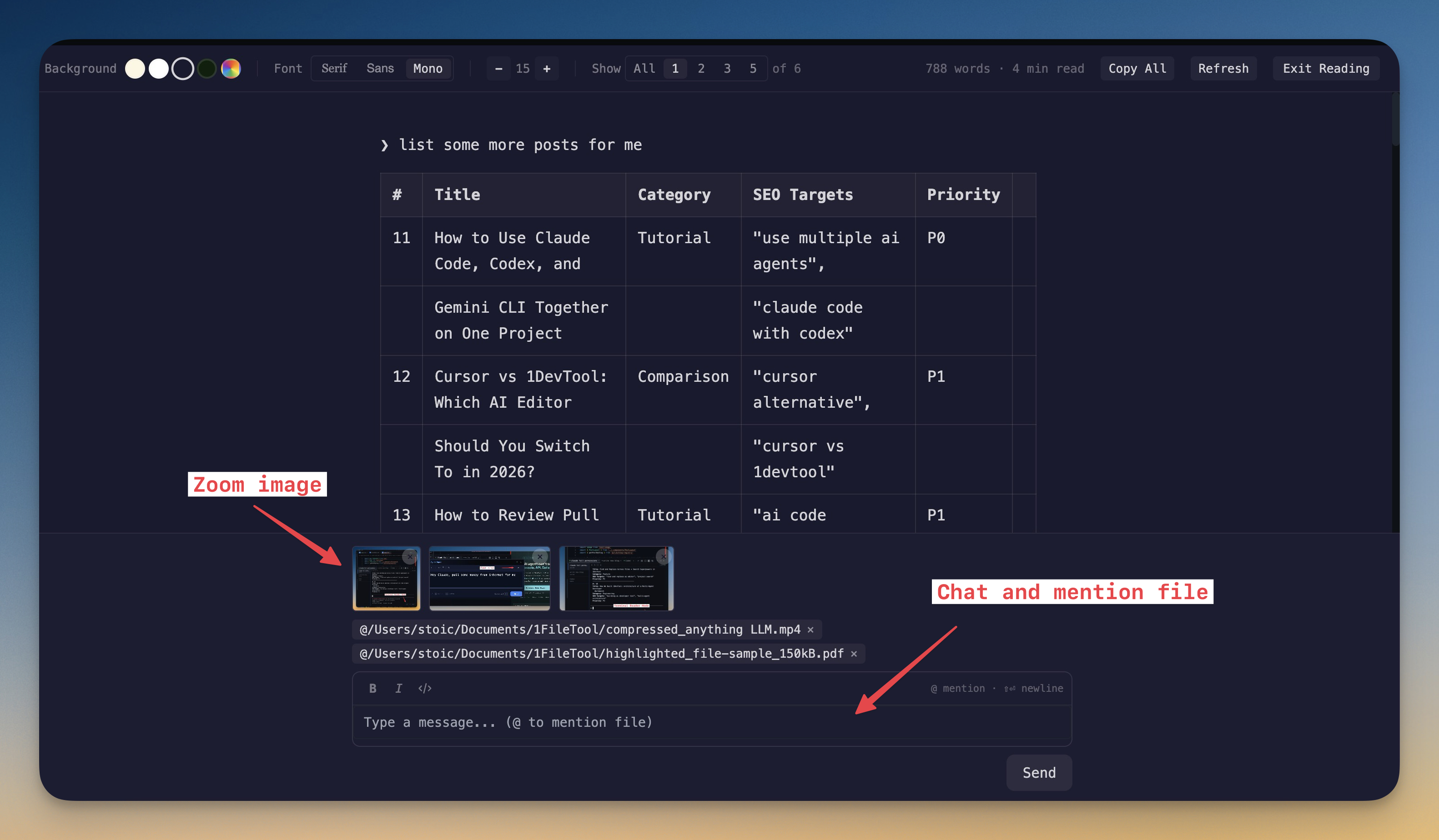
1DevTool orchestrates 20 CLI agents with Charts, teams, pipelines, Conversation Mode, and backup agents — then keeps the toolchain local: Monaco, 23-engine DB, HTTP, browser profiles, and Docker. On the phone you get a Web UI and native iOS and Android apps. macOS, Windows, and Linux. Free plan, Pro from $29 one-time.

Paseo
Paseo is a free, open-source, self-hosted orchestrator for AI coding agents that runs on desktop, web, iOS, Android, and the terminal — all with feature parity. A local daemon manages your agents while native clients connect to it, so you can start a task at your desk and check in from your phone. It supports 34+ providers (Claude Code, Codex, Copilot, OpenCode, Pi, Cursor, Gemini CLI, and more), isolates each agent in a Git worktree, and adds port-less dev servers, on-device voice control, a fully scriptable CLI, and an end-to-end-encrypted relay for remote access. No telemetry, tracking, or forced logins.
Pricing & Licensing
| Feature | 1DevTool | Paseo |
|---|---|---|
| Price | From $29 one-time | Free |
| Source model | Proprietary | Open source |
| AI cost model | Bring your own keys (no markup) | Bring your own credentials |
AI orchestration
| Feature | 1DevTool | Paseo |
|---|---|---|
| Run agents in parallel | Charts, teams & pipelines | Parallel worktree sessions |
| AI CLI agents supported | 20 built in (Claude, Codex, Gemini, Cursor, Cline, Amp, OpenCode, Qwen, Grok, Kimi, Antigravity, Hermes, Pi, Oh My Pi, Aider, Devin, Kiro, Qoder, Command Code, Kilo Code) + custom agents | 34+ providers |
| Draw org charts & pipelines | ✓ | ✗ |
| Automatic fallback when an agent is rate-limited | ✓ | ✗ |
| Answer agent questions in chat | Conversation Mode | ✗ |
| Git worktree isolation per agent | ✓ | ✓ |
| MCP server for agents | ✓ | ✗ |
| Port-less dev servers (auto URL per branch) | ✗ | ✓ |
| Bring your own AI subscription (no per-seat AI fee) | ✓ | ✓ |
Built-in developer tools
| Feature | 1DevTool | Paseo |
|---|---|---|
| Code editor | Built-in Monaco | Split-panel diffs |
| HTTP / API client | ✓ | ✗ |
| Database client | 23 engines | ✗ |
| Embedded browser with per-tab profiles | ✓ | ✓ |
| Docker manager | ✓ | ✗ |
| Git graph + worktrees | ✓ | ✓ |
| Send-to-AI from tools | Browser / HTTP / DB → agent | ✗ |
| Local voice control (on-device STT / TTS) | ✗ | ✓ |
Access, Platforms & Privacy
| Feature | 1DevTool | Paseo |
|---|---|---|
| Native mobile apps (iOS / Android) | iOS and Android apps + Web UI | Native apps |
| Web browser client | Remote Web UI | ✓ |
| Scriptable CLI / API | MCP server + 1devtool-agent CLI | Full CLI (run / ls / attach / send) |
| Tmux-backed session persistence | Survives restart | ✓ |
| Resume sessions from Ghostty / iTerm / Warp | ✓ | ✗ |
| Encrypted remote access | Encrypted pairing, Tailscale, E2E push | E2E-encrypted relay |
| Platforms | macOS, Windows, Linux | macOS, Linux, iOS, Android, web |
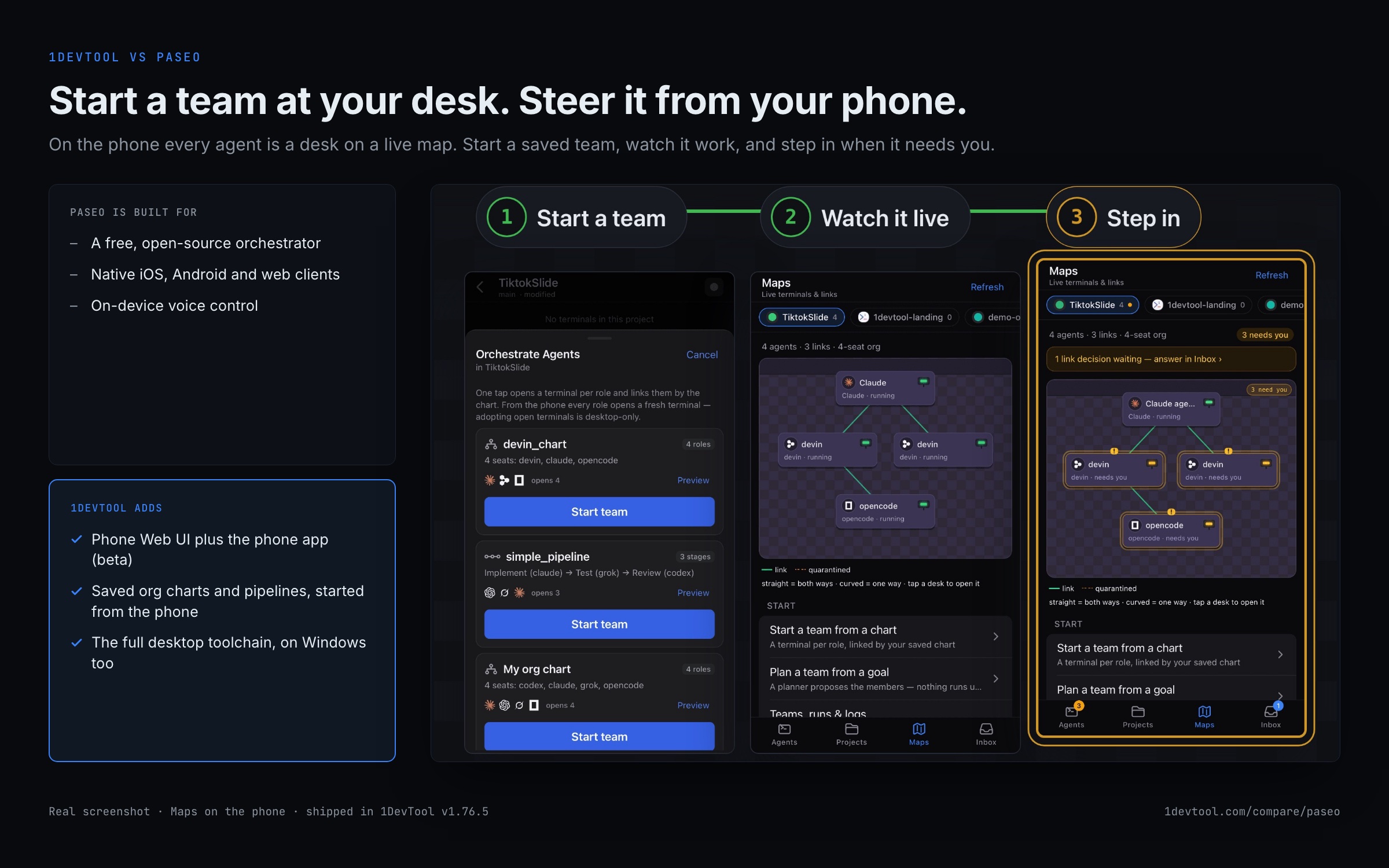
How to run agents from your phone with 1DevTool
Paseo is phone-first. In 1DevTool the desktop runs the agents and the phone steers them.
- 1
Turn on the phone host
In Settings → Remote, open Phone, switch the host on and choose a Connection type: Automatic, Local Network or Tailscale.
- 2
Pair with a role
Pick Viewer, Approver, Operator or Admin for the next device, then scan the pairing QR code with the phone.
- 3
Start a team
From a project's Orchestrate Agents sheet, start a saved org chart or pipeline.
- 4
Watch it on the map
Maps shows each agent as a desk, linked by chain of command, and marks the ones that need you.
- 5
Answer when it needs you
Notifications arrive when an agent needs you, end-to-end encrypted when the app is closed.
What you get with 1DevTool
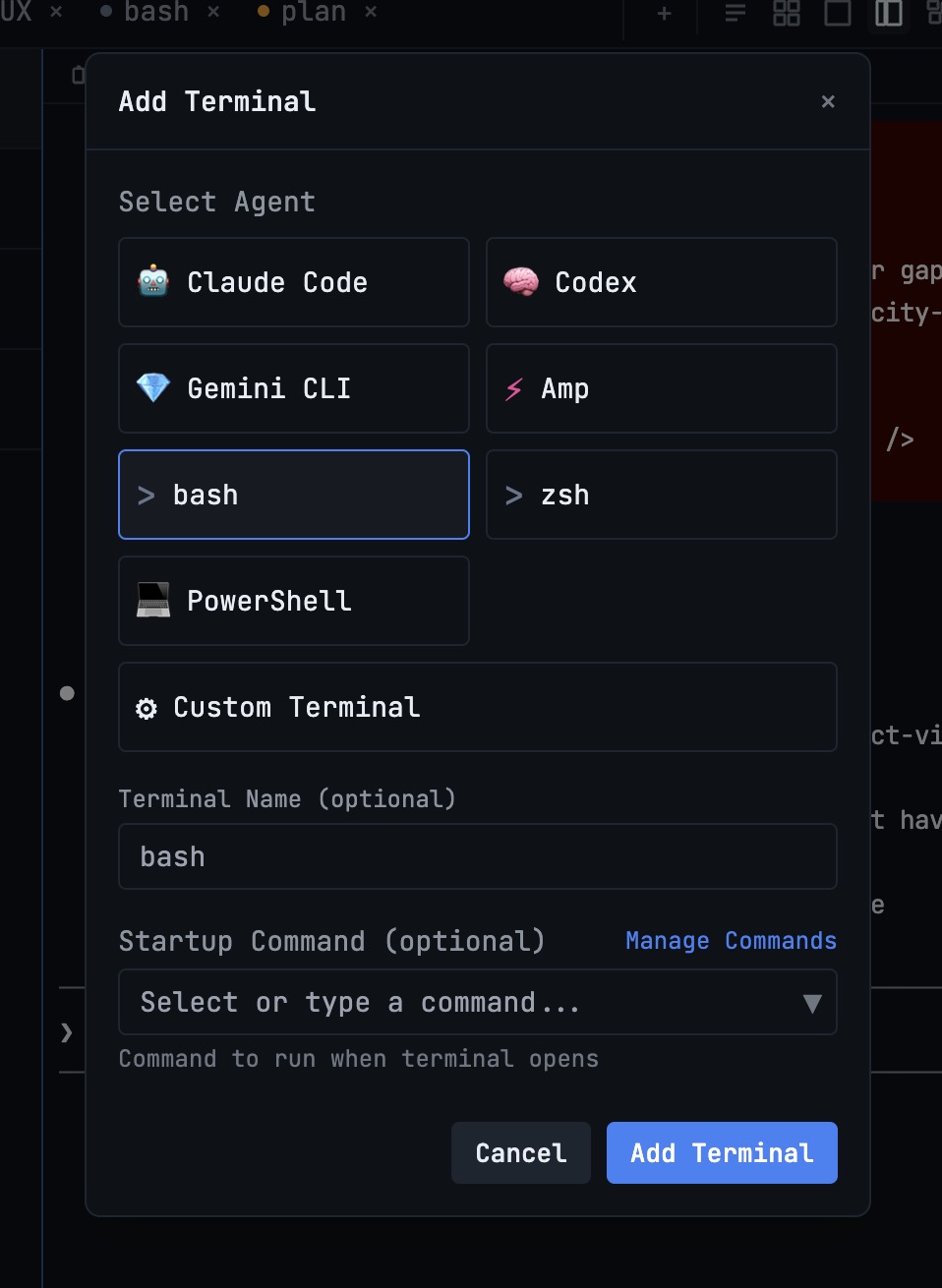
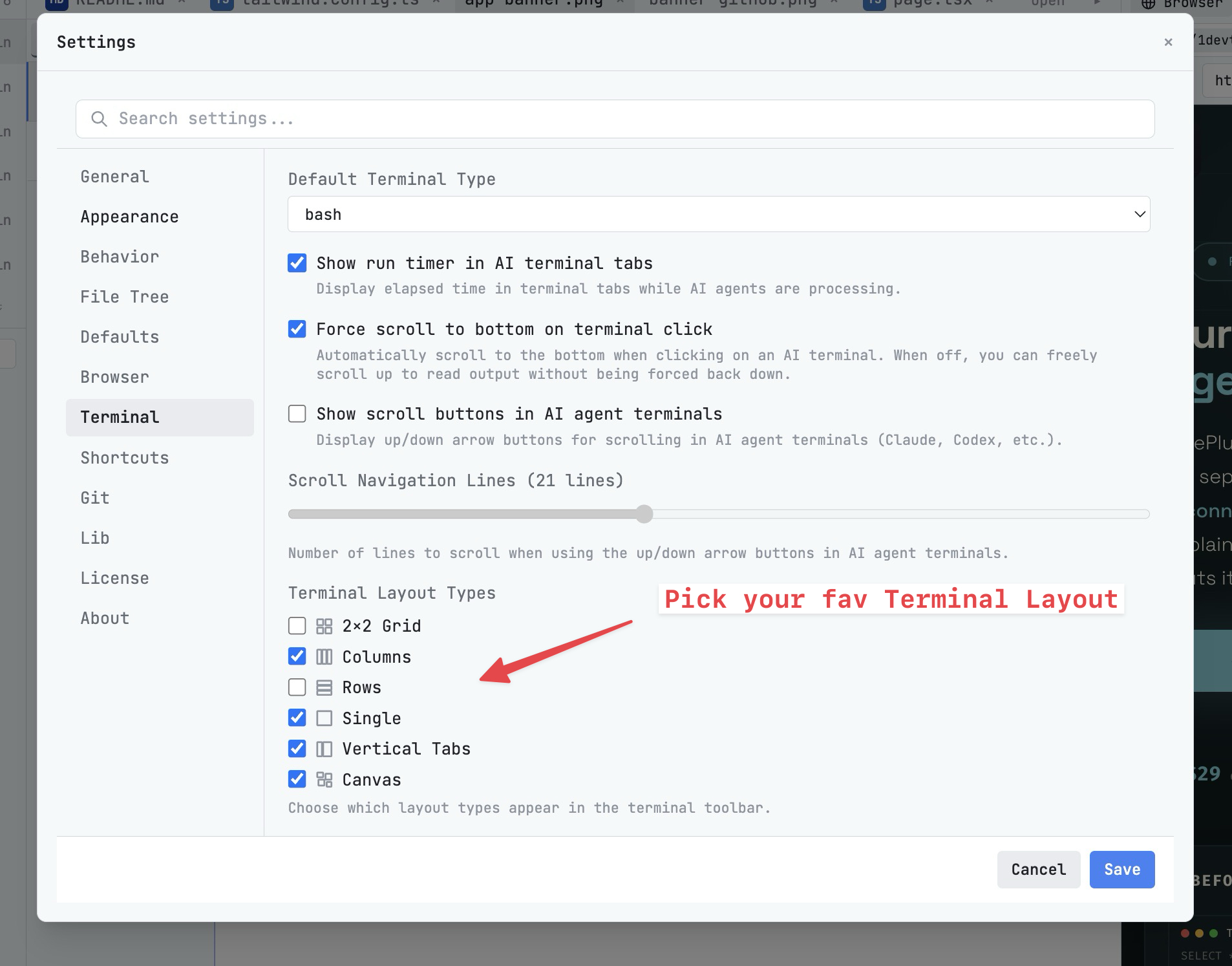
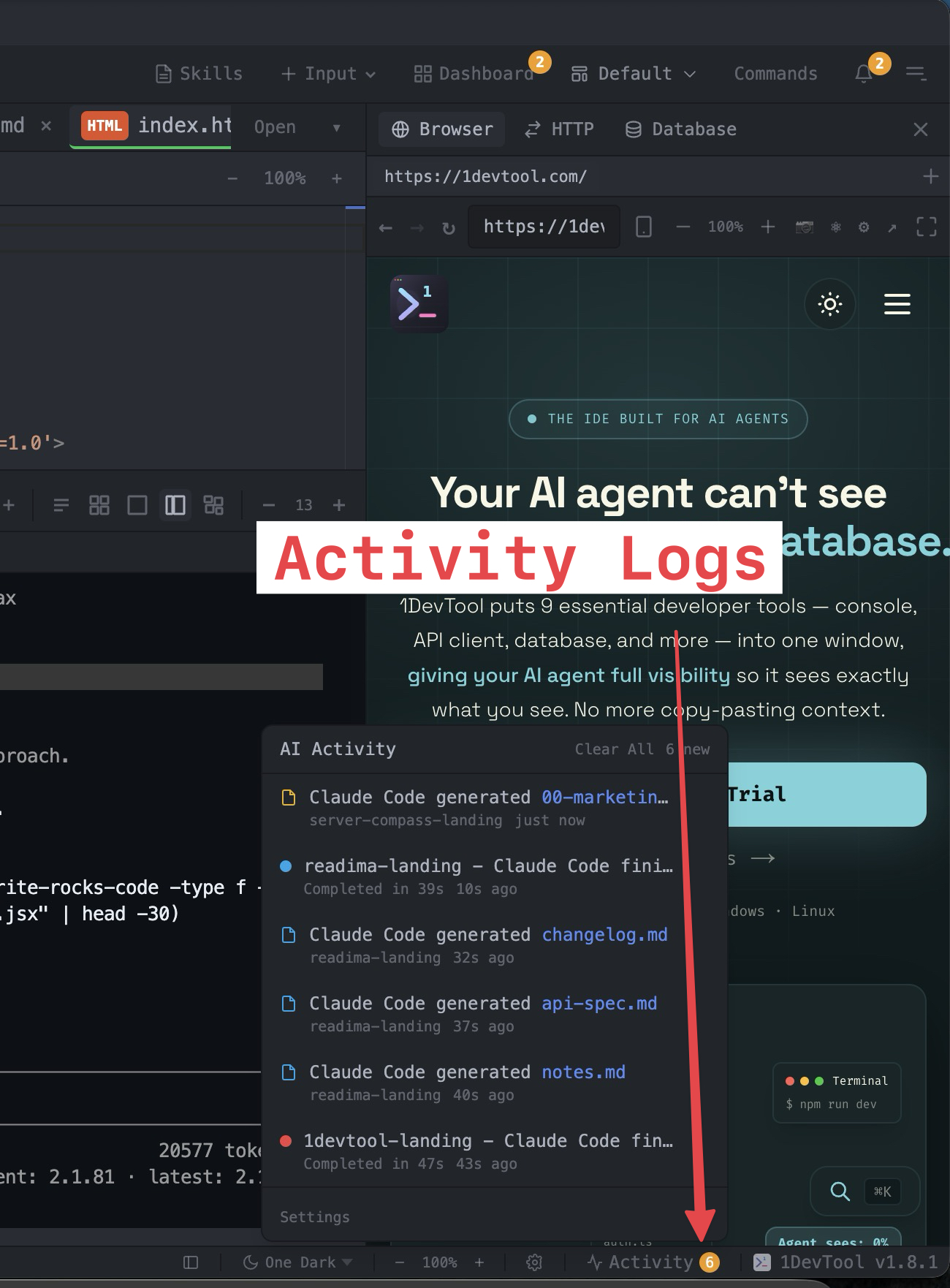
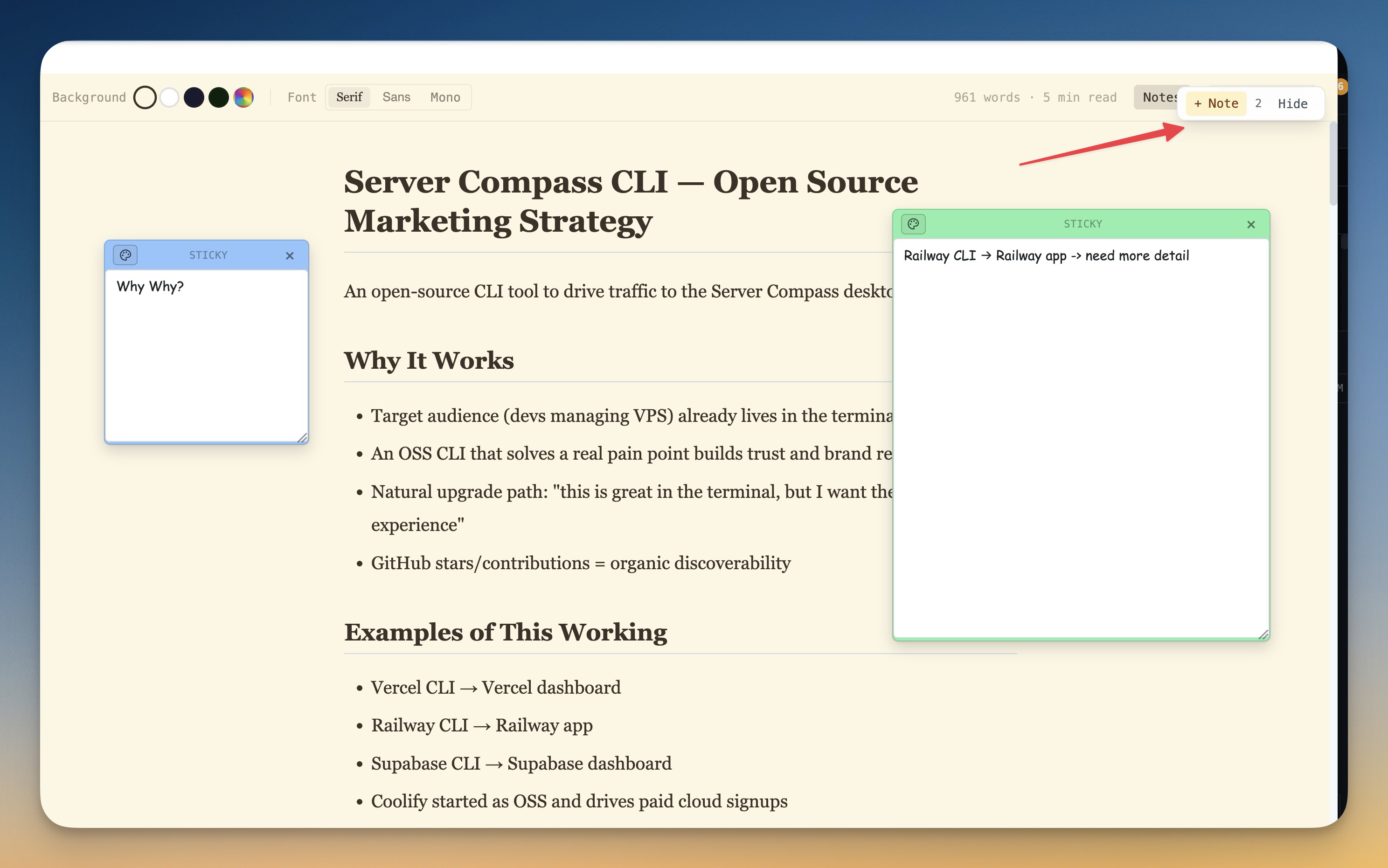
The tools that set 1DevTool apart from Paseo — built in, no plugins.
The Verdict
Choose 1DevTool if...
- ✓You want Charts, Conversation Mode, and backup agents with a full desktop toolchain
- ✓You want a 23-engine DB client, HTTP, and browser profiles wired into Send-to-AI
- ✓You're on Windows — Paseo's desktop runs on macOS and Linux only
- ✓You want tmux-backed persistence and resume from Ghostty / iTerm / Warp
- ✓You prefer a built-in Monaco editor over bouncing to split-panel diffs
Choose Paseo if...
- •You want a free, open-source, self-hostable orchestrator you can fork
- •You want every client — desktop, web, iOS and Android — at full feature parity
- •You want hands-free, on-device voice control (local STT / TTS)
- •You want a fully scriptable CLI to automate agent runs, scheduling, and loops
- •You want to reach 34+ providers behind one interface over an E2E-encrypted relay
Go deeper
Tutorials, posts and docs for the 1DevTool features on this page.
Frequently asked questions
Does 1DevTool have native iOS and Android apps?
Yes. 1DevTool is free on the App Store for iPhone and iPad and on Google Play for Android. There is also a Web UI that runs in any phone browser: see every agent, answer what needs you, start a saved team, and get end-to-end encrypted notifications. Paseo also ships native iOS and Android apps, with feature parity across them and its web client.
Is 1DevTool available on Windows?
Yes. Paseo's desktop targets macOS and Linux; 1DevTool runs on macOS, Windows, and Linux.
Does 1DevTool include HTTP and database tools?
Yes — 23 engines, HTTP client, browser profiles, Docker, Git graph, and Resource Manager, wired into agents via MCP and Send-to-AI.
Can I use Claude Code and Codex in 1DevTool?
Yes — 20 built-in CLIs with Charts, teams, pipelines, Conversation Mode, and backup agents.
Is 1DevTool open source?
No — proprietary, with a free plan and Pro from $29 one-time. Paseo is free and open source.
Try 1DevTool Today
Multi-agent AI workspace for developers. Free plan, Pro from $29 one-time.
Compare 1DevTool with other tools
More side-by-side breakdowns across the tools developers ask about.