Aug 27, 2026
Backup agents take over when one dies mid-run
Give any seat on an agent team an ordered list of backups. When the agent in it crashes or runs out of quota, the next one opens in its place with the conversation so far — and the run keeps going without you.
You line up a team of agents for a real piece of work — one plans, one implements, one reviews — press start, and step away. You come back twenty minutes later expecting a finished draft, and instead the whole chain is frozen. One agent hit its provider's rate limit, or its process crashed, or the API it was talking to simply gave up. Every agent downstream of it is still waiting for a hand-off that will never arrive.
Nothing was wrong with your plan. One seat went dark, and because there was nobody to fill it, the run it was part of stopped dead. Until now your only options were to notice, work out which agent died, restart it by hand, and re-explain everything it had already been told.
What changed
You can now give any seat on a team an ordered list of backup agents. When the agent in that seat actually dies, 1DevTool opens the next backup in the same seat, hands it the conversation so far, and the run keeps going — without you.
The seat is the unit, not the agent. You drew the chart once; a backup only changes who is sitting in a seat, never the shape of the team around it.
How it works in practice
Stack the backups you'd have reached for anyway
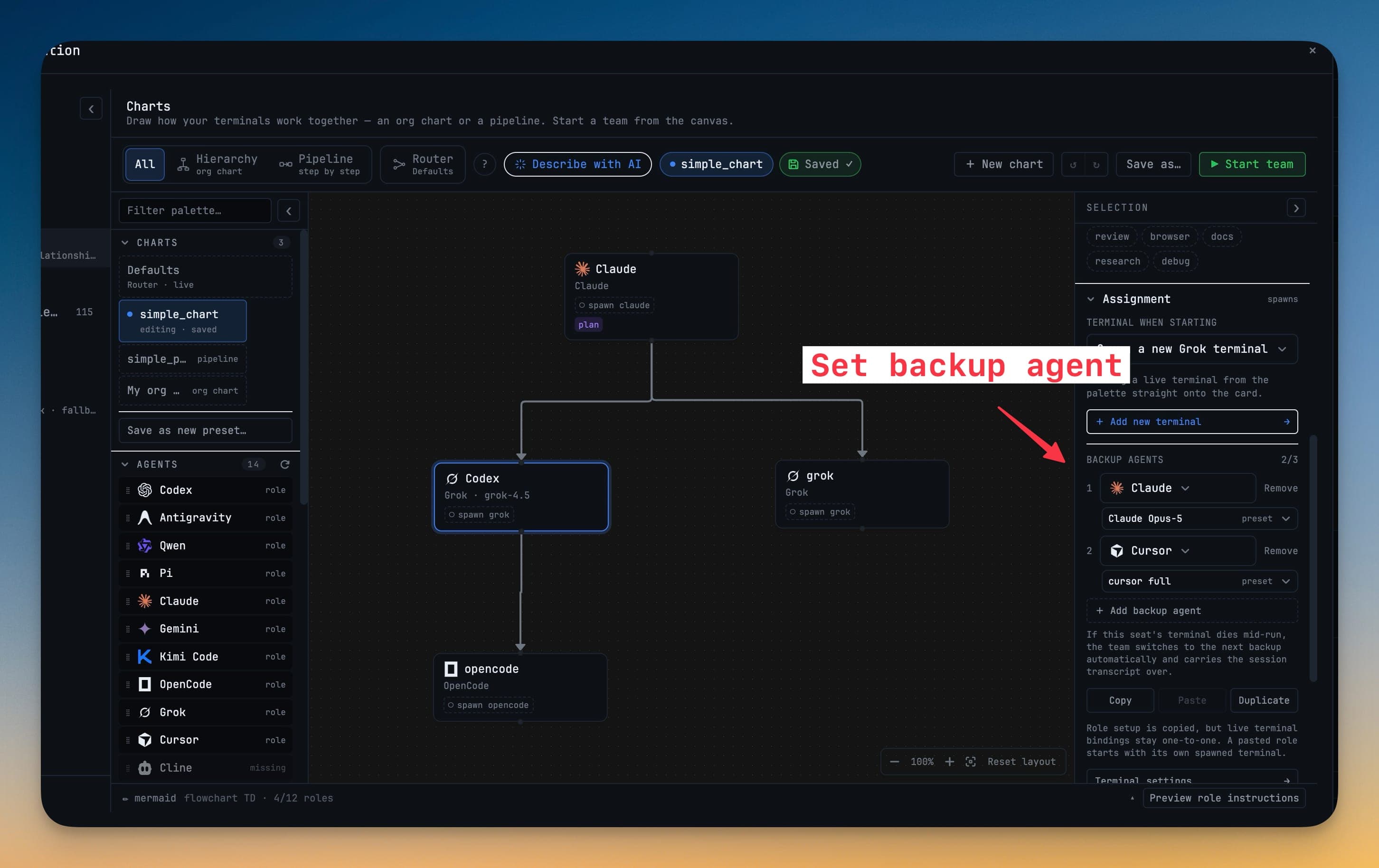
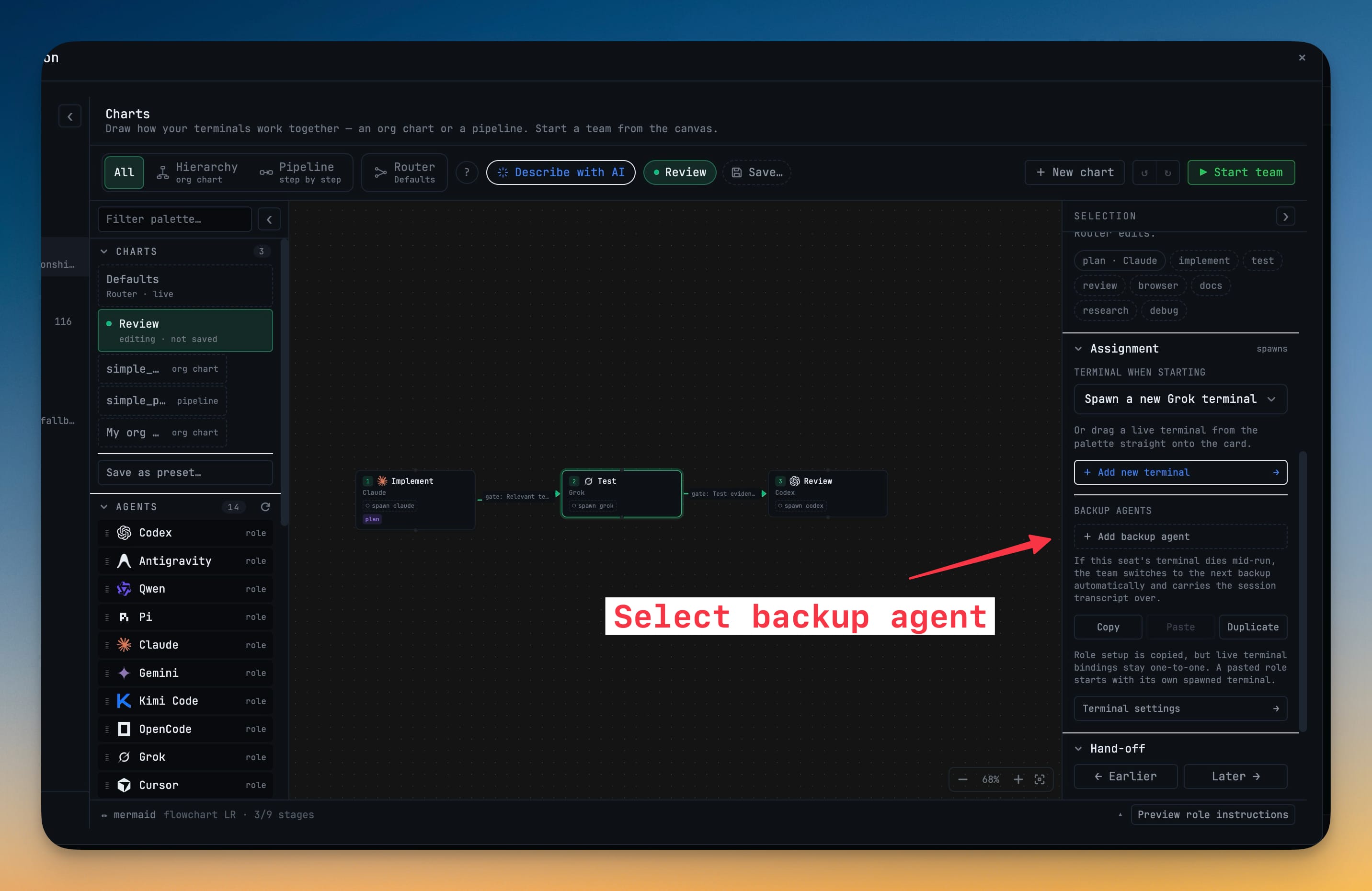
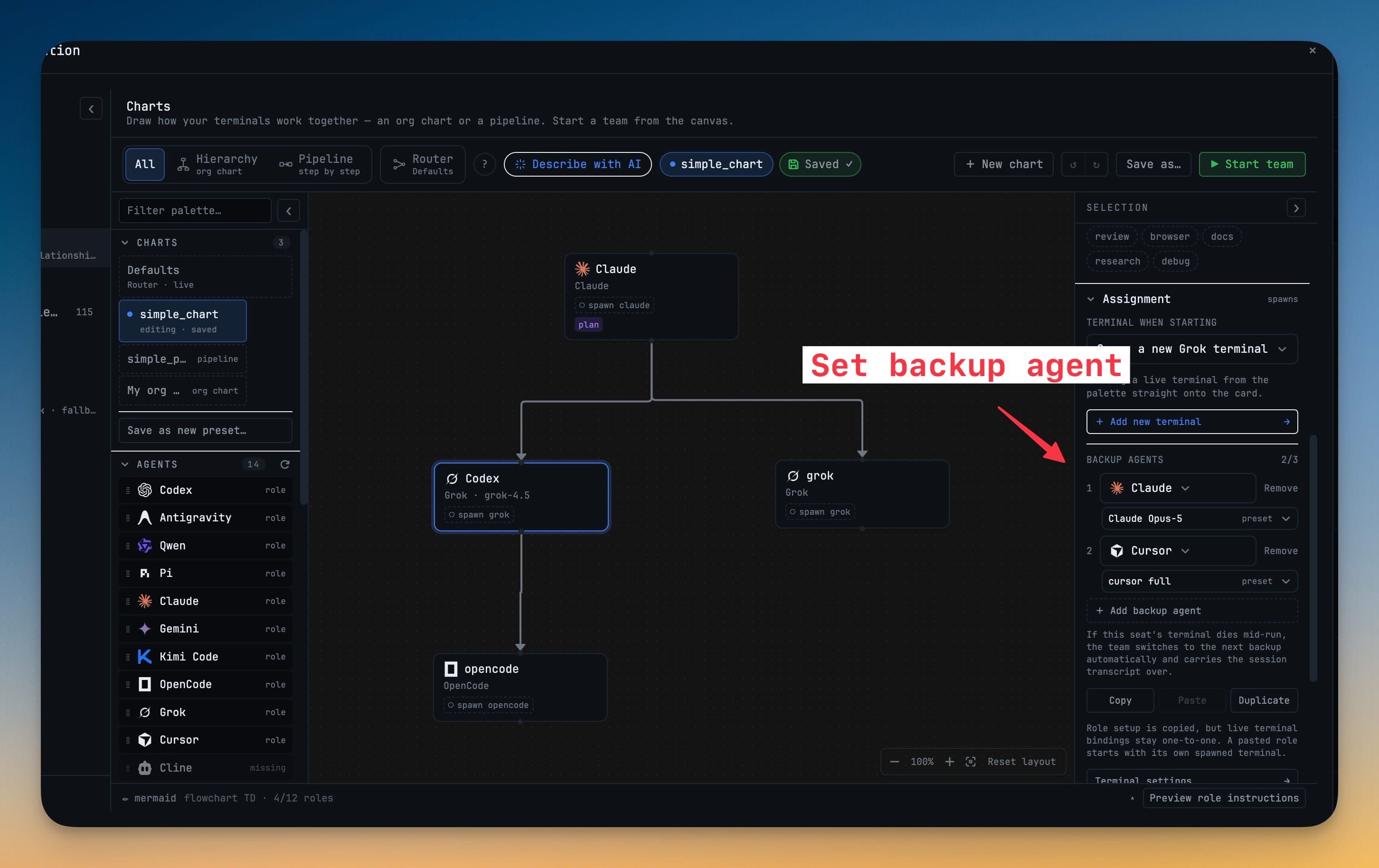
Open a seat in the Charts builder and, under Assignment, name up to three backup agents in the order you want them tried. The example writes itself: if Codex dies here, backup 1 is Claude, backup 2 is Cursor. Each backup can carry its own Terminal when starting preset — Claude on Opus, Cursor on its full-access profile — so a backup launches with exactly the setup you'd have given it by hand. It works the same on an org chart and on a pipeline, because all it changes is the occupant of one seat.
A real death, and only a real death, triggers the swap
When the primary agent's process genuinely dies — a crash, an out-of-quota exit, an API that stopped responding — the next backup opens in that seat and receives the transcript up to that point, so it picks up where the last agent stopped instead of starting cold. Closing a tab, quitting the app, or restarting a terminal yourself is never mistaken for a failure; nothing hops behind your back. If a backup's CLI won't launch it's skipped, and when the list runs out the seat is simply left empty for you to deal with — no silent loops.
Switch to a backup by hand when you can see it's stuck
Sometimes an agent isn't dead — it's just visibly going in circles while its process stays alive. One click on the live seat hands it to the next backup and carries the transcript across, so you don't have to kill the terminal first to move on from it.
The team tells you what happened
A seat that changed hands reads backup 1 · took over from codex right in the active team, so a result that came from your second choice never quietly reads as one from your first. Rebinding or restarting a seat re-arms the whole list, ready for the next failure.
Before vs after
| When an agent dies mid-run | Before v1.68.0 | With backup agents |
|---|---|---|
| Noticing | You find out when nothing has moved for a while | The seat swaps itself and labels the hand-off |
| Recovering the seat | Restart the agent by hand | The next backup opens automatically |
| Context | Re-explain what it was doing | The transcript so far is handed over |
| The rest of the team | Stalled behind the dead hand-off | Keeps moving |
| Your involvement | Required, and interruptive | None, unless the whole list runs out |
Who benefits most
Anyone running agents unattended. Overnight builds and long refactors are exactly when a single quota exhaustion used to cost you the whole run. A backup chain means the work is still going when you check on it.
Teams that mix expensive and cheap agents. Put a frontier model in the seat and a cheaper agent behind it as the backup — you get the good output when the budget allows and a graceful degrade, not a dead stop, when a provider cuts you off.
Providers you don't fully trust to stay up. If one API is prone to rate limits or flaky availability, a backup on a different engine turns its bad day into a footnote in the run log instead of an early exit.
Also new in v1.68.0
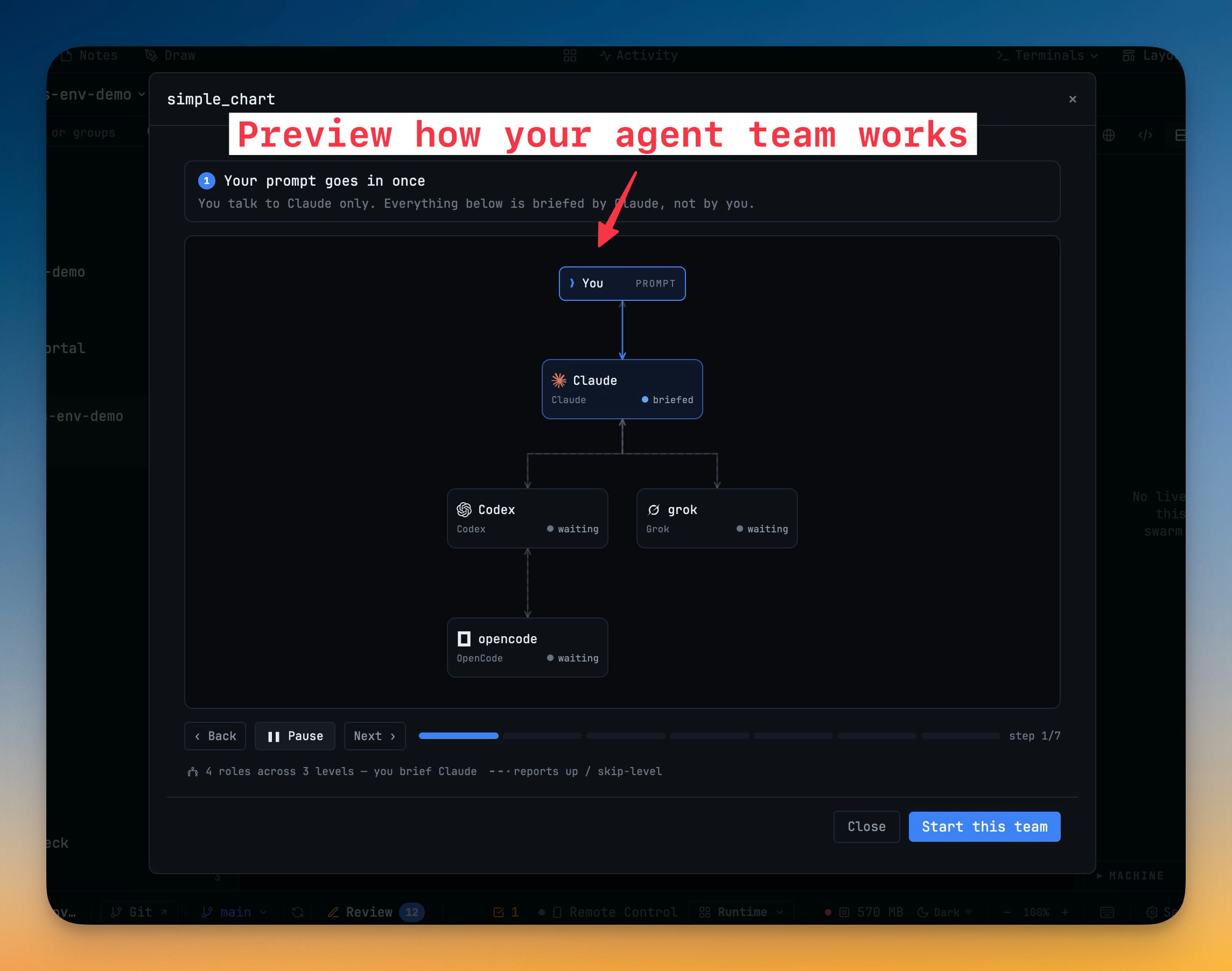
Preview a team before it opens. Every orchestration card in Add Terminal now has a Preview that plays the chart step by step — a spark rides each wire, seats move through briefed, working, reporting and done, and a caption says in words what just happened. You see how four terminals will talk to each other before a single one appears, and a preview only ever explains: starting the team is still one deliberate click.
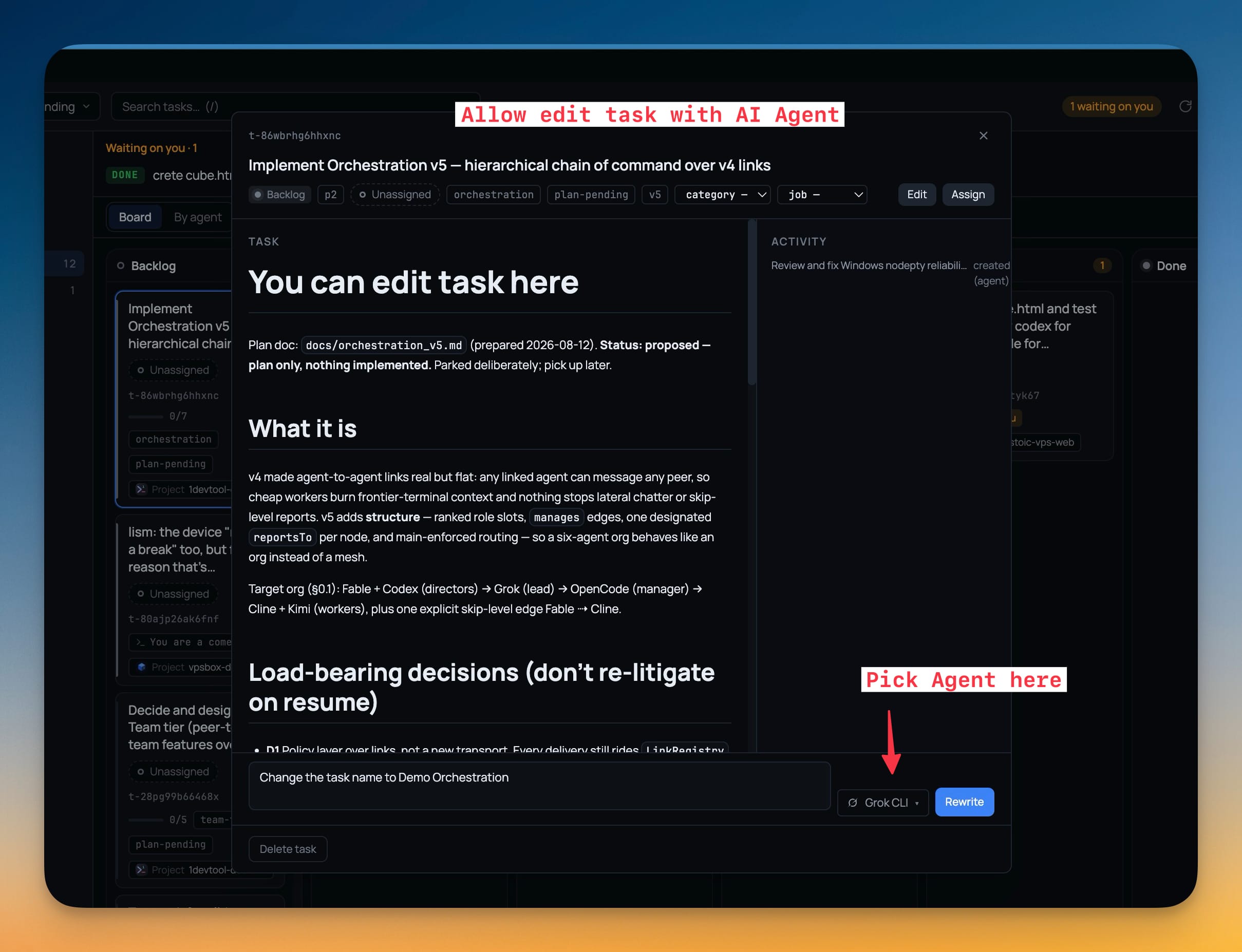
Edit a task, or have an AI rewrite it. Tasks are now editable in their detail dialog — title, body and acceptance criteria — with the body in Markdown across Write, Preview and Split. A Rewrite with AI bar takes a plain instruction like tighten this or add acceptance criteria; the reply lands in the editor as a draft you read and Save yourself, and a picker chooses which installed AI CLI does the rewriting.
Set up your agents on first run. A new welcome-screen card finds the agent CLIs already installed on your machine, lists each with the exact command it will launch, and puts one choice in front of you — Yolo, which launches each agent with its full-permission flag, or Manual, which launches the plain CLI so it asks before it edits a file. Only the commands 1DevTool generates ever change; your saved presets and typed commands are left exactly as they are.
Try it
Update to v1.68.0, open the Charts builder, and give one seat on a team a backup or two. The next time an agent burns through its quota at 2am, you'll find out from a took over from label in the log — not from a run that never finished.