Pause & Resume Channels
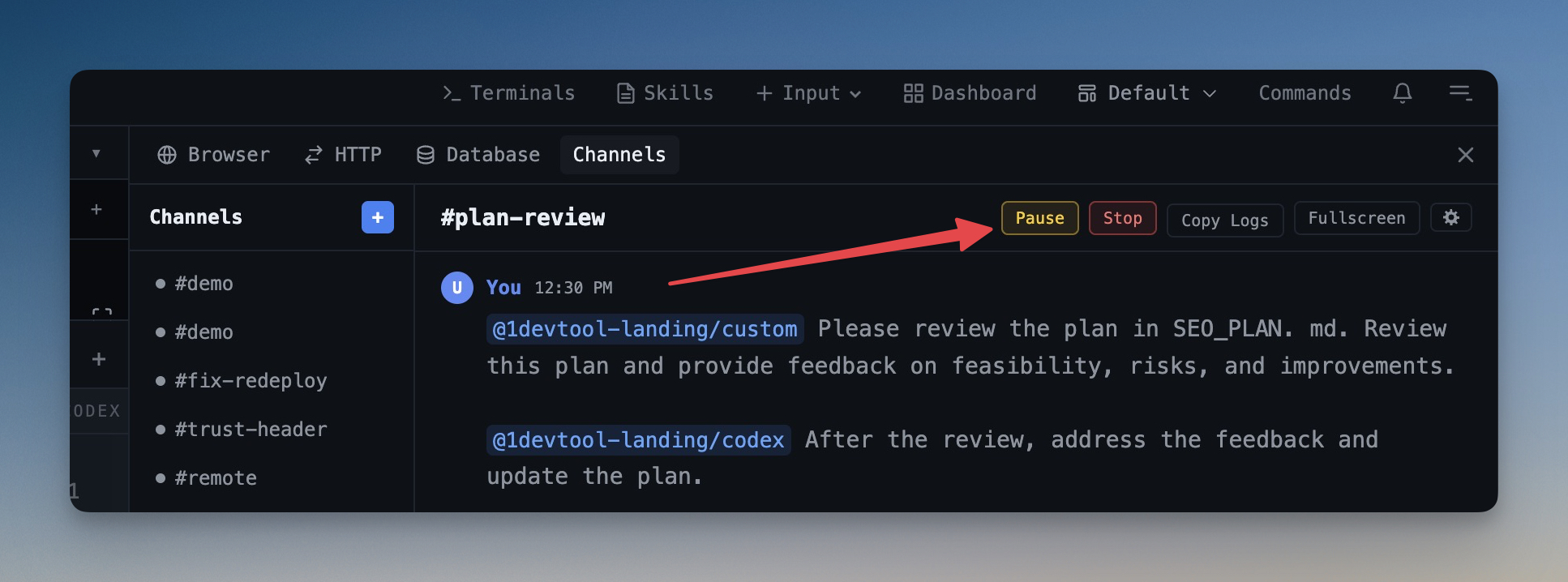
Pause a running channel workflow mid-execution without losing context, then resume exactly where the operator stopped.
Why You Need This
How this feature boosts your daily productivity
Multi-agent workflows can go off track — an agent makes a wrong assumption, hits a blocker, or you simply need to inspect intermediate results before proceeding. Without pause, your only options are to let it finish (wasting tokens and time) or cancel and start over (losing all context). Pause & Resume lets you stop the operator mid-workflow, jump into your terminals to inspect or fix things manually, and then resume from the exact point where it paused. The operator retains the full conversation history, so it picks up seamlessly. A yellow indicator in the channel list marks paused channels so you never lose track of suspended workflows.
How It Works
Get started in 4 simple steps
Open a Terminal
Click "+" to create a new terminal tab. Choose from Claude Code, Codex, Gemini CLI, Amp, bash, zsh, or custom shells.
Arrange Your Layout
Switch between grid, columns, or fullscreen with one click. Drag dividers to resize panes to your preference.
Run Your Agents
Start your AI agents with pre-configured prompts or type freely. Watch them work in real-time with status indicators.
Monitor & Manage
Use the Terminal Dashboard for a bird's-eye view. Sessions persist across restarts so you never lose context.
Without 1DevTool
The manual way vs. the 1DevTool way
The Hard Way
The 1DevTool Way
Key Capabilities
Everything included with Pause & Resume Channels
Why It Matters
The productivity impact of having terminal & ai agents built into your workspace
Zero Context Switching
All your AI agents and terminals live in one window. No more alt-tabbing between 5 different terminal apps.
Visual Status Tracking
Color-coded tabs and the Kanban dashboard tell you which agents are done, running, or need attention — at a glance.
Persistent Sessions
Tmux-backed persistence means your terminal state survives crashes and restarts. Never lose scrollback history again.
Flexible Arrangements
One-click layouts adapt to your task: grid for monitoring, columns for comparing, fullscreen for deep focus.
More in Terminal & AI Agents
Other features in this category you might find useful
Multi-Agent Terminals
Run Claude Code, Codex, Gemini CLI, Amp, OpenCode, Qwen, and custom AI commands in dedicated terminal tabs with recognizable agent logos, custom colors, and status indicators.
Flexible Terminal Layouts
View terminals in 2×2 grid, side-by-side columns, or single fullscreen mode with resizable panes.
Terminal Dashboard
Kanban-style board view of all terminal statuses — Idle, Running, and Review — with real-time polling.
Session Persistence
Terminal sessions persist across app restarts with full scrollback history via tmux integration.
Ready to boost your workflow?
Download 1DevTool for free and experience Pause & Resume Channels along with 321 other features — all in one app.