Aug 21, 2026
A Separate Login for Every Browser Tab
Give every browser tab its own login — separate cookies, storage, and history — so you can be signed into the same site as two accounts at once, and an AI agent driving a tab works as the account you picked.
You keep two accounts open at the same site more often than you'd admit. Your own GitHub and the org's bot account. A Stripe dashboard in test mode and another in live. The staging login for the app you're building and a throwaway you use to see what a brand-new signup actually gets. The browser hands you exactly one cookie jar, so the second account means an incognito window, a different browser, or the sign-out / sign-in shuffle that logs you out of the tab you were using thirty seconds ago.
Inside 1DevTool the squeeze was tighter, because the browser panel sits right next to the agent editing your code — and you and the agent were sharing that single session. Test the signed-in flow and the signed-out flow and you were constantly clearing the very login you needed a moment later.
What changed
v1.65.0 gives every browser tab its own identity. A profile is a self-contained login — its own cookies, storage, and history — and you can point any tab at any profile. You can now be signed into the same website as two different accounts, side by side, with neither one ever touching the other.
How it works in practice
Pick a profile per tab, from the toolbar
Every tab carries a profile picker in its toolbar. Open it, choose Open this tab as — Shared, your default, or any profile you've made — and the tab reloads on that profile's cookie jar. The tab next to it stays on the account it already had. Switching a tab's login is a two-click move now, not a full sign-out.
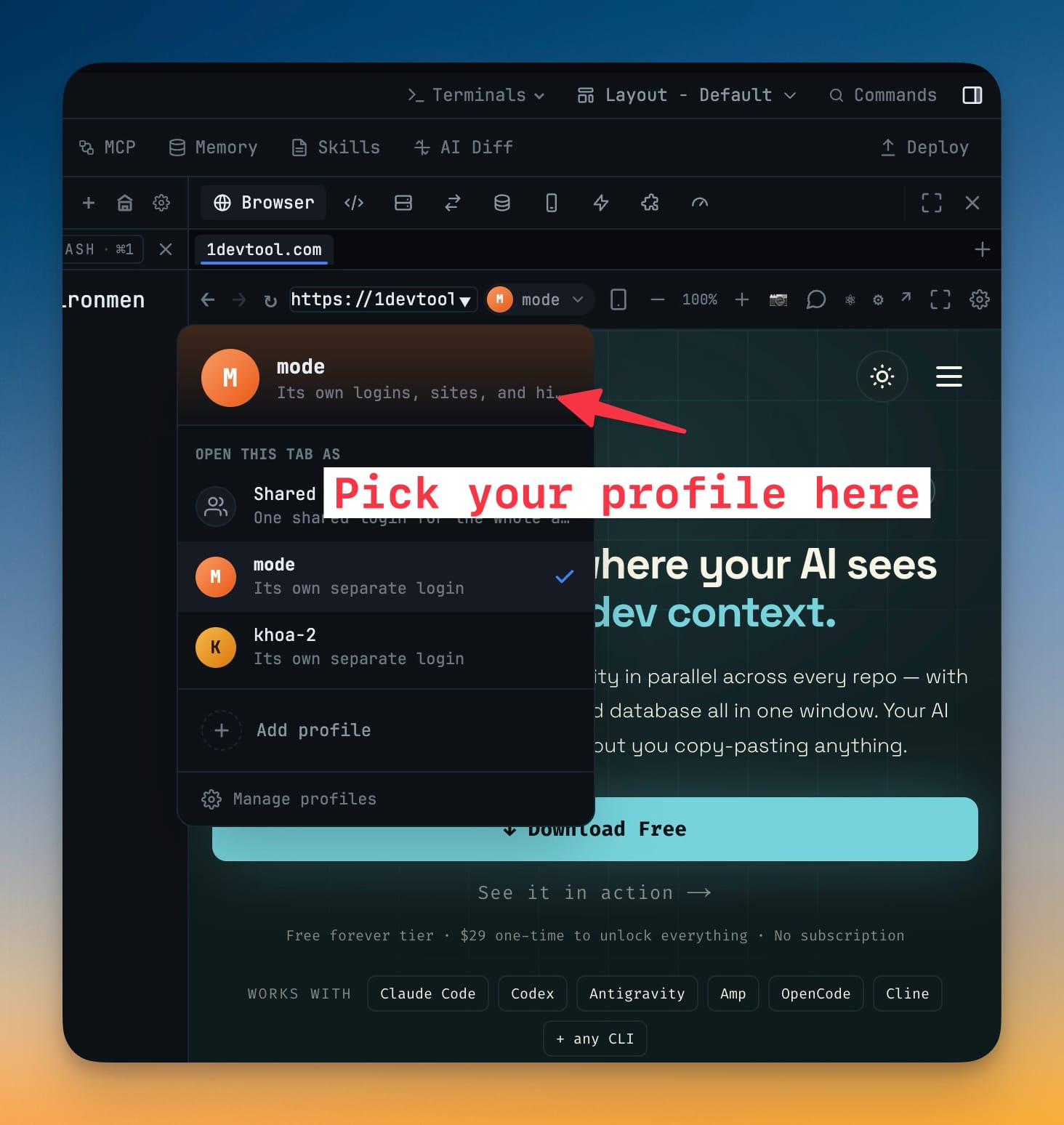
New tabs start on whatever you set as the default — or on the Shared session, a single cookie jar for the whole app, if you'd rather not split logins yet. Nothing about how you browse changes until you decide it should.
Your agent works as the account you chose
This is the part that matters once an AI agent is driving the page. A tab handed to browser automation uses the same signed-in session you see. So when you ask an agent to click through a checkout or fill a form, it acts as the account in that tab — not some other login you forgot was still active. The profile you picked is the identity the agent inherits.
Tell sites how the browser should look
Some login and checkout pages get picky about non-standard browsers. Each profile lets you choose Look like Chrome — the recommended default, so sign-ins and payments behave the way they do in an ordinary browser — or 1DevTool's native identity for the rare page that asks for it. Set it once and forget it.
Manage it all in Settings → Browser
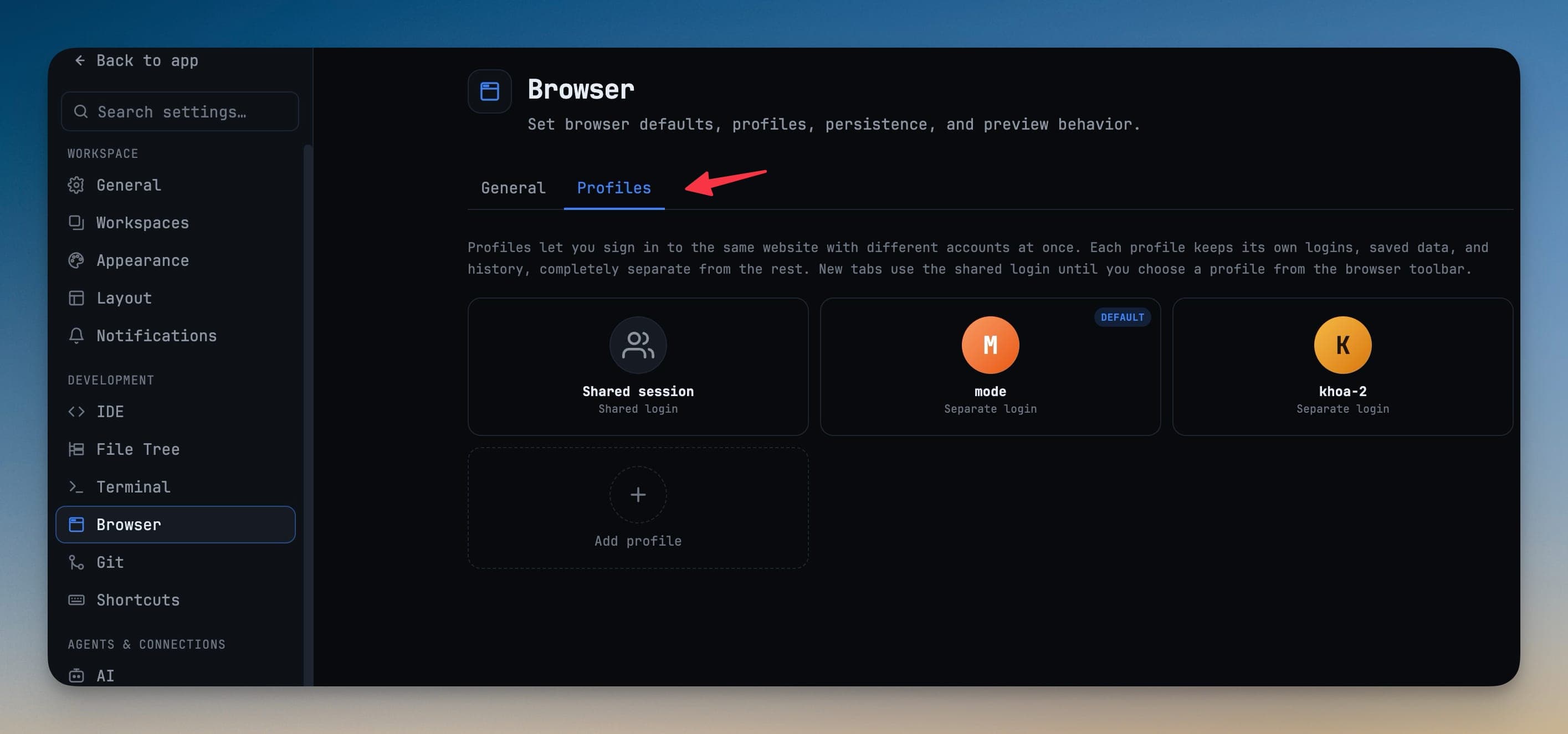
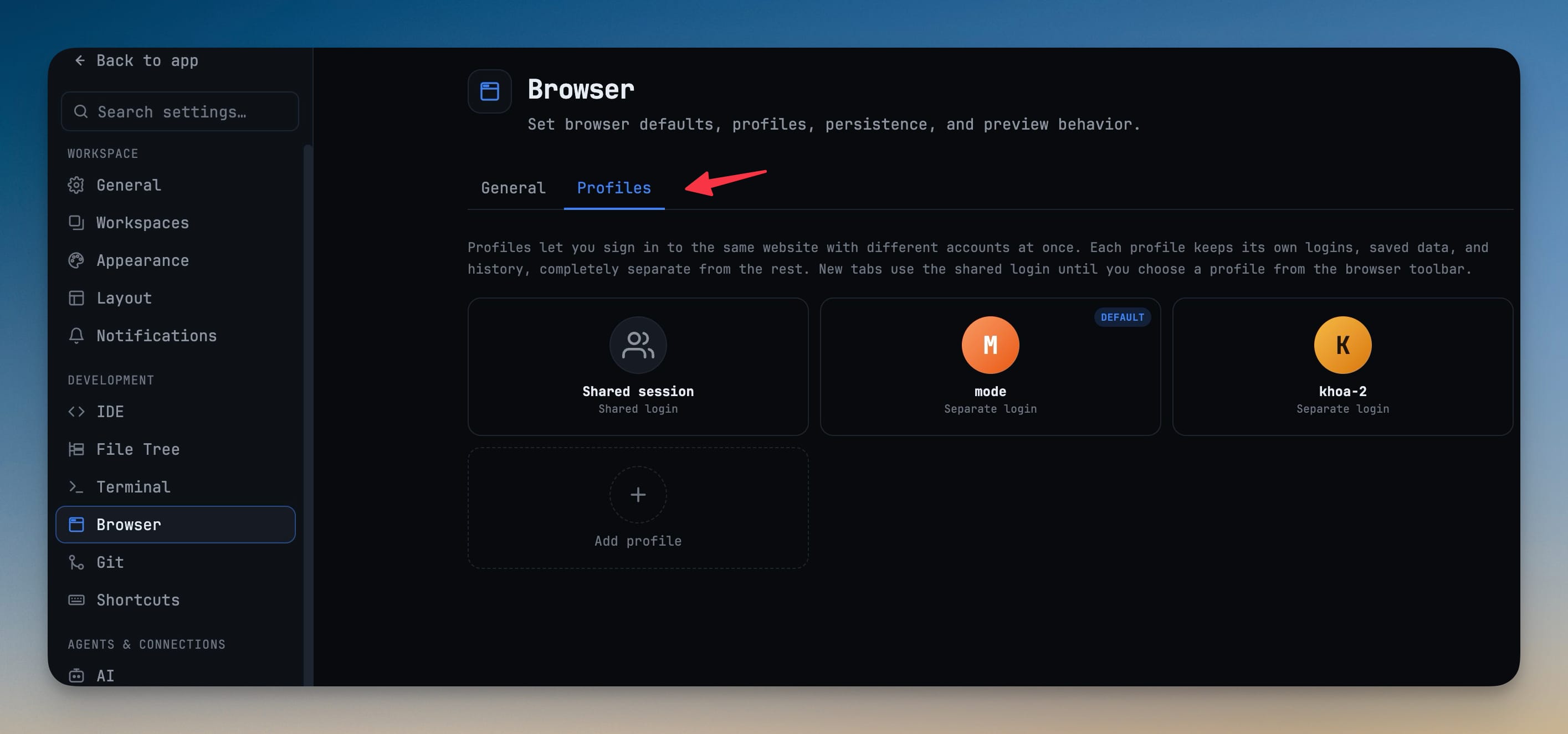
Add, rename, set a default, and delete profiles from one place under Settings → Browser. Each profile keeps its own history, so you can look back through where a given login has been, remove individual entries, or wipe a profile and its data entirely when you're done with it.
Before vs after
| The old way | With profiles |
|---|---|
| One account per site, per browser | Two accounts at the same site, side by side |
| Incognito window or a second browser for the other login | A second tab on a different profile |
| Sign out of one account to use the other | Switch the tab's profile from the toolbar |
| The agent acts as whatever session was last active | The agent inherits the profile you picked for its tab |
| One shared history for everything | Per-profile history you can browse and clear |
Who gets the most out of it
If you run client work beside your own, profiles end the incognito juggling — each client's dashboard lives in its own login, ready when you switch to it. If you test signed-in against signed-out flows, you keep both open at once instead of clearing your session on every pass. And if you point agents at real pages, the profile is what finally makes "act as this account" a setting rather than a hope.
One more thing: your 1AIVault memory, in the workspace
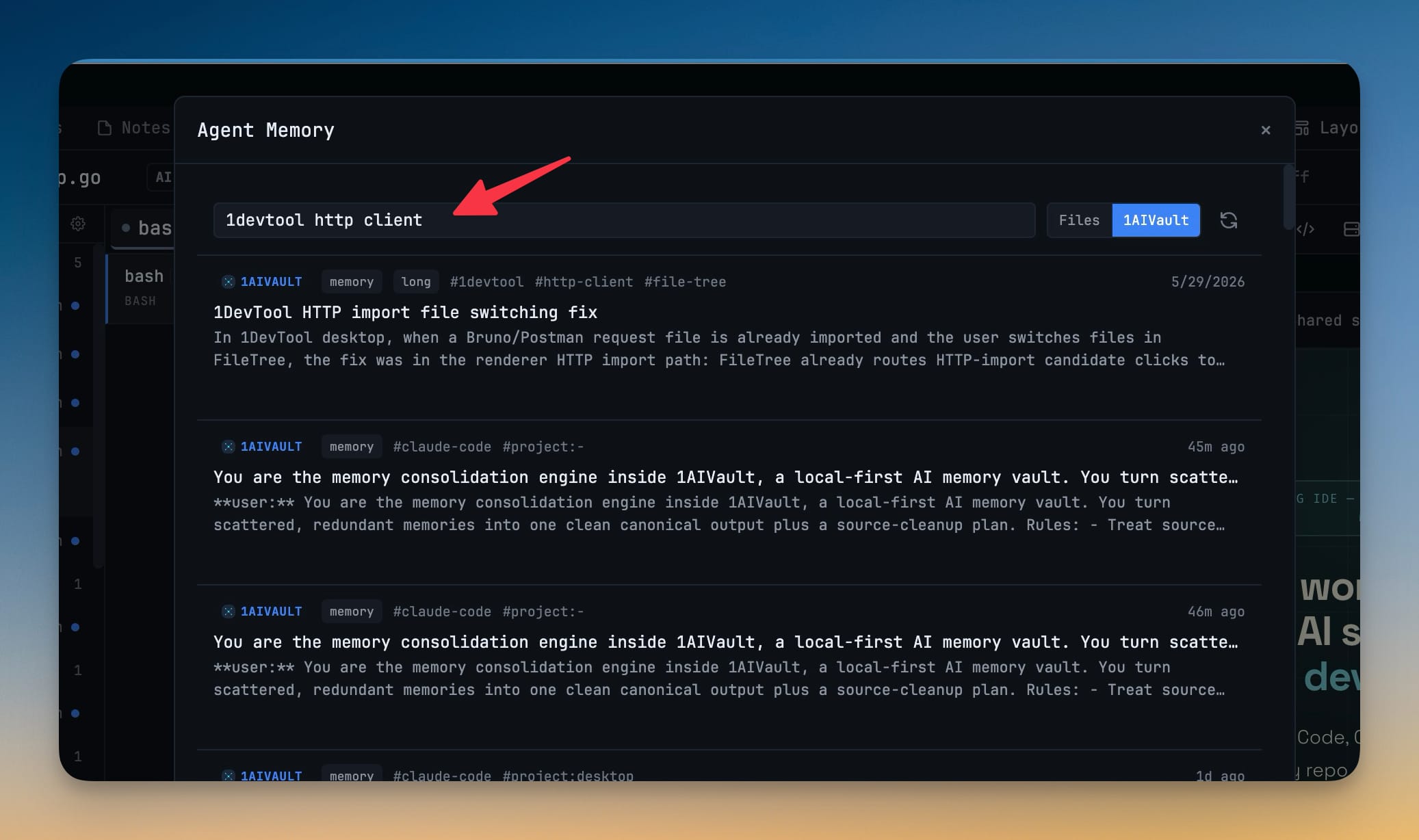
The same release quietly connects a second tool you might already use. The Memory panel — the one that reads every AI agent's memory across your projects — gains a new 1AIVault source. Flip to it and your vault's saved memories sit right alongside your local agent-memory files.
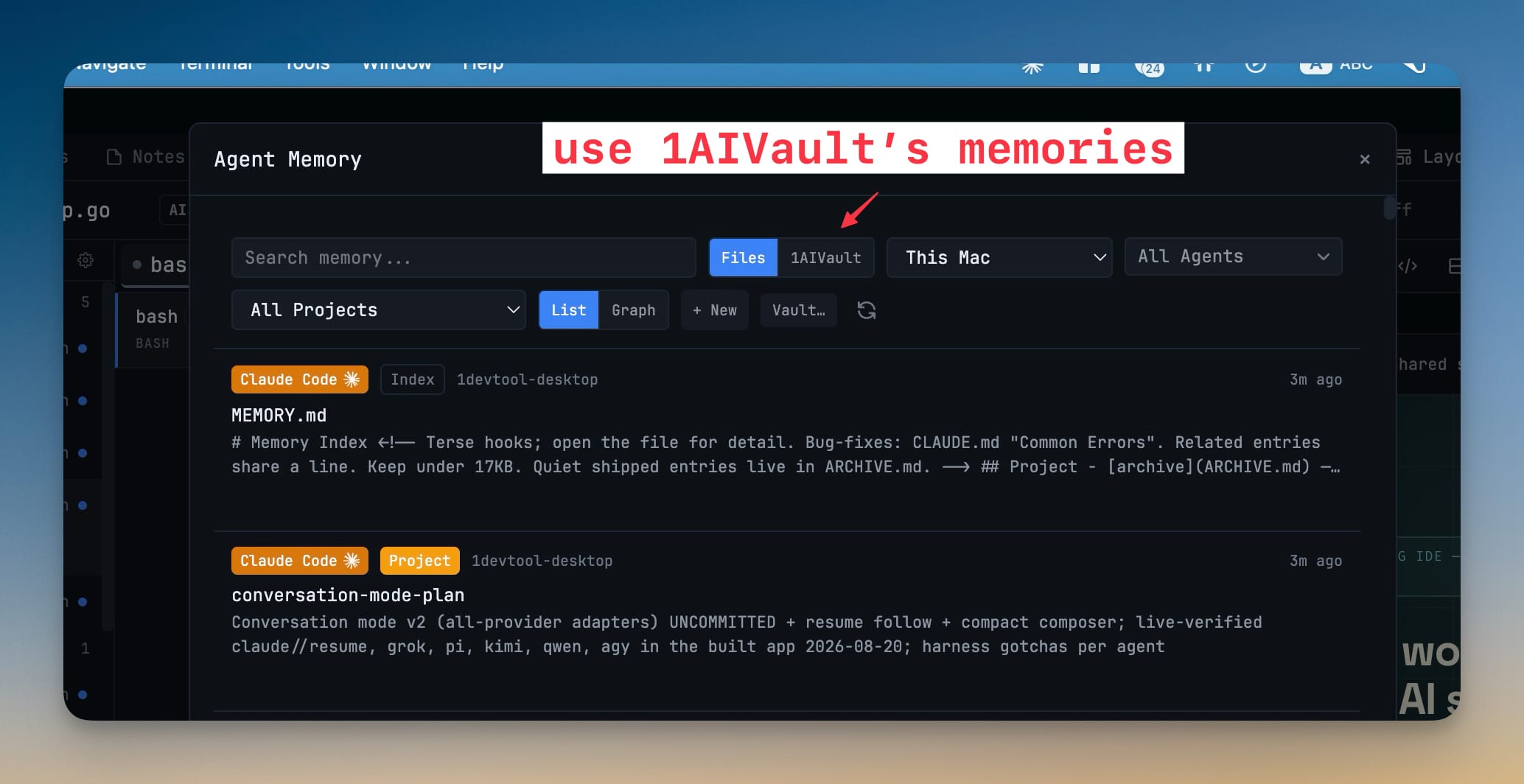
Search and filter the vault without leaving 1DevTool, then hand any entry straight to an AI agent as context — or copy it to paste wherever you need it. It stays read-only by design: 1DevTool never changes your vault, and points you to 1AIVault if you don't have it installed yet.
Try it
Update to v1.65.0, open any browser tab, and click the profile picker in its toolbar. Make one profile for the account you switch to most, set it as your default or leave everything on the Shared session, and the next time you need to be two people at once, it's a click — not a sign-out.