Aug 10, 2026
Run Kimi Code as a first-class AI terminal
Install the kimi CLI and open Moonshot's Kimi Code from the same picker as Claude and Codex — model chips, skills, resume, and team delegation included.
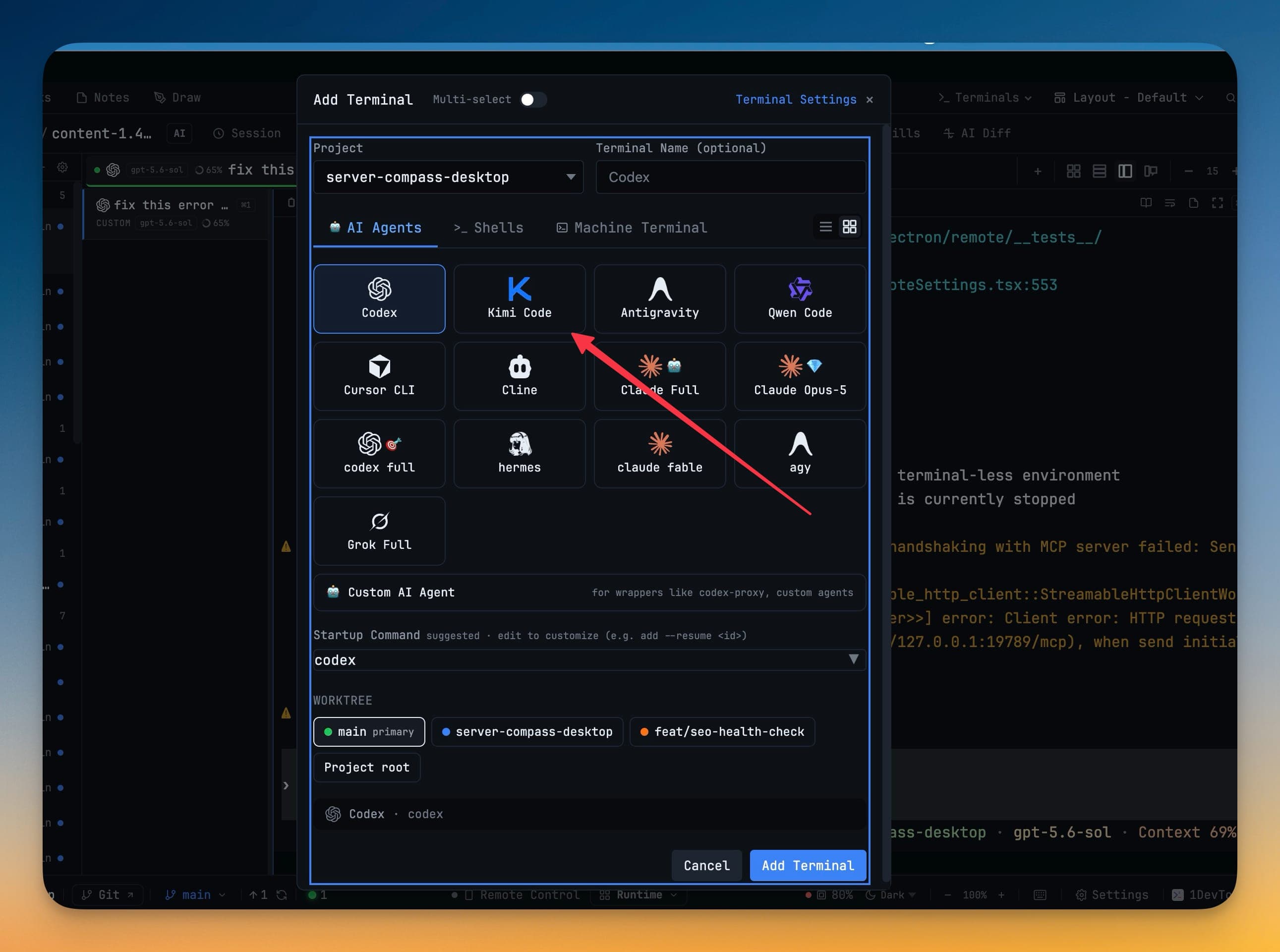
You already juggle Claude for one thread, Codex for another, Grok for a third. When Moonshot ships a coding CLI that actually fits how you work, the last thing you want is a bare shell and a README full of flags. You want it in the same picker, with the same model chips, the same resume, the same team handoffs — or you leave it on the shelf.
That friction is why new agents often stay "interesting demos" instead of daily tools. Opening a plain terminal, pasting kimi, and losing prompt templates, skills, and orchestration is a tax most people refuse to pay twice.
What changed
Now you can run Moonshot's Kimi Code as a first-class AI terminal in 1DevTool. Install the kimi CLI, then open it from Add Terminal, Change AI, Vibe Coder, or any other agent picker — model chips, slash commands, skills, headless sends, and team delegation work the same way as your other agents.
How it works in practice
Open Kimi from the same places you open Claude
Add Terminal, Change AI, the empty-workspace launcher, Vibe Coder's agent chip, and the remote Add Terminal sheet all list Kimi Code once the kimi binary is on your PATH (or under the usual ~/.local/bin / ~/.kimi-code/bin install locations). You are not wiring a custom command for every project.
Prompt, skill, and delegate like every other agent
The composer treats Kimi as a peer of Claude, Codex, and Grok: model chips (including Kimi for Coding), slash commands, skill invocations (/skill:<name>), headless sends, and orchestration links all work. Design, Prototype, and MCP surfaces can target Kimi when it is installed, so you are not stuck in a "terminal-only" ghetto.
Resume and history that understand Kimi transcripts
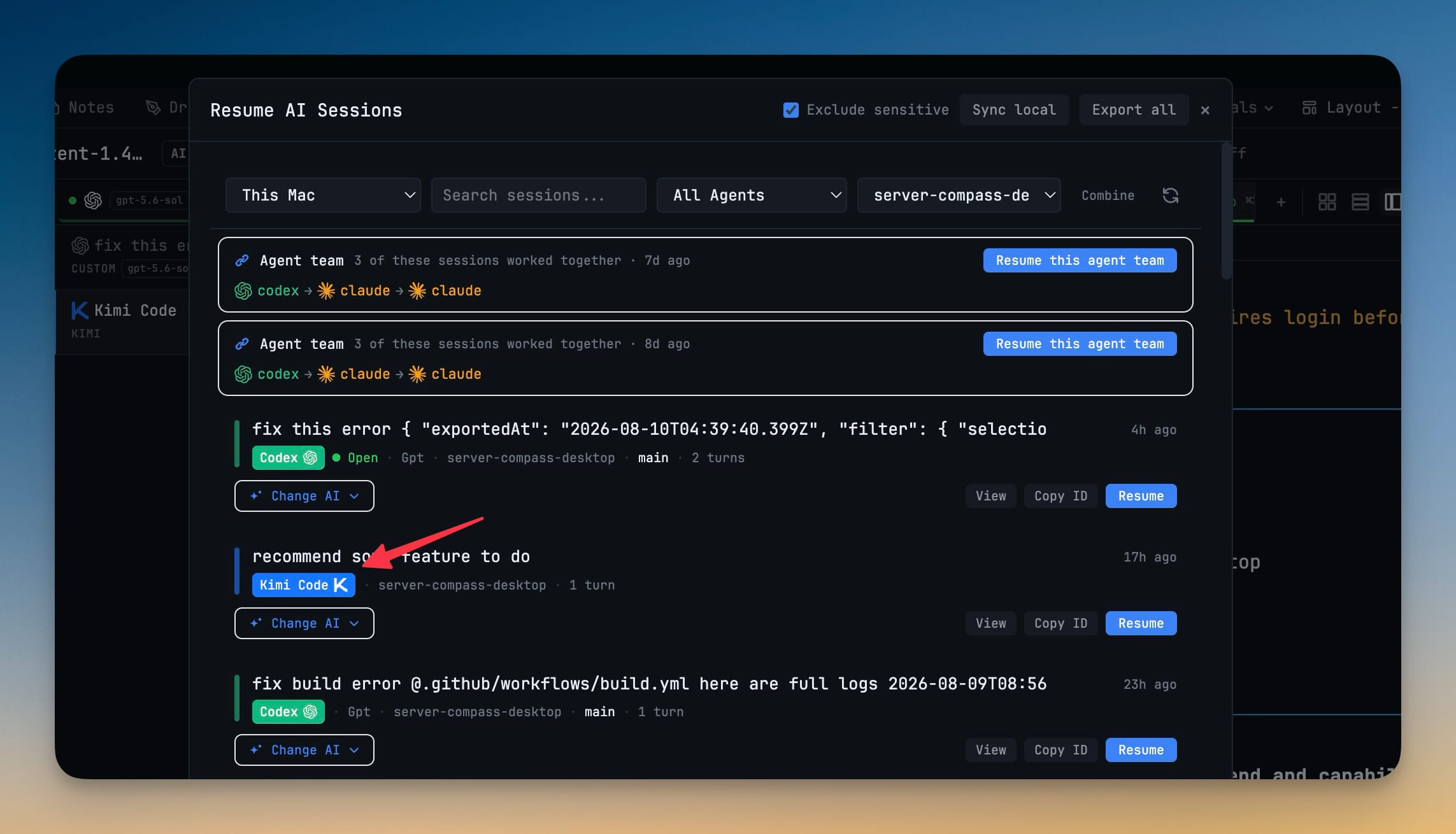
Past Kimi sessions show up in the Resume panel. Sub-agent History and session scanners read Kimi's transcripts under ~/.kimi-code (or $KIMI_CODE_HOME), so a run you left yesterday is one click away instead of a scavenger hunt through JSONL files.
One solid attach path under every view
While Kimi is the headline, this release also unifies how every terminal view attaches: desktop panes, Remote on your phone, peer mirrors, and orchestration watchers share the same snapshot, stream, and recovery path. Reopening a pane or reconnecting a slow phone no longer duplicates output, drops a fragment, or applies bytes from a process that already restarted under the same tab. Programmatic prompts (Send-to-AI, links, scheduled fires) only finish against the process they were aimed at.
If a scheduled prompt fails because the terminal restarted, the chip says so and Restore puts the exact draft, attachments, and mentions back in the composer. Interrupted Team and Swarm runs stay listed in Run & Logs with the error reason visible.
Before vs After
| Before | After |
|---|---|
| Install Kimi, open a bare shell, paste commands by hand | Pick Kimi Code from Add Terminal / Change AI / Vibe Coder |
| No model chips, skills, or headless parity | Same composer surface as Claude, Codex, Grok |
Resume means digging through ~/.kimi-code | Resume panel + Sub-agent History understand Kimi sessions |
| Phone reconnect / pane reopen can scramble output | Shared attach path recovers cleanly across desktop, Remote, and peers |
| Failed scheduled fire loses the draft | Restore returns the exact prompt and attachments |
Who benefits most
- Teams evaluating Moonshot's coding models — put Kimi beside Claude and Codex in one workspace and compare without switching apps.
- Windows multi-agent users — scroll, link delivery, and OpenCode Agent Team fixes in this release make long sessions and handoffs less brittle.
- Remote-from-phone workflows — Safari pairing no longer sticks on "Authenticating…" with a stale QR, and attach recovery keeps phone readers honest.
Try it
Install the kimi CLI, update to 1.61.0, and open Kimi Code from Add Terminal. Same picker, same resume, same team tools — without treating Moonshot as a second-class shell.
From across the StoicSoft network
Hand-curated reads on the same topic from sister sites in the StoicSoft family.