Sep 7, 2026
Reuse a prompt without losing the one you are writing
1DevTool v1.72.1 puts Prompt History inside the Agent Input composer, inserting a past prompt at your caret instead of over your draft — and makes Improve performance stop killing agents that were still working.
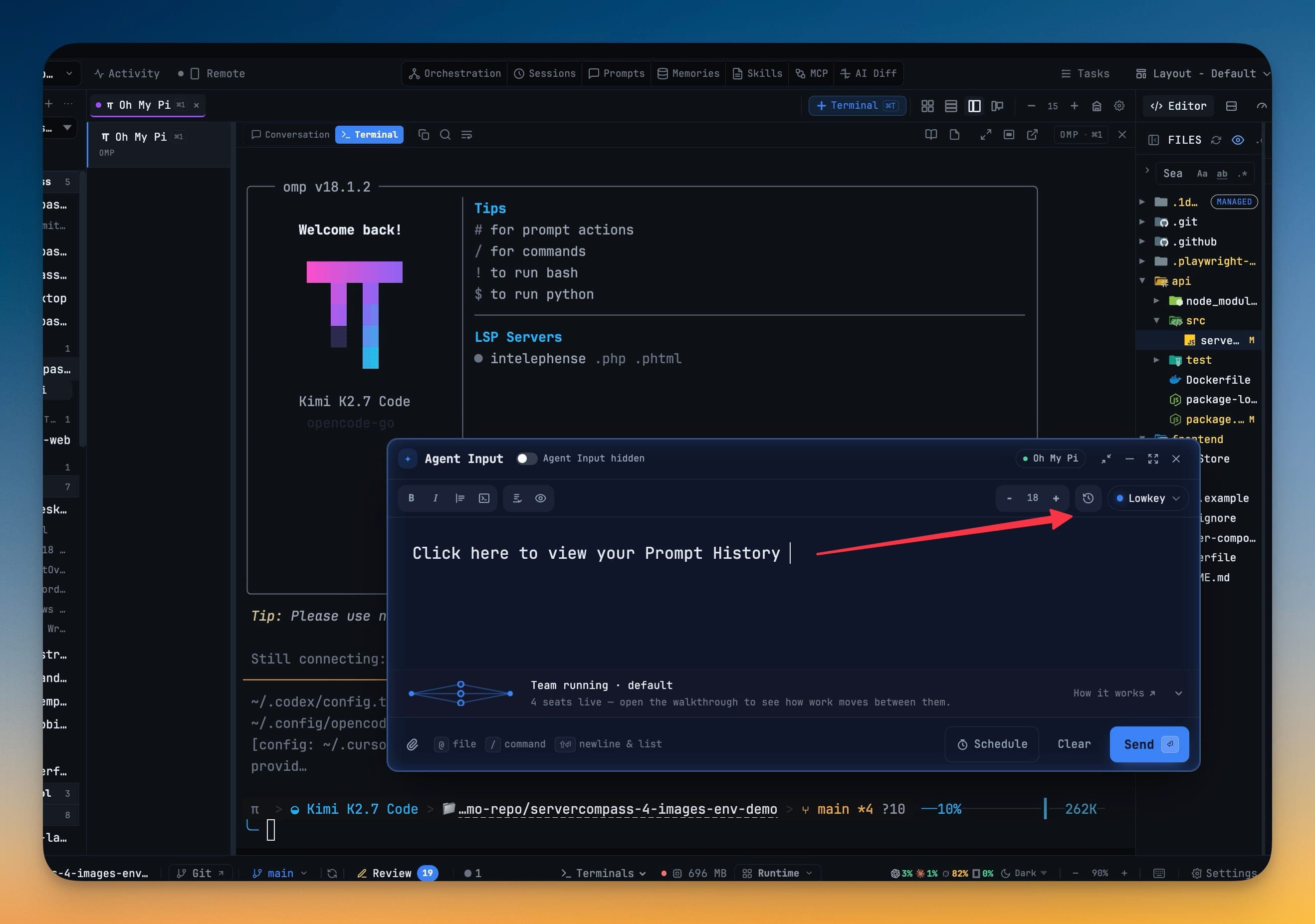
You are four paragraphs into a prompt. It is a good one — you have named the files, described the constraint, and spelled out what "done" looks like. And now you need the thing you wrote last Tuesday: the careful paragraph about how this repo handles migrations, the one you got right once and have been approximating ever since.
So you go looking for it. Prompt History opens from the top bar, which means leaving the composer. You find the prompt, copy it, come back — and the draft is either still there and you paste at the end and reorder by hand, or it is not still there and you have just paid for a paragraph twice. Most people stop bothering after the second time and retype a worse version from memory.
What changed
Prompt History now opens from inside the composer, and putting an old prompt into a draft no longer risks the draft.
How it works in practice
The draft is never the thing you lose
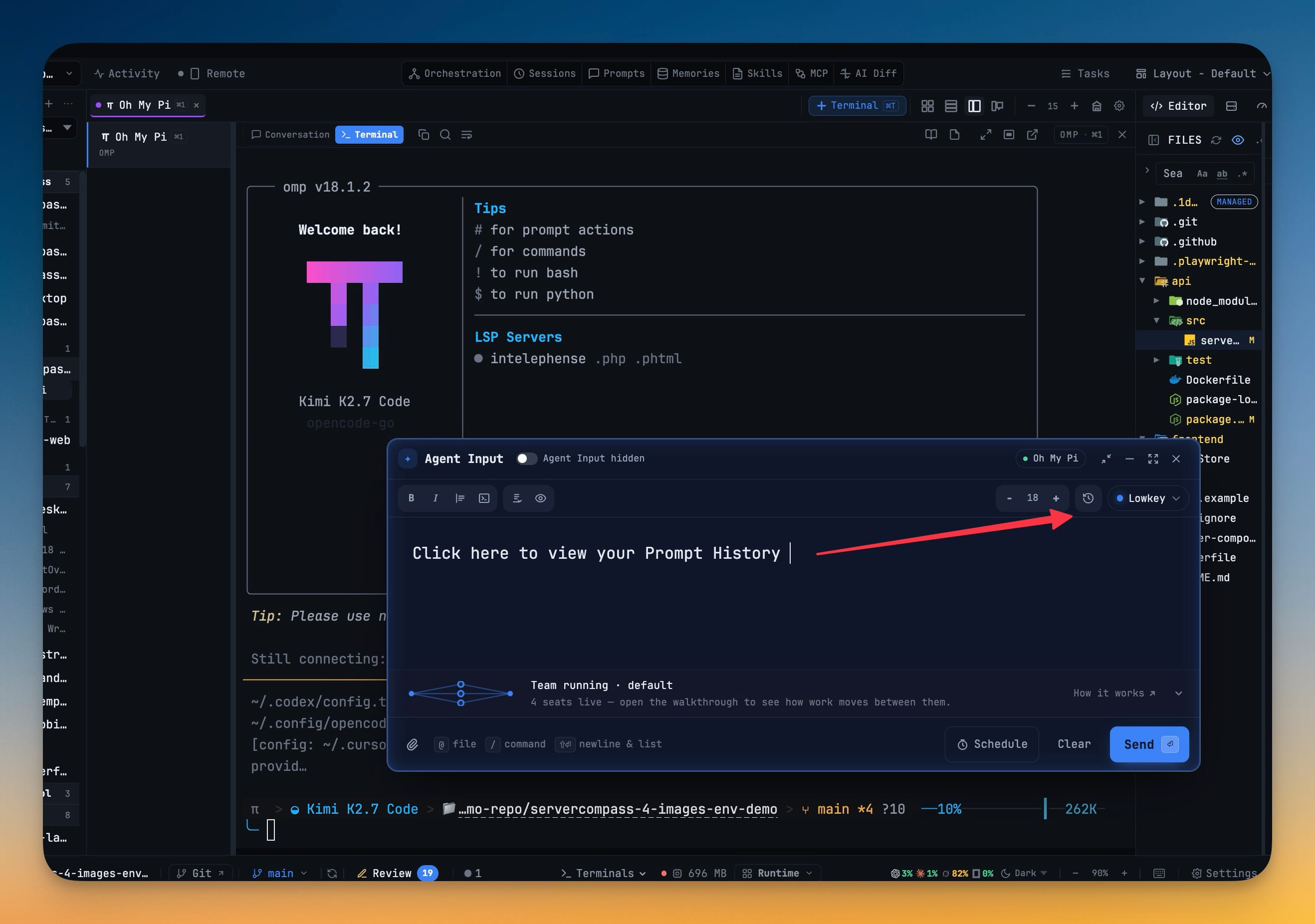
There is a history button on the Agent Input toolbar. It opens Prompt History above the composer — including when the composer is expanded or detached, which is exactly when a dialog is most likely to mount behind something and read as "the button does nothing."
Rows get a Use action. Use drops the past prompt in at the caret: replacing your selection if you had one, and separated by a blank line when it lands next to text you have already written. It never overwrites the unsent draft. That is the whole design point — borrowing a prompt into something you are still composing is the common case, and a silent overwrite of unsent work is the one mistake you cannot undo your way out of.
Escape closes the dialog and leaves the composer standing, exactly as you left it. Copy is still there when you open history from the top bar instead, so nothing you already do stopped working.
A recovered team member keeps its checkout
The other thing that used to cost you work was replacing a seat on a team.
When a team writer stopped, its replacement went to the project root or into a brand-new checkout. If the original had a dedicated worktree with allowed changes in it — work in progress that was doing exactly what you asked — that work was now somewhere the replacement was not looking.
A stopped writer can now come back on the same dedicated worktree. From the team host, team capabilities reports what recovery can actually do, and team recover brings the member back with its transcript handed to the replacement, so it knows what the previous seat had already established. Point a new terminal team member at an existing worktree and the worktree is kept, not recreated. A path that does not exist is refused rather than silently replaced with a fresh one.
Cleanup that leaves running work alone
Improve performance used to be a gamble. It was supposed to reclaim memory; in practice it could stop an agent that merely looked quiet. An agent sitting at a blank prompt for ninety seconds is sometimes idle and sometimes thirty seconds into a tool call, and the difference is invisible from the outside.
Improve performance now sleeps inactive browser tabs and leaves every CLI and its screen history running. Hibernate is still there when you actually want it, and only for an idle agent with a saved session. A stop that cannot prove the process is idle is refused rather than attempted, and Resume no longer races a second kill against the session it is trying to restore.
If a terminal does end up hibernated or failed, it stays readable: Conversation keeps the session you were in and puts Resume, Retry and Close in a footer, instead of a live composer sitting on top of a blank pane. Resume is a button that runs once, and Close cannot start it by accident.
The bar says what things are again
The AI surfaces went back to being named. Sessions, Prompts, Memories, Skills, MCP and AI Diff sit in a centre group with their labels pinned, rather than hiding behind a sparkle you have to open to find out what is inside it.
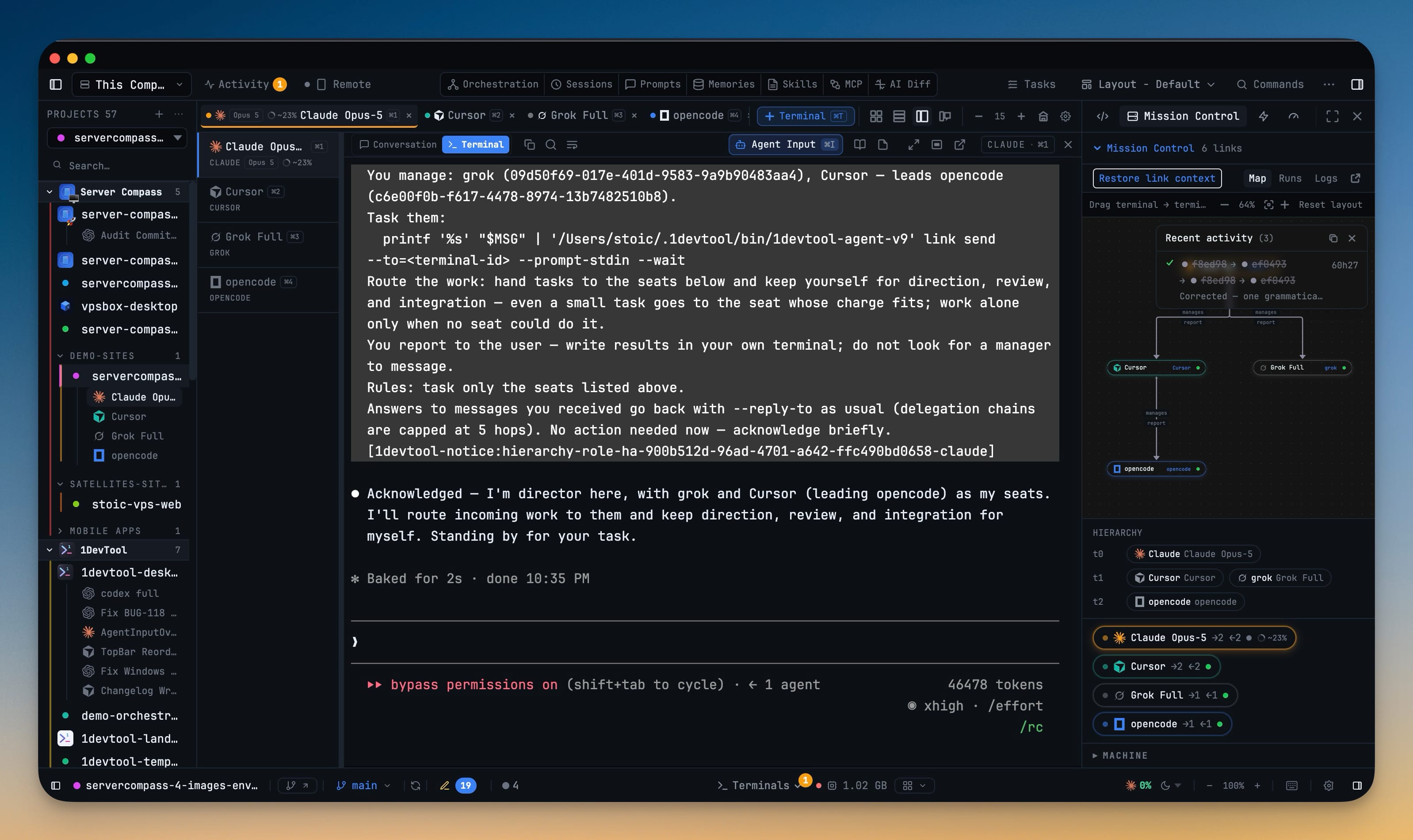
Remote moved up next to Activity, where the other live-state controls are. Activity is now just the button and its unread count — the recent-event chips no longer take a strip of the bar to themselves.
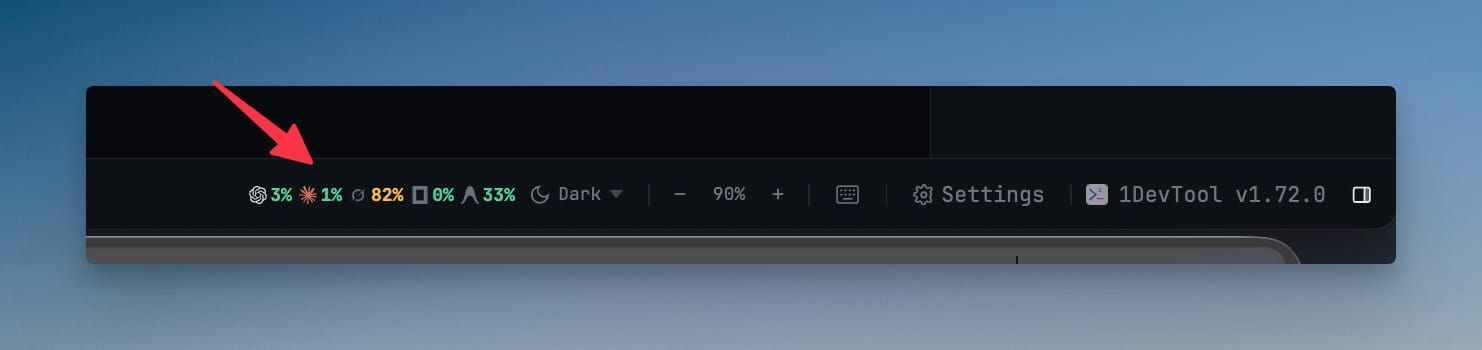
Terminals and plan quota moved down to the status bar, and quota got more useful on the way: it is a strip of logos and percents for the agents you actually have open, collapsing to the focused one when the bar runs out of room.
Every AI entry point now uses the same robot mark — Agent Input, git's commit-message button, Describe with AI — so the same icon means the same thing everywhere.
Before vs after
| Before | Now | |
|---|---|---|
| Reusing an old prompt | Leave the composer, copy, come back, paste at the end | History button in the toolbar, Use inserts at the caret |
| Your unsent draft | At risk every time | Never overwritten |
| Replacing a stopped team writer | Project root or a fresh checkout | The same dedicated worktree, transcript handed over |
| Improve performance | Could stop an agent mid-tool | Sleeps browser tabs; CLIs keep running |
| Finding the AI tools | Behind a sparkle menu | Named, in a centre group |
| Checking your quota | Open a panel | A strip of logos and percents in the status bar |
Who benefits most
Anyone with a house style for prompting. If you have five paragraphs you reuse constantly, they are now one click away from wherever your cursor is.
People running teams on worktrees. Recovery keeping the checkout is the difference between losing a seat and losing a seat's work.
Anyone who ever hit Improve performance and regretted it. It is a safe button now.
Try it
Open Agent Input, start writing something, and hit the history button on the toolbar. Pick a prompt you sent last week and press Use — it lands at your cursor, and everything you had already written is still there.
Bug fixes worth naming
Windows terminals copy with Ctrl+C again when text is selected, while the same key still interrupts PowerShell when nothing is. A machine terminal no longer types its startup command before the shell is ready — the first prompt used to eat the line as keystrokes and execute a fragment of it, SSH key path included. A Mac machine no longer lists empty folders because the login shell aborted on an unmatched glob. And a Native Terminal that needs tmux now sees the same PATH as your login shell, Homebrew included.