Aug 20, 2026
Read your AI agent as a chat, not a wall of terminal output
Flip any running agent between the raw terminal and a clean chat transcript — You bubbles, markdown replies, and collapsed tool rows — without starting a second session.
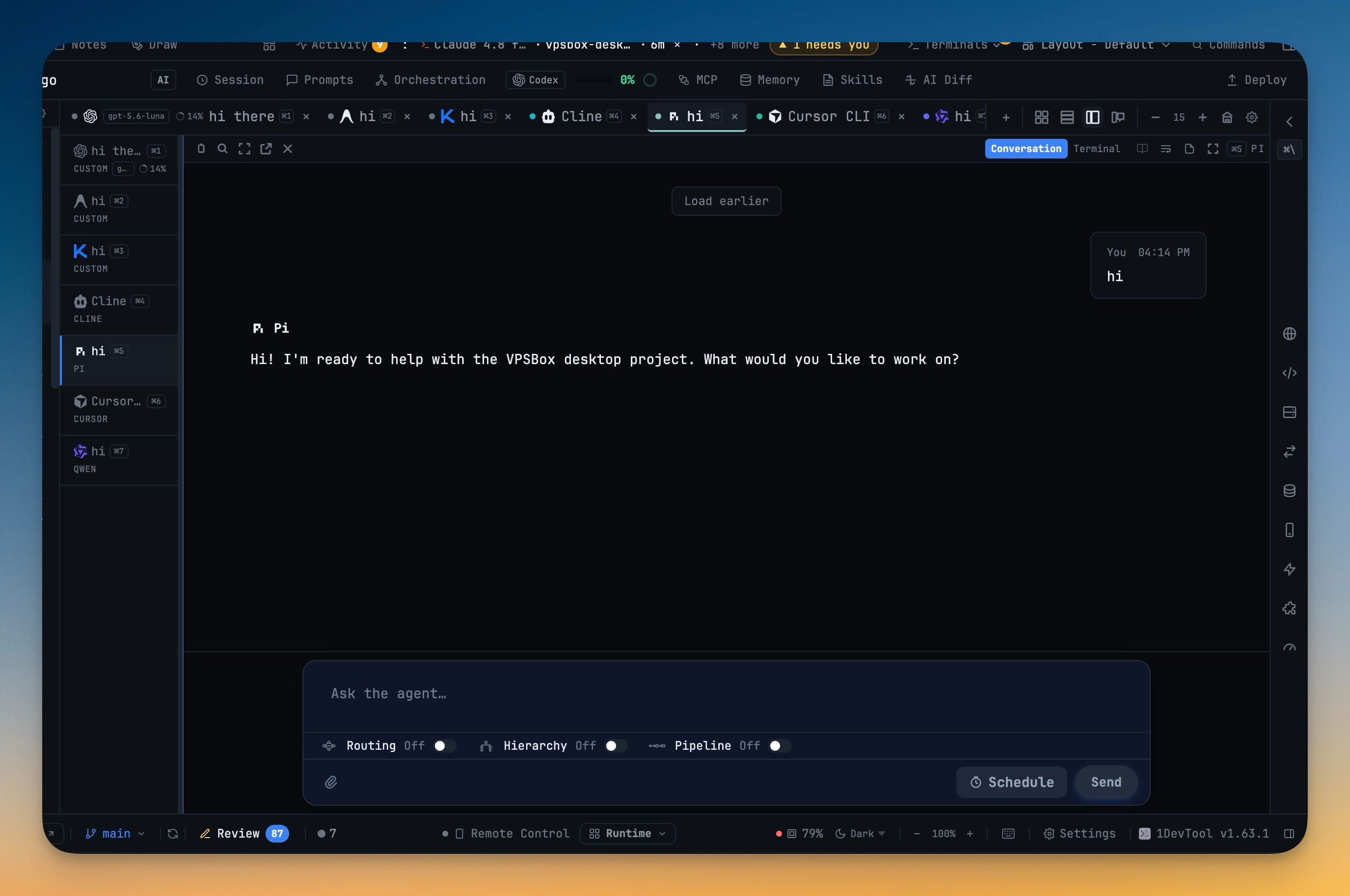
When an AI coding agent is doing real work, its terminal fills up fast. A plan, a diff, three tool calls, a paragraph of reasoning, another diff — all of it streaming into a pane that redraws itself, wraps mid-sentence, and scrolls the part you wanted to read off the top before you finished it. You end up squinting at a live TUI, hunting for the one sentence that says what the agent actually decided, and losing it every time the screen repaints.
The information is all there. The format is the problem. Terminal output is built for a machine to print, not for you to read back an hour of work at a glance.
What changed
You can now read any running agent as a chat. A control on every AI pane flips it between Terminal and Conversation — the same live session, shown either as the raw TUI or as a clean transcript of who said what. Nothing restarts, nothing forks a second session; you are looking at the exact agent you were already running, in a format you can actually scan.
How it works in practice
One toggle, on the pane you already have
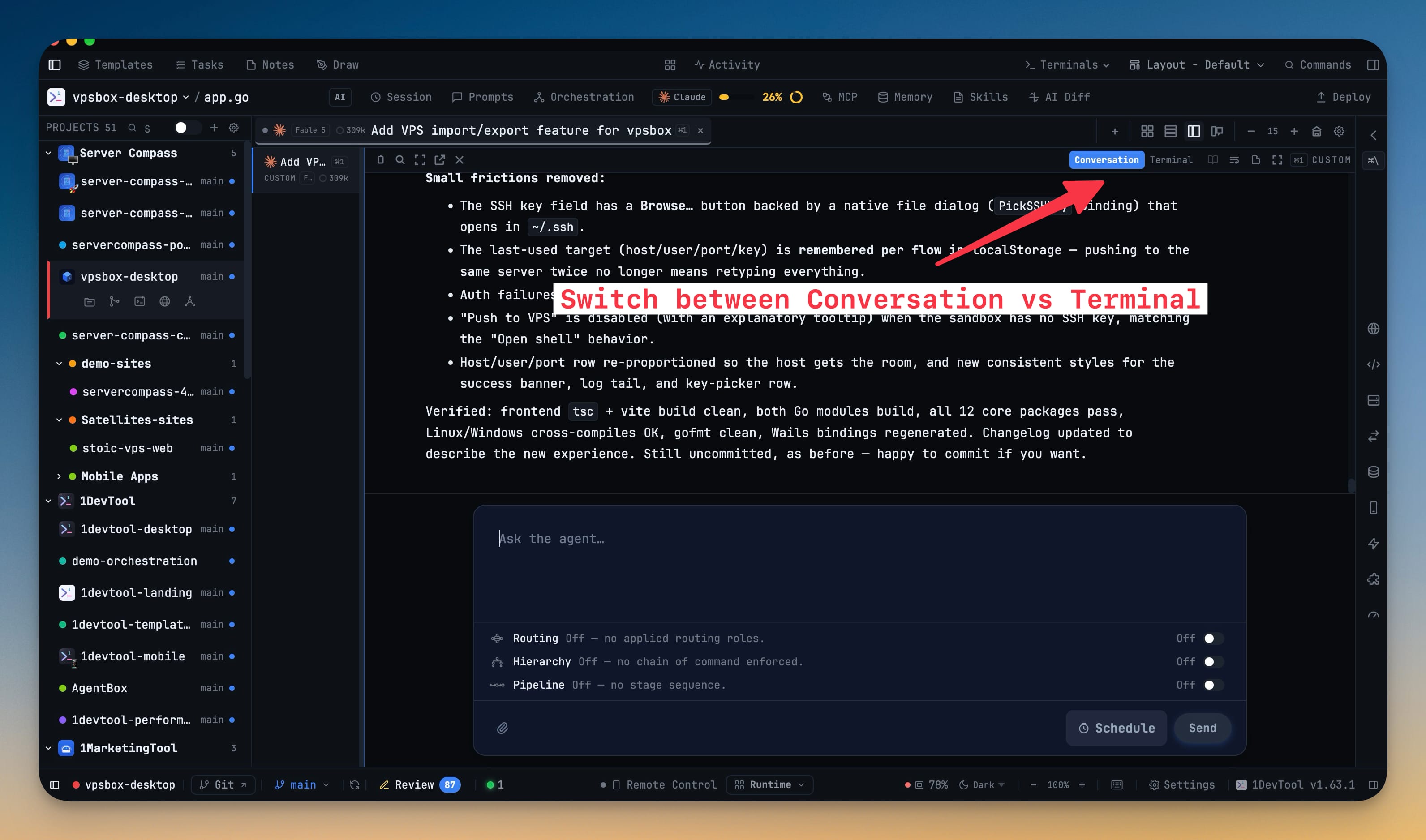
The switch lives on the pane itself, top-right, next to the reader controls. Click Conversation and the running agent becomes a chat; click Terminal and you are back in the live TUI, scrollback and all. Your prompt still goes through the same Agent Input bar the terminal uses, so you are not learning a new way to talk to the agent — only a new way to read it back. If you only ever want the raw terminal, you can turn Conversation off entirely in Settings → Terminal.
The transcript reads like a chat, not a log
Conversation renders the session the way you'd expect a chat to look. Your prompts show up as "You" bubbles. The agent's replies are rendered markdown — headings, lists, code blocks, tables — instead of raw syntax. Tool calls collapse into tidy rows you can expand for detail rather than a firehose of shell output, and where an agent records its reasoning, thinking blocks show up too. Scroll up to dig through history and Load earlier pulls in older turns; Jump to latest drops you back at the live end when you're done. If a transcript can't be read for some reason, a banner offers you Terminal instead of stranding you on a blank chat.
It works with the CLIs you already run
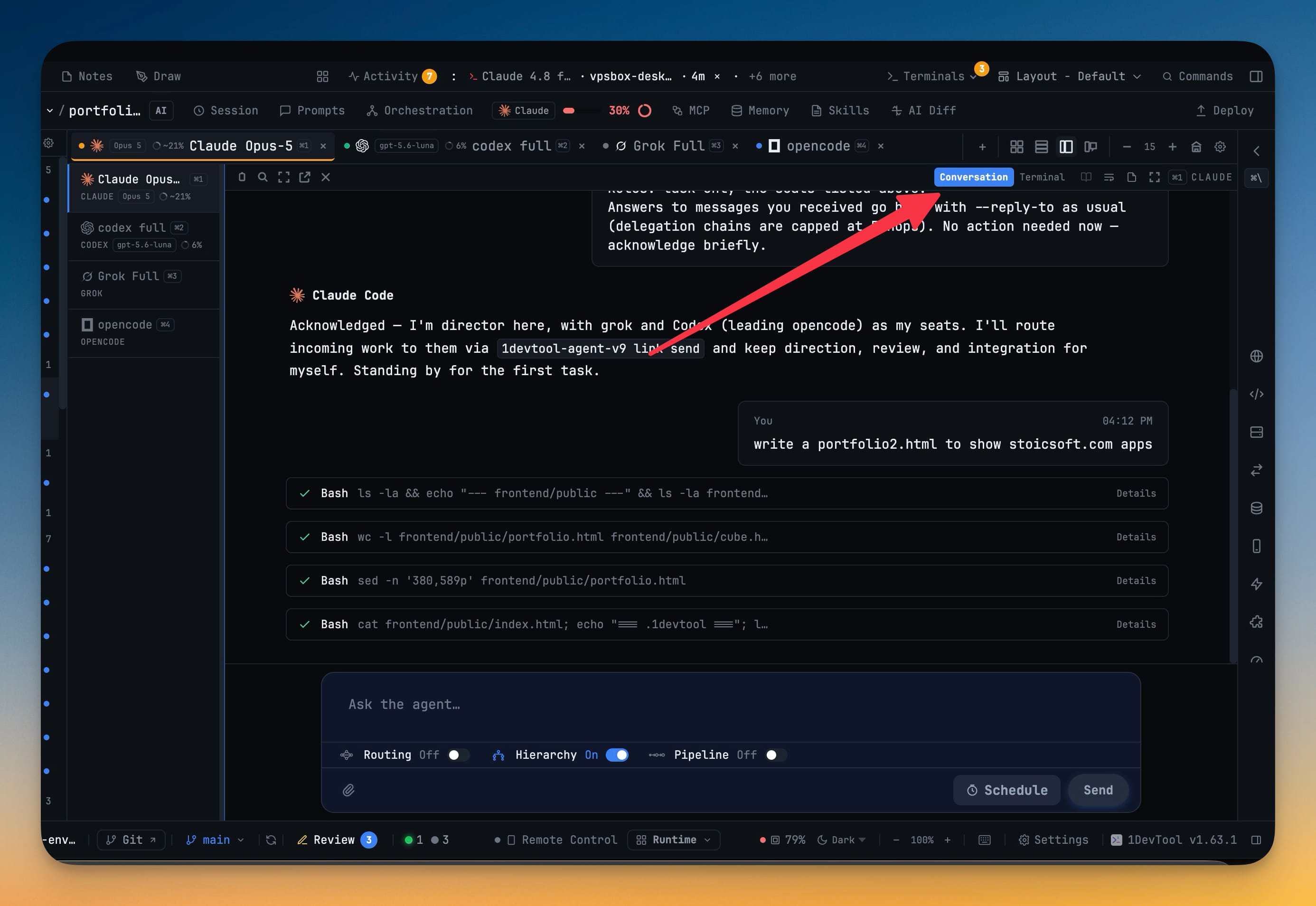
This isn't a feature for one favored agent. Conversation reads the coding CLIs you already have open — Claude, Codex, Gemini, Kimi Code, Antigravity, Qwen, OpenCode, Cline, Grok, Hermes, Cursor, Pi, Amp, and Qoder. Line up half a dozen different agents across your tabs and every one of them can be read as chat, with the same bubbles and the same tool rows, so you're not switching mental models every time you switch panes.
Prompt without leaving the chat
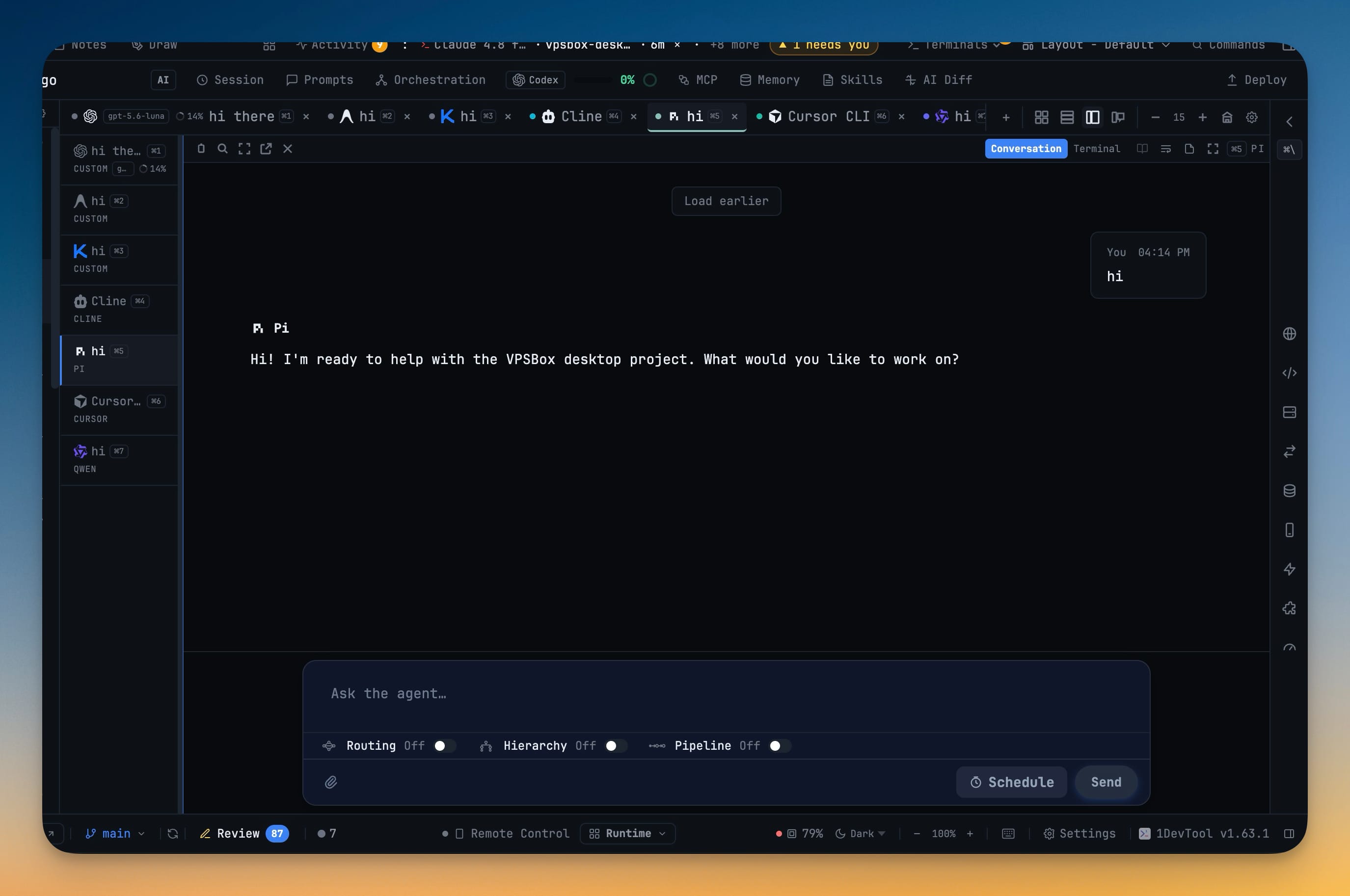
Under the transcript is a compact composer — a single line that grows as you type. Routing, Hierarchy, and Pipeline sit on one row right there, so you can keep orchestrating a team without the chat surrendering the screen to a bank of controls. And if you resume a past session inside the terminal — picking an old Claude conversation with /resume or --resume — Conversation follows you to that session instead of sitting forever on the empty one you just left.
Before vs After
| Reading a running agent | Before | With Conversation |
|---|---|---|
| Format | Raw TUI that redraws and wraps | Rendered markdown chat |
| Your prompts | Buried in the scroll | Clear "You" bubbles |
| Tool calls | A wall of shell output | Collapsed rows you expand on demand |
| Catching up | Scroll and hope | Load earlier / Jump to latest |
| Which agents | Whatever the terminal shows | Claude, Codex, Gemini, Kimi, Cursor, Grok and 8 more, all the same way |
| Switching views | Not possible | One toggle, same live session |
Who benefits most
People running a team of agents get the biggest lift. When five or six CLIs are working in parallel, reading each one as a chat — and prompting from the compact composer with Routing and Hierarchy right there — is the difference between supervising the work and drowning in it.
Anyone reviewing a long agent run can finally skim it. A transcript with real headings and collapsed tool rows lets you find the decision you care about in seconds instead of scrolling a repainting terminal.
Developers who hop between models stop paying a tax for it. Because every supported CLI reads the same way, moving from a Claude pane to a Gemini pane to a Grok pane no longer means re-learning how to read each one.
Try it
Open any AI pane, find the Terminal / Conversation toggle at the top of the pane, and switch it to Conversation. The agent you're already running turns into a chat you can actually read — and one click puts you right back in the terminal whenever you want it. Update to the latest 1DevTool and give your eyes the version of your agent that was built for a person to read.