Aug 17, 2026
See every terminal on your machine — and continue the work here
1DevTool now lists the terminals it didn't start — Ghostty, iTerm, WezTerm, tmux panes — with the agent running inside each one. One click adopts that session into a real 1DevTool tab and resumes the conversation.
You know the feeling. You started a Claude session in Ghostty three hours ago because you were "just checking one thing." Then a codex run went into a tmux pane on the other desktop. Then you opened 1DevTool properly and did the real work there.
Now something is eating CPU, one of those agents is probably waiting on a question nobody is reading, and the only way to find out is to alt-tab through every window you have open and squint at each one. The session you actually want to continue is in there somewhere — but continuing it means finding the right window, not the right project.
1DevTool has always known about the terminals it started. Everything else on your machine was invisible to it.
What changed
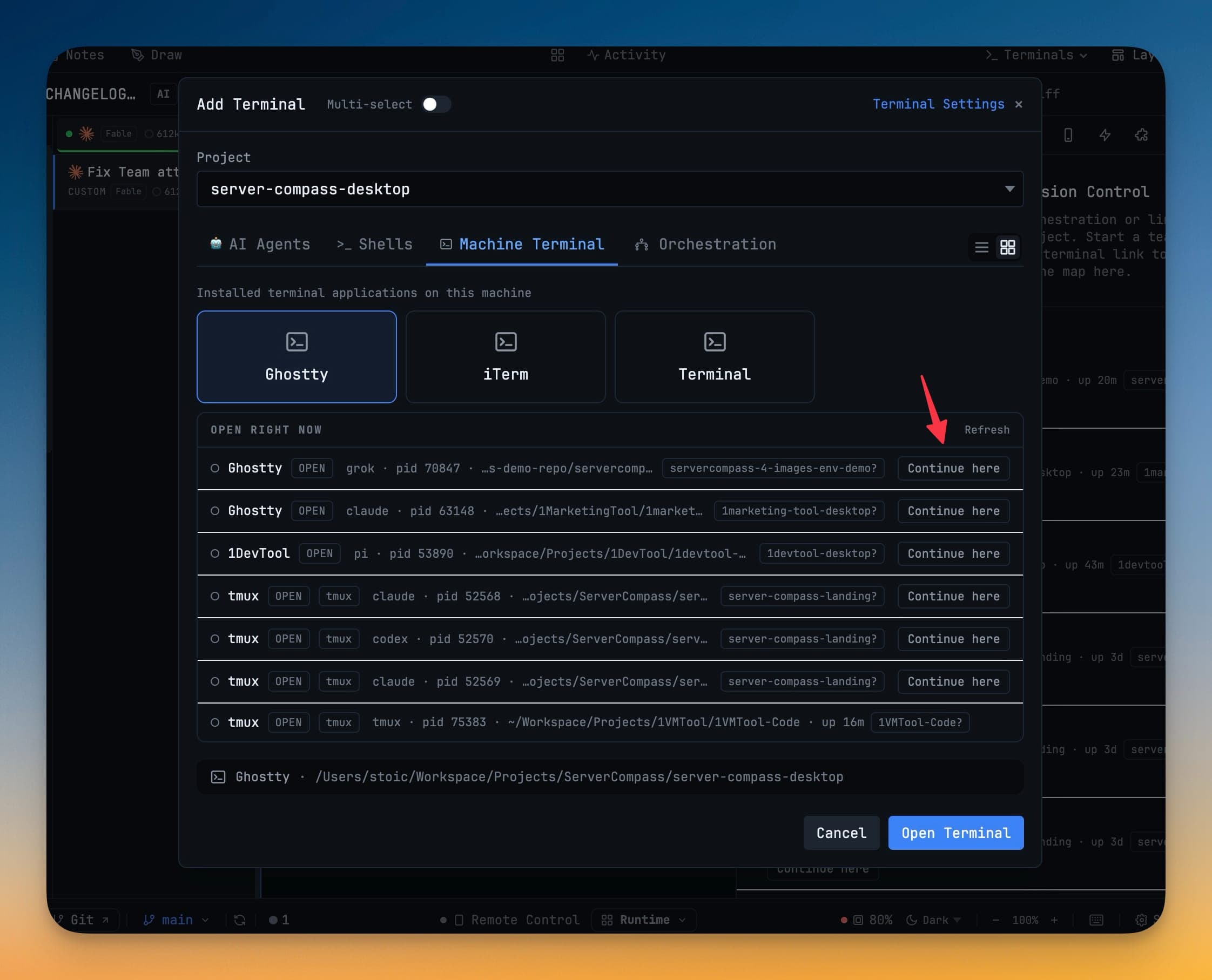
1DevTool now shows you the terminals it didn't start. A Machine list — in the Add Terminal dialog and in Mission Control — names every terminal window open on your machine, the AI agent running inside it, the folder it's working in, and the project it probably belongs to. When one of them has a session on disk, one click adopts it into a real 1DevTool tab and picks the conversation up where it stopped.
How it works in practice
Find the window you forgot about
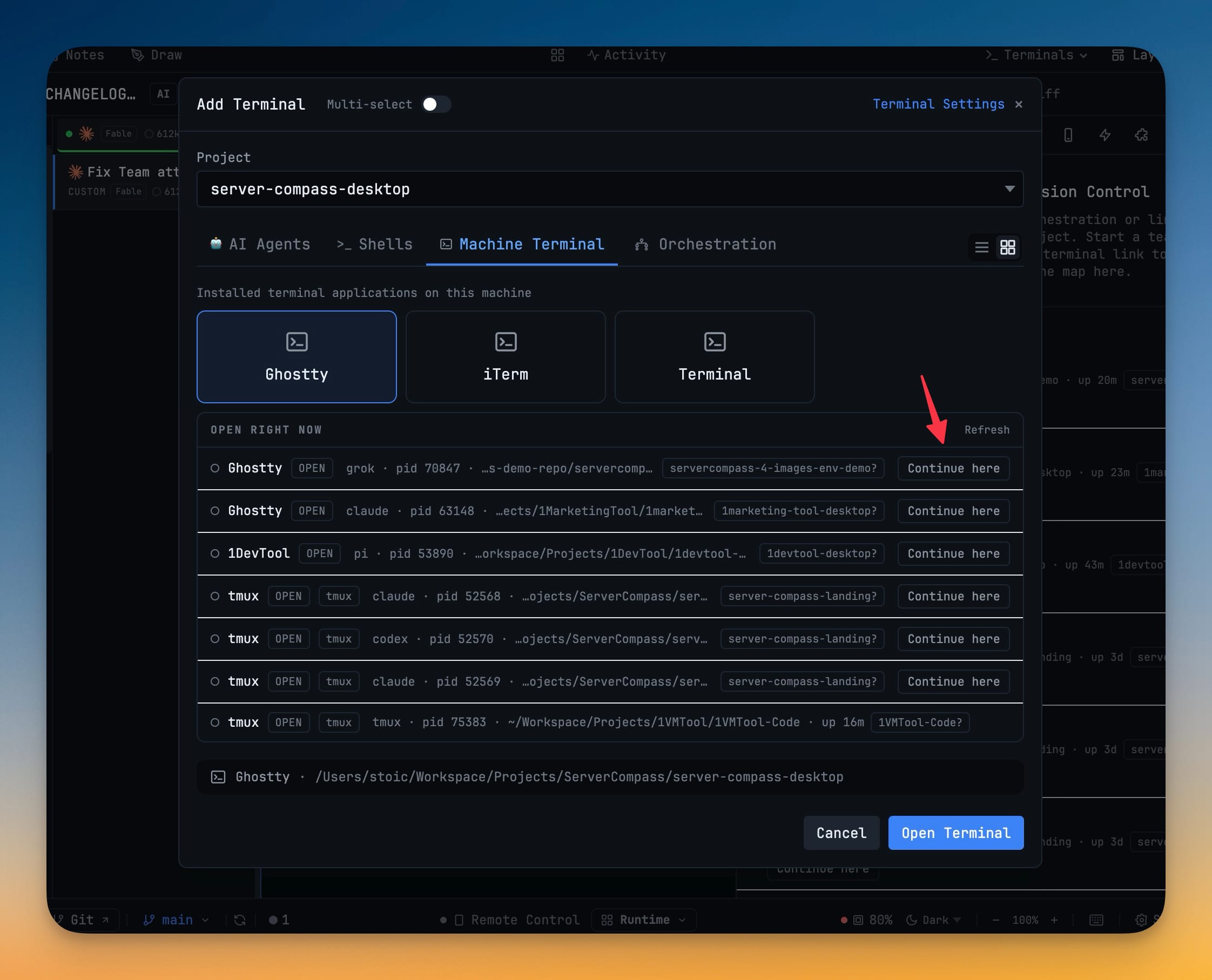
Open Add Terminal and switch to the Machine Terminal tab. Below the installed terminal apps you can launch, there's now an Open right now list.
Each row is one terminal window, and it tells you the things you'd otherwise have to go and look up:
- Which app it belongs to — Ghostty, iTerm, WezTerm, kitty, or 1DevTool itself
- What's running inside —
grok,claude,codex,pi, or justshellwhen it's a plain login shell - Its pid, its working folder, and how long it's been up —
pid 70847 · …s-demo-repo/servercomp… · up 20m - The project it probably belongs to — a badge with a question mark, because it is a guess from the working directory and it says so
That question mark is doing real work. If two of your open projects could both claim a folder — a monorepo root and a package inside it — 1DevTool shows no project at all rather than picking one and being confidently wrong. Same with the hollow status dot on every row: these windows were observed, not verified. Nothing here is treated as a terminal 1DevTool owns, and nothing here can be handed a task.
A window reached through tmux gets its own tmux badge, because the ancestry chain breaks at the multiplexer and the owning app genuinely cannot be resolved. Labelling it beats guessing.
Continue an agent's session here
When 1DevTool finds a session file matching the agent in a row, that row gets a Continue here button. Click it and the session opens in a proper 1DevTool tab, resumed — with the transcript, the tab naming, the context meter, and everything else an in-app agent terminal gets.
Rows without a matching session simply don't offer the button. An agent that keeps no resumable session on disk can be seen but not adopted, and the row says which case you're in rather than leaving you clicking a button that quietly does nothing.
Read the same list without opening a dialog
Mission Control has a collapsible Machine section with the same rows, headed by a live count — 7 open, or none open. It sits alongside your orchestration map, so the terminals you started elsewhere are visible in the same place you watch the ones you started here.
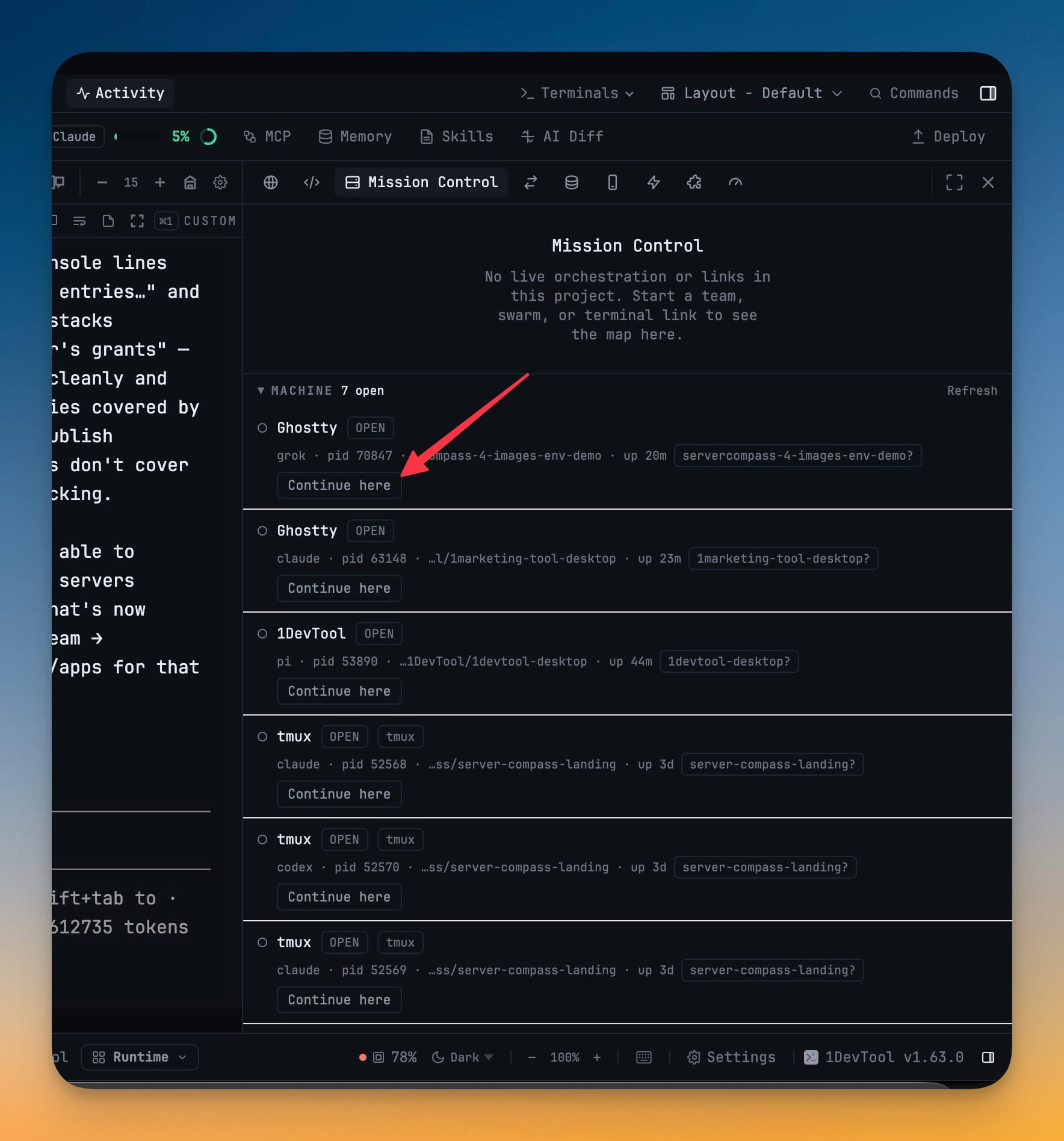
Scanning happens only while you're looking. A collapsed Mission Control section and a closed Add Terminal tab both cost nothing — there's no background process walk on a timer, and the Refresh link is there for when you want a fresh read. On Windows the list says listing open terminals isn't supported yet, rather than showing you an empty list that would read as "nothing is open."
Get a straight answer instead of a dead end
Running an attributed command — resolve, team start, a task write — from a terminal 1DevTool doesn't own used to fail with "No compatible 1DevTool instance owns the calling terminal." That reads like something broke. Nothing broke: 1DevTool authorizes by process ancestry back to a terminal it spawned, and a Ghostty or detached-tmux window has none.
The error now explains that, and tells you what does work from where you're standing:
This command ran outside a 1DevTool-owned terminal.

Ghostty, cmux, WezTerm, and detached tmux panes cannot make attributed
Task, Team, or resolve calls. 1DevTool authorizes by process ancestry to a
terminal it spawned, and this process tree has none. Setting
ONEDEVTOOL_TERMINAL_ID by hand does not grant it — the app checks the claim
against real ancestry and ignores it.

Run attributed commands from a terminal opened inside 1DevTool.
It also points at the route that is open to you: turn on Settings → Terminal → "Enable local onedevtool terminal CLI" and drive an in-app agent from outside with onedevtool terminal list and onedevtool terminal submit.
Receipts, when you're scripting it
If you drive 1DevTool terminals from a shell script or a CI step, "the command exited 0" was never enough to know what happened. Three changes fix that.
onedevtool terminal learns status and close. Poll one tab's readiness in a single shot, or close a tab and its process from the command line:
onedevtool terminal status --id=<terminalId> [--json]   # idle | busy | unknown | closed
onedevtool terminal close  --id=<terminalId> [--json]
close refuses to kill a seat that a live orchestration team is using, and points you at stop --team=<id> --close-terminals instead of silently pulling a member out from under a running team.
Every submit returns a receipt. submit now prints a submission id and the agent's readiness at the moment the prompt landed:
submitted 9f3c… readiness=busy
And it uses the exit code to tell you something rc=0 never could: exit 0 means the prompt went into a ready composer, exit 3 means it was written while the agent looked busy, so it's likely queued behind the current turn rather than being worked on now. A script can wait instead of assuming.
A send held for your approval says so. A delegated prompt that 1DevTool is holding for confirmation now reports "accepted but awaiting the user's approval — not delivered yet" rather than looking like a success and leaving the caller waiting for a reply that can't come.
Before vs after
| Then | Now |
|---|---|
| Alt-tab through every window to find the agent you started | Read one list naming the app, the agent, the folder and the pid |
| No idea which project an outside terminal belongs to | A project guess from the working directory, marked as a guess |
| Work started in Ghostty stayed in Ghostty | Continue here adopts the session into a 1DevTool tab |
No compatible 1DevTool instance owns the calling terminal | An explanation of why, plus the commands that work from there |
submit exits 0 whether the agent was ready or busy | A submission id, a readiness field, and exit 3 for "likely queued" |
| No way to poll or close a tab from a script | onedevtool terminal status and onedevtool terminal close |
Also in this release
Dead shell tabs now clean up after themselves: a shell that exits cleanly closes its tab, a crashed one restarts in place, and a shell that dies twice in a row closes instead of looping forever. AI agent tabs keep their transcript and offer Restart and Close — no more frozen pane that ignores your typing.
Delegated headless runs also see your real login-shell PATH plus asdf, mise and proto shims, so a machine whose only Node lives under a version manager stops failing with env: node: No such file.
Try it
Update to 1.63.1, open Add Terminal → Machine Terminal, and look at the Open right now list. The interesting moment is usually the first one: there's an agent in there you forgot you started, in a folder you recognise, and Continue here brings it home.
macOS and Linux today — Windows support lands in a later release.
From across the StoicSoft network
Hand-curated reads on the same topic from sister sites in the StoicSoft family.