Aug 7, 2026
Watch Your Agents Work
Agent Office turns the terminal grid into a room where every AI terminal is a character at a desk — so you can tell which agent is stuck, which is waiting on you, and which is done without opening a single tab. Plus the Vibe Coder layout, AI-generated diagrams, Tailscale remote access, and commit messages written from your diff.
You have five agents running. One is halfway through a refactor, one is waiting on a permission prompt you never saw, one finished nine minutes ago, one is burning tokens on something you already cancelled in your head, and one is dead.
You know this because you clicked through all five tabs to find out. Then you did it again four minutes later, because the only way to know what an AI terminal is doing is to go and look at it. The grid tells you a terminal exists. It doesn't tell you which one needs you.
What changed
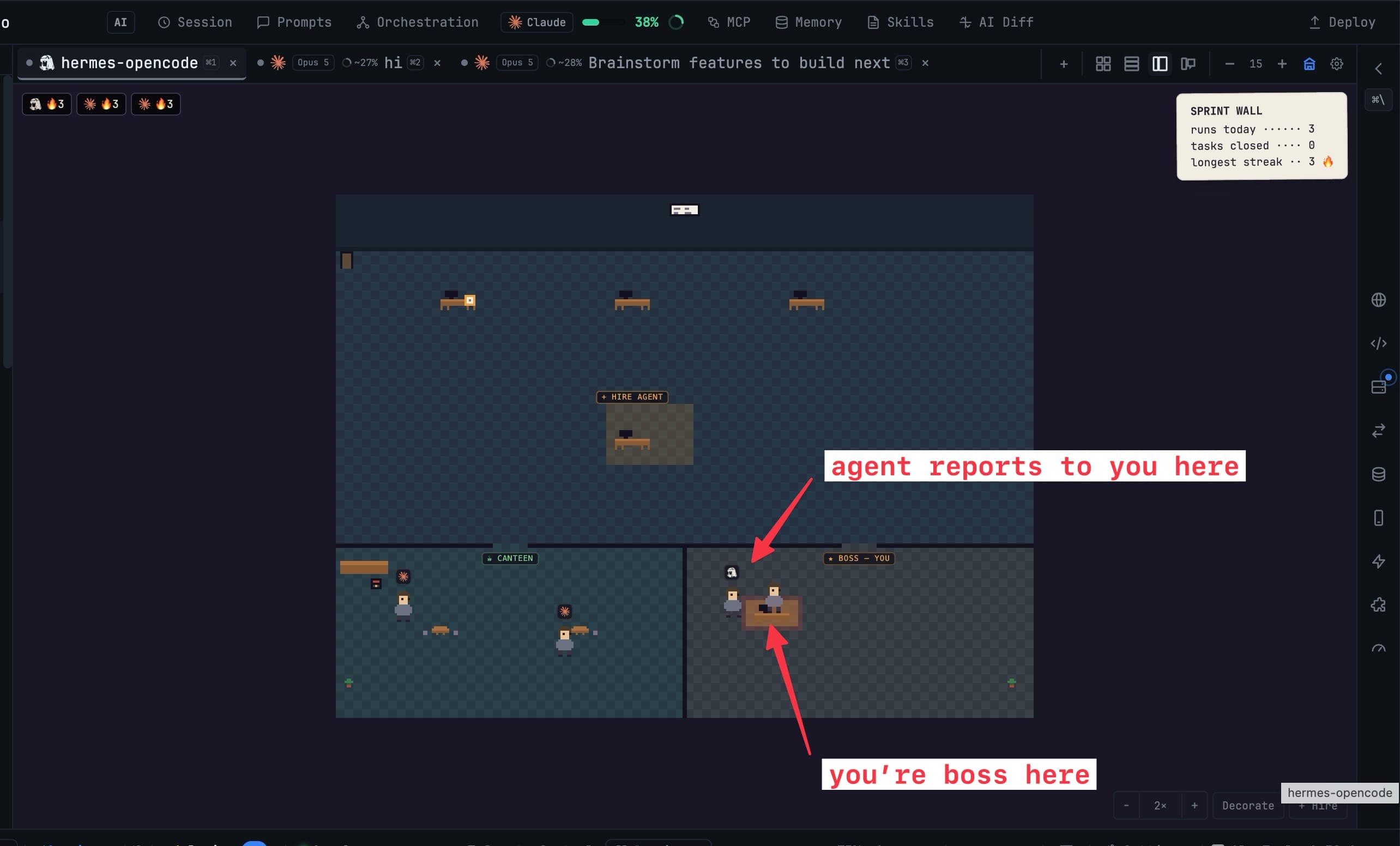
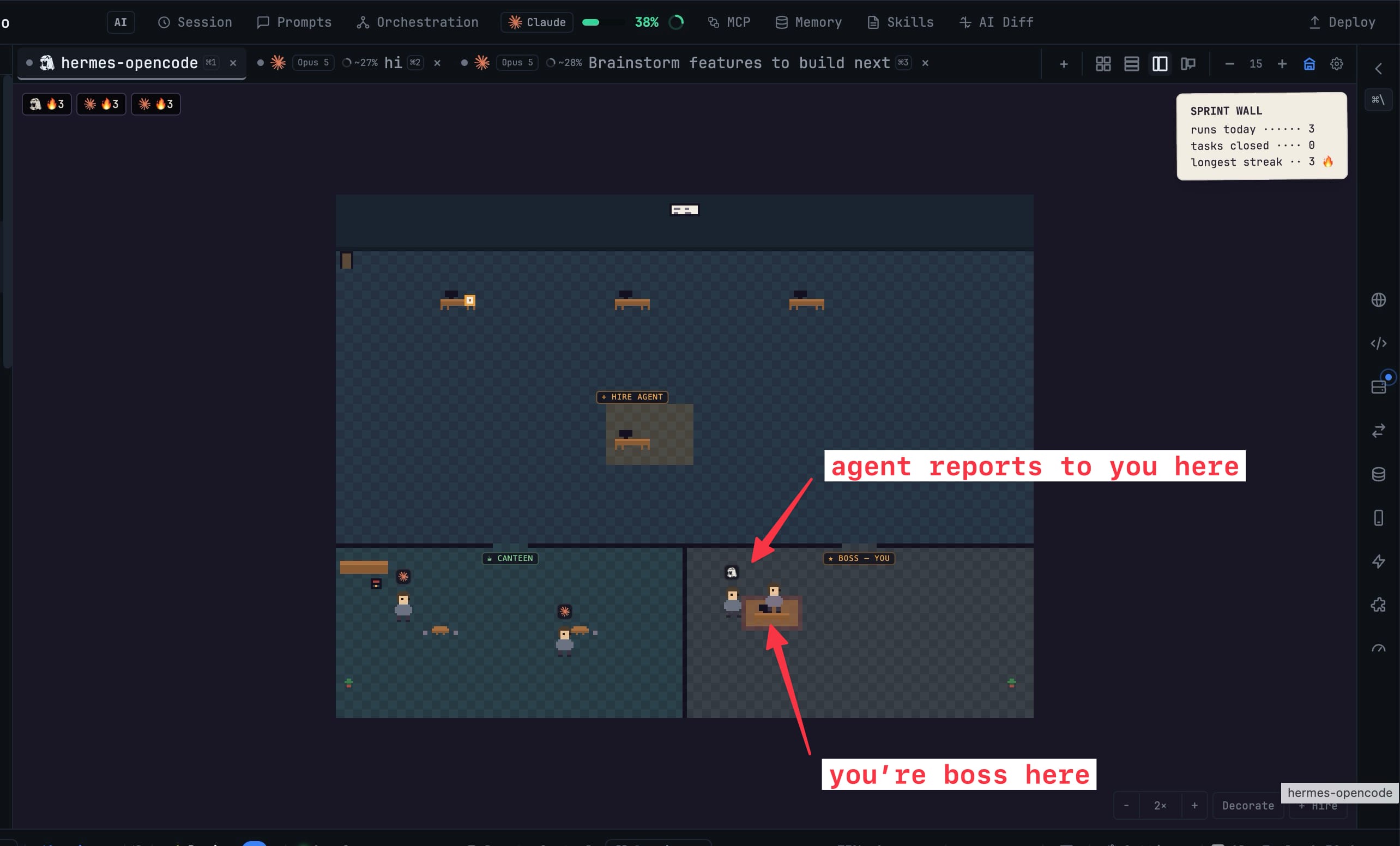
Agent Office turns that grid into a room. Every AI terminal becomes a character at a desk, and what it's doing reads as body language — so you can tell which agent needs an answer from across the room, without opening a single tab.
Switch it on from the office button in the terminal panel header. The room replaces the grid without touching a single running terminal; nothing restarts, nothing reconnects, and turning it back off puts you exactly where you were.
How it works in practice
Read the room instead of the tabs
Typing, reading, waiting on you, blocked, finished — each state has its own posture and its own speech bubble. An agent stuck on a permission prompt looks stuck. An agent that finished looks finished. You stop polling tabs because the information you were polling for is now ambient.
Click a desk to open that terminal full size. Right-click to send it a prompt without leaving the room at all. Zoom with ⌘/Ctrl + scroll, or reset to fit.
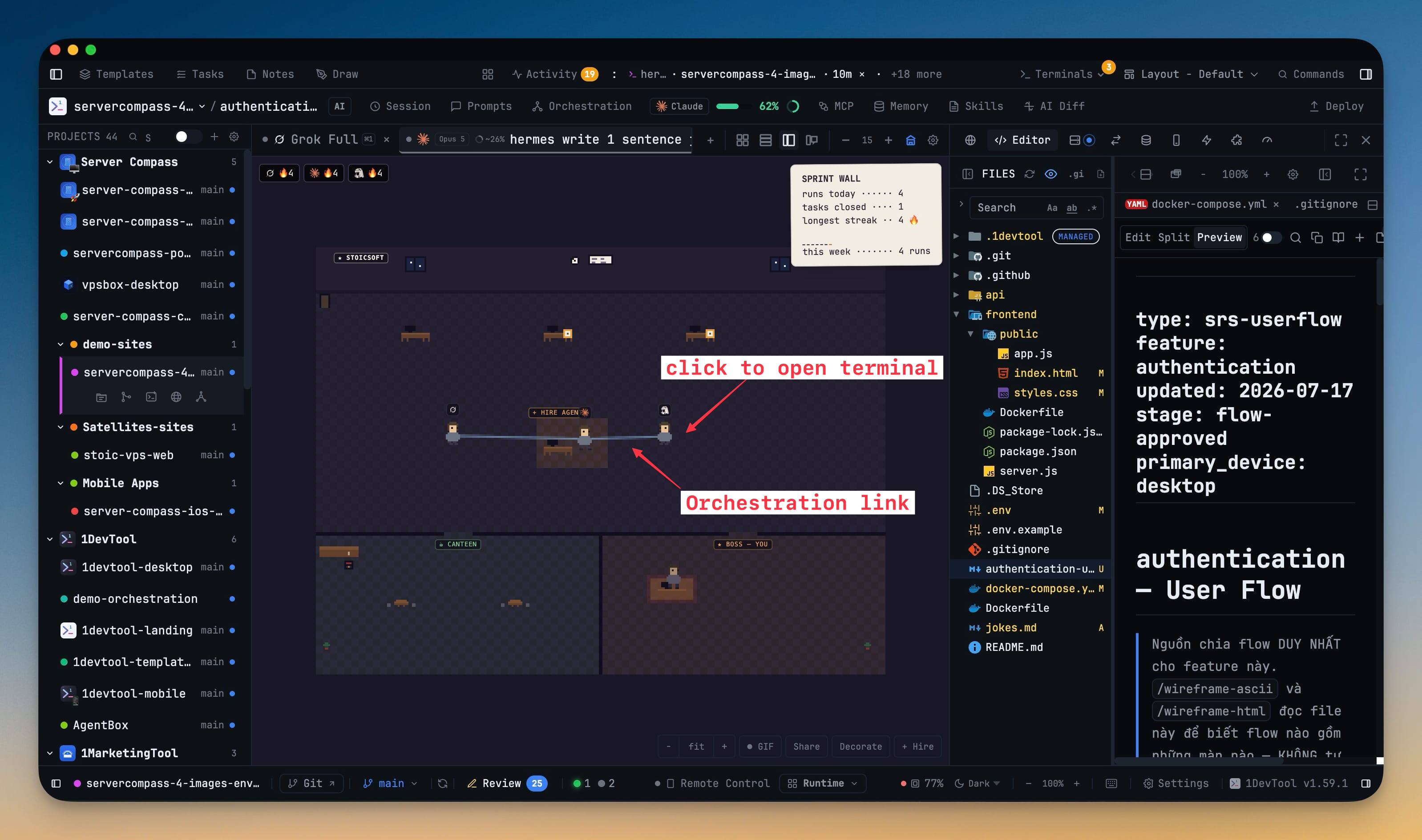
Agents also get up and walk — whiteboard, coffee station, canteen, boss room — while their actual work carries on underneath. Sub-agents show up as interns at the same desk, so a Claude run that spawned four subagents looks like four subagents. And when you've linked agents together, those links draw as lines between desks: the orchestration you configured becomes something you can point at.
Nothing waits silently
The Review inbox collects every agent that needs an answer from you. This is the failure mode the office was built for: an agent asks a yes/no question in a background tab, and it sits there for forty minutes because nothing surfaced it. Now it's one list.
The Sprint wall counts what actually landed — runs that finished today, project tasks that actually reached done, and your longest streak. Not tokens spent, not terminals opened. Finished work.
Levels, hats, and a GIF of the room
Finished runs earn XP, levels unlock hats, and a level-up moment names what was unlocked. Pets — cat, dog, frog, bird, penguin — are a free choice rather than something you grind for, and per-agent shirt, hair and skin swatches are there if you want a colour-coded team.
You can name the office, pick a floor theme, show or hide the meters, and turn on a names-hidden mode before you screen share. Then copy a pixel stats card of real numbers, take a posed team photo, or record a 6-second GIF of the room in motion. The achievements — first run, centurion, machine, hot streak, full house, busy week, token millionaire, token whale — unlock from your real history, so the card you share is your actual week.
Once a week, a quiet notification sums the runs and tasks of the last seven days. A week with no activity stays silent.
Vibe Coder: start from the question, not the IDE
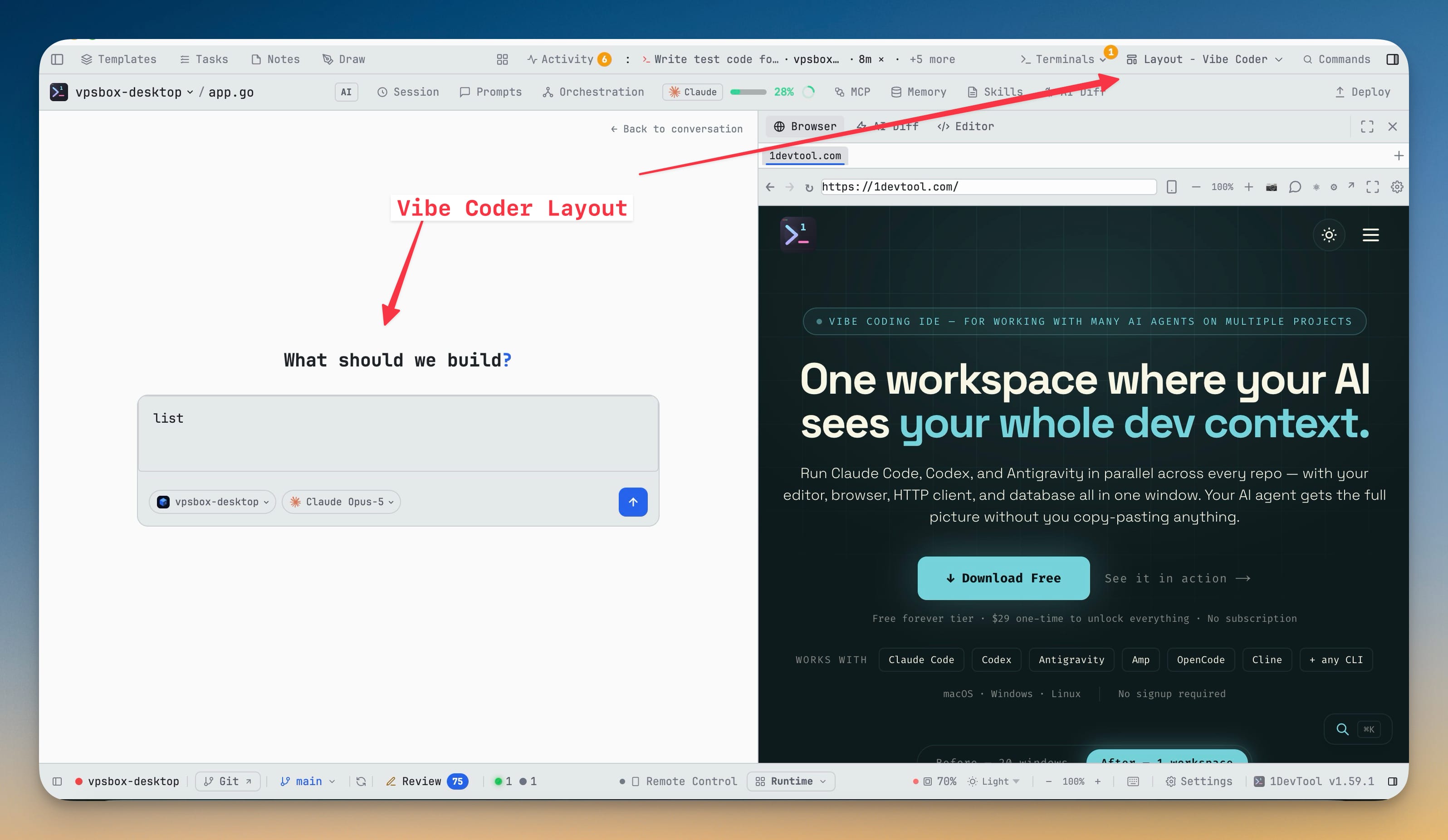
Pick Vibe Coder in the layout picker and the app rearranges around one question: what do you want to build?
Vibe Home is a full-size composer, not a stripped-down prompt box. File, terminal, agent and project mentions, skills, slash commands, templates and drag-and-drop images all work exactly as they do everywhere else. Chips under the prompt pick the project, the agent and model, whether it proposes a plan before changing anything or starts building immediately, and how much it asks before acting.
Submit and the prompt becomes a conversation — with a real terminal underneath, one click away whenever you want it. The right panel keeps Preview, Changes and Code side by side, so watching a build doesn't mean hunting for the result. Open the app with no project at all and Vibe Home still greets you.
Describe a diagram, get editable shapes
The Draw canvas gains a prompt bar. Describe what you want and an installed AI CLI inserts real shapes, arrows and labels next to whatever you already sketched — never a flat picture. Every box and arrow can be moved, recoloured, and edited.
The generated elements arrive selected, so one undo or one Delete removes the whole diagram if it isn't what you meant. Pick which AI writes it from the gear next to the prompt bar, cancel mid-flight, and if a generation fails it retries once and then shows you what the model actually returned.
Your phone reaches your desktop over Tailscale
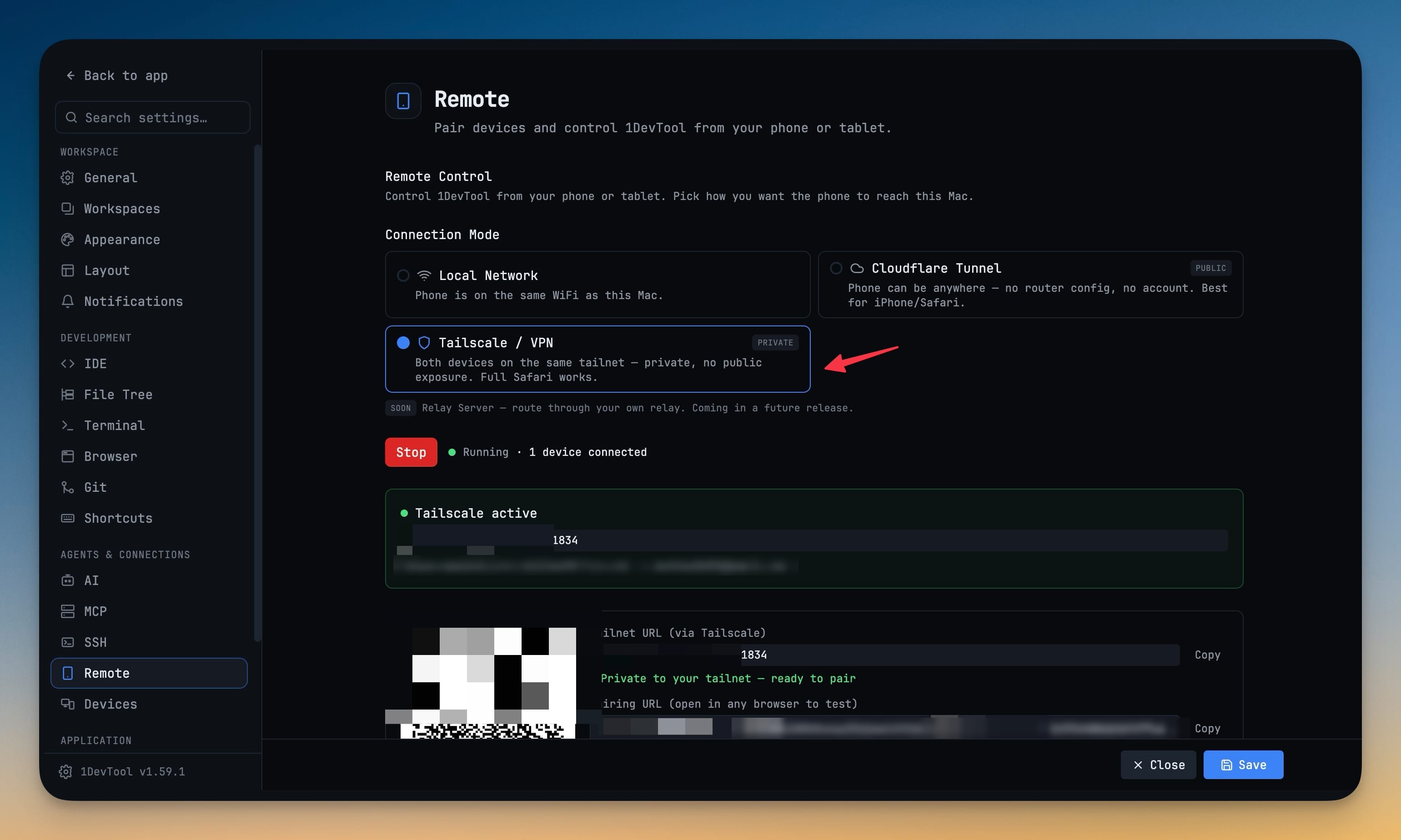
Tailscale / VPN is now a real Remote connection mode alongside Local Network and Cloudflare Tunnel. Your phone reaches the desktop over your own tailnet: nothing is exposed to the public internet, and there's no tunnel warm-up wait. Full iOS Safari works, so you're no longer pushed into the in-app scanner browser just because you're on a home network.
1DevTool detects Tailscale rather than managing it — it reads tailscale status,
falls back to scanning for a tailnet interface if the CLI is wedged, and never
downloads, launches or stops anything itself. The panel tells you plainly whether
Tailscale is installed, running and connected, and switches the QR code and
pairing URL to the tailnet address.
You can also choose how long a paired phone stays trusted — a week, a month, or never expire — and every connection restarts the window, so a phone you actually use stays paired.
Orchestration reaches the phone too: an Approvals page and decision cards in the Teams tab let you approve link requests and queued messages, with permission chips so you know what you're granting. There's a team map sized for a phone, and you can read orchestration run logs without walking back to the desk.
The Git client writes your commit message
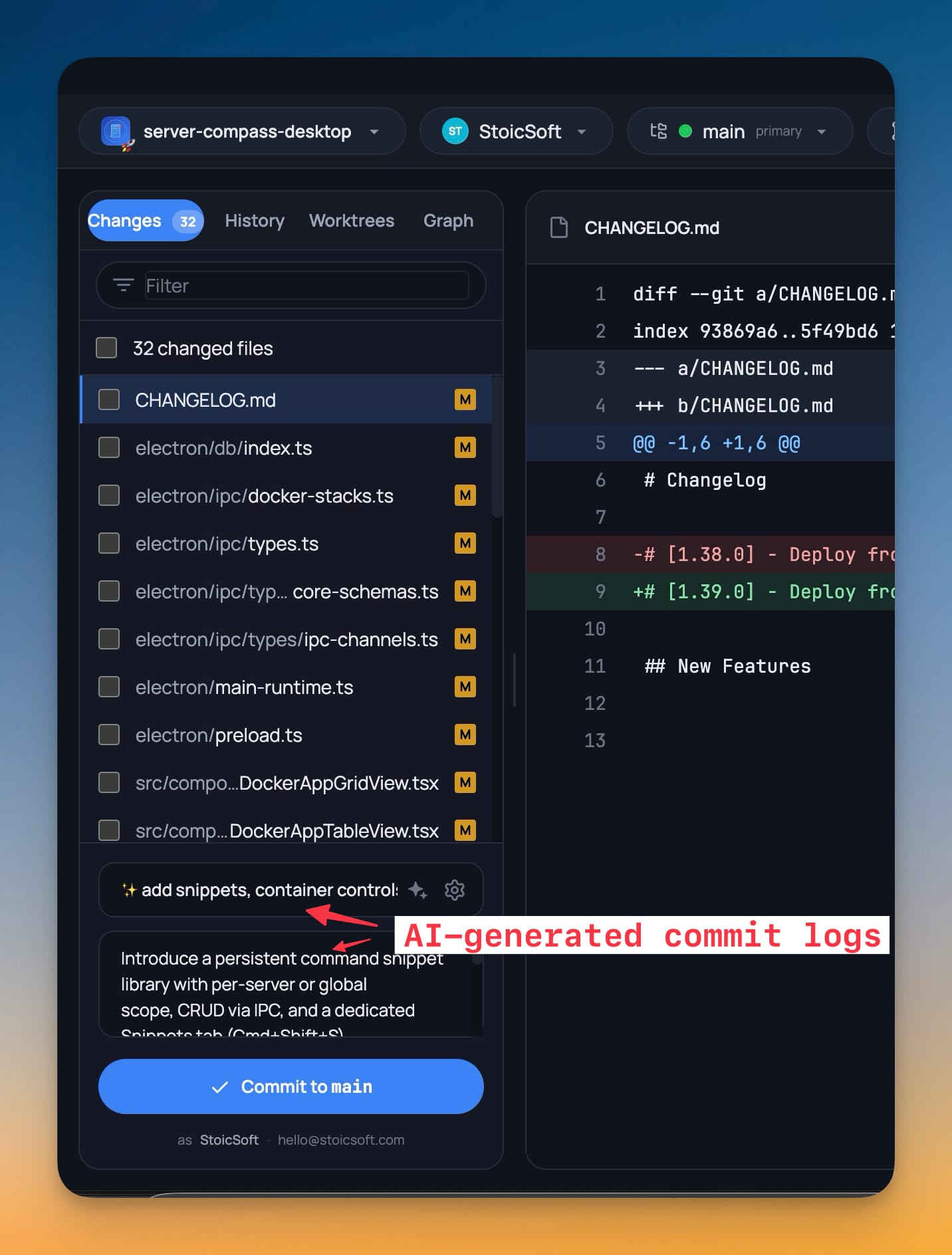
A sparkle button in the commit summary hands the diff to an installed AI CLI and asks it for a message. Pin which agent writes it or let it use the first one you have installed, and pick Conventional, Plain or Gitmoji style. Nothing staged yet? It falls back to the working-tree diff.
Before and after
| Finding out… | Before | Now |
|---|---|---|
| which agent needs an answer | click through every tab | the Review inbox lists them |
| what an agent is doing | read its scrollback | posture and a speech bubble |
| what actually landed today | count it yourself | the Sprint wall counts it |
| how agents are linked | open the Team Map | lines drawn between desks |
| whether a run finished | check back periodically | the agent looks finished |
Also in this release
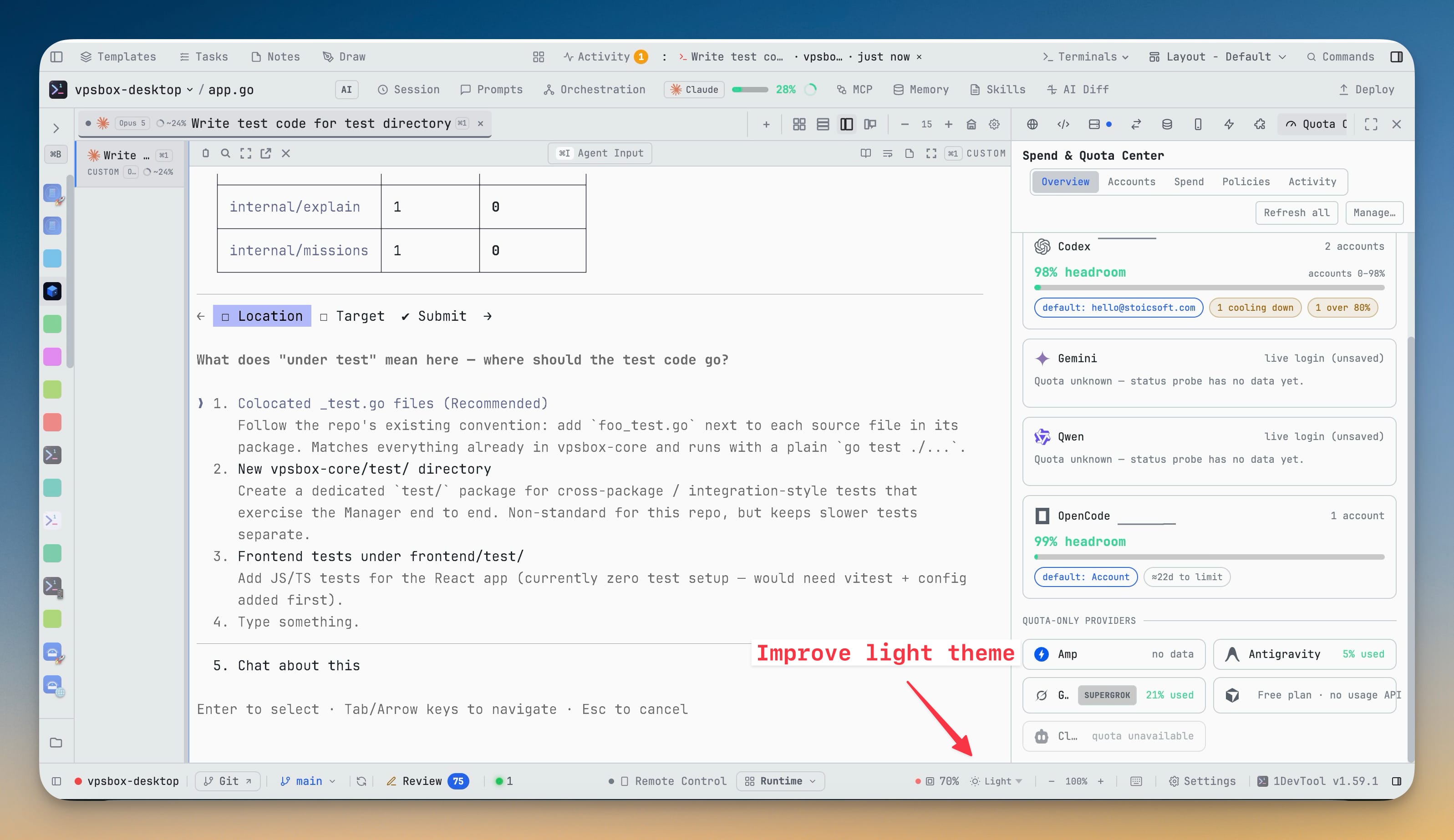
The context chip now reads real numbers for Codex, Gemini and Qwen instead of guessing, and a Claude percentage that went stale after a compact says so rather than quietly lying. The light theme is legible again across warning text, modified-file badges, git status marks and the editor ruler. Cursor gets a real row in the Quota Center. Markdown preview and Reader mode gain a Search button. And the fix that will quietly save you the most: a multi-line paste is one prompt again — pasting several lines into Claude or Codex used to send the first line immediately and fire the rest as separate prompts, one API call per line.
Who gets the most out of this
If you run more than three agents at once, the office is the first view that scales with the number of agents instead of against it — five agents in a room read faster than five tabs.
If you orchestrate agents that talk to each other, the drawn links and the phone-sized team map make a delegation graph you can actually inspect.
If you build by describing rather than by scaffolding, Vibe Coder removes the step where you decide which panel to open first.
Try it
Update to v1.60.0, open a project with a couple of agents running, and press the office button in the terminal panel header. Nothing restarts, and the button puts you straight back. Give it one afternoon of real work — the moment it earns its place is the first time an agent asks you something and you notice immediately instead of forty minutes later.
From across the StoicSoft network
Hand-curated reads on the same topic from sister sites in the StoicSoft family.
 ServerCompass7 min read
Deploy Private GitLab Projects to Your Own Server
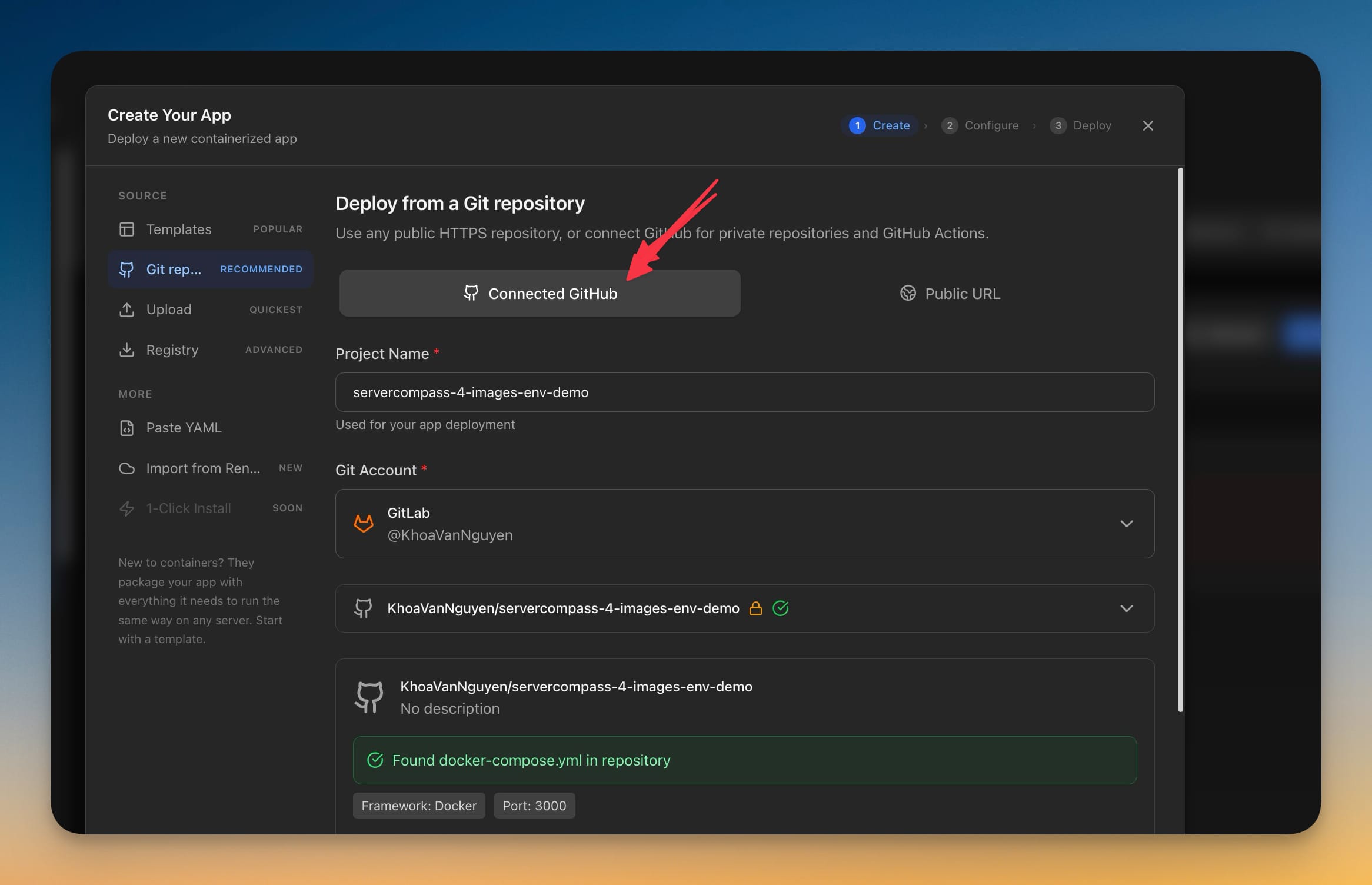
Server Compass 1.39.0 connects to GitLab.com and self-managed GitLab with a personal access token, so private projects — including ones nested deep in subgroups — deploy the same way GitHub projects already do.
Read on servercompass.app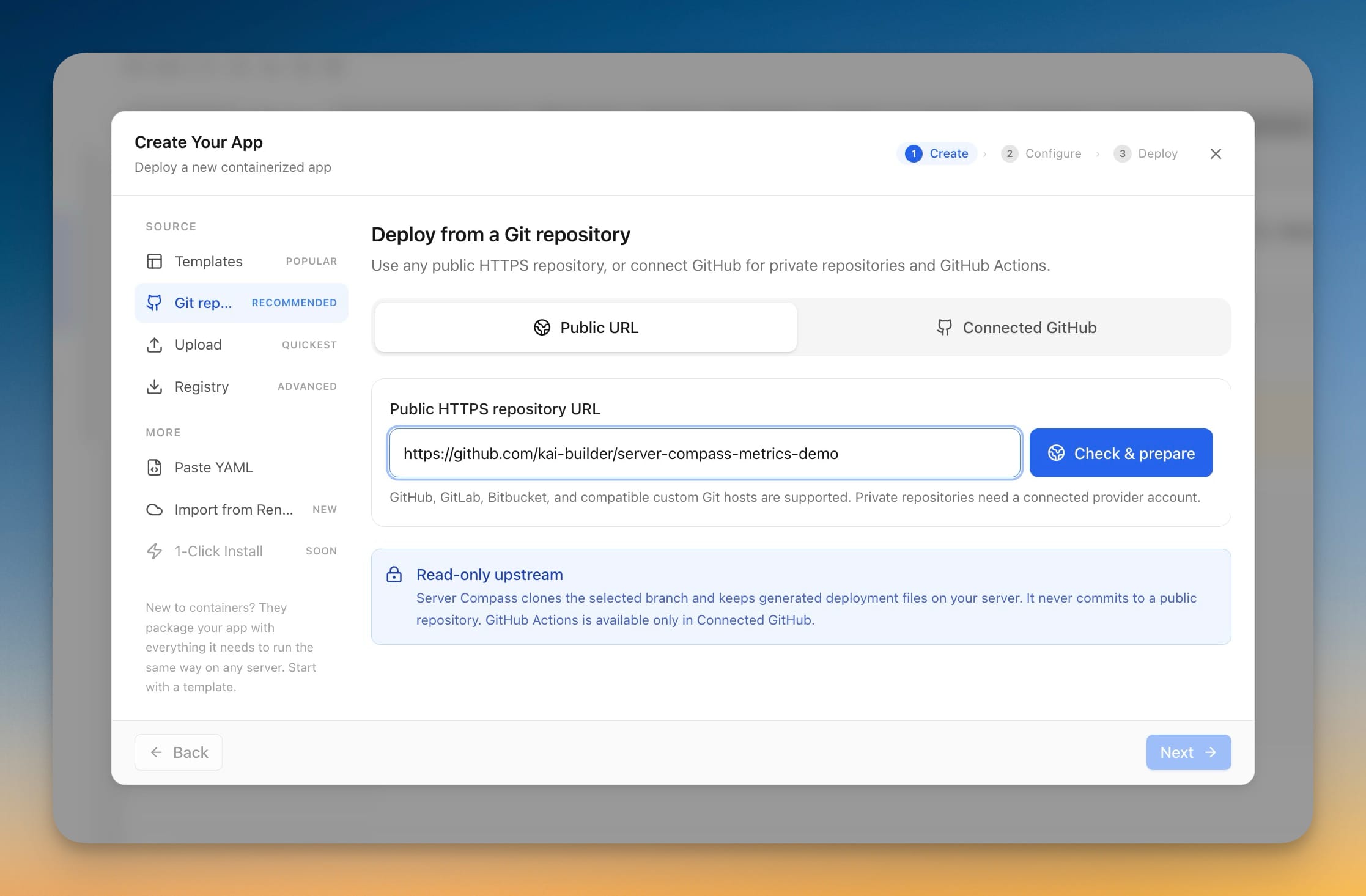 ServerCompass5 min read
Deploy Any Public Git Repository Without Forking It
Paste a public HTTPS repository URL from GitHub, GitLab, or Bitbucket, pick a branch, and deploy — no account connection, no fork, and the app you get has full redeploy, rollback, and backup support.
Read on servercompass.app