Mar 13, 2026
Workspace Layout Presets & Git Status Bar
Switch between six built-in layout presets — Default, Focus, Terminal, Web Dev, API Dev, Database — with one click. Save custom layouts per project and see git branch and change count in the status bar.
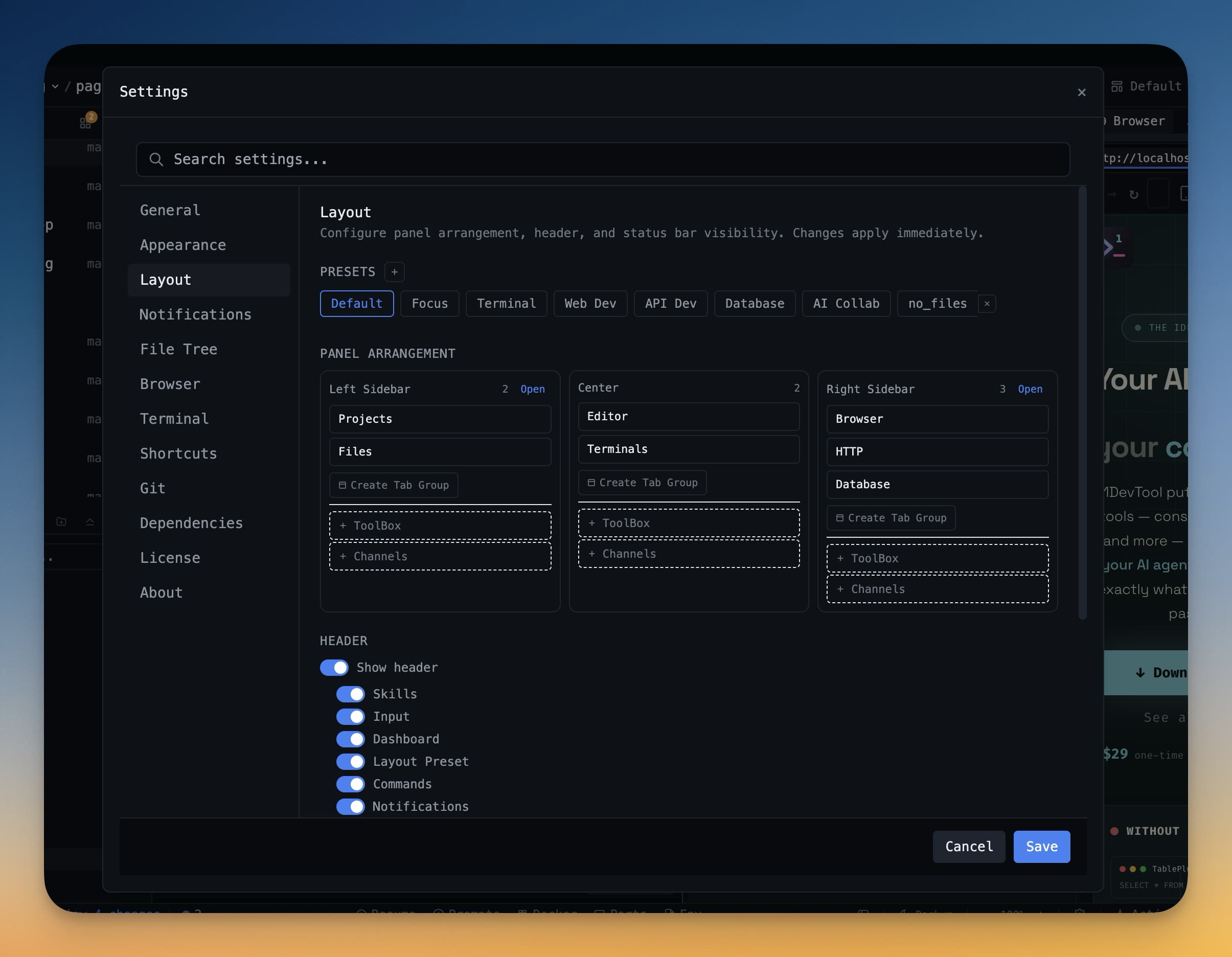
Your first day with 1DevTool: you have terminals, a browser panel, file explorer, and a database client all visible. But the default arrangement doesn't match how you work. Maybe you want terminals maximized for an AI-heavy session, or browser and HTTP client side-by-side for API development. v1.0.1 introduces layout presets so you can switch workspace configurations in one click.
Built-in Layout Presets
Six presets ship out of the box, each optimized for a different workflow:
- Default — balanced view with all panels visible
- Focus — minimal distractions, terminals and editor only
- Terminal — terminals maximized, everything else hidden
- Web Dev — browser on the right, terminals and editor on the left
- API Dev — HTTP client and terminal side-by-side
- Database — query editor and results front and center
Save custom layouts per project. Your frontend project can use the Web Dev preset while your backend project uses the Terminal preset — each one remembers independently.
Resizable Sidebars with Smart Collapse
Drag sidebar edges to resize them. Drag far enough and they collapse entirely, giving you maximum space for your active panels. The collapse is smart — it remembers your preferred width and restores it when you expand again.
Git Branch and Change Count in Status Bar
The status bar now shows your current git branch and the number of uncommitted changes at a glance. No need to open a git panel or run git status — the information is always visible at the bottom of your workspace.
Terminal Status Indicators
The status bar also shows terminal status counts: how many terminals are running, idle, or errored. Combined with git status, you get a constant overview of your workspace health without opening any panels.
Try It Today
Layout presets and git status are available in 1DevTool v1.0.1. Switch between workflows in one click and always know your git status.
One click to your perfect layout. Always know your branch.
From across the StoicSoft network
Hand-curated reads on the same topic from sister sites in the StoicSoft family.
 ServerCompass5 min read
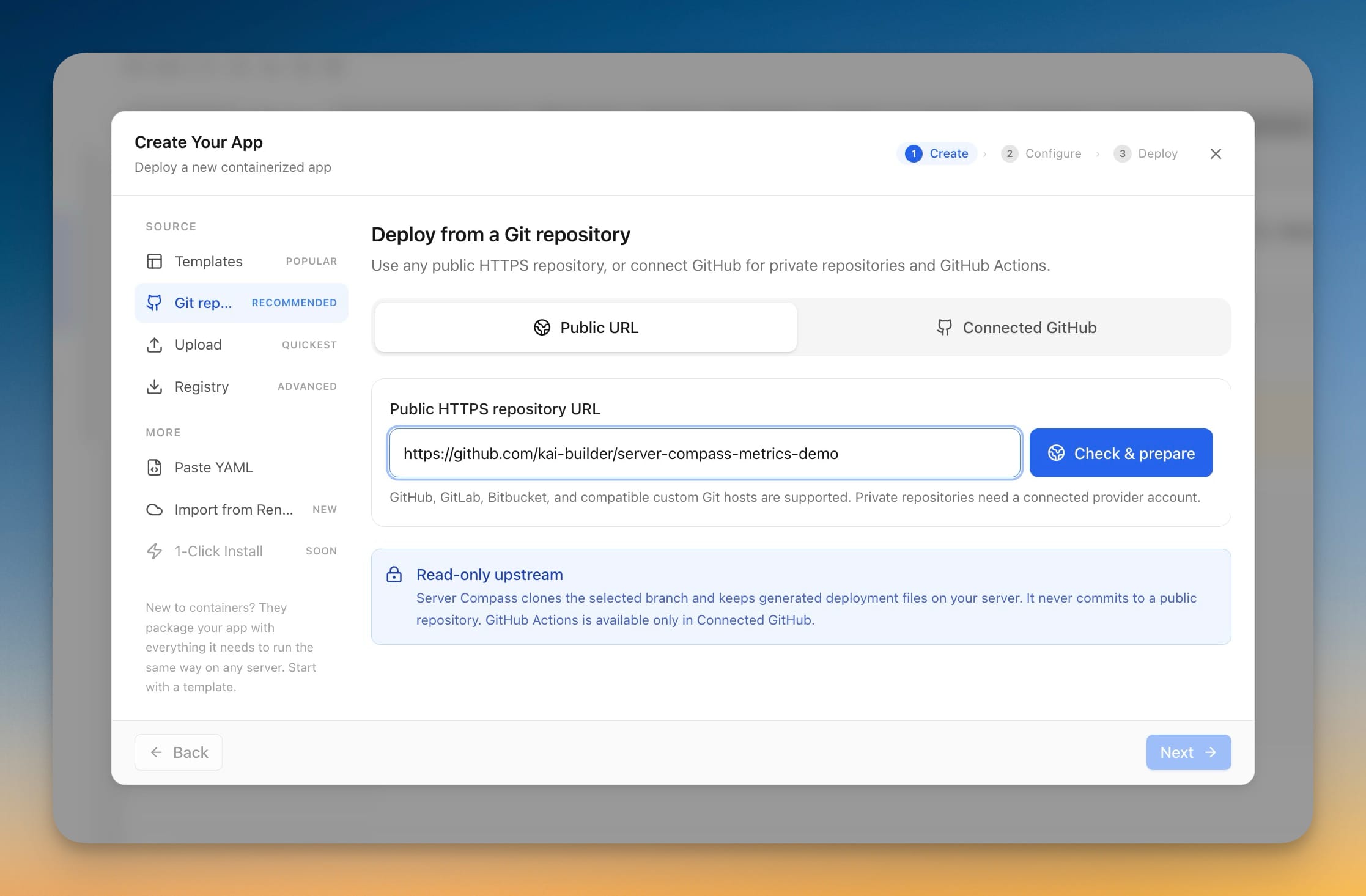
Deploy Any Public Git Repository Without Forking It
Paste a public HTTPS repository URL from GitHub, GitLab, or Bitbucket, pick a branch, and deploy — no account connection, no fork, and the app you get has full redeploy, rollback, and backup support.
Read on servercompass.app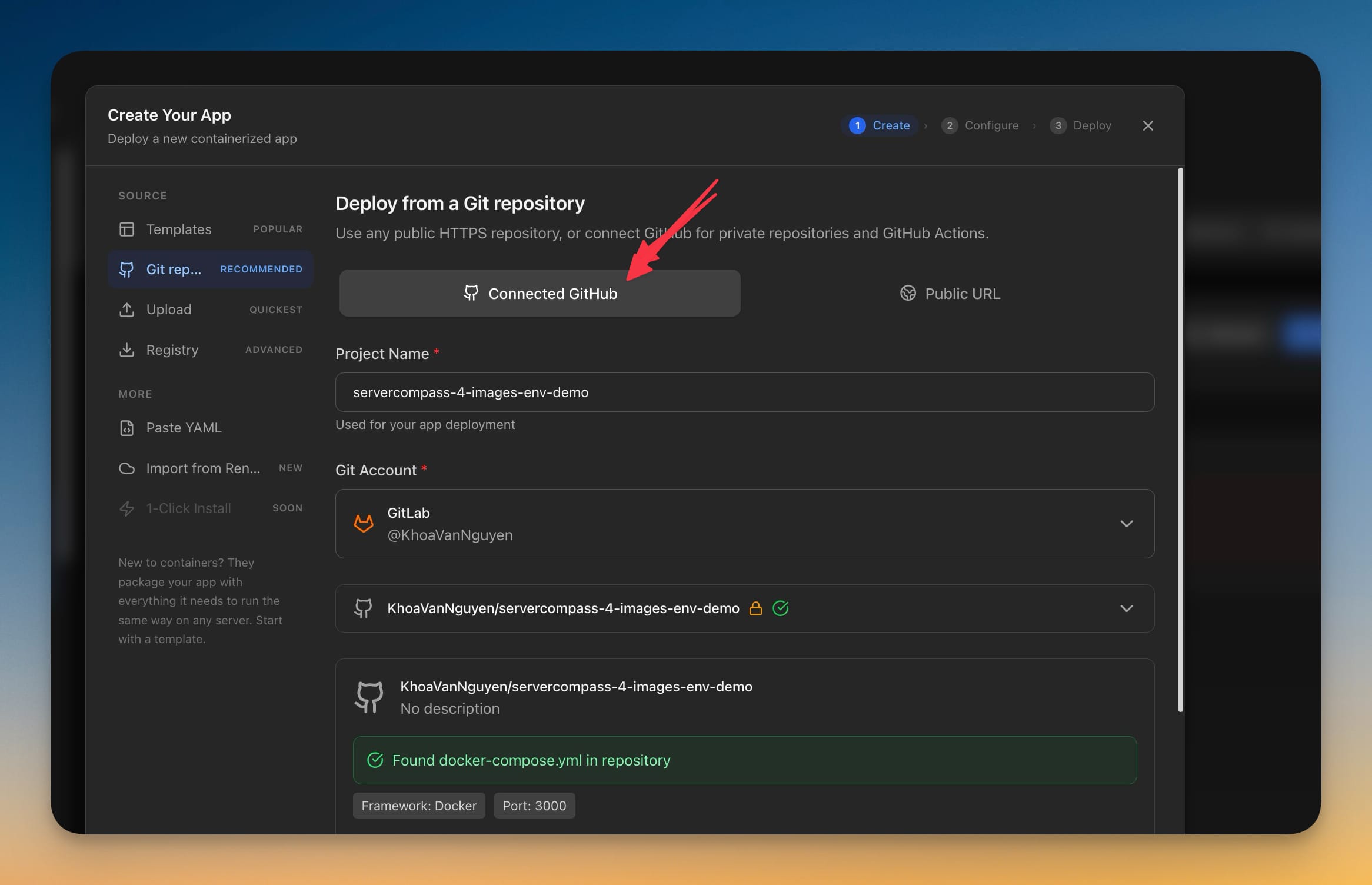 ServerCompass7 min read
Deploy Private GitLab Projects to Your Own Server
Server Compass 1.39.0 connects to GitLab.com and self-managed GitLab with a personal access token, so private projects — including ones nested deep in subgroups — deploy the same way GitHub projects already do.
Read on servercompass.app