v1.25.0June 14, 2026
Comment on Web Pages and Send to AI
Comment on Web Pages and Send to AI. Also in this release: First-Run Onboarding, Reader Mode and Sticky Note Settings.
Download v1.25.0
The download page always has the newest build; installers for this version are on GitHub.
What changed
New features
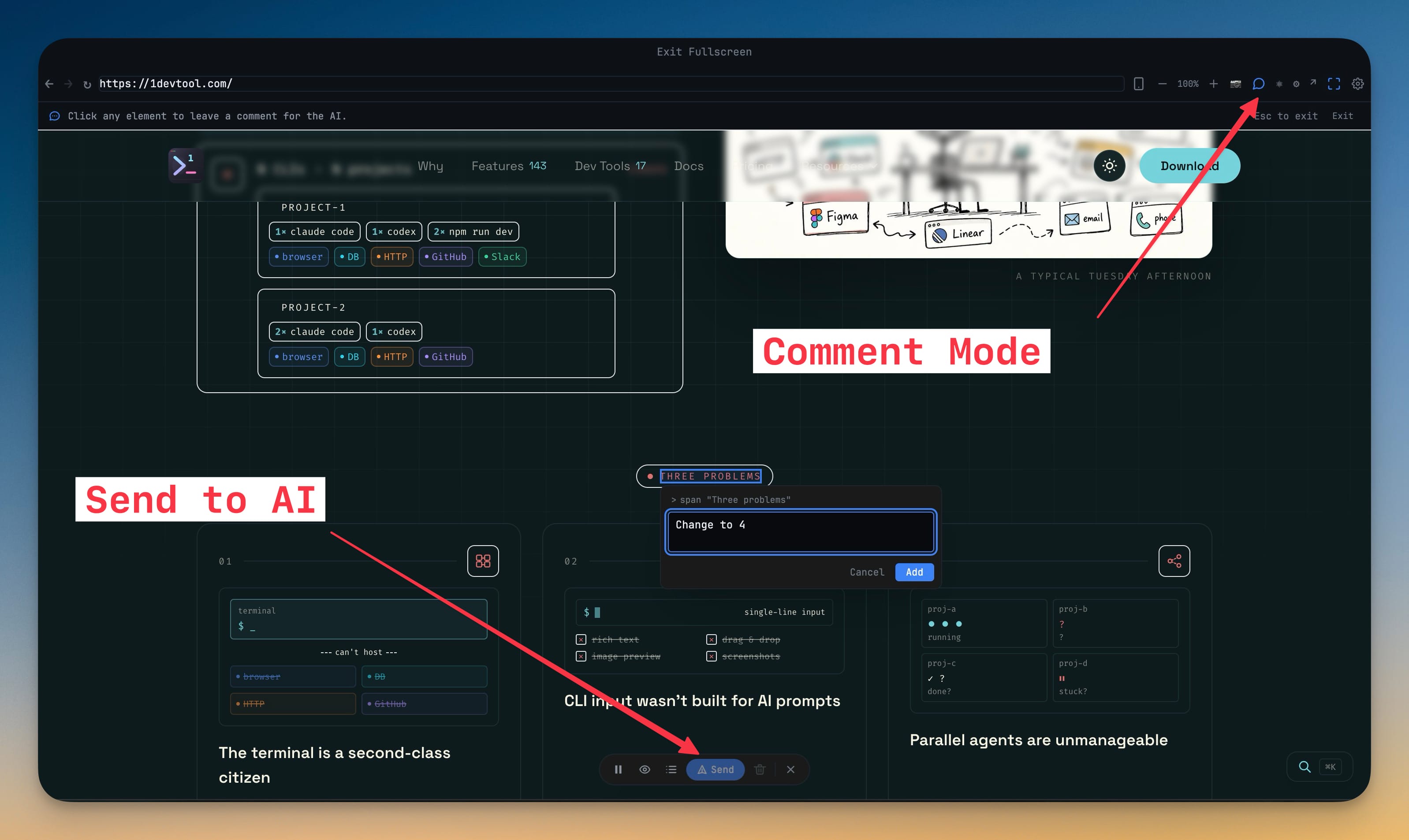
11- Drop comments directly on any web page in the browser panel — turn on comment mode (💬) in the toolbar, hover to highlight an element, and click to leave a numbered note
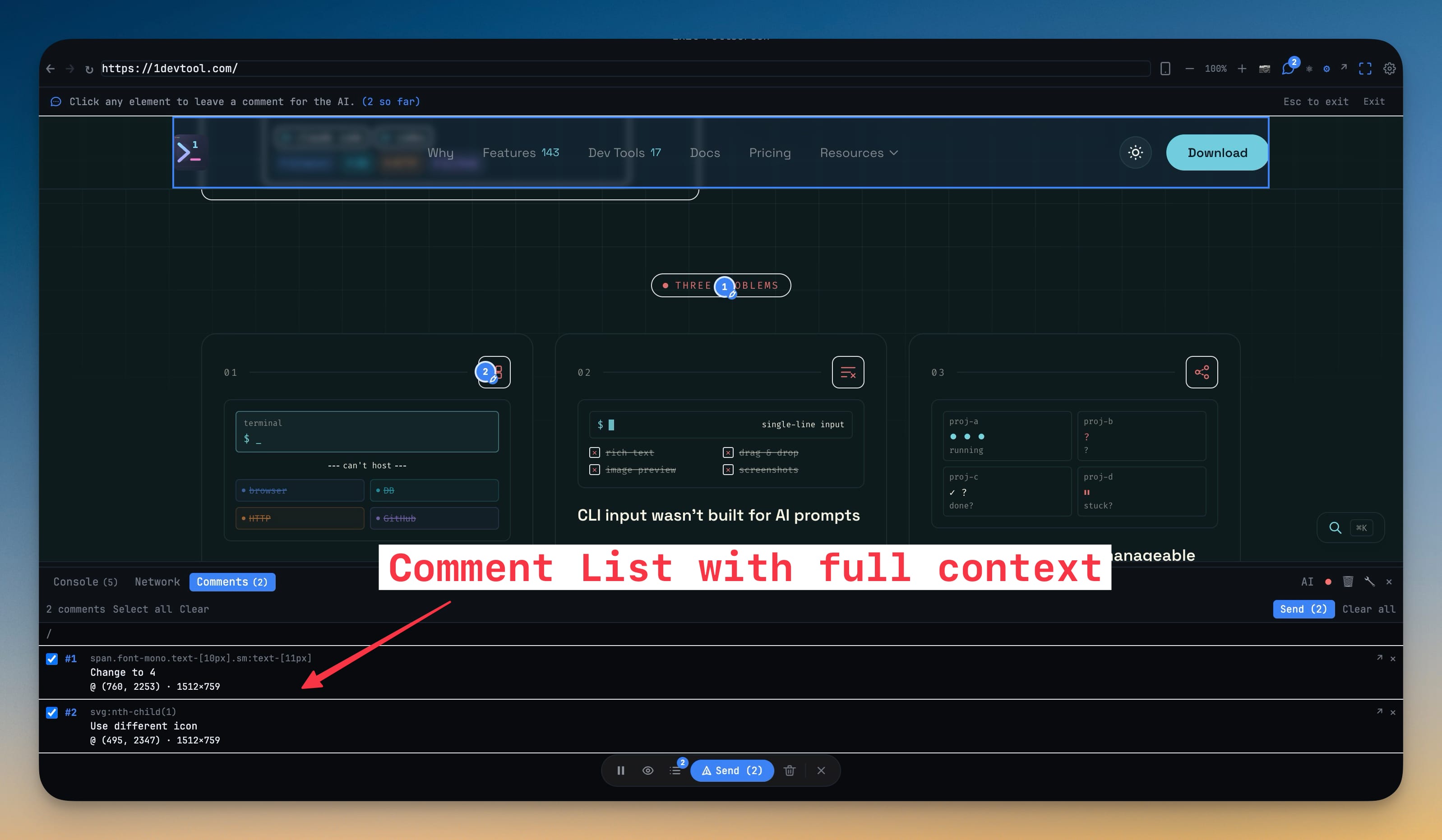
- Pins stick to the page across routes — leave several notes on one page, navigate to another, and keep going. Each comment captures the element, its location, the page address, and the screen size
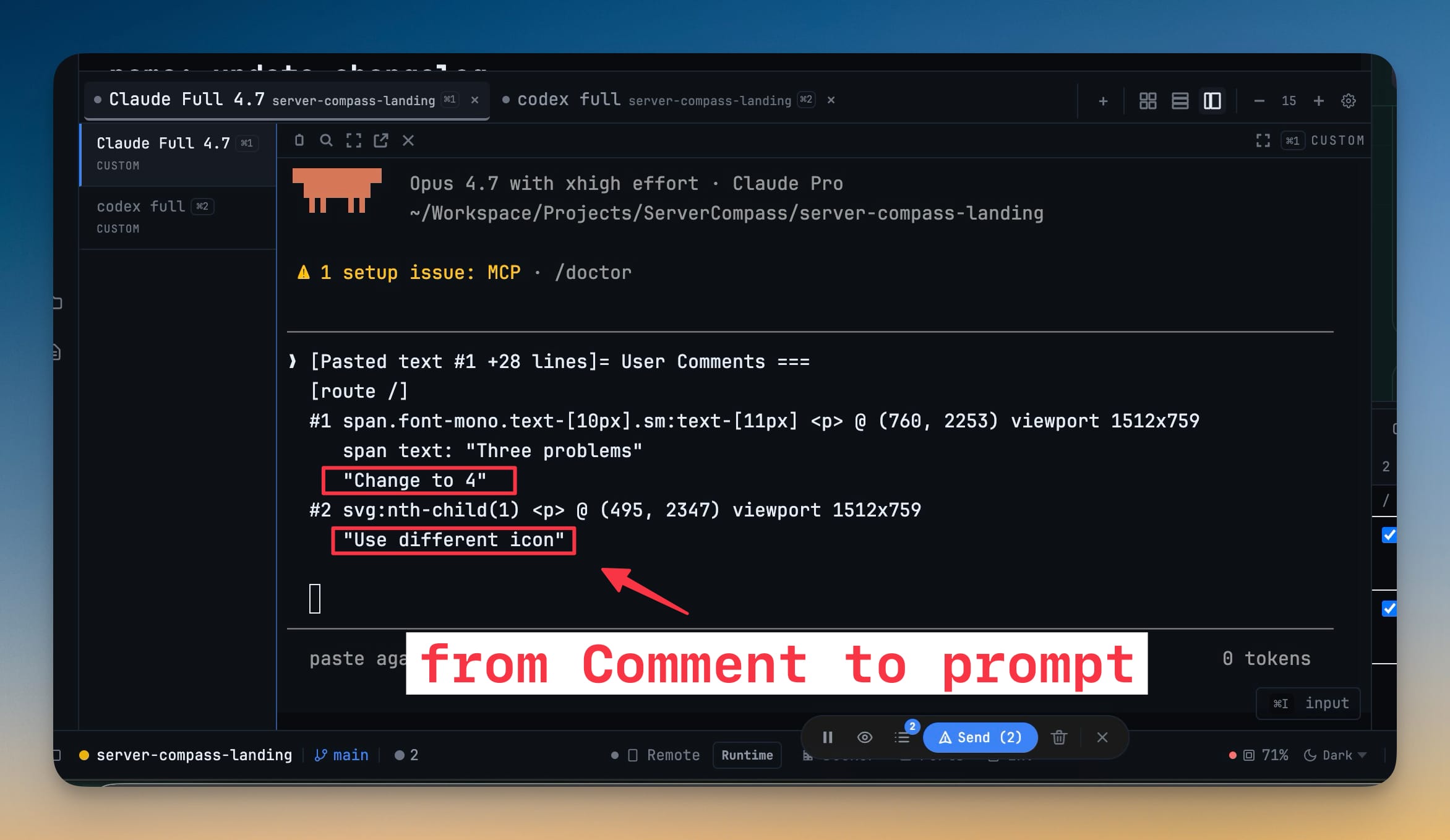
- Send all your page feedback to an AI agent at once — bundle selected comments into Send to AI Terminal so the agent gets element-aware, position-aware feedback grouped by page, alongside your console logs, network requests, and screenshots
- Review and manage comments in a dedicated Comments tab — comments are grouped by page, with jump-to, select, and delete controls
- A guided welcome for new users — brand-new workspaces now open with a short orientation card explaining what 1DevTool is and a clear three-step path: open a project, launch an AI agent, start prompting
- Get started checklist — a compact, dismissible checklist tracks your first steps and ticks them off automatically as you do them, with arrows that point to exactly where to click for each step
- Covers adding a project, launching an AI agent, opening the agent input, opening a file, and trying the browser, HTTP client, and database client
- Smarter empty terminal screen — pick an AI agent right from the empty state with one-click launch chips for Claude, Codex, Gemini, Amp, OpenCode, and Bash
- The app detects which agents are actually installed and dims the ones that aren't, with a copy-paste install hint so you never launch into a "command not found"
- Choose your terminal layout — single, columns, rows, or grid — before your first terminal even opens
- Rotating tips on the welcome screen surface hidden features like dragging a folder to open it, running agents side-by-side, and @mentioning another agent
Improvements
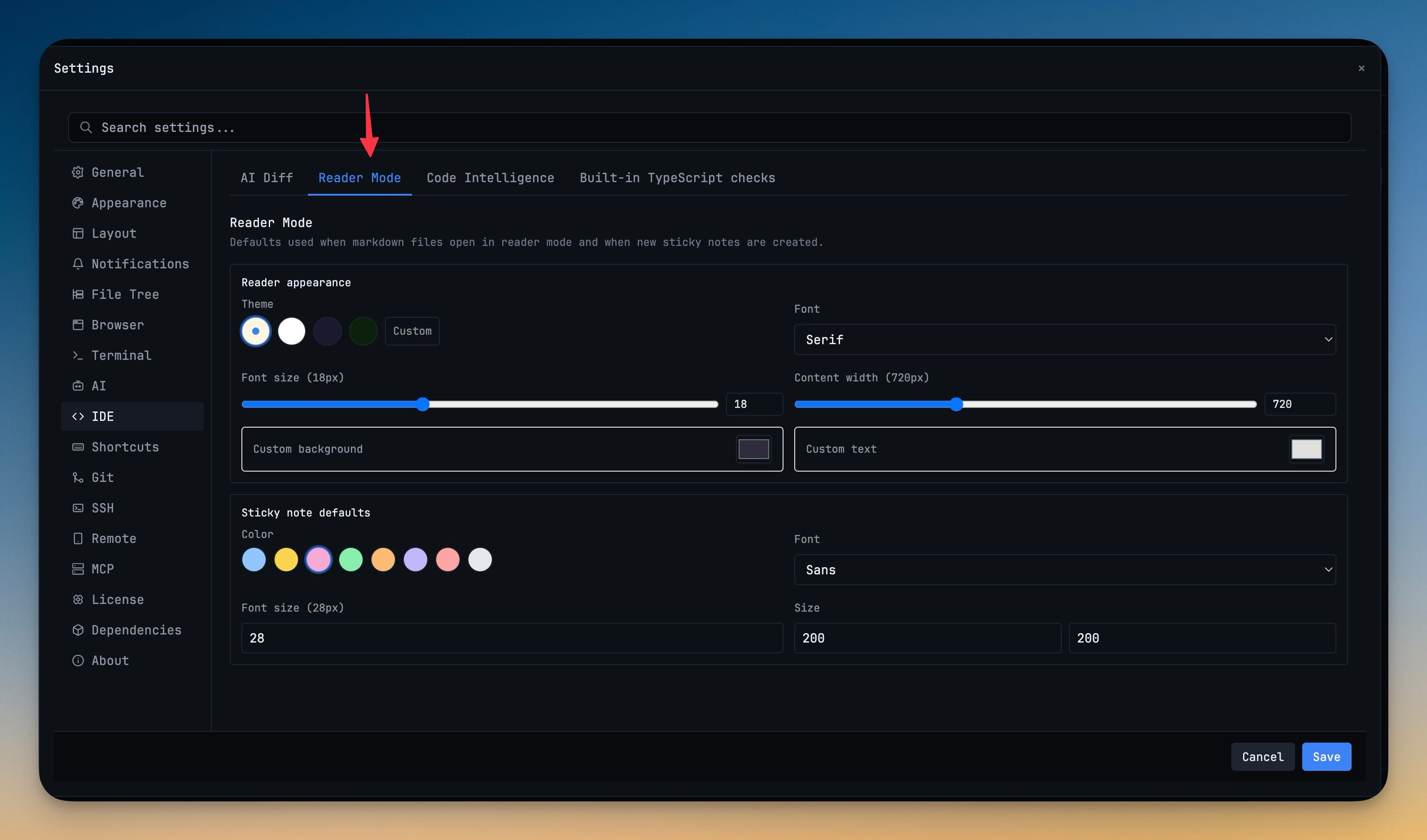
3- Reader Mode now has its own settings panel — set your preferred background (Sepia, White, Dark, Green, or a custom color), font, font size, and content width once in Settings → IDE, and it applies everywhere you read
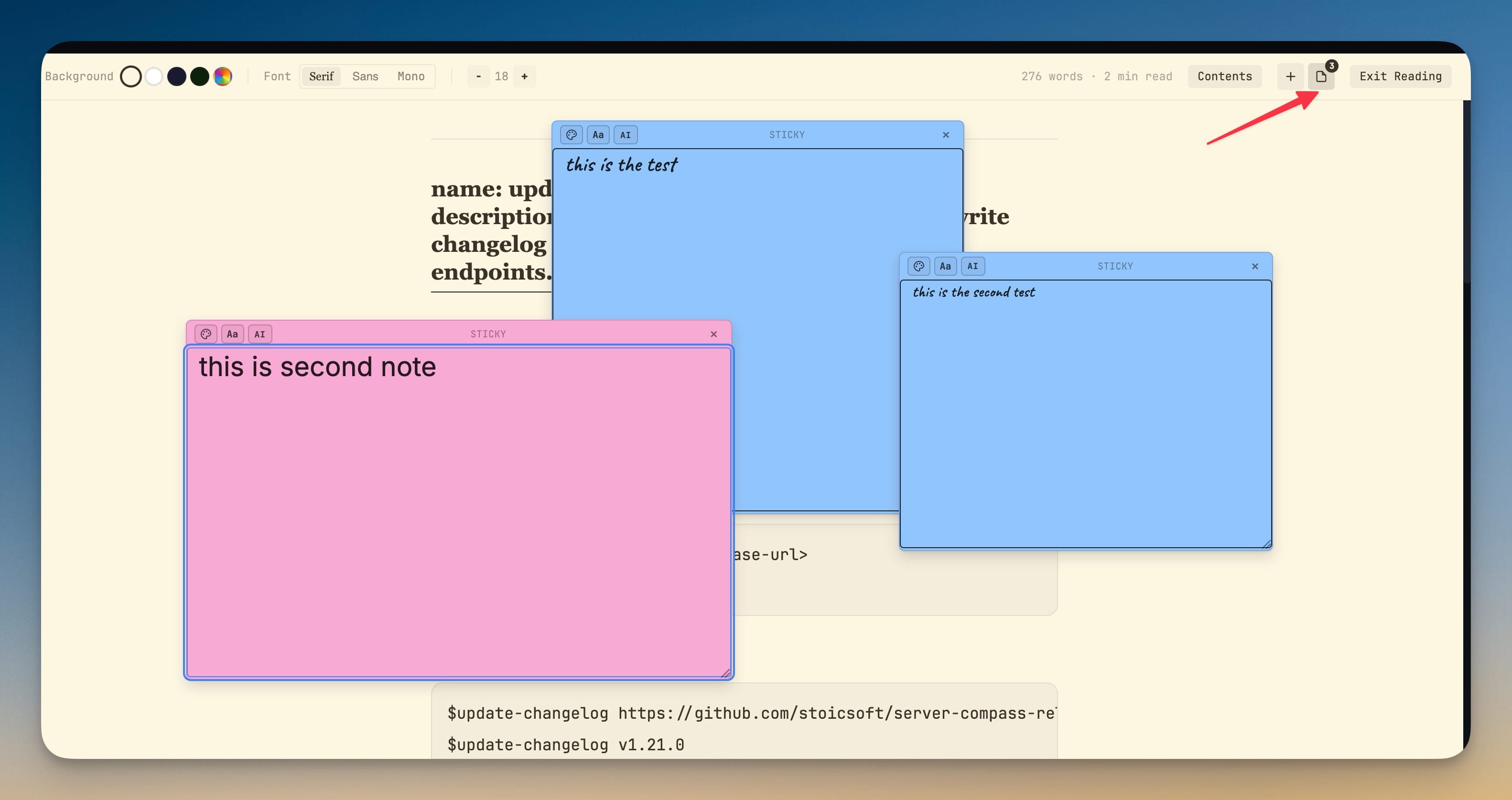
- Customize sticky notes — choose the default note color, font, font size, and size from settings so new notes match how you like to work
- Your old reading preferences carry over automatically to the new settings the first time you upgrade
Bug fixes
2- Fixed clicking an element in browser comment mode not opening the note box on some live sites — clicks are now captured reliably so the comment popover always appears
- Fixed sticky notes and the note text area not respecting your saved size and style preferences — notes now open with the look you chose
Screenshots