v1.25.3June 18, 2026
Session Save & Git Smarts
Session Save & Git Smarts. This release brings Save or Discard Terminal Sessions on Quit and Richer Commit Detail in Git History.
Download v1.25.3
The download page always has the newest build; installers for this version are on GitHub.
What changed
New features
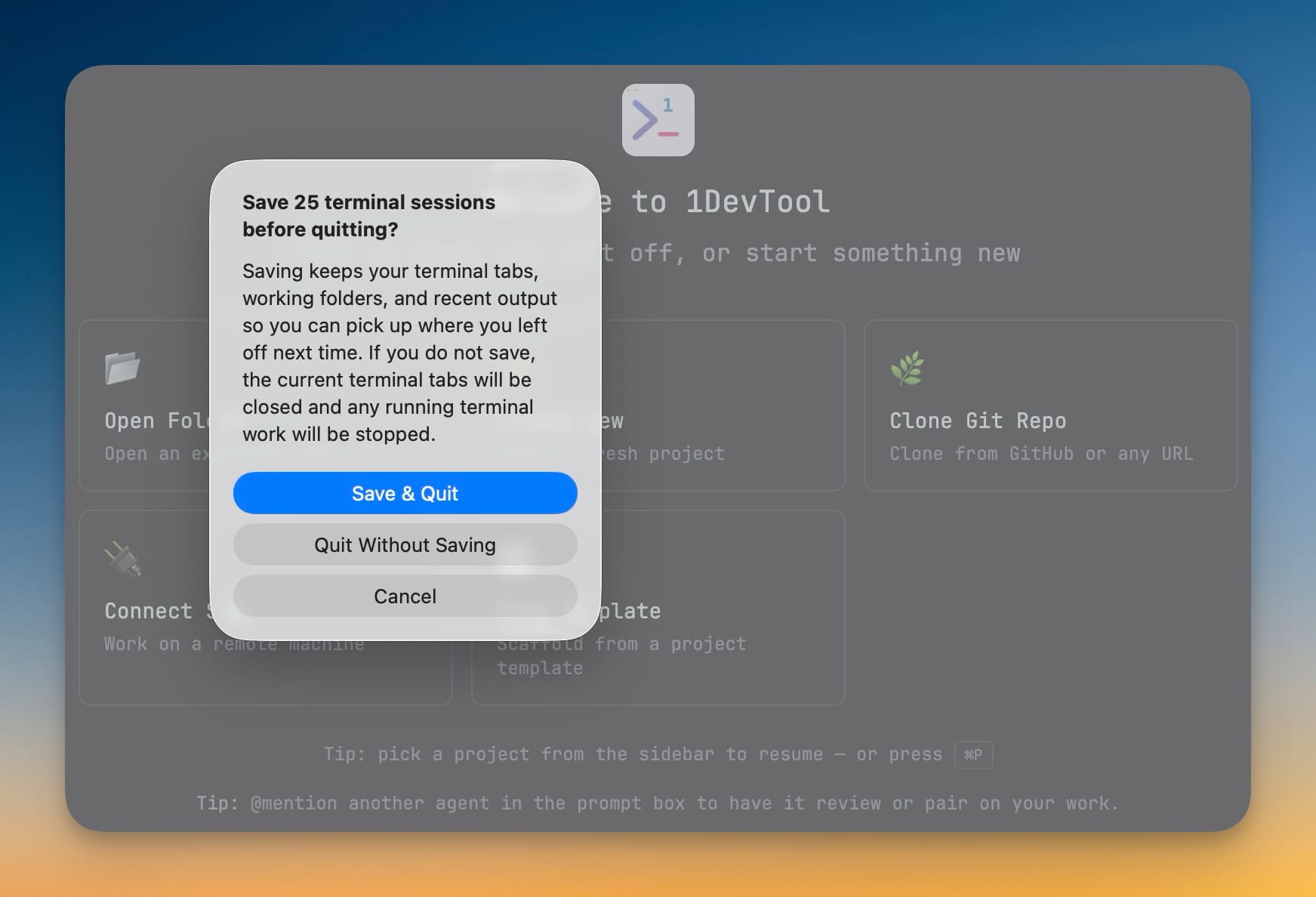
9- Choose what happens to your terminals when you quit — closing the app with active terminal sessions now prompts you to save or discard them
- Save keeps your terminal tabs, working folders, and recent output so you can pick up where you left off next time
- Discard closes everything cleanly and stops any running terminal work
- Automatic on Windows and Linux — the prompt appears when you close the window or quit the app; macOS users can still close the window and keep sessions running in the background
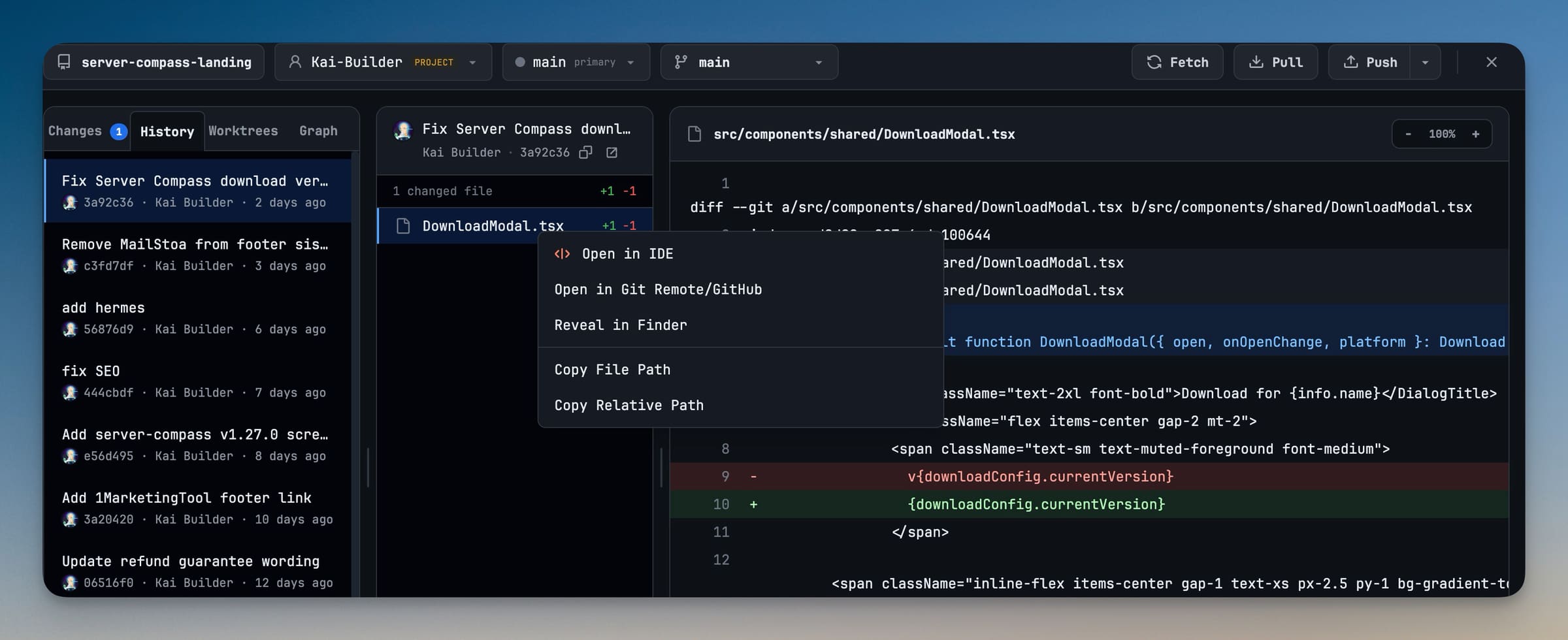
- Author avatars on every commit — the history panel now shows stacked co-author avatars (up to three, with an overflow count) so you can see at a glance who contributed to a commit
- Copy commit hash — a one-click copy button next to the short hash puts the full commit hash on your clipboard
- Open commit in remote — an external link button opens the commit directly on GitHub, GitLab, or Bitbucket
- Total line changes at a glance — additions and deletions are tallied and displayed in the commit detail header
- Right-click files in history — a new context menu on files in the history panel lets you open them in the editor, open them on the remote, reveal them in Finder/Explorer, or copy their path
Improvements
5- Cloudflare Tunnel URL appears instantly — the public URL now shows as soon as the tunnel starts, with a background probe confirming reachability separately, so you're no longer stuck waiting on "Generating public URL…" for up to a minute on networks that block UDP
- Tunnel uses HTTP/2 by default — forced HTTP/2 transport avoids QUIC/UDP failures common on residential ISPs, corporate networks, and hotel Wi-Fi, making the tunnel connect reliably where it previously timed out
- Remote Control finds a free port automatically — if the preferred port is already in use by another app or a stale instance, the server walks forward to the next available port instead of failing
- Discard multiple staged changes at once — right-clicking a staged file that's part of a larger staged selection now offers to discard all staged changes together, not just one file at a time
- Terminal loading indicator — a brief loading overlay with the terminal name appears while a terminal is initializing, so you know something is happening instead of staring at a blank screen
Bug fixes
3- Fixed Cloudflare Tunnel stuck on "Generating public URL" on UDP-blocked networks — the URL now appears immediately and reachability is confirmed in the background, instead of blocking the entire UI on a probe that could take 60+ seconds
- Fixed Remote Control failing silently when port is occupied — the server now automatically binds to the next free port instead of erroring out
- Fixed inaccurate file status in commit history — file changes now use the actual git status (Added, Modified, Deleted, Renamed) instead of guessing from line counts, so renamed and deleted files show correctly
Screenshots