v1.26.0June 21, 2026
Control Your Dev Machine From Your Phone: Files, Source Control, Agent Prompts & Notifications
Control Your Dev Machine From Your Phone: Files, Source Control, Agent Prompts & Notifications. This release brings Browse, Read Project Files Remotely, Source Control From Your Phone, Mention Files While Prompting an Agent.
Download v1.26.0
The download page always has the newest build; installers for this version are on GitHub.
What changed
New features
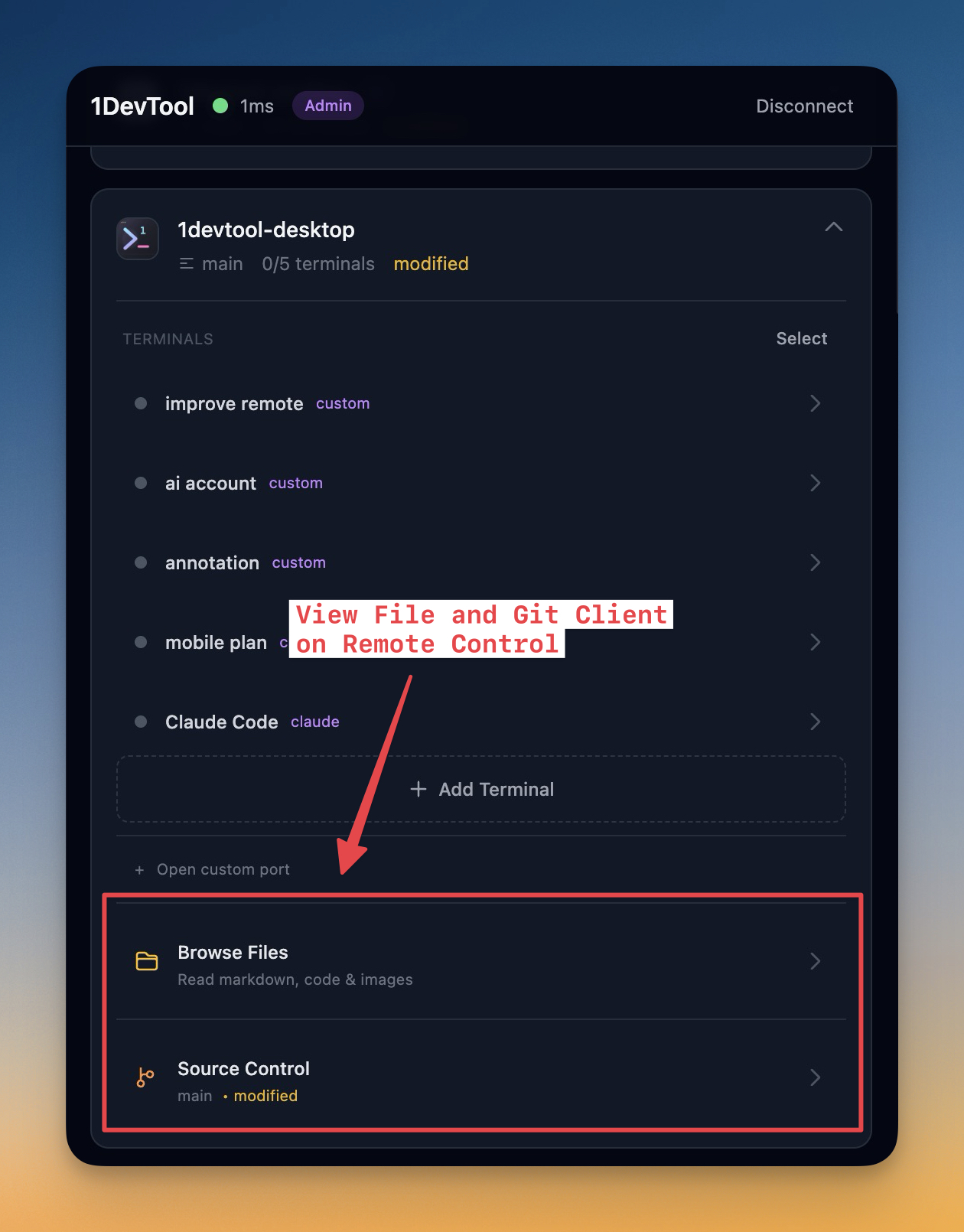
11- Browse your project files from your phone — the Remote Control dashboard now has a "Browse Files" entry for every project, with folder navigation, breadcrumbs, and project-wide name search
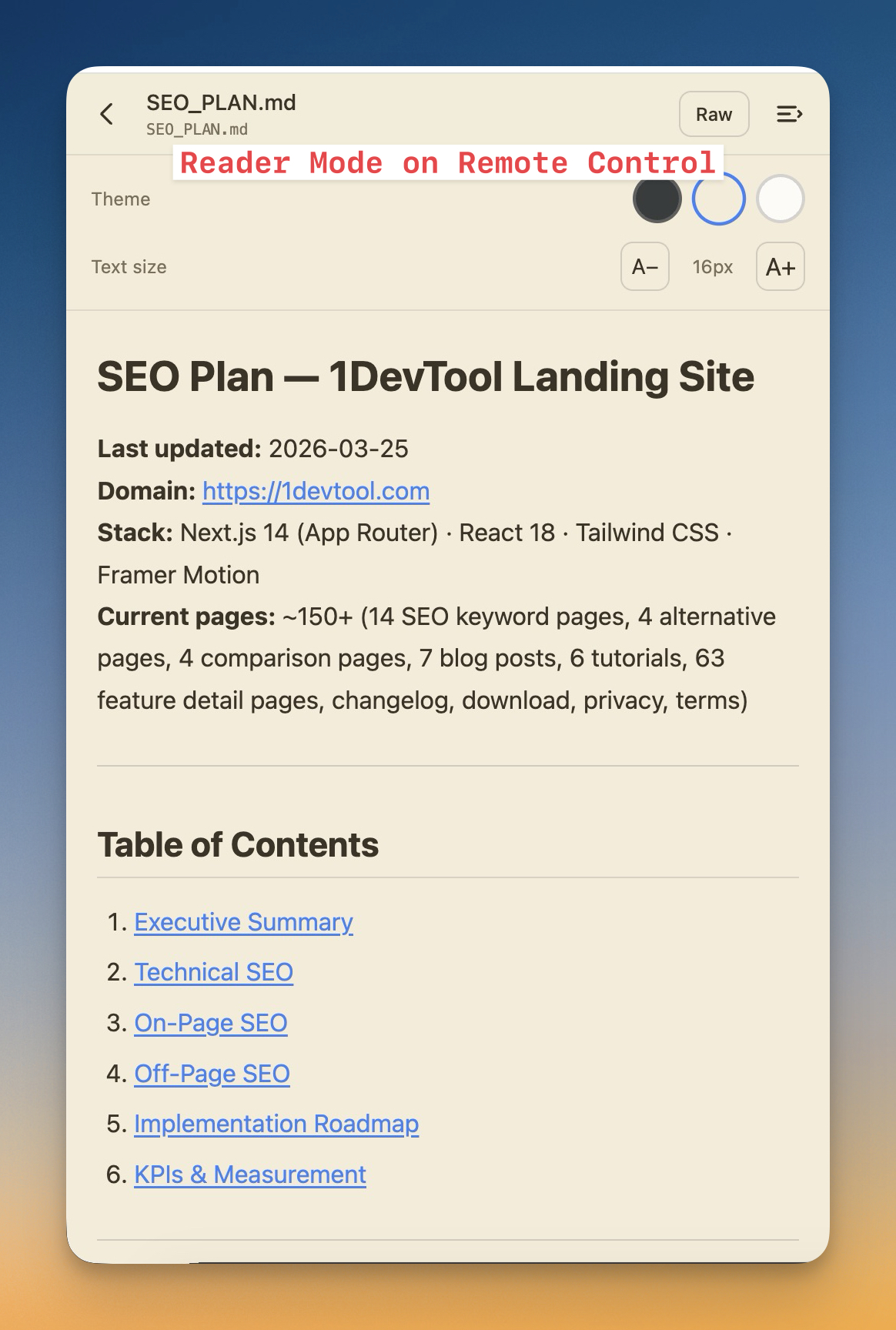
- A built-in reader for what you open — markdown opens in a distraction-free reader you can tune to your liking, code opens with syntax highlighting, and images preview inline
- Pick a reader theme (Dark, Sepia, or Light) and font size — your choice is remembered for the next file you open
- Edit and save files in place — with operator access you can make a quick fix from your phone and save it straight back to the project, without opening a terminal
- A full source-control view in Remote Control — open any project to see its current branch, changed files grouped by status, and tap a file for its diff
- Commit, push, and pull on the go — with operator access you can review an AI agent's edits on the live terminal stream and then commit and push, all from your phone
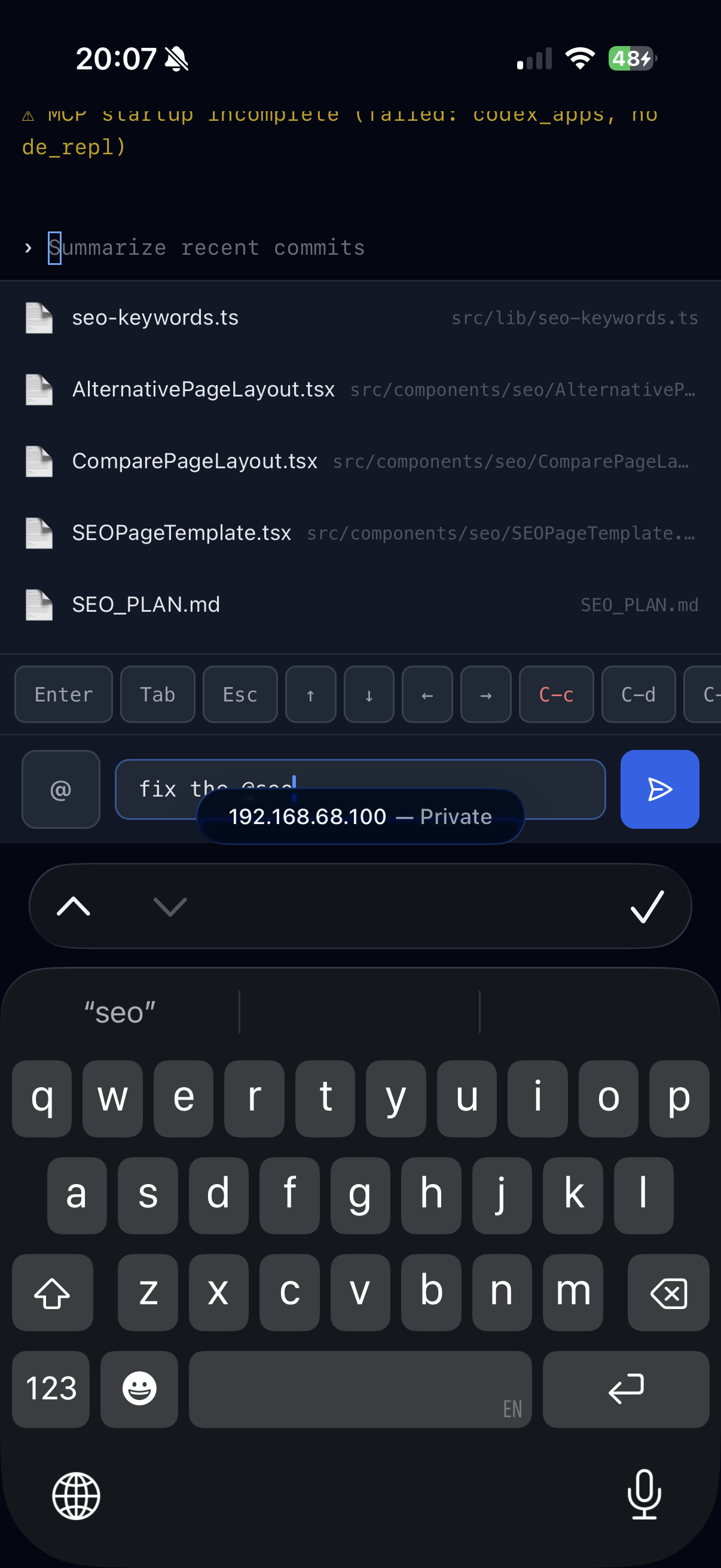
- Type @ in the remote terminal to bring up a file typeahead and drop a project file into your prompt
- Or open the full file picker sheet to browse and search the whole project, then insert a file mention — so prompting an agent from your phone is as precise as it is at your desk
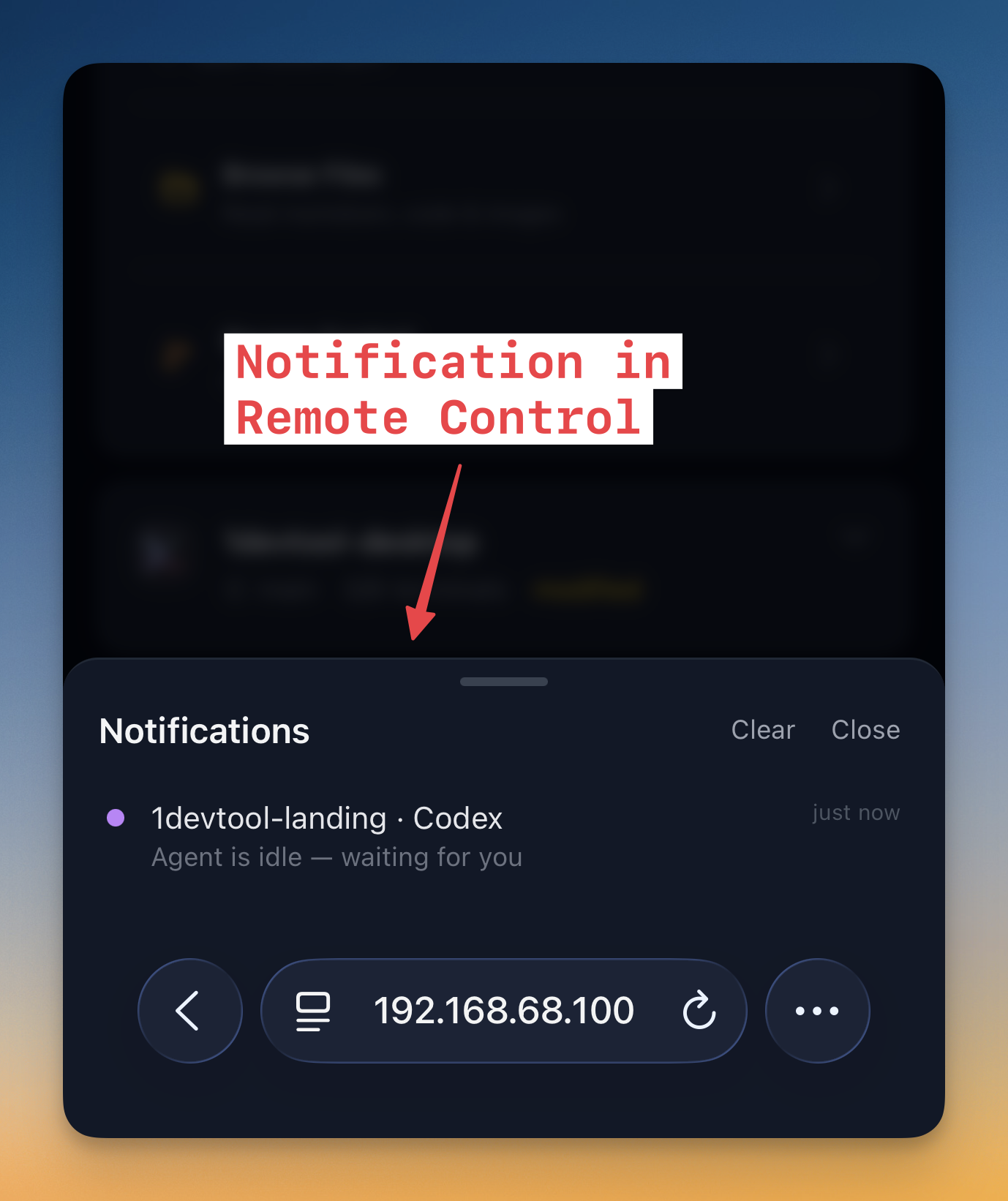
- Know the moment something finishes — get notified when a terminal command completes or an AI agent goes idle, even when you're on another screen
- Notifications everywhere you look — an in-app banner appears at the top, a bell shows your unread count, and native phone notifications reach you when the page is in the background
- Tap to jump right in — tapping a notification opens the exact terminal that triggered it
Improvements
2- More reliable Remote Control connections — pairing and reconnection are steadier, so your phone stays linked to your machine through network hiccups
- Smoother phone terminal scrolling — flicking up to read earlier output no longer fights the live stream, and your scroll position is preserved when the layout adjusts
Bug fixes
2- Fixed the phone terminal snapping back to the bottom while output was still streaming — scrolling up to read now stays put until you return to the bottom yourself
- Fixed remote notifications not arriving reliably — activity alerts from your terminals and AI agents now reach your phone consistently
Screenshots