v1.27.0June 24, 2026
GitLab, External Sessions & Agent Switching
GitLab, External Sessions & Agent Switching. This release brings GitLab Support, Continue AI Sessions From Other Apps, Switch AI Agents From the Terminal and PowerShell Terminal.
Download v1.27.0
The download page always has the newest build; installers for this version are on GitHub.
What changed
New features
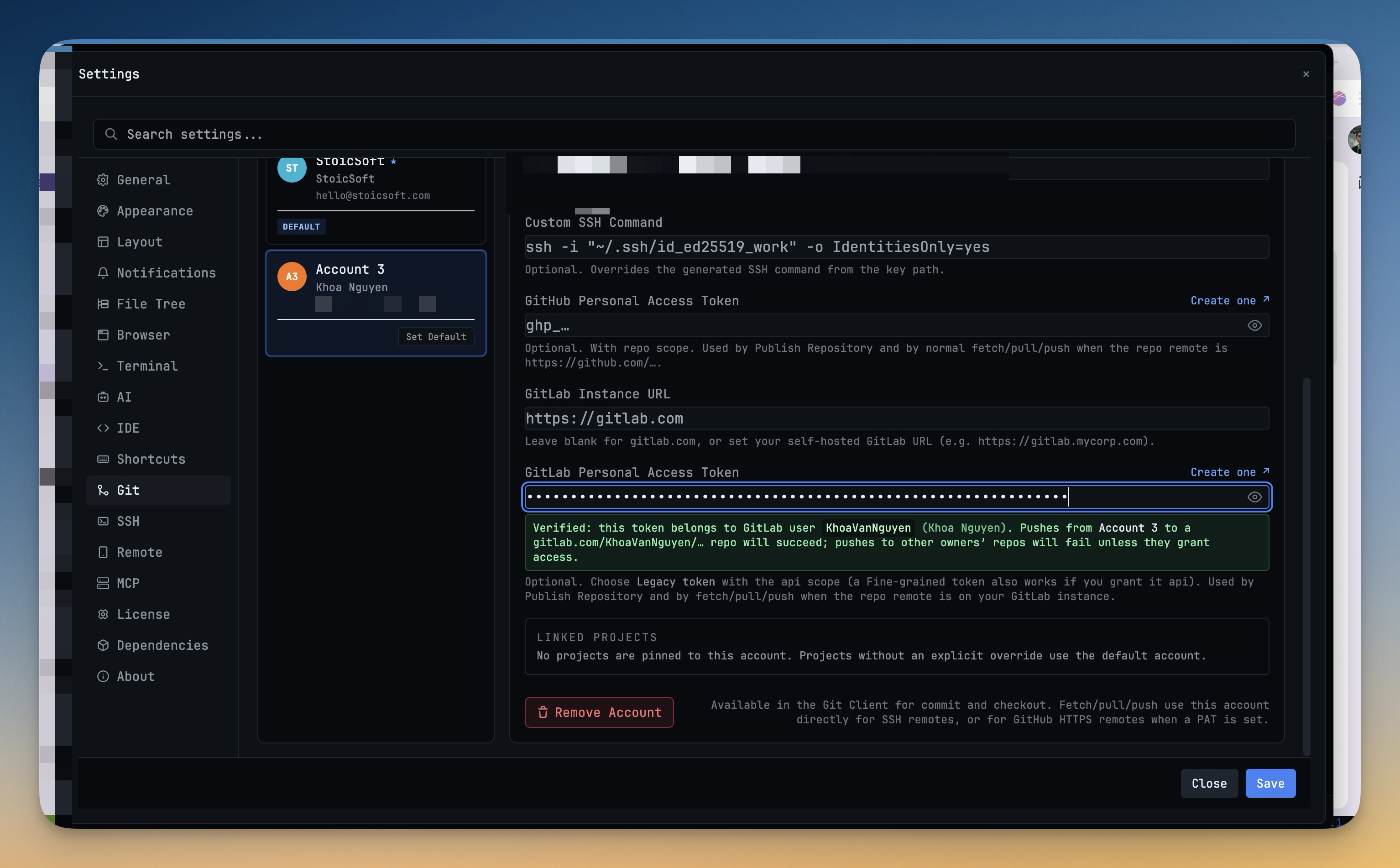
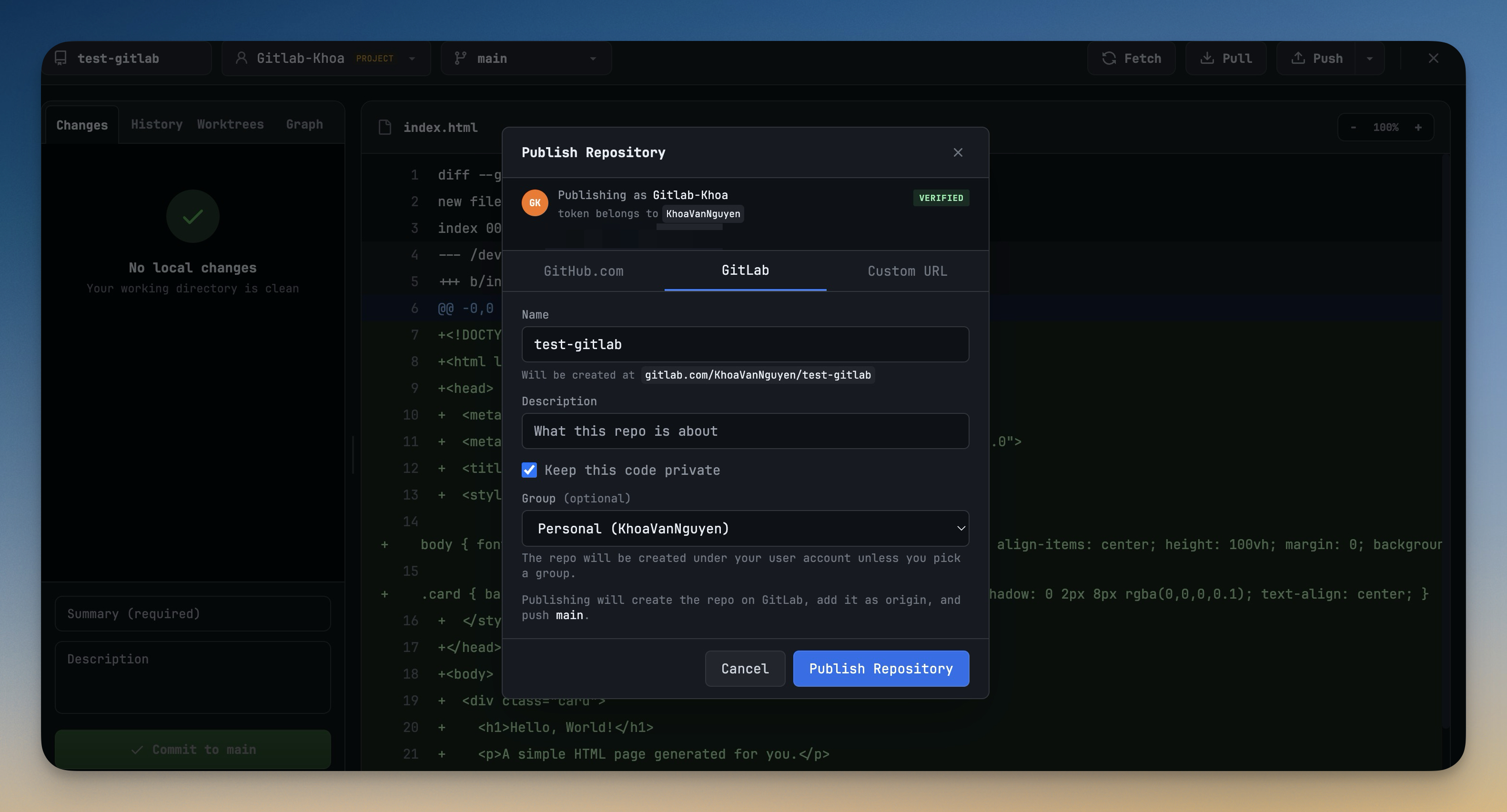
12- Connect your GitLab account — add a GitLab Personal Access Token in Settings → Git to link your GitLab identity alongside any existing GitHub accounts
- Your username, avatar, and namespace are verified and shown so you know exactly which account will act on your behalf
- Publish repositories to GitLab — the Publish Repository dialog now lets you choose GitLab as the destination, pick a namespace (personal or any group you have access to), and set visibility (public, internal, or private)
- A clear warning appears if your token is missing the api scope before you try to publish, saving a round-trip error
- Push and pull with GitLab remotes — projects backed by GitLab repos sync just like GitHub ones, including branch tracking and remote URL display in the Git panel
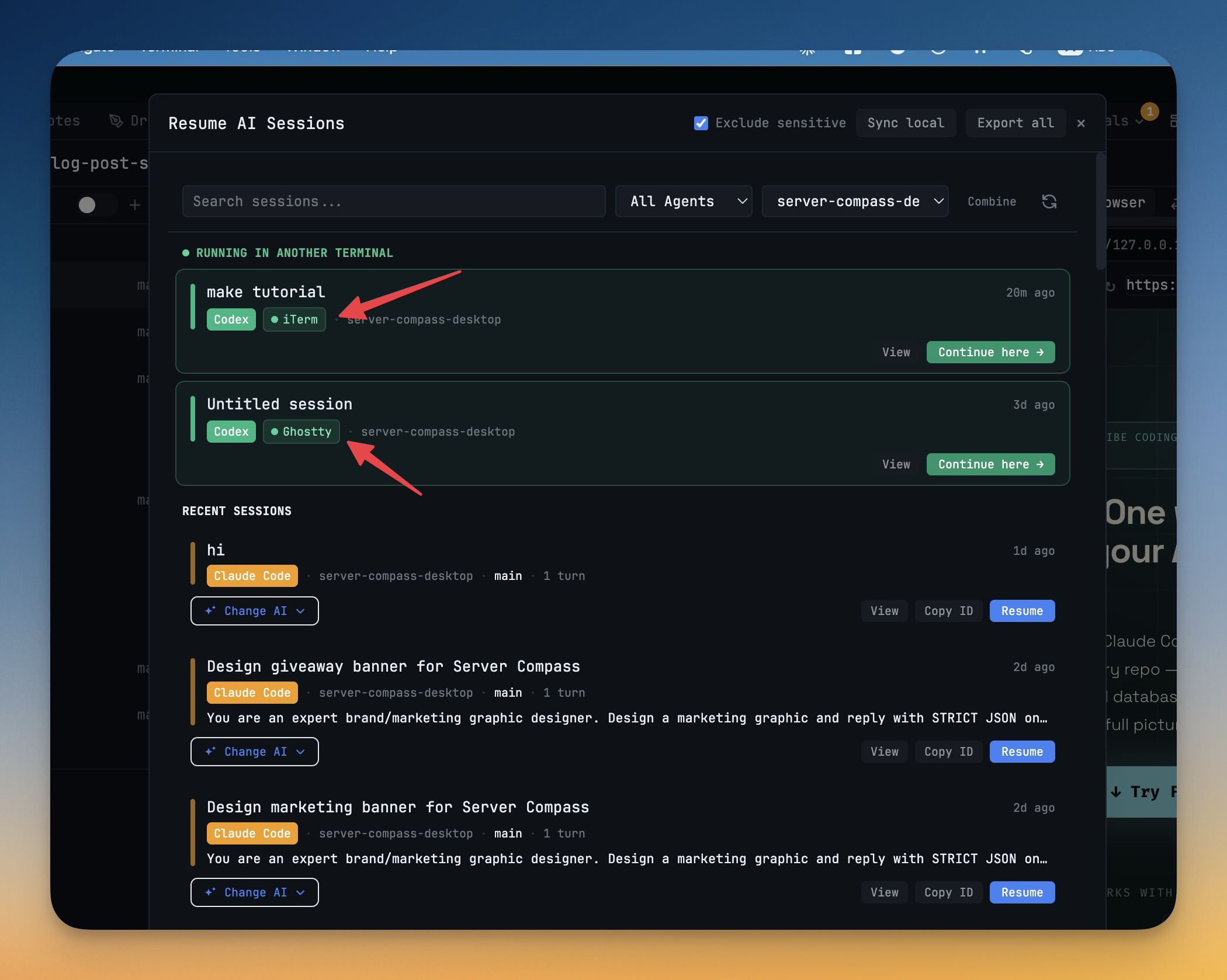
- Pick up a Claude, Codex, Gemini, or OpenCode session you started in another terminal — the Resume panel now shows sessions running live in Ghostty, iTerm, Apple Terminal, VS Code, Cursor, WezTerm, Kitty, Warp, and more, grouped separately so you can tell them apart at a glance
- Each card shows which app owns the session and its working directory
- "Close it & continue here" — a single click closes the external agent process and reopens the session inside 1DevTool with a full resume, so the whole conversation carries over
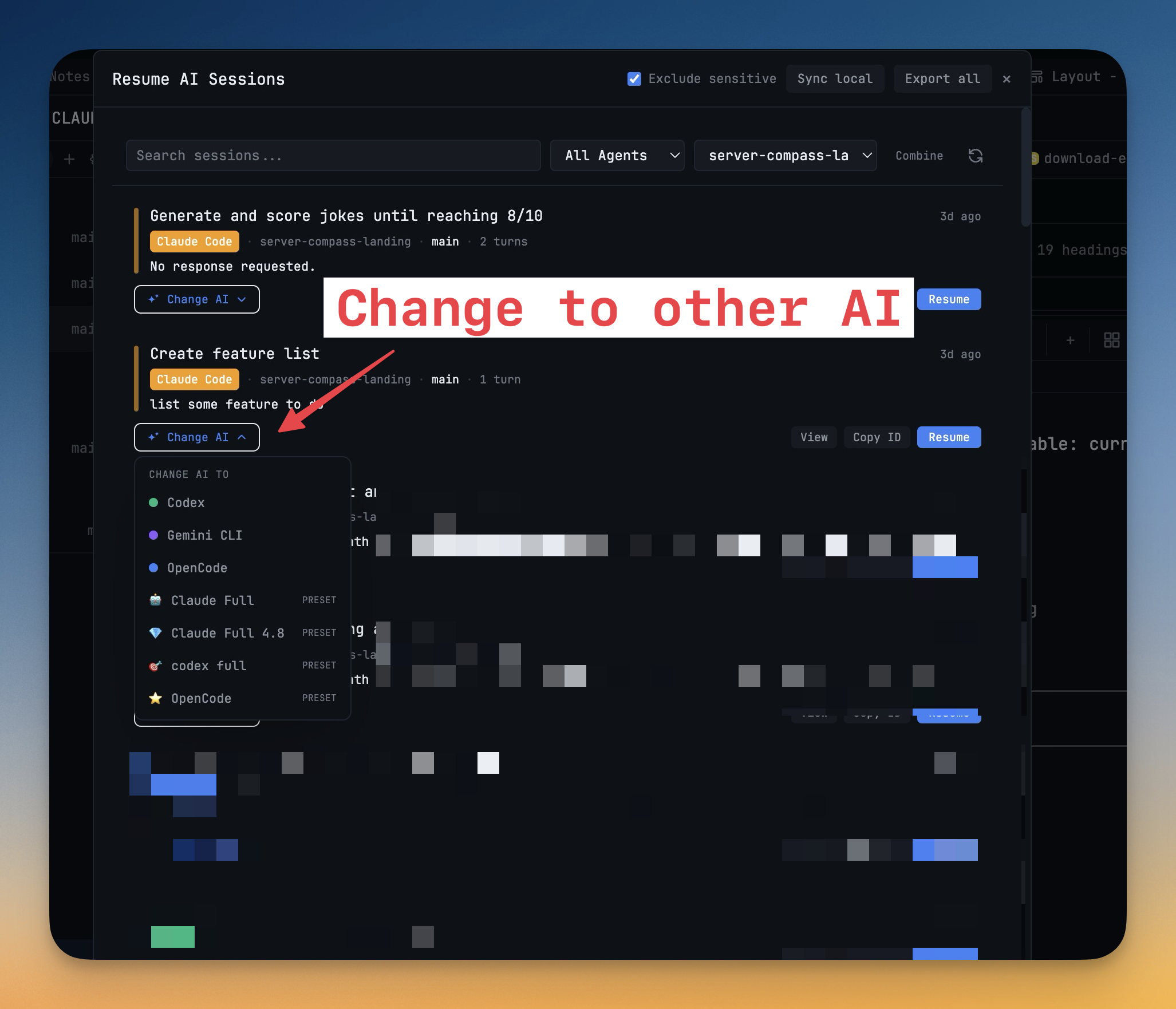
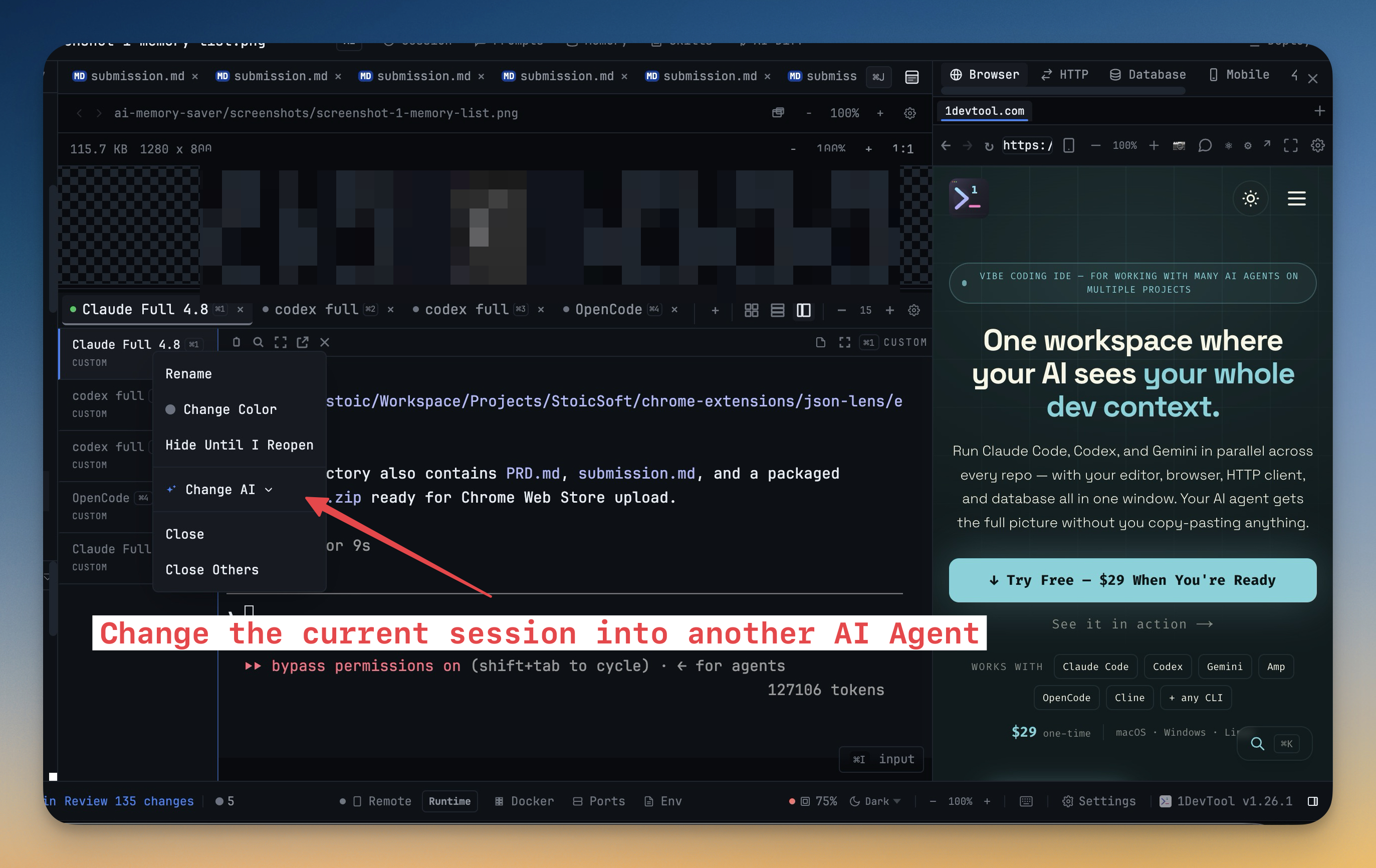
- Change the AI agent on any terminal tab — right-click a terminal tab to open the "Change AI" submenu and pick a different agent; the new session launches with a prompt pre-loaded, picking up where you left off
- Works with Claude, Codex, Gemini, Amp, OpenCode, and Qwen
- The outgoing agent's last visible prompt is read from the screen and automatically seeded into the new session so context isn't lost
- Open a PowerShell terminal — the Add Terminal dialog now includes PowerShell alongside Bash and Zsh in the Shells tab, so Windows users and anyone who prefers PowerShell can open it with one click
Improvements
2- Claude settings auto-configured for 1DevTool — on first launch, 1DevTool now patches your global Claude Code settings to use the classic TUI renderer and verbose tool output, preventing blank screens and truncated output without any manual configuration
- Resume panel shows live external sessions — the session browser detects AI agents running outside 1DevTool in real time (5-second refresh) so the list stays accurate as sessions start and stop
Bug fixes
3- Fixed Change AI submenu not appearing on terminal tabs — the context menu now reliably shows the agent-switching option on AI terminals
- Fixed Resume panel not loading sessions started outside 1DevTool — external agent processes are now discovered and listed correctly even when running in foreign terminal apps
- Fixed GitLab publish silently failing with an unhelpful error — insufficient-scope token errors now surface a clear, actionable message pointing to the missing api scope
Screenshots