Two New Layouts, and Deliveries You Can Trust
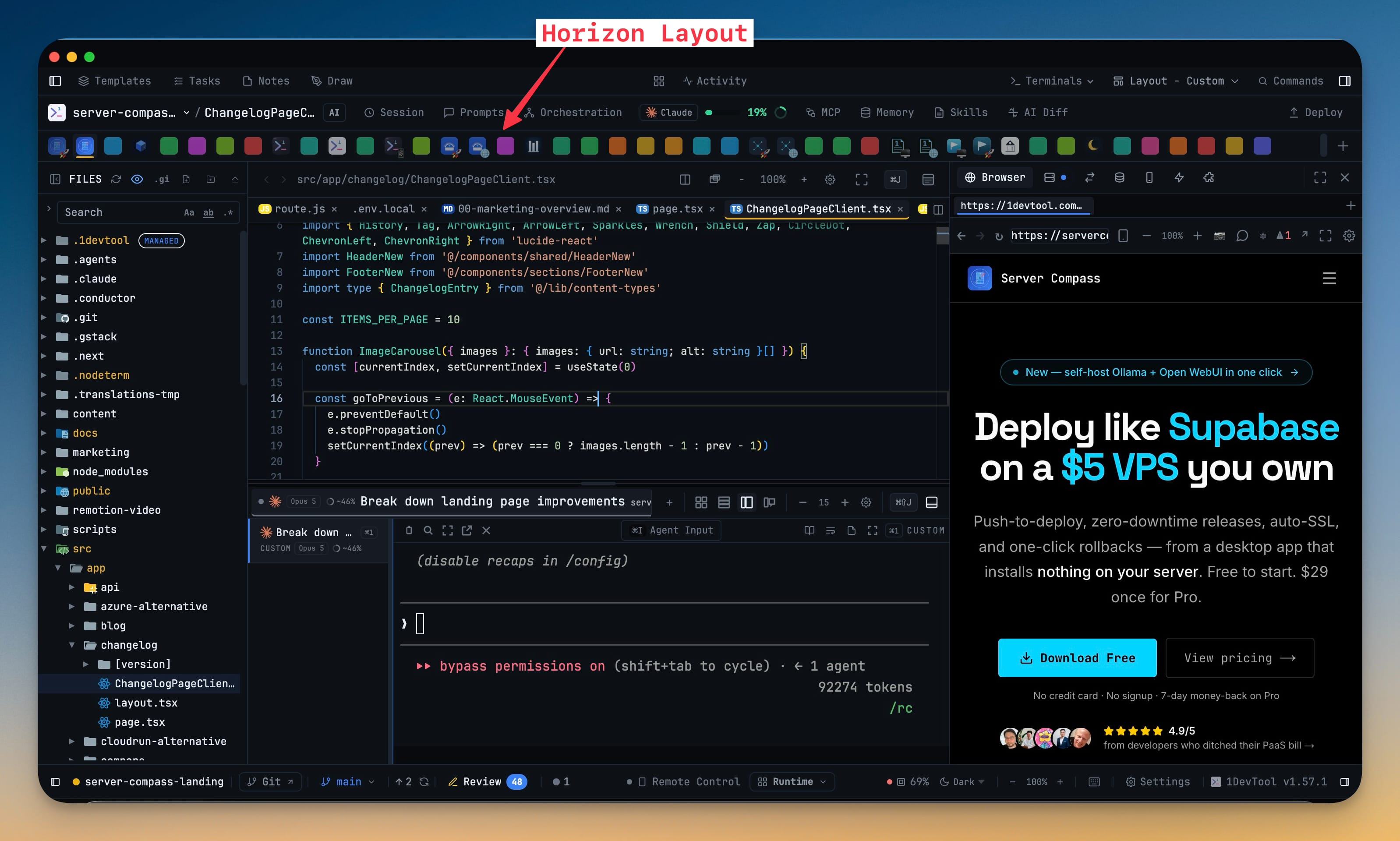
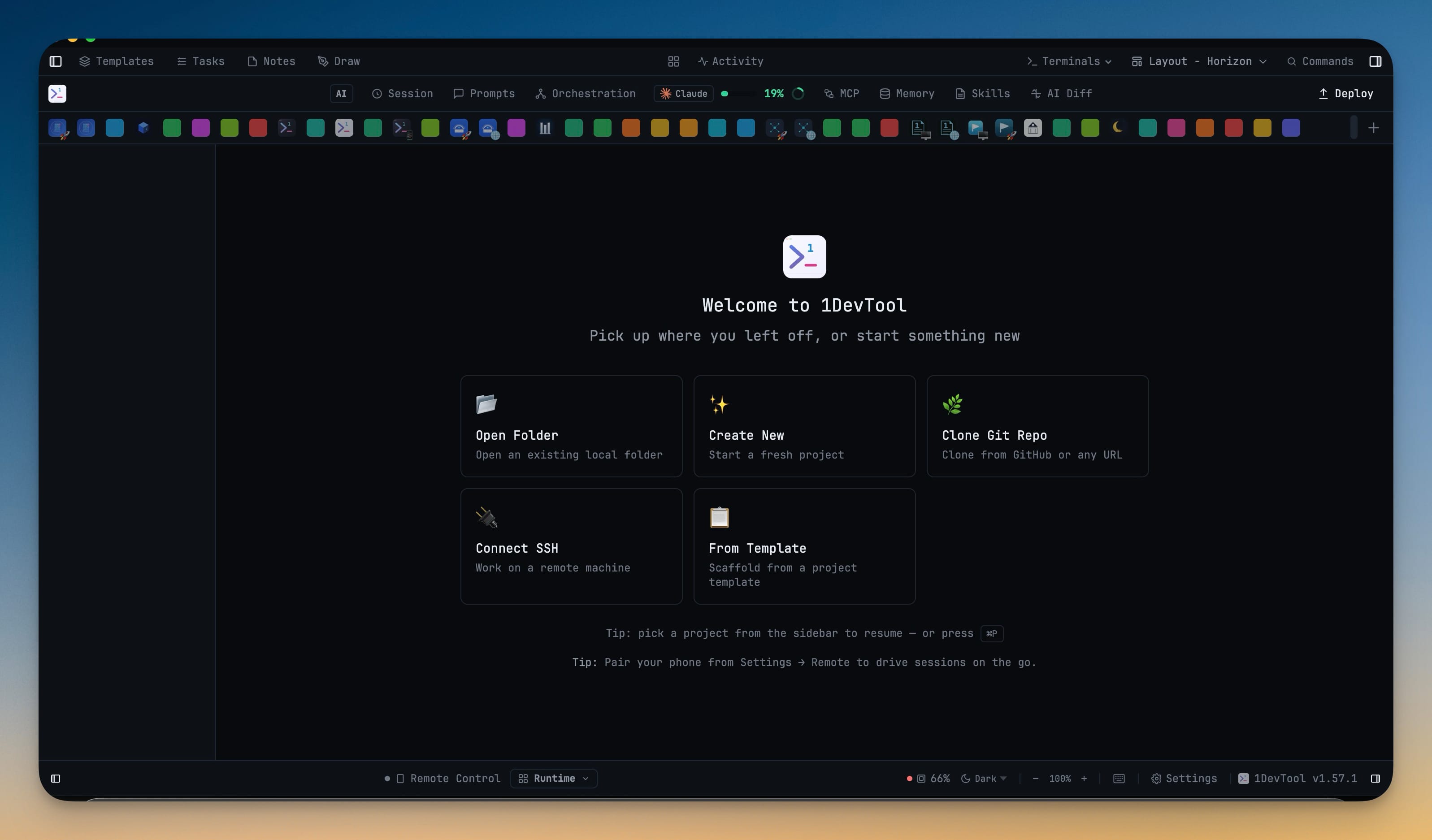
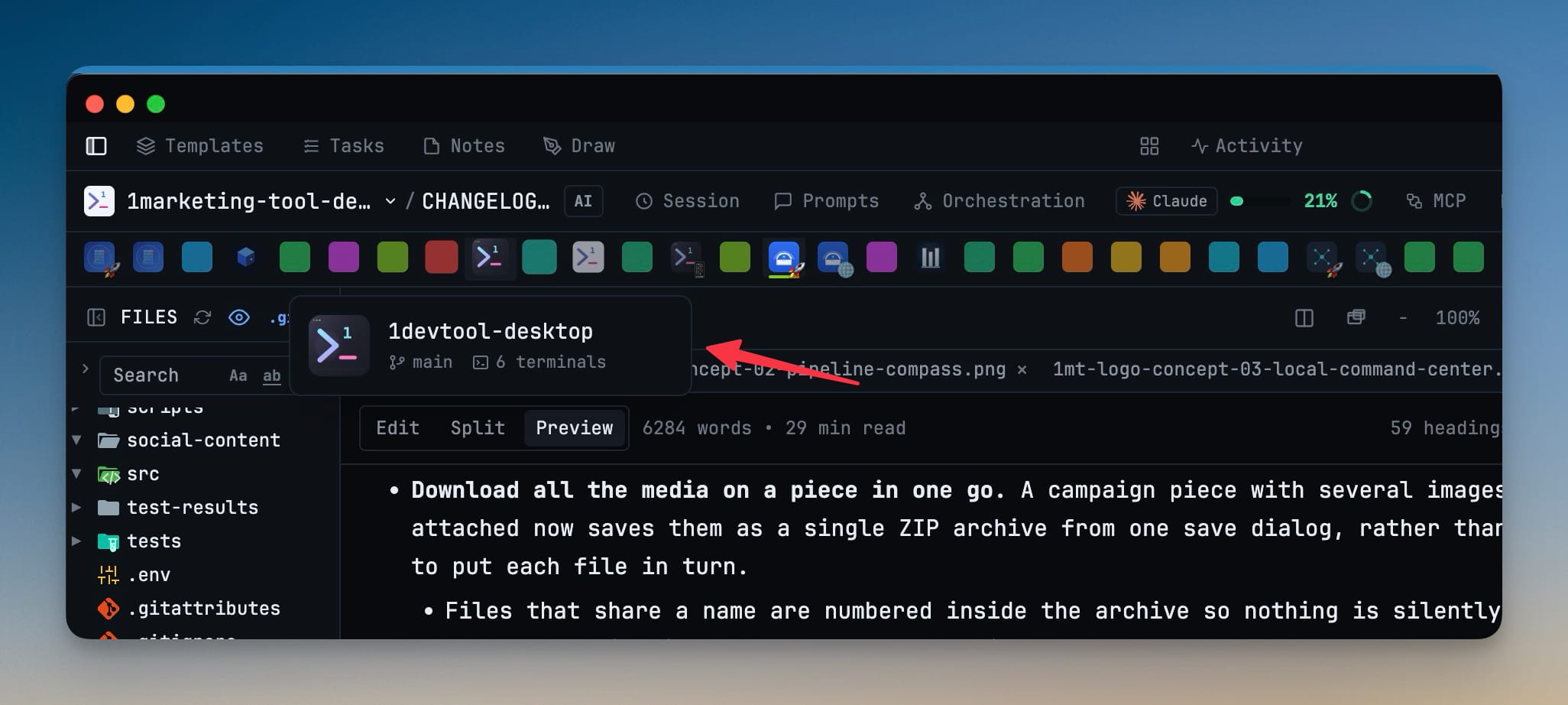
Two built-in layouts join the picker. Classic puts the File Explorer back on its own beside a dedicated Editor, the way it worked before the File Tree + Editor workspace merged the two — and the Editor drops its embedded tree automatically wherever you place a standalone explorer, so the two can never both disappear. Horizon moves your projects to a strip of icons across the top of the window, freeing the entire left sidebar for the File Explorer; each icon carries its project's avatar, colour and emoji, the active one is underlined in its own colour, and hovering one shows the project's branch and terminal count. A layout you can see can now be pushed to every project in one click, with a single confirm, replacing the old always-on checkbox that could stay armed from a previous visit. Cursor conversations join Resume AI Sessions with their titles and previews, Reader Mode renders Cursor's real parsed transcript instead of scraping the screen, and a Cursor tab names itself after its conversation and returns to it after a restart. And a message sent over a terminal link is marked delivered only once the receiving agent is proven to have taken it — anything short of that is marked delivery-unconfirmed and deliberately not retried.
Download v1.58.0
The download page always has the newest build; installers for this version are on GitHub.
What changed
New features
6- Classic puts the File Explorer back on its own — the project file tree returns as a standalone panel beside a dedicated Editor, the way it worked before the File Tree + Editor workspace merged the two. Pick it from the layout picker in the header; the default merged workspace is unchanged, so nothing moves unless you choose Classic. The Editor drops its embedded tree automatically whenever a standalone File Explorer is placed anywhere in your layout — put the explorer in the left, center or right slot from Settings → Layout and the editor adapts. Remove the standalone panel and the editor takes its tree back; the two can never both disappear. The explorer keeps its own width and its own collapse state, and it follows you across projects like every other panel.
- Horizon moves your projects to a strip across the top — projects become a row of icons along the top of the window, freeing the whole left sidebar for the File Explorer. Below the strip it reads like Classic: File Explorer on the left, Editor above Terminals in the center, tools on the right. The strip appears in any layout with no Projects panel placed, so a custom arrangement that drops the panel keeps its projects reachable instead of losing them; put the panel back and the strip steps aside. Each project shows its avatar, colour and emoji, with the active one underlined in its own colour; scroll the strip sideways with a normal mouse wheel, and add a project from the + at the end.
- Apply a layout to every project in one click — the layout you are currently looking at can be pushed to all your projects from an action right under it in the picker. It asks once before overwriting ("Overwrite N project layouts?"), and only ever offers to broadcast a layout you have already applied and can see. Replaces the old always-on checkbox at the top of the picker, which could stay switched on from a previous visit and silently rewrite every project the next time you changed layouts.
- Cursor sessions now show up in Resume AI Sessions — past
cursor-agentconversations for the current project are listed with their titles and previews, and picking one resumes it like any other agent. - Reader Mode shows Cursor's real transcript — on the desktop and on the phone, a Cursor terminal now renders the parsed conversation instead of a scrape of whatever happened to be on screen. No more mid-word line breaks, raw
**markdown**, or a long session reduced to the few hundred words still visible. - Cursor tabs remember their conversation — a Cursor terminal captures its session, so it names itself after the conversation and comes back to it after a restart.
Improvements
4- A delivered message now means the agent actually took it — a message sent over a terminal link is only marked delivered once the receiving agent is proven to have accepted that exact message, either as a real message in its session or as a composer that visibly held your text and then cleared it. Until now, delivery was declared as soon as the keystrokes reached the terminal, which is not the same thing — an agent that quietly dropped the prompt still produced a clean receipt. When acceptance cannot be proven, the message is marked delivery-unconfirmed instead of delivered, and it is deliberately not retried: pressing Enter a second time could run the same task twice, so the call is left to you. A reply only closes the request it answers after that same proof, so an unconfirmed reply can no longer make outstanding work look finished. Agents read the new receipt wording in their own instructions, so a delegating agent asks you before resending rather than guessing or peeking at its peer's terminal.
- Refreshing Codex account usage no longer risks your logins — checking usage for a saved Codex account now reads its existing token instead of exchanging login credentials, which is what used to knock other accounts offline. An account whose token has aged out says so plainly and tells you to activate it and open Codex once, rather than failing with a generic error. Switching accounts or starting a new Codex login now preserves credentials that Codex itself refreshed in the meantime, and only ever does so when both sides prove they belong to the same account. If the credential file is momentarily locked by a running Codex, the switch retries briefly and then tells you it is blocked instead of reporting a success that did not happen.
- A Swarm that cannot run is refused up front, with the reason — a headless Swarm targeting an agent with no locked-down sandbox mode (Grok, Antigravity and most others) used to be accepted and then every worker died within a second, with no output and no explanation anywhere. The request is now rejected immediately with a message naming the agents that can run sandboxed Swarm workers — Codex, Claude and Cursor — and pointing to terminal Swarms, direct delegation or an Agent Team for everyone else. Delegating agents are told the supported Swarm targets in their orchestration instructions too, so they stop composing swarms that cannot start.
- Failed orchestration runs now say why they failed — a run that dies before its agent ever starts (agent not installed, sandbox not supported, launch refused) records the reason in its run record, visible in the Orchestration dashboard and included in the run files you'd share when reporting a problem.
Bug fixes
4- Fixed messages to a linked Cline terminal reporting delivered while Cline never saw them — after Cline's first message, later sends could land in a composer that was no longer accepting input, producing a stream of successful-looking receipts with no activity, no reply and nothing in the session. Deliveries now focus the composer the way a click does before typing, and prove the message arrived before reporting it.
- Fixed Codex accounts showing "Could not refresh Codex usage" and revoked-login errors after adding or switching accounts — refreshing usage no longer consumes the one-time credential that Codex and your saved accounts depend on, so signing in to one account stops breaking another.
- Fixed Mermaid diagrams with numbered labels failing to render — a label such as
[1] Log ininside a diagram was rewritten into invalid syntax and showed an error instead of the diagram, in Markdown previews, Reader mode, Tasks, chat messages and the skill editor. - Fixed the File Explorer vanishing in the Terminal Right layout — placing the standalone explorer in the center with that layout left it rendering nowhere while the editor also gave up its tree, leaving no file tree at all.
Screenshots