AI Diagnosis and the Router, rebuilt
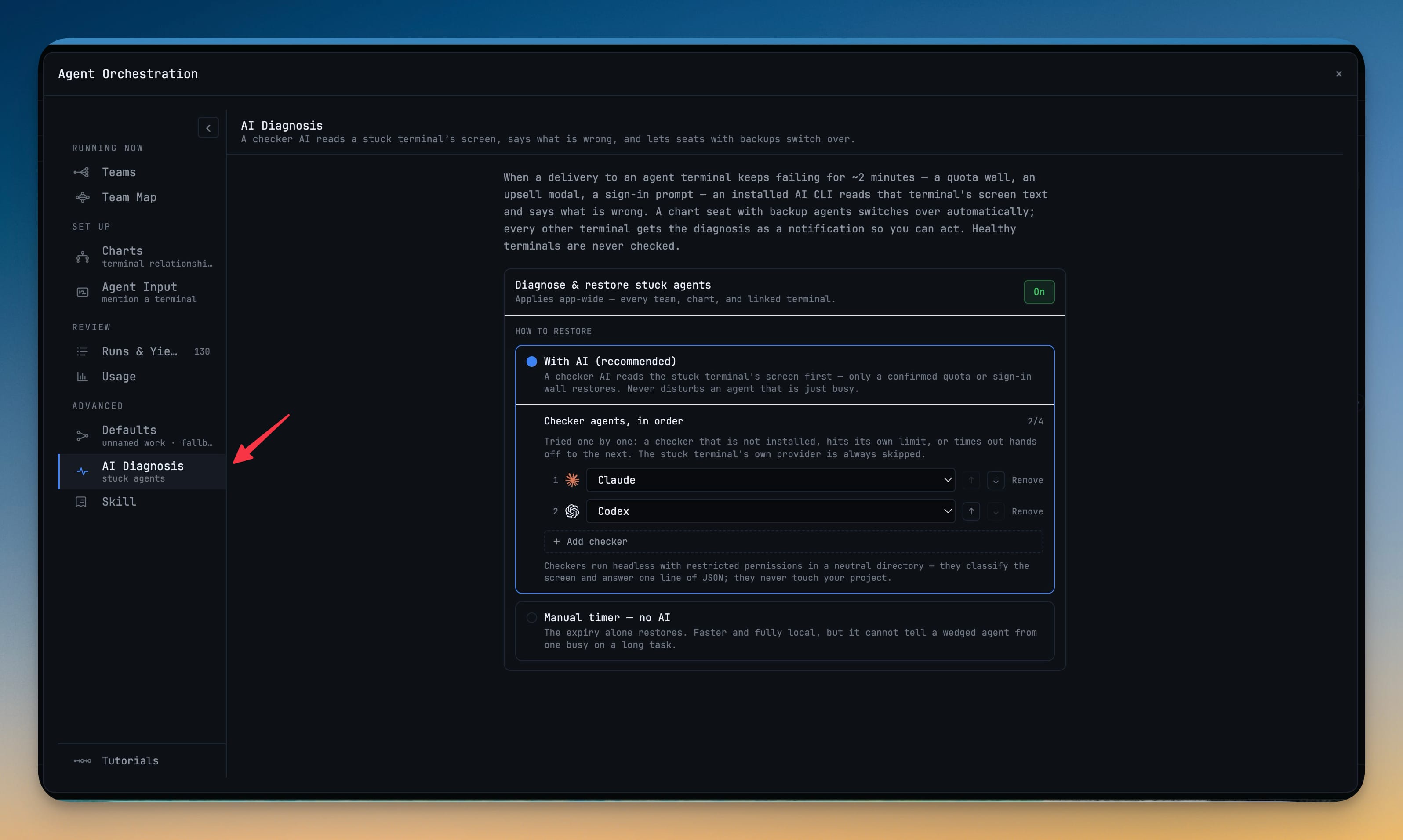
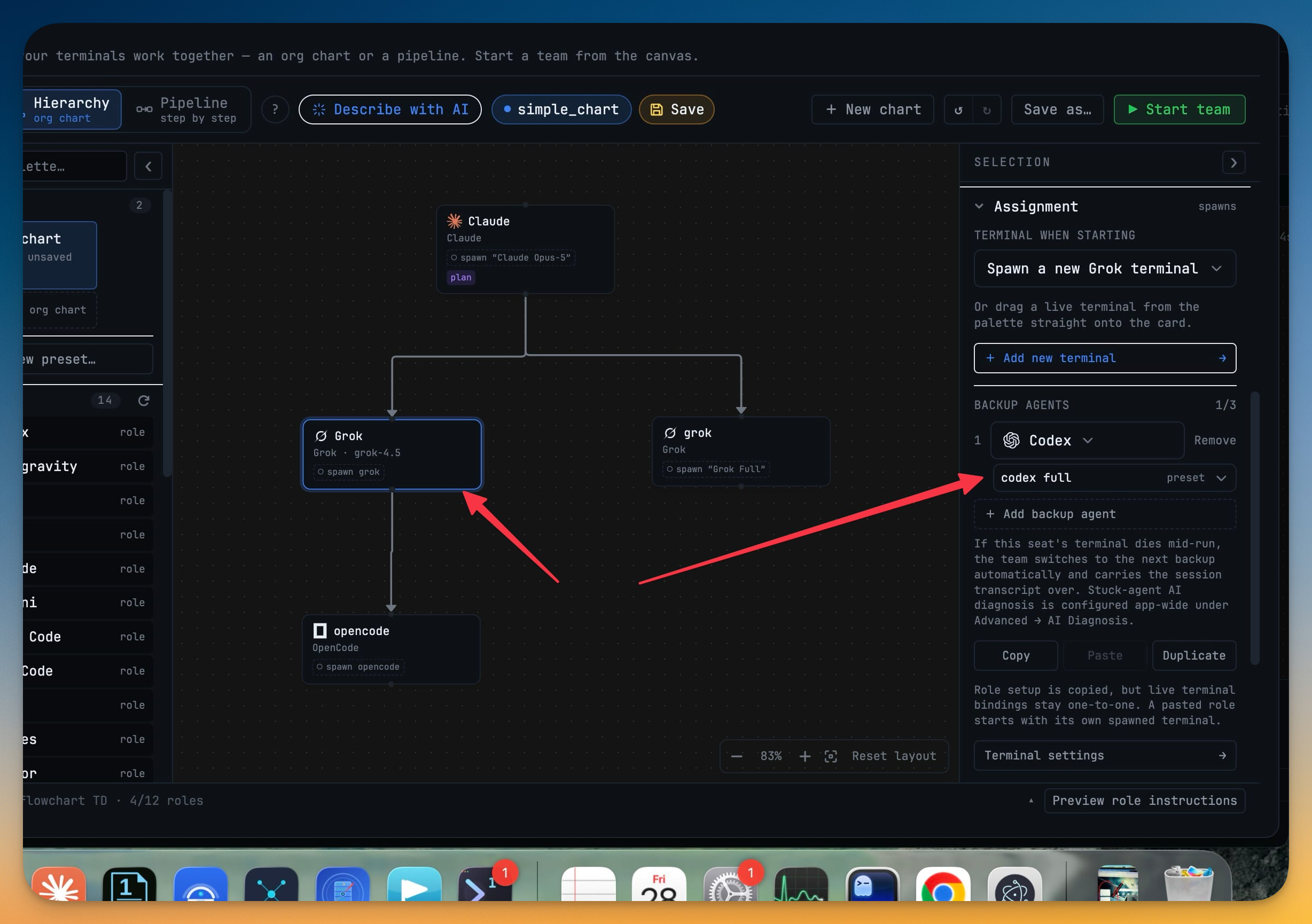
When an agent gets stuck on a quota wall or a sign-in prompt, another AI now reads its screen and tells you what's wrong — and hops the seat before the long timeout ever runs out. After about two minutes of a terminal failing to accept work, an installed checker AI reads that terminal's screen text and classifies the problem; a stuck team seat that has backup agents fails over on its own instead of waiting out the ten-minute timeout, and every other terminal gets the diagnosis as a notification. This release also rebuilds the Router as a plain match table — one row per kind of work with its own agent and model picker, read By work or By agent — lets you save an ad-hoc @agent team as a reusable chart, adds a play-to-learn Set-up screen that teaches the composer and the Router by running them, and gives AI file changes a Preview Files or Review mode.
Download v1.69.0
The download page always has the newest build; installers for this version are on GitHub.
What changed
New features
6- AI Diagnosis — find out why an agent is stuck — when a delivery to an agent terminal keeps failing for about two minutes, an installed checker AI reads that terminal's screen text and classifies the problem: a quota wall, an upsell modal, a sign-in prompt. A chart seat that has backup agents fails over on its own instead of waiting out the full ten-minute timeout; every other terminal gets the diagnosis as a notification so you can act. A healthy agent is never checked, a busy one mid-task is never mistaken for stuck, and reading a stuck screen takes a one-time consent because a screen can hold secrets. The toggle, the consent and the checker chain live under Advanced → AI Diagnosis.
- You choose which agents do the checking — an ordered checker chain in the dashboard: an agent that isn't installed, hits its own limit, or times out simply hands off to the next, and the stuck terminal's own provider is always skipped. Checkers run headless with restricted permissions in a neutral folder — they classify the screen and never touch your project.
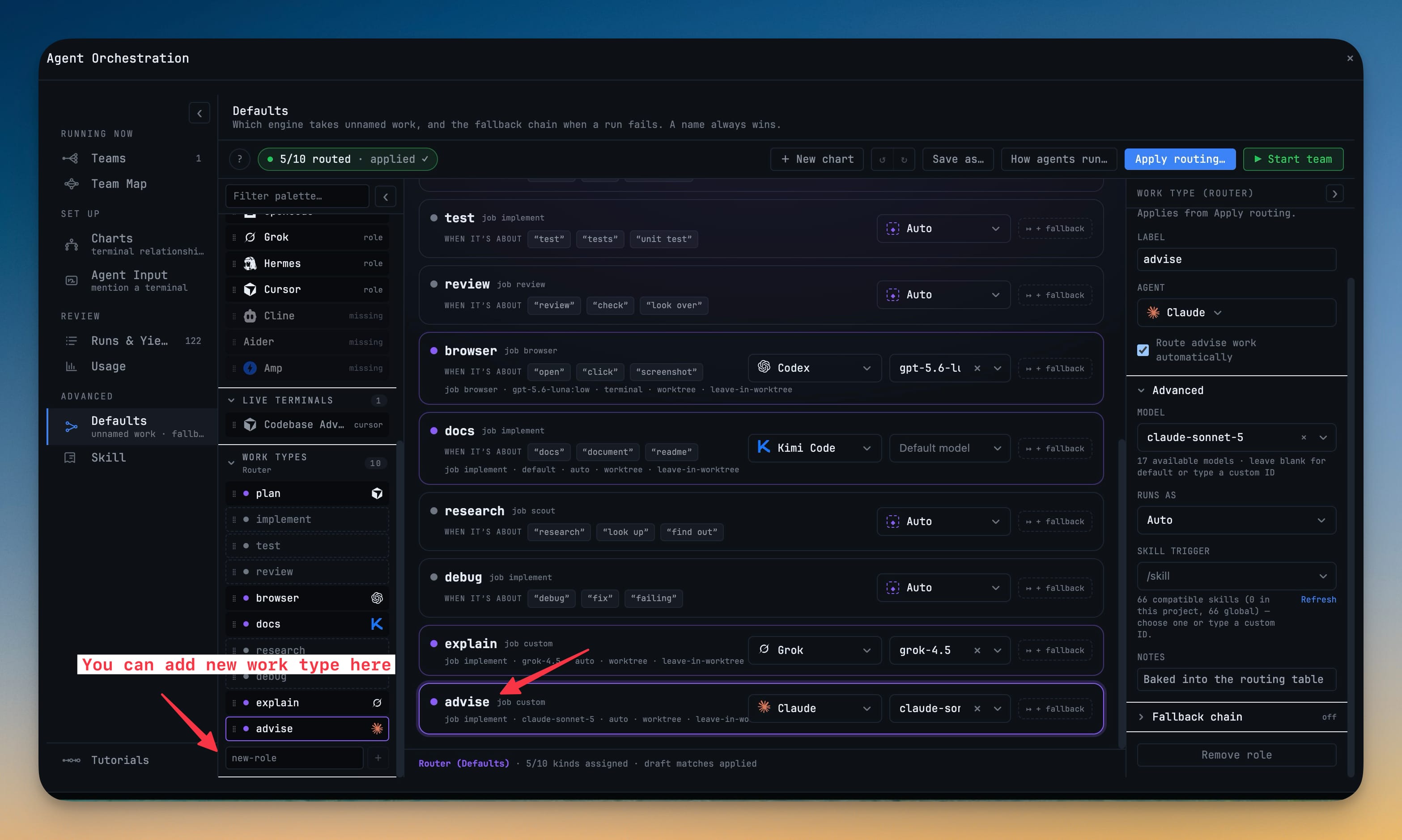
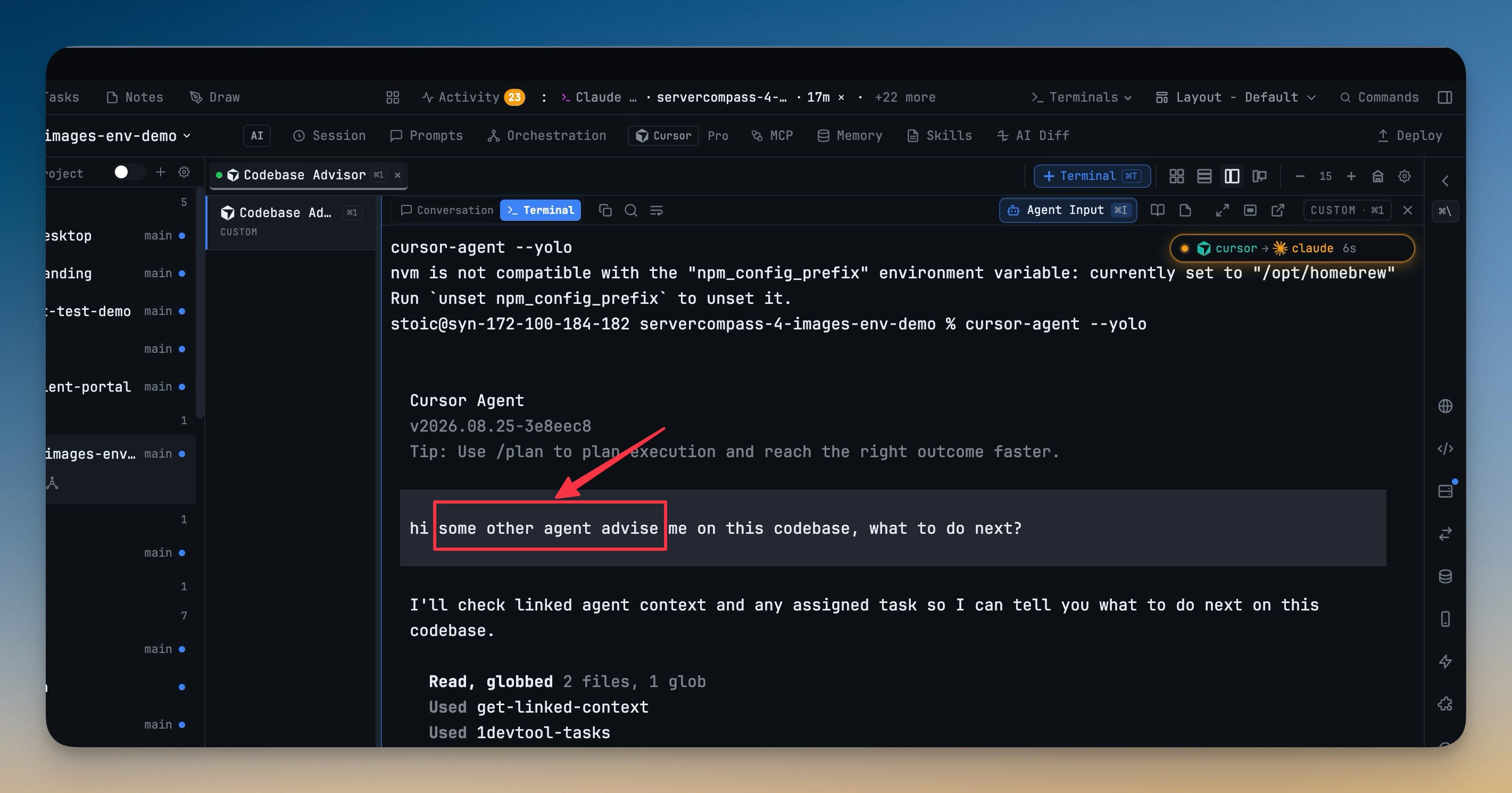
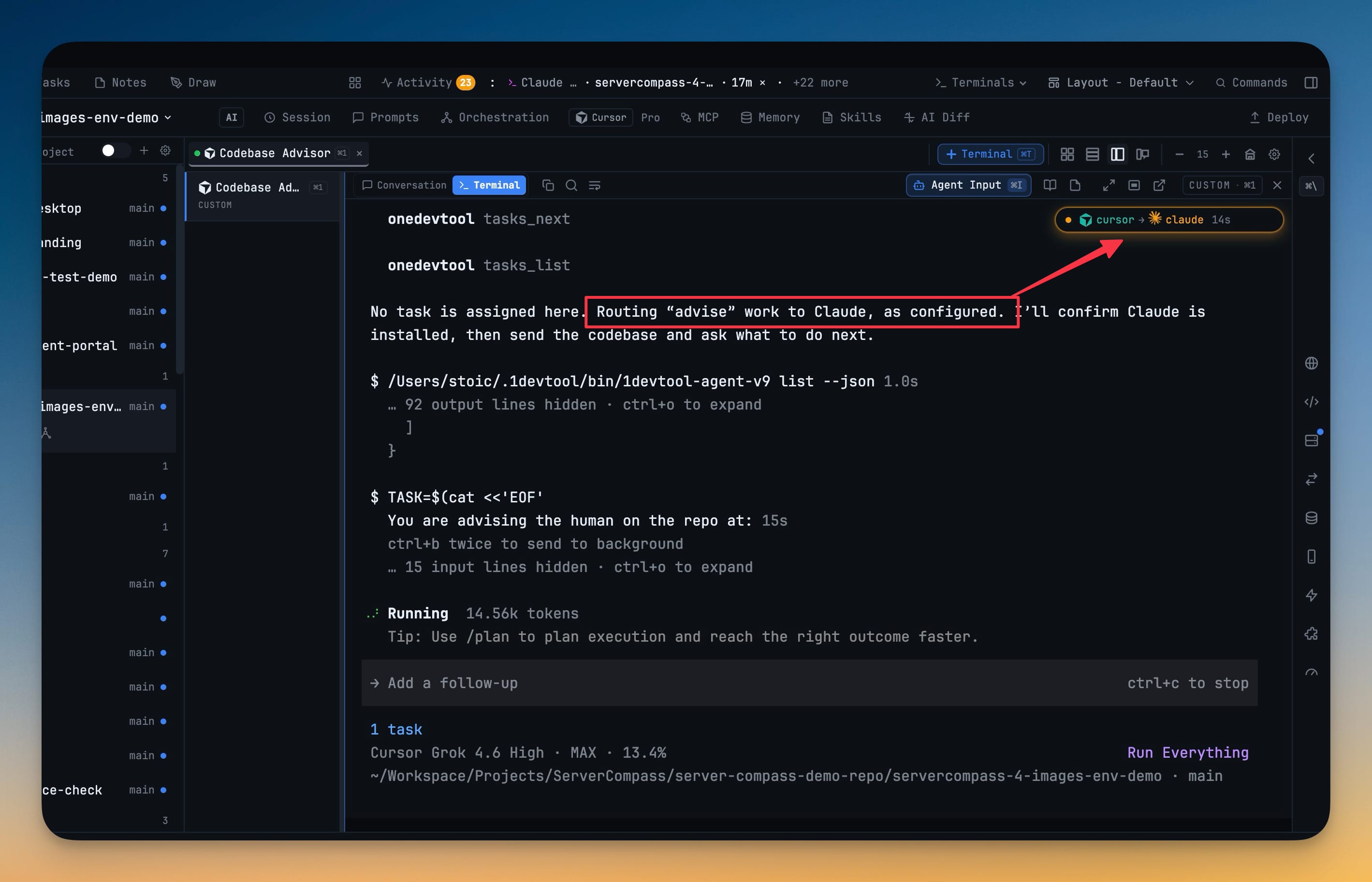
- The Router, rebuilt as a match table — Defaults is now one plain row per kind of work (plan, test, review, browser, docs…), each with an agent picker and, once you pick one, a model picker right beside it. See it two ways: By work lists every kind of work and who takes it, By agent groups the rules under the agent that owns them; anything you haven't assigned sits in an Auto pool. Ask for a kind of work without naming anyone and the host routes it for you — and a guided Tutorial now plays the Router end to end.
- Save a prompt as a reusable chart — when you fan a prompt out to several
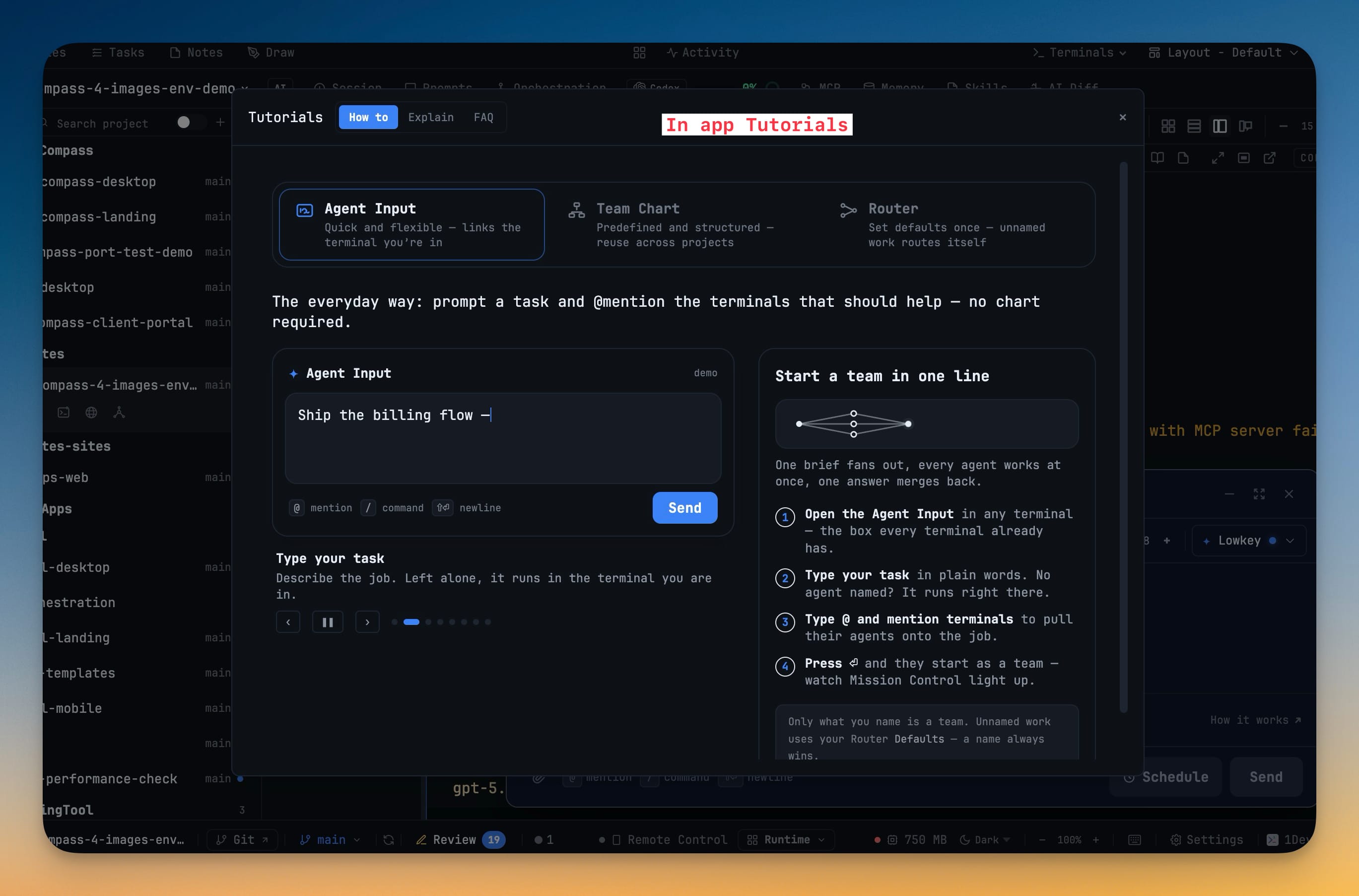
@agents, the mode banner can now Save as chart, promoting the team you just described into a reusable Builder chart you can reopen anytime. What you saw in the send preview is exactly what gets charted. - Learn the composer and the Router by watching them — a Set-up screen in the orchestration dashboard teaches by playing the one flow every new user needs: type a task,
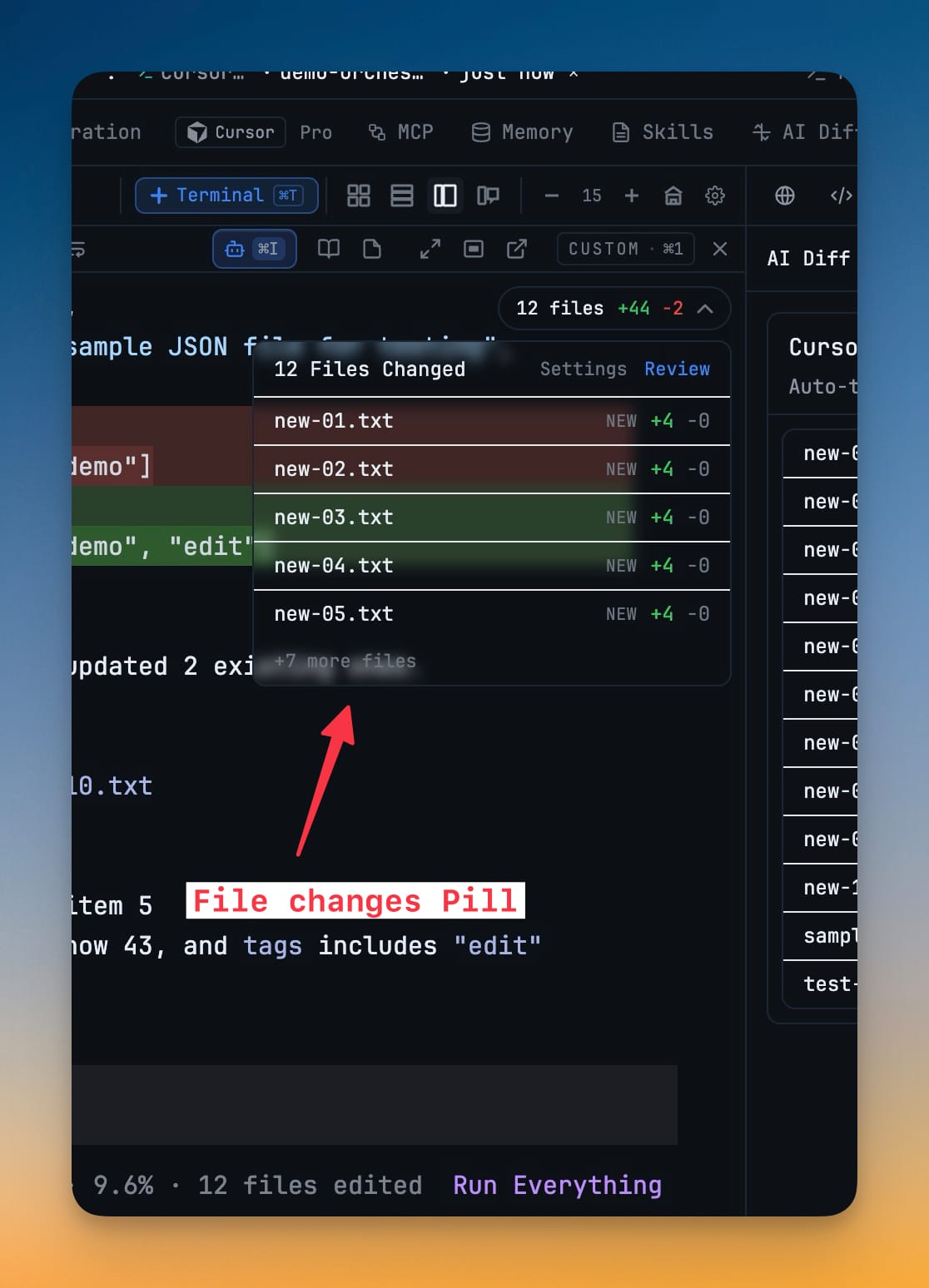
@-mention the terminals that should help, press Enter, and watch them start as a team while Mission Control lights up. Reduced motion gets a stepped walkthrough with every stage still shown. - Choose how AI file changes appear — a new AI diff mode. Preview Files treats every change as accepted and just lists which files changed with added and removed line counts; Review keeps the per-file Accept / Reject controls with Keep / Undo overlays right in the editor. Switch between them anytime in Settings → IDE.
Improvements
2- Show or hide each project's terminals in the sidebar — a per-project terminal toggle that remembers your choice across relaunches and stays in sync across every sidebar; the header rearranges itself as you resize the sidebar so the control never gets cramped.
- A seat that fails over stops holding onto its queued work — when a seat hands off to a backup, everything still waiting to reach the dead terminal now fails right away with a clear reason, instead of sitting in the queue until the timeout runs out.
Bug fixes
5- Fixed double-clicking a saved team opening every seat twice — a four-role chart could come up as eight terminals, and more clicks stacked more. Opening a team is now guarded against the double-click, the card is disabled while it works, and it shows how many terminals have actually appeared.
- Fixed a crashed agent seat that never handed off — an agent that dies on its very first turn (a seat that hit a provider billing wall, for one) now fails over to its backup within seconds instead of leaving the whole team stalled.
- Fixed a prompt swallowed while an agent was still signing in — the app now waits until an agent is genuinely ready before it counts a send as delivered, so a prompt sent mid sign-in isn't lost.
- Fixed every terminal failing to open after a startup hiccup — a single failure while the terminal engine was starting could brick all terminals at once; startup now recovers instead of hanging.
- Fixed broken screenshots in Software Update's release notes — release-note images now retry when a load fails and, if they still can't load, turn into a link you can click to open in your browser instead of leaving a broken-image icon.
Screenshots