v1.73.0September 11, 2026
Devin CLI is a built-in agent, Subagent history for Cursor, Grok and Devin
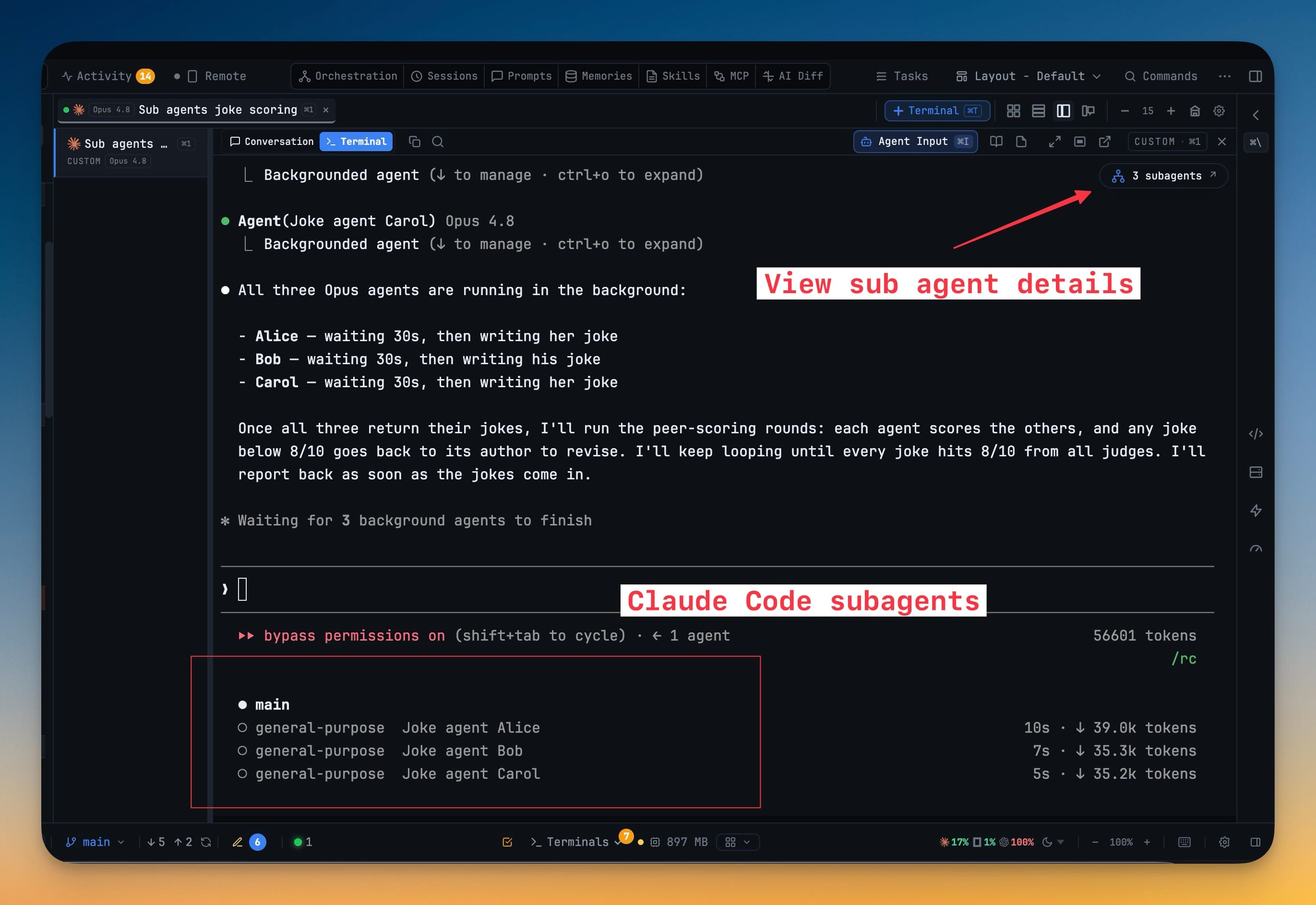
Devin CLI joins the built-in line-up. Pick Devin in New Terminal and it behaves like every other agent — resume a past session by its quiver-socks name, read the real transcript in Conversation and Reader Mode, delegate to it from Agent Input and the orchestrator, and install MCP servers and skills into its own config. Alongside it: the subagent count now opens on Cursor, Grok and Devin terminals, a composer under the subagent log lets you reply to a child without leaving it, your own terminal app can open with a startup command already running, and the tab menu hands you the session and terminal ids that wait for terminal <id> to finish asks for.
Download v1.73.0
The download page always has the newest build; installers for this version are on GitHub.
What changed
New features
5- Devin CLI is a built-in agent — pick Devin in New Terminal and it opens with its own brand mark, colour and live status everywhere the other agents appear, with Resume, Conversation, Reader Mode, delegation, MCP servers and skills all working the way they do for Claude, Codex and Cursor.
- Subagent history for Cursor, Grok and Devin — the subagent count now opens on those terminals too, with the same searchable child list, conversation, tool calls and results, each child bound to the exact parent that spawned it.
- Reply to a subagent without leaving its log — a composer under the subagent log sends your message on, with Enter to send and Shift+Enter for a newline; the parent conversation relays it, and Copy follow-up for parent is still there when you would rather paste it yourself.
- Run a startup command in your own terminal app — the Machine tab of New Terminal lists your startup commands, and iTerm, Terminal or Windows Terminal opens at the project root, runs the one you picked, then drops to a normal shell.
- Copy a terminal's ids from the tab menu — Copy Session ID and Copy Terminal ID on the tab right-click menu, the two ids
wait for terminal <id> to finishand Copy follow-up ask for.
Improvements
4- The picker in the Projects header is now the same row as the list beneath it — the project you are in wears its own colour in both places, with every name starting in the same column.
- Mission Control's project picker marks where a run is already live with a pulse on those rows.
- "View map" from the Teams tab opens the map on that team's project instead of the active one; choosing Team Map from the rail still gives you the project you are in.
- The agent status strip under the notch is now opt-in — it shipped on by default in 1.72.2 and is switched off once for everyone. Turn it back on in Settings → Notifications → Show agent status in the notch.
Bug fixes
5- Fixed a linked prompt sitting unsent in Claude Code and Cursor — it arrived as
[Pasted text #2 +19 lines]and waited for a manual Enter, holding up everything queued behind it. - Fixed Claude terminals in auto or accept-edits mode never taking delivered work, because only the default and bypass-permissions modes were being recognised as ready.
- Fixed a delivery to an unfamiliar composer holding the line for up to a minute — on macOS and Linux the wait is now capped at ten seconds with a delayed-Enter fallback.
- Fixed a Devin conversation showing only its most recent stretch once Devin rebuilt its context.
- Fixed a dead click on a switched-off extension's button — AI Diff in the top bar, its app-menu item and the Review button now switch the extension on first.
Screenshots