v1.83.0October 24, 2026
Mirror and drive a real Android phone over adb, and a Windows app that keeps up with your agents
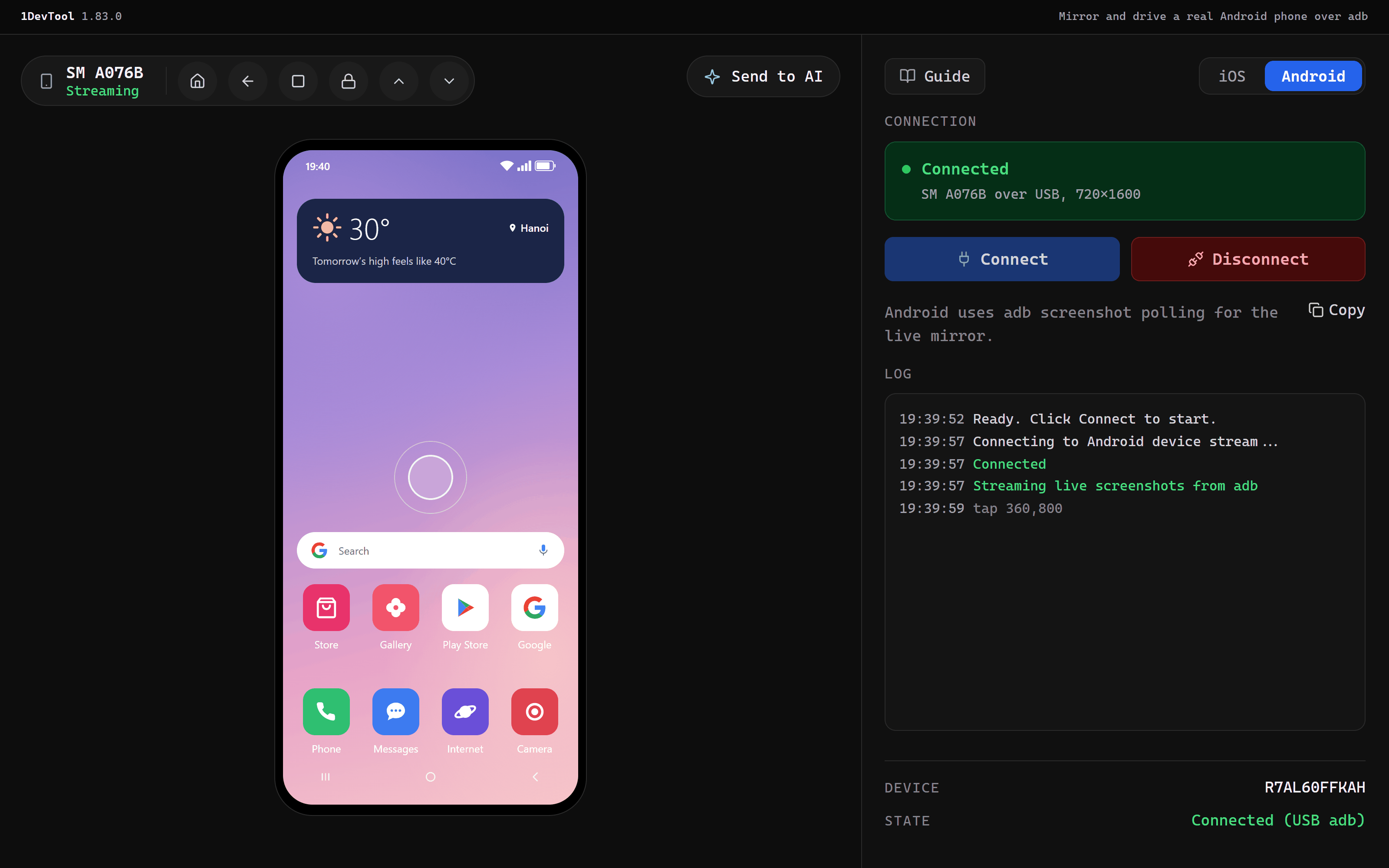
The Mobile panel now mirrors and drives a physical Android phone connected over adb, by USB or wireless adb, next to your emulators: tap, swipe, type, press Home, Back and Overview, send the screen to an agent, or Build & Run your app straight onto the phone. Only Platform-Tools is needed, and a phone that isn't ready says why. On Windows, a burst of agent file writes no longer makes the app go Not Responding, and Restart & Install finishes on the first try.
Download v1.83.0
The download page always has the newest build; installers for this version are on GitHub.
What changed
New features
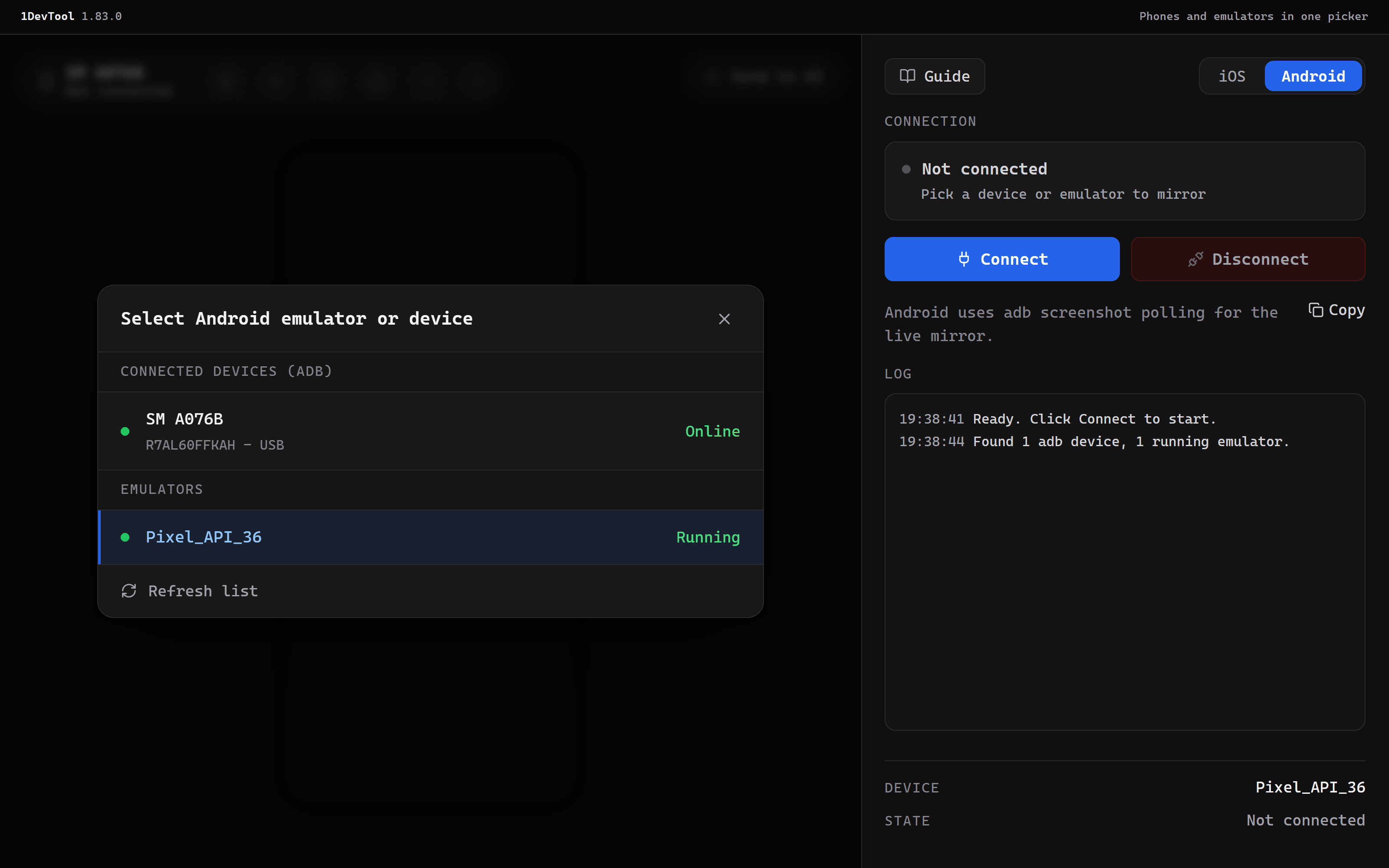
5- Mirror and drive a physical Android phone — the Mobile panel's Android mode now lists phones connected over adb, by USB or wireless adb, next to your emulators under Connected devices (adb); pick one, click Connect, and tap, swipe, type and press Home, Back and Overview on the phone from the panel, send its screen to an agent, or Build & Run your app straight onto it
- Only Platform-Tools is needed —
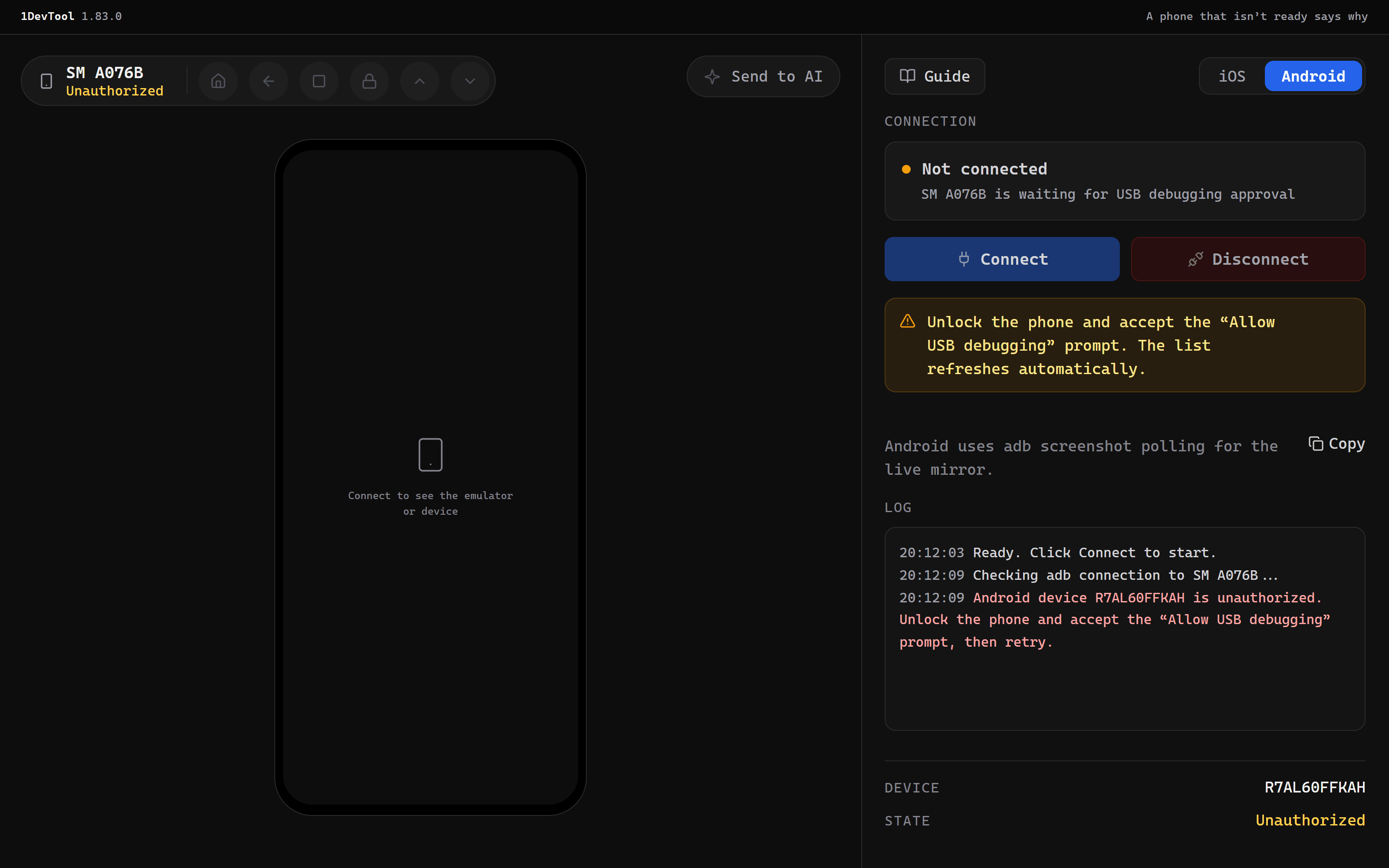
adbalone is enough for phones; the emulator is optional, and the panel says which of the two is missing instead of hiding Android altogether - A phone that isn't ready says why — one that hasn't accepted the Allow USB debugging prompt, or has gone offline, shows an amber state with the fix, Connect waits, and the list refreshes on its own until the phone is ready
- Disconnect only stops the mirror — a phone is never powered off from the panel, so the Shutdown button disappears when a phone is selected
- Guide covers phones — a new Android phone over adb section walks through USB debugging and the wireless
adb pair/adb connectsteps
Improvements
2- Windows no longer goes "Not Responding" while agents write files — on Windows each project is now watched through a single recursive handle instead of one handle per file, so a burst of writes into a folder with thousands of files no longer pins the app; the file-watcher service that drops out under heavy load also comes back on its own instead of leaving the app on the slow path for the rest of the session
- Windows updates finish on the first try — Restart & Install no longer ends in "1DevTool cannot be closed. Please close it manually and click Retry": the installer first parks the old program file so the helpers that AI clients keep relaunching (the MCP server and
1devtool-agent) cannot respawn, then closes them and installs
Bug fixes
2- Fixed the Mobile panel on Windows driving whichever emulator happened to be running — the AVD name read back from a running emulator carried Windows line endings and never matched the one you picked, so the panel fell back to the only emulator it saw; it now matches by name and never substitutes a different device
- Fixed taps landing slightly off on the Android mirror — tap and swipe positions are now mapped against the drawn frame rather than the padded area around it
Screenshots