v1.85.1October 27, 2026
Settings you can search, and each account's quota in the terminal header
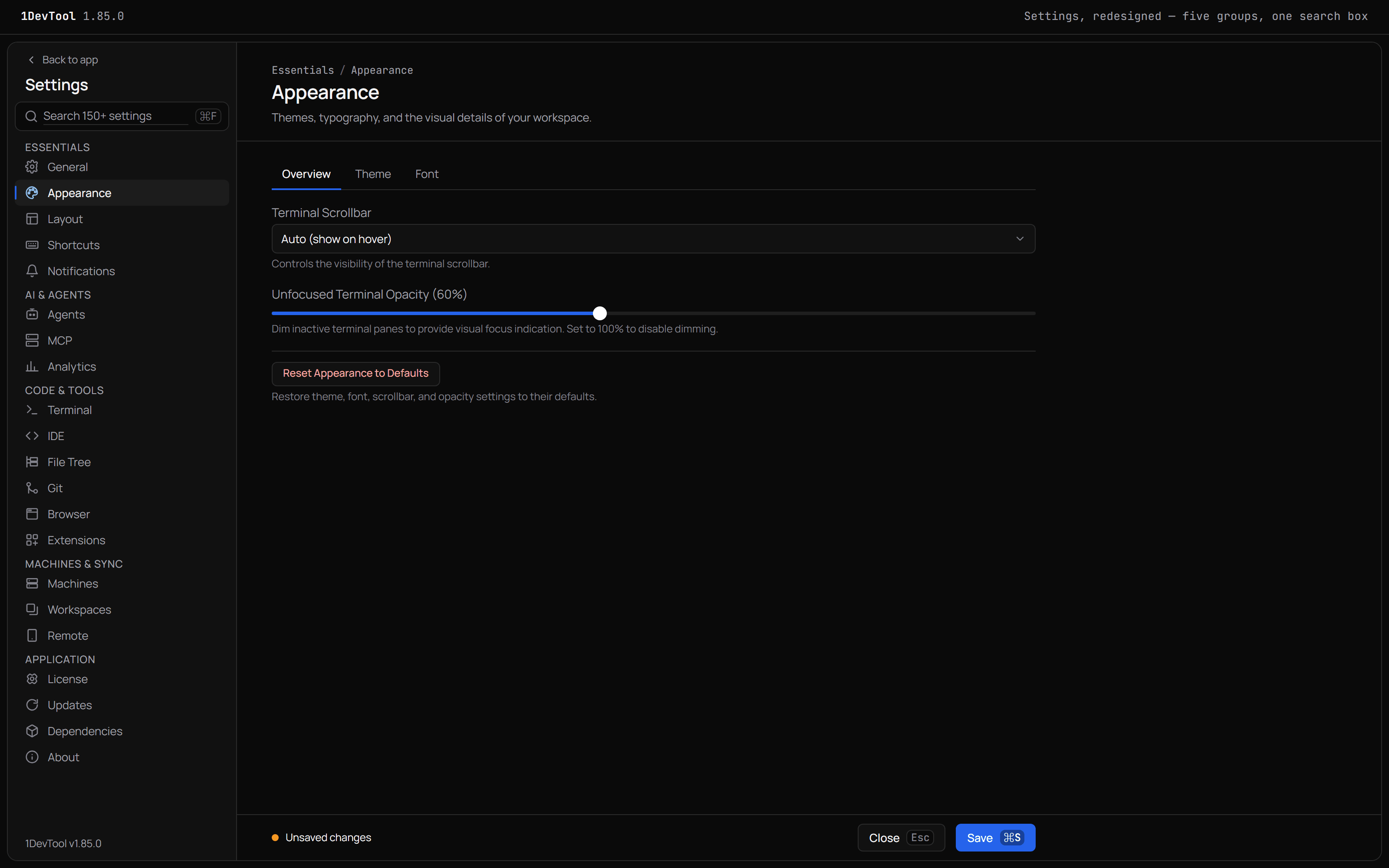
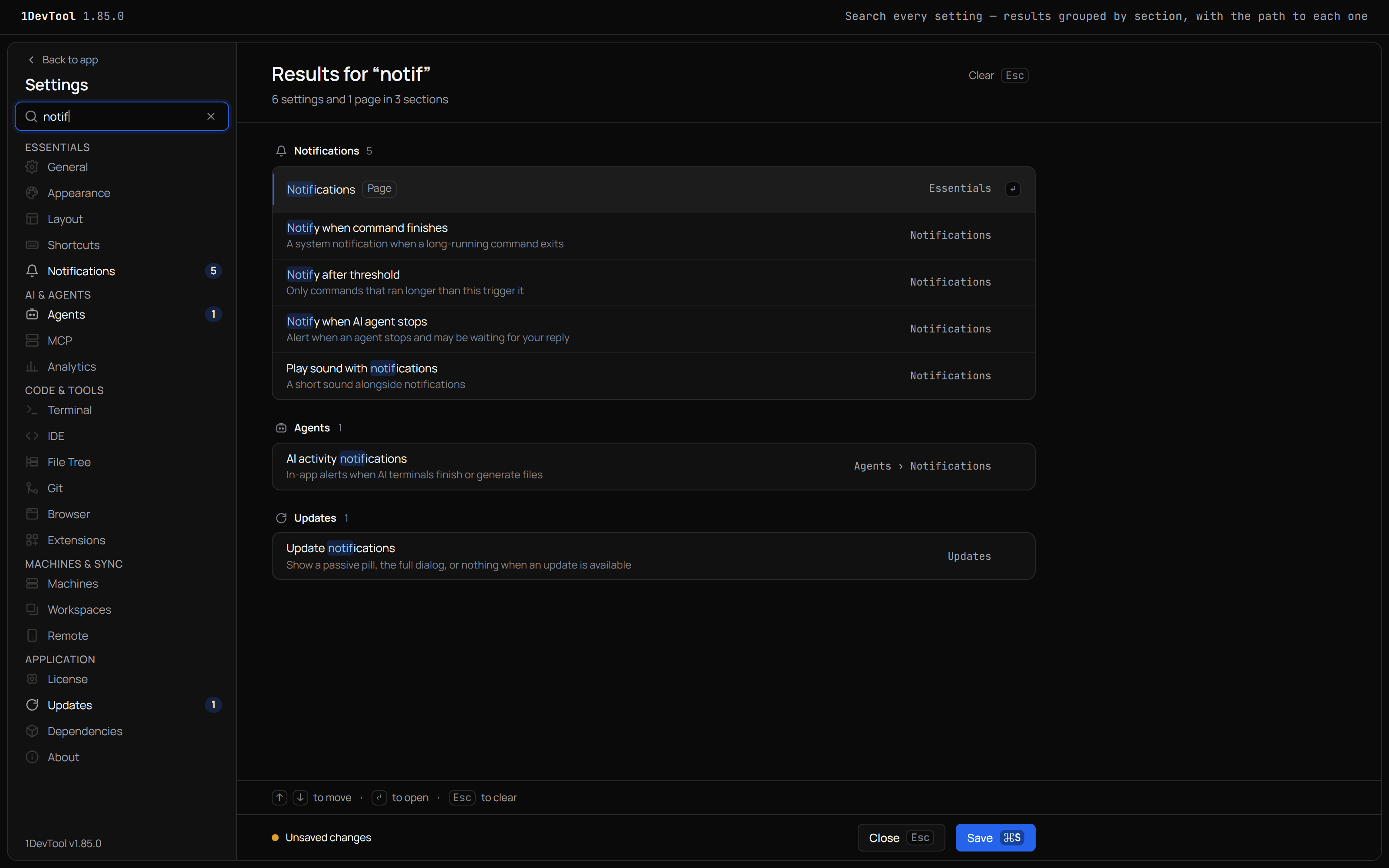
Settings is redesigned: its pages sit in five groups, and one search box finds any setting, page or sub-page and opens it on the right tab. A terminal on a saved AI account now shows that account's 5-hour and weekly quota in its pane header. Every upgrade prompt gains Enter License, Windows starts without long stalls, and new Windows terminals find CLIs installed while the app was open.
What changed
New features
7- Grouped sidebar — Settings pages now sit in five groups: Essentials, AI & Agents, Code & Tools, Machines & Sync, and Application; on macOS the Settings menu follows the same grouping
- Search every setting — typing in the search box shows matching settings, pages and sub-pages, grouped and highlighted, each with the path that leads to it; picking a result opens that page on the right sub-tab and briefly highlights the setting
- Unsaved changes, said plainly — the save bar reads "Unsaved changes" only when something actually differs from what is saved
- Keyboard shortcuts — ⌘F (Ctrl+F) or
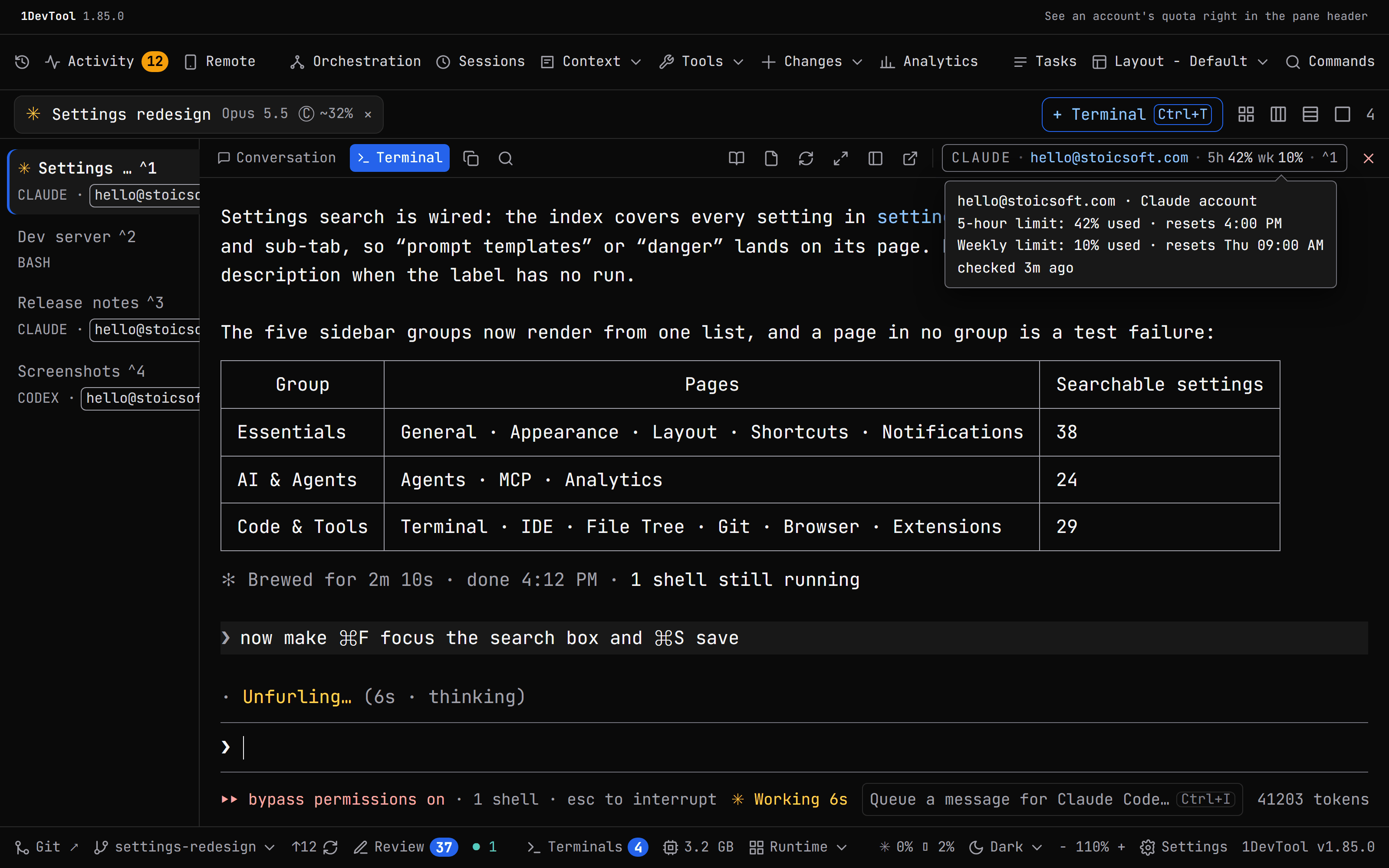
/focuses search, and ⌘S (Ctrl+S) saves - Quota beside the account — a terminal using a saved AI account now shows that account's plan quota next to its name in the pane header, for example
5h 42% · wk 10%, with each window coloured by how close it is to the limit - Details on hover — the tooltip lists every quota window, when it resets and when it was last read; an old reading is shown muted, and an account whose login was rejected shows re-login
- Matches the other quota views — the chip uses the same numbers as the Accounts & Quota panel and the Add Terminal picker, so all three always agree
Improvements
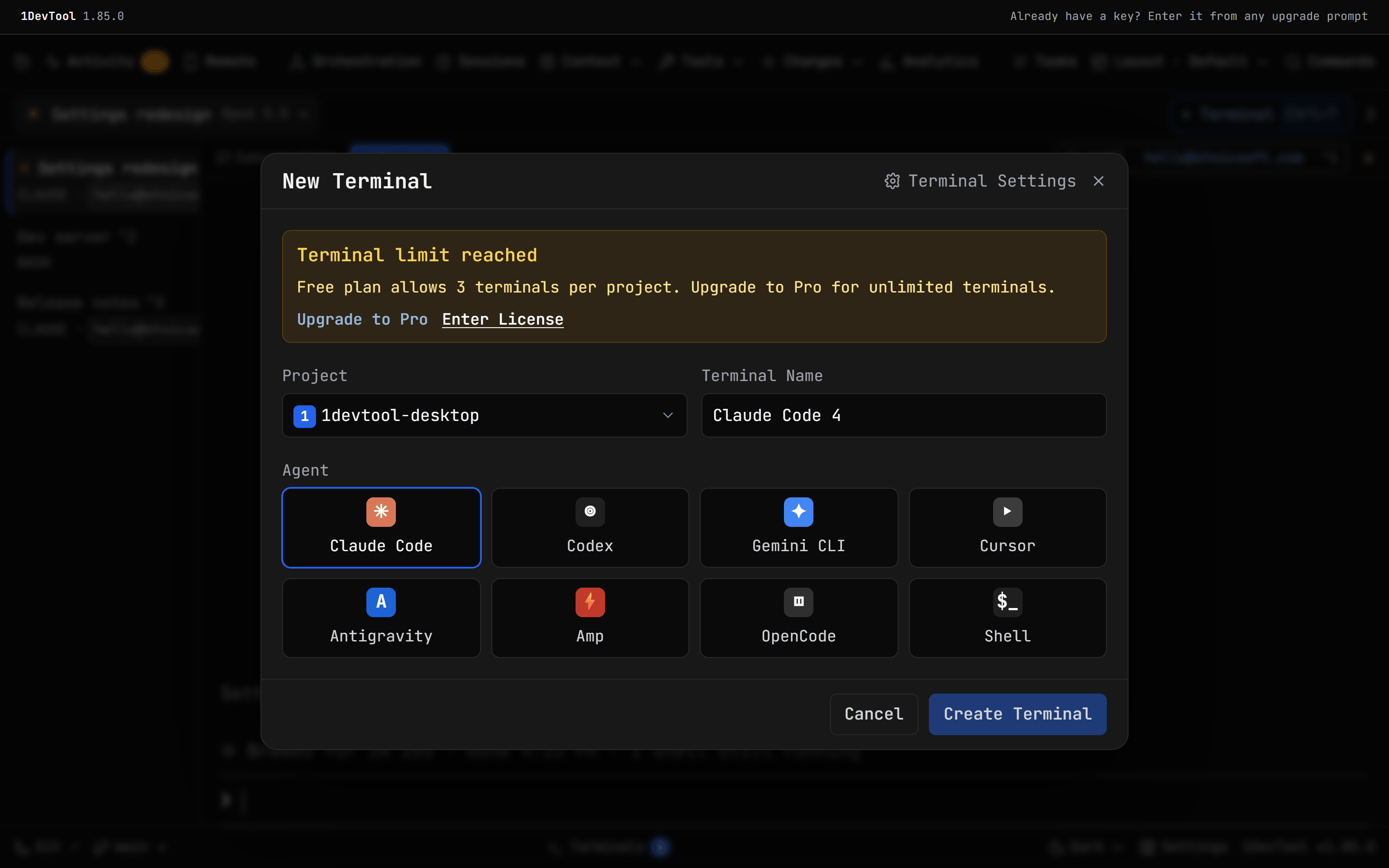
4- Enter your key from any upgrade prompt — the upgrade dialog, the project, terminal and template limit prompts, and Project Settings now have Enter License next to the upgrade button; it opens Settings → License so you can activate a key you already bought
- A guide for the phone app beta — Settings → Remote → Phone (Beta) now links to the guide on how to join and use the 1DevTool mobile app beta
- Windows starts up without long stalls — the app used to launch about 210 helper processes in quick bursts at startup, which could freeze it for over a second at a time; they now start one at a time, and two of the lookups read files instead of launching a process at all
- Updated StoicSoft Complete pricing — the bundle card shows StoicSoft Complete at $199 / $349
Bug fixes
5- New Windows terminals find CLIs you installed while the app was open — after installing a tool such as
agythrough npm, winget, scoop or an install script, new terminals reported it as "not recognized" until 1DevTool was restarted; each new terminal now picks up the latestPathfrom Windows - Messages to Antigravity and Cursor arrive whole and are sent — on Windows, a link message to an
agyor Cursor terminal could stay sitting in the composer, or be sent in pieces with part of it treated as a separate prompt, which left the sender waiting forever; messages to these agents are now delivered as one paste with a single Enter, and 1DevTool waits until the whole message is in place before pressing it - Reader Mode no longer freezes on "Loading transcript…" — a transcript containing an unclosed
\[, such as a search pattern in a tool step, could hang the whole app - OpenCode no longer goes blank after a long session — coming back to an OpenCode terminal after a long run could show an almost empty pane until you resized it
- Right-clicking a terminal link on Windows shows the link menu — it used to open the generic terminal menu instead
Screenshots