v1.87.0November 19, 2026
Voice mode in Agent Input, and a confirm before ⌘W closes a terminal
Agent Input gets voice mode: dictate a prompt with the built-in Whisper engine or 1AudioTool, with a live transcript, Pause and Continue, and Send while listening, all set up in Settings → Agents → Voice. Terminals can also ask before ⌘W, ⌘K or ⇧⌘H closes, clears or hides them.
What changed
New features
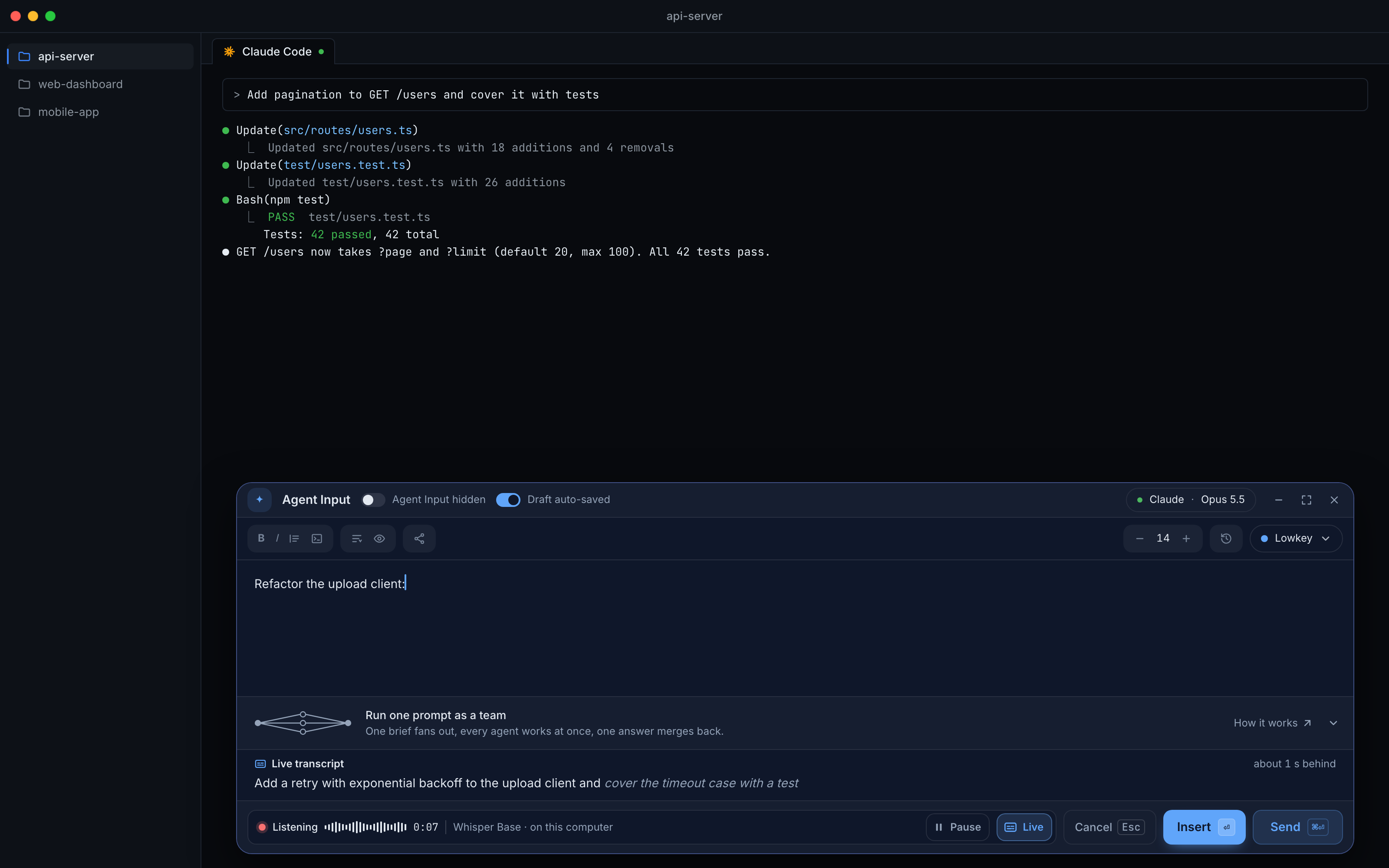
11- Speak your prompt instead of typing it — Agent Input has a microphone button next to the attach button; click it, or press ⌘⇧Space (Ctrl+Shift+Space on Windows and Linux), talk, and the words go into your draft at the caret, ready to edit before you send
- Undo or cancel a take — the inserted words are briefly highlighted and an Inserted · Undo chip takes them back out in one click; Enter inserts what you said, Esc cancels without inserting anything, and a take that heard nothing leaves your draft untouched
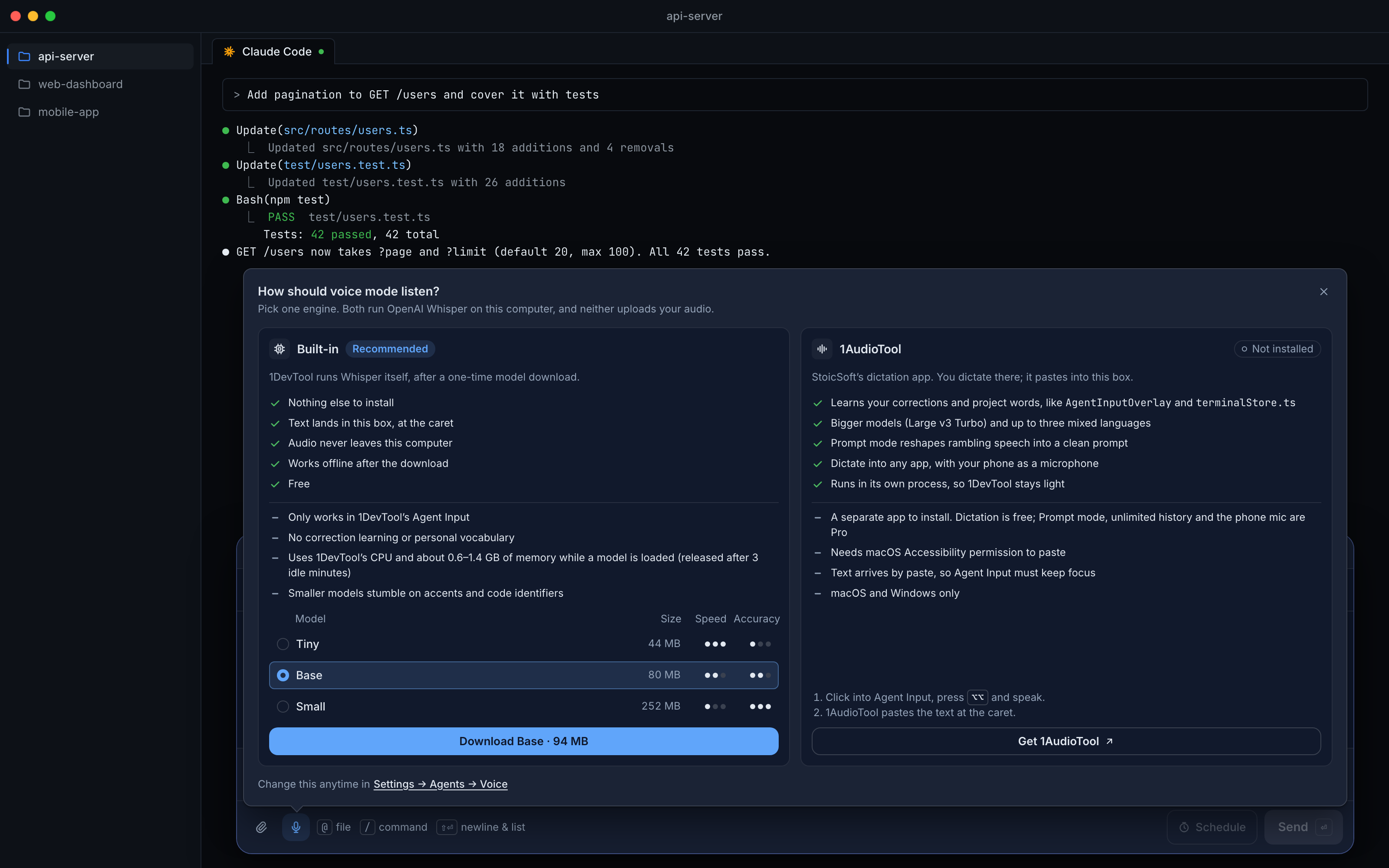
- Choose how it listens, with the trade-offs in front of you — the first click asks How should voice mode listen? and compares the two engines with their pros and cons; both run OpenAI Whisper on your computer, and neither uploads your audio
- Built-in — runs inside 1DevTool after a one-time model download (Tiny, Base or Small, with Base recommended); it uses about 0.6–1.4 GB of memory while a model is loaded and frees it after 3 idle minutes
- 1AudioTool — dictation runs in the 1AudioTool app, in its own process, and pastes into the Agent Input that has focus; the mic shows the two steps (press Option twice on a Mac, Control twice on Windows) and opens 1AudioTool, or its download page if it isn't installed
- Control the take while you talk — the listening strip shows a timer and a level meter, with Pause / Continue (the mic closes while paused and the clock stops), Cancel and Insert
- Live transcript — the Live button shows the words as they're recognised in a band above the footer, with settled words solid and the newest ones still changing, and says when it is running behind
- Send while listening — the Send button or ⌘⏎ finishes the take, inserts it and sends the prompt in one step
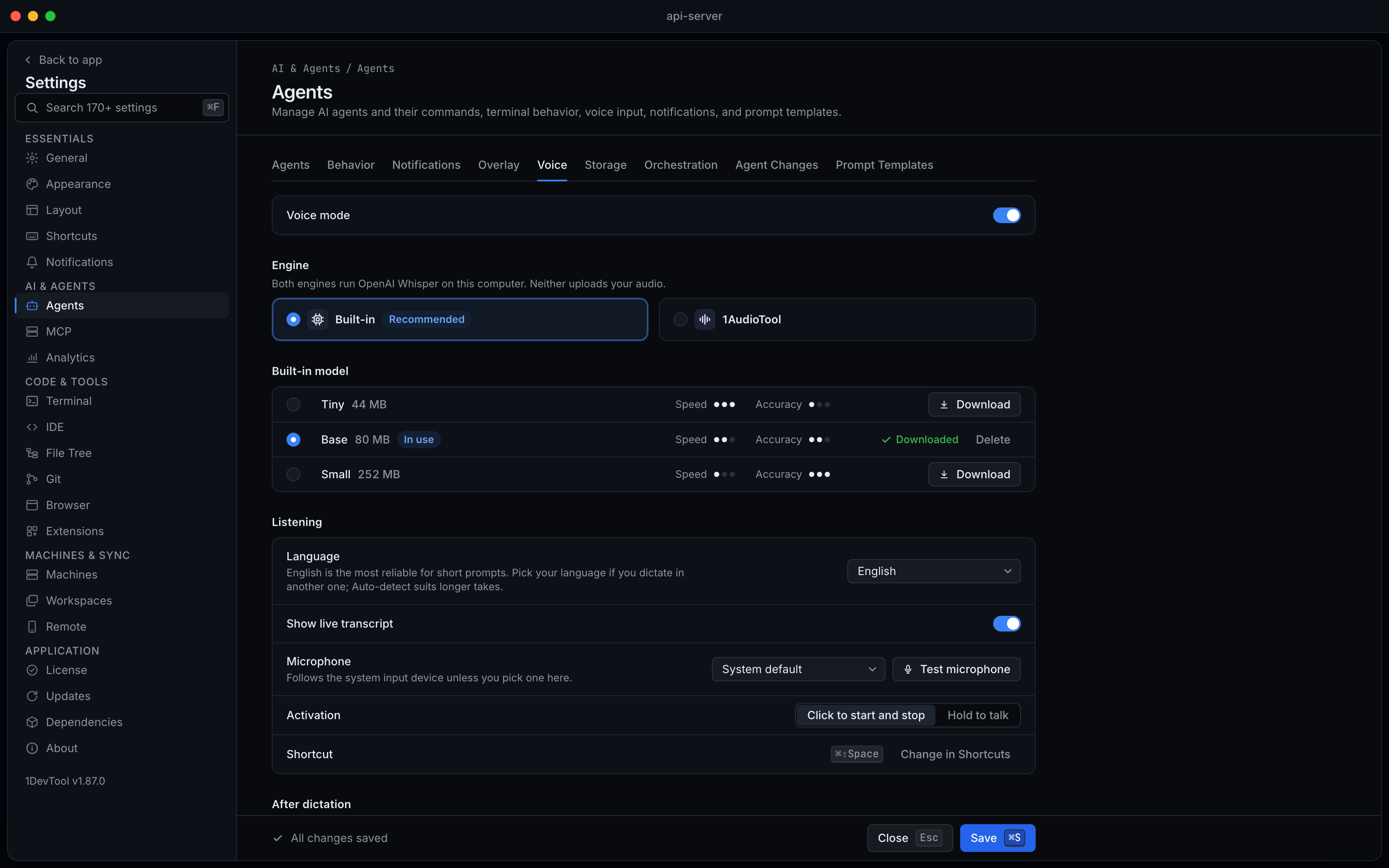
- Set it up your way in Settings → Agents → Voice — turn voice mode on or off, pick the engine, download or delete Built-in models, choose the language and microphone (with a test meter), show or hide the live transcript, pick Click to start and stop or Hold to talk, choose Insert at the caret or Append to the end, and optionally Send automatically after dictation; the shortcut is Dictate into Agent Input in Settings → Shortcuts
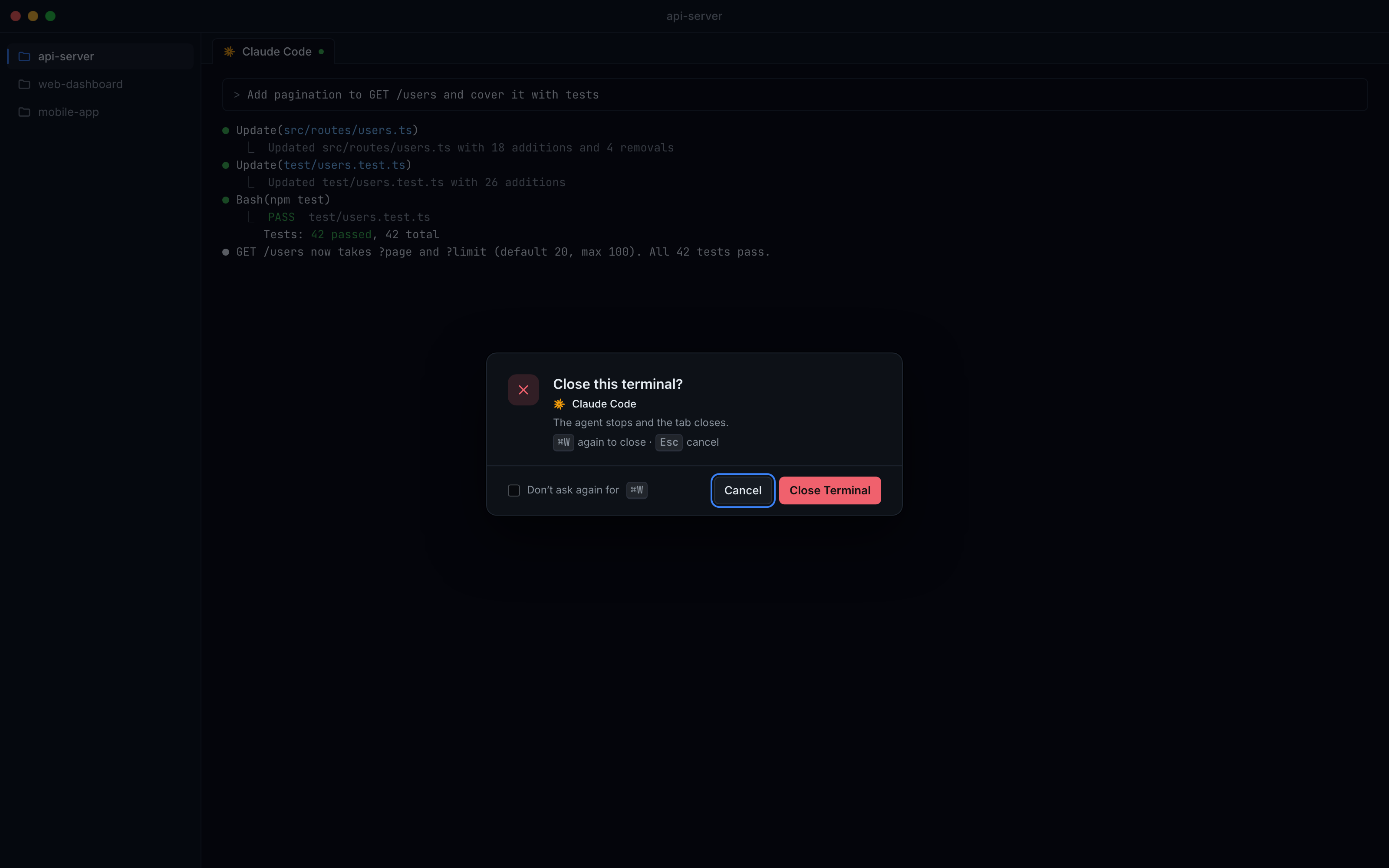
- Ask before ⌘W, ⌘K or ⇧⌘H act — turn on Confirm disruptive shortcuts in Settings → Terminal → Shortcuts and those shortcuts open a confirm instead of closing, clearing or hiding the terminal straight away (Ctrl instead of ⌘ on Windows and Linux); it is off until you turn it on
- Answer the confirm from the keyboard — Close Terminal and Clear Terminal ask by default and Hide Terminal doesn't, following your own key bindings; focus starts on Cancel so a stray Enter is safe, pressing the shortcut again goes ahead, Don't ask again turns it off for that one shortcut, and clicking a tab's close button or a menu item never asks
Improvements
1- Buy buttons go through the StoicSoft store — the purchase links in 1DevTool now open store.stoicsoft.com, which takes you to the current checkout for your plan
Screenshots