1AIVault Memory
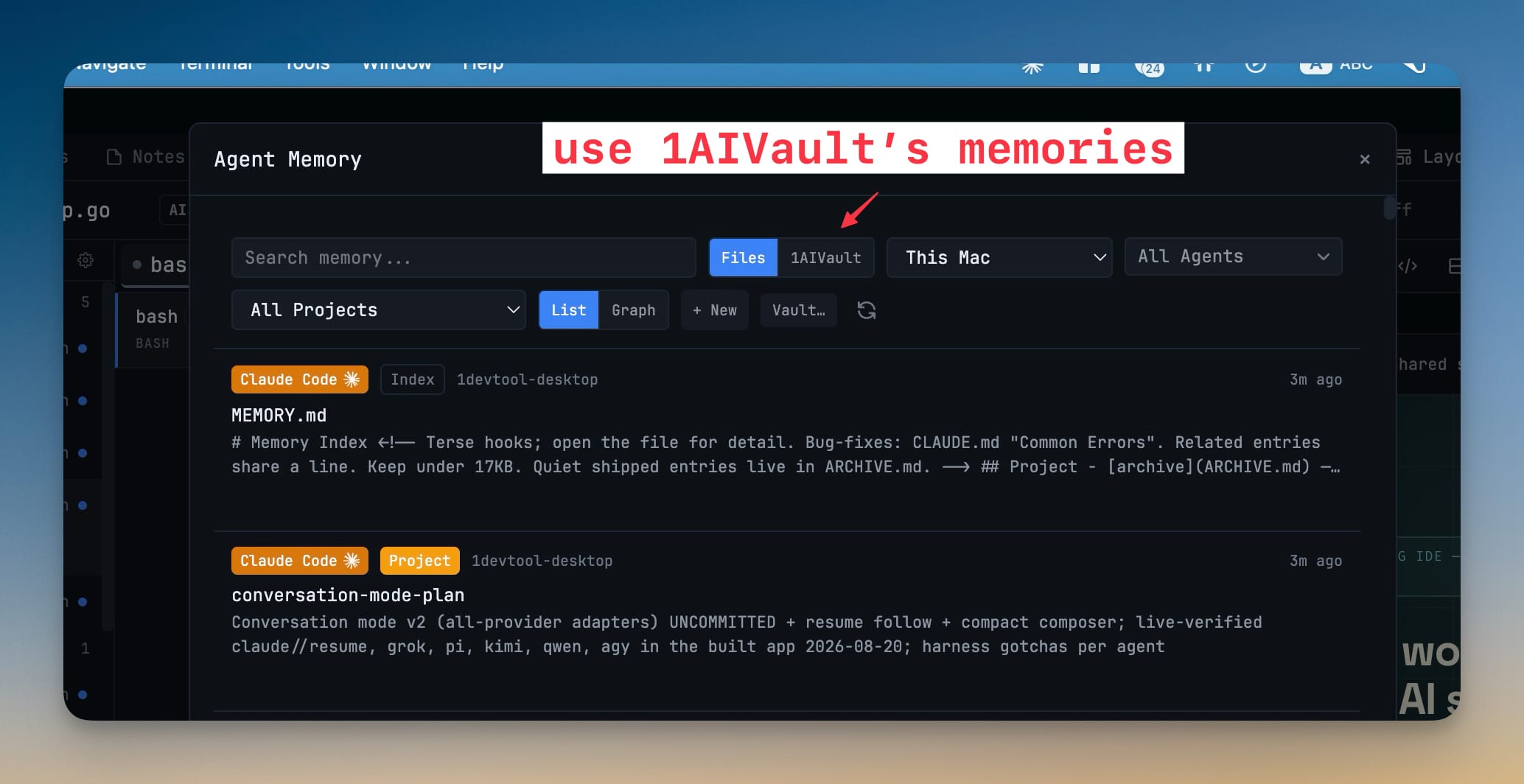
Browse, search, and hand off your 1AIVault memories from inside 1DevTool's Memory panel. A read-only 1AIVault source sits alongside your local agent memory files, so any saved vault entry can go straight to an AI agent as context.
More Screenshots
Click any image to zoom in
Why You Need This
How this feature boosts your daily productivity
The knowledge you deliberately save to 1AIVault lives in the vault; the memories your coding agents write live in dotfiles across your projects. Until now those were two separate places you had to context-switch between. The Memory panel adds a 1AIVault source next to Files, so your vault shows up right where you already read agent memory. Search and filter it without leaving 1DevTool, then send any entry straight into a terminal as context or copy it to paste elsewhere. It is read-only by design — 1DevTool never changes your vault — and points you to 1AIVault at https://1aivault.com when it is not installed.
How It Works
Get started in 4 simple steps
Open the Memory panel
The Memory panel reads every AI agent's memory across your projects. A source toggle at the top switches between Files — your local agent memory — and the new 1AIVault source.
Switch to the 1AIVault source
Flip the toggle to 1AIVault and every entry saved in your vault lists here alongside the local files, with the same filters for machine, agent and project.
Search and filter your vault
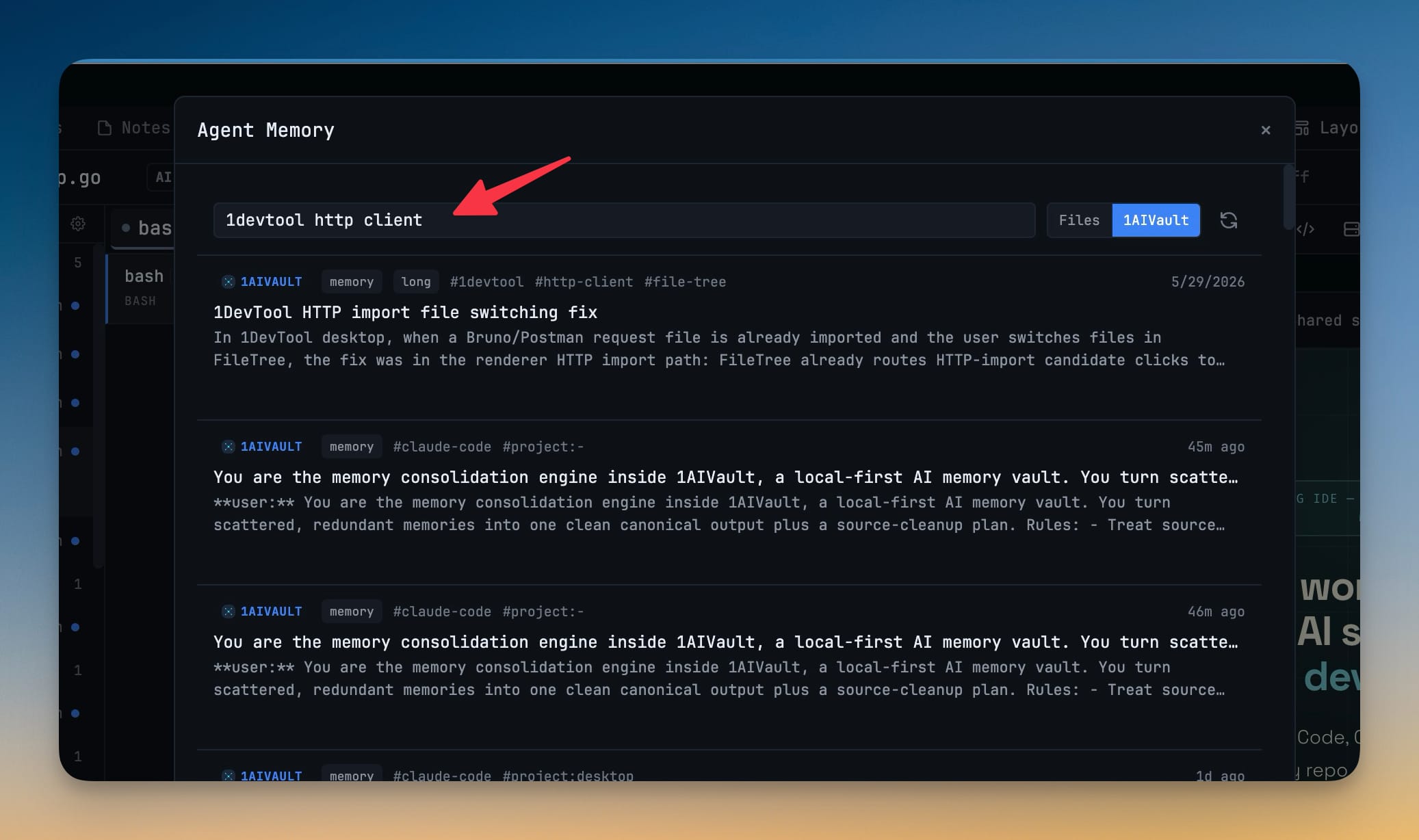
Type into the search box to find a vault entry by text without leaving 1DevTool — the same box narrows both your files and your 1AIVault memories.
Hand an entry to an agent
Send any vault memory straight into a terminal as context, or copy it to paste wherever you need it. It stays read-only — 1DevTool never writes back to your vault.
Without 1DevTool
The manual way vs. the 1DevTool way
The Hard Way
The 1DevTool Way
Key Capabilities
Everything included with 1AIVault Memory
Why It Matters
The productivity impact of having ai productivity built into your workspace
One Place To Read Memory
The knowledge you saved to your vault and the memory your agents wrote to dotfiles finally sit in the same panel, instead of two tools you switch between.
Context Without The Copy-Paste Hunt
Finding the right saved note and handing it to an agent is a search and a click, not a dig through the vault app and back.
Your Vault Stays Yours
The source is read-only, so browsing and borrowing your memories inside 1DevTool never risks changing what the vault holds.
Nothing To Wire Up
If 1AIVault is installed the source just appears; if it is not, the panel points you to it instead of failing quietly.
More in AI Productivity
Other features in this category you might find useful
Prompt History
Search prompts and sticky notes from Remote Control while away from the desktop. Switch between This project and All projects, filter prompts by agent or notes by source, copy entries, delete with Operator access, and sync local prompt history.
Resume UI
Browse, search, and resume past AI sessions from Claude Code, Codex, and Gemini CLI — or combine multiple sessions into one.
Combine Sessions
Select sessions from Claude Code, Codex, and Gemini CLI and merge them into a single conversation — giving your next agent the full cross-agent context.
AI Diff Review Panel
Track every file modification any AI agent makes — Claude Code, Codex, Gemini, Amp, custom — and review, accept, or revert their work per file from a dedicated panel with inline diff overlays in the editor.
Ready to boost your workflow?
Download 1DevTool for free and experience 1AIVault Memory along with 322 other features — all in one app.