AI Diff Review Panel
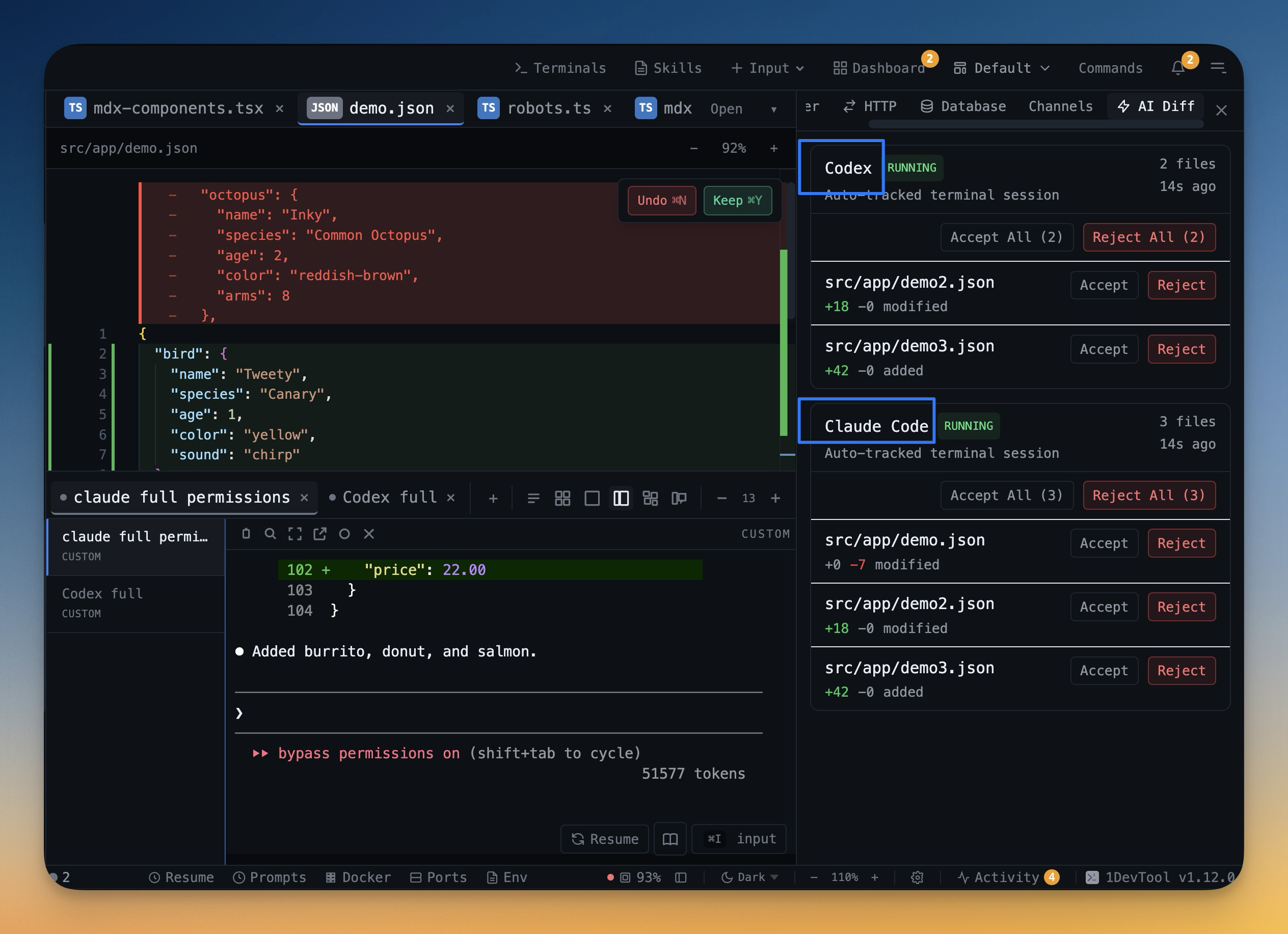
Track every file modification any AI agent makes — Claude Code, Codex, Gemini, Amp, custom — and review, accept, or revert their work per file from a dedicated panel with inline diff overlays in the editor.
More Screenshots
Click any image to zoom in
Why You Need This
How this feature boosts your daily productivity
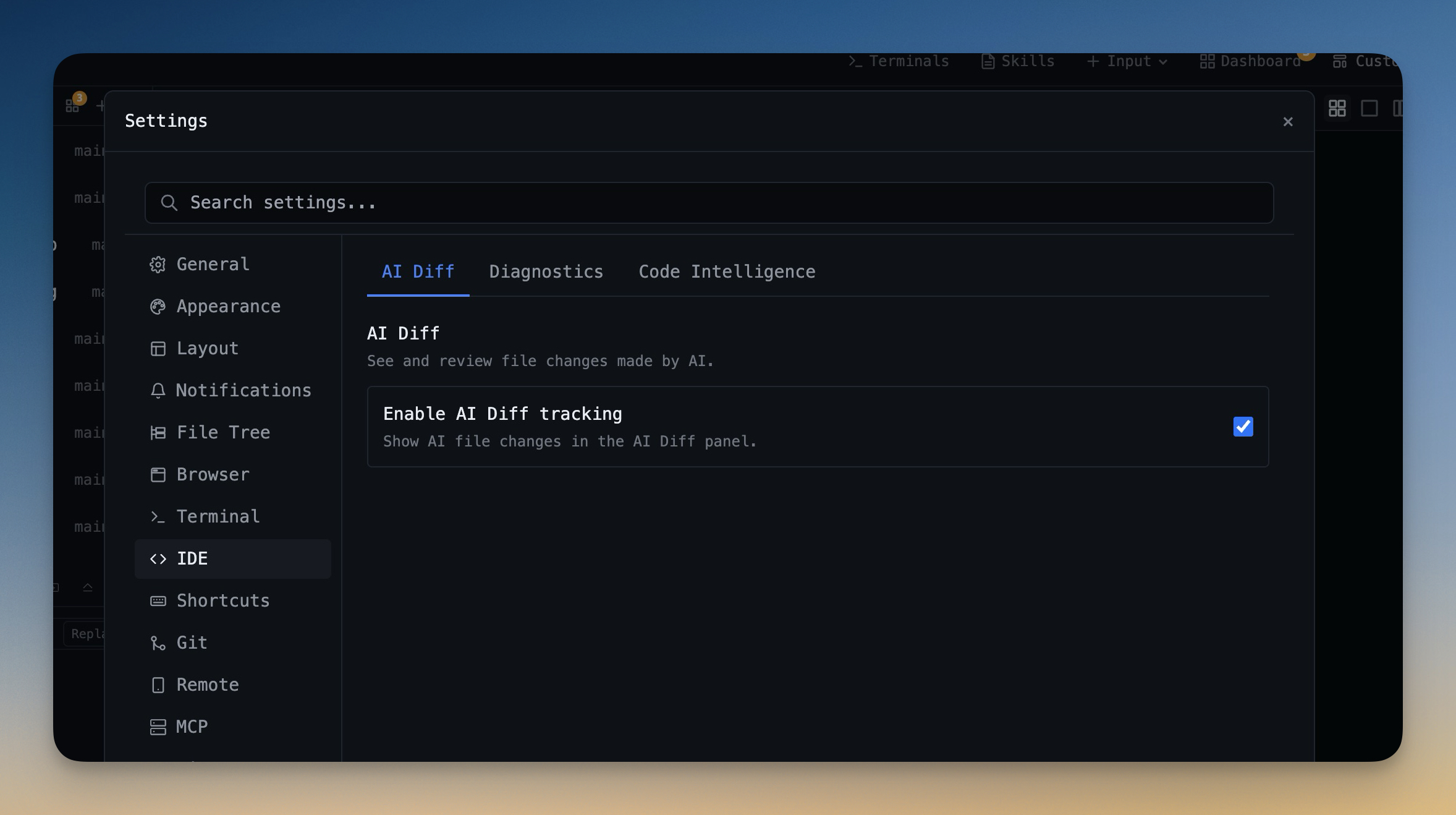
AI agents touch dozens of files in a single run, and you can't safely review all of them in scrollback. Most developers either trust the agent blindly and ship bugs, or burn 20 minutes diff-ing files manually after the fact. The AI Diff panel tracks every file modification any AI agent makes, groups them into reviewable sessions, and gives you Accept and Revert buttons per file (plus bulk Accept and bulk Revert per session for when you trust — or distrust — a whole run). Per-prompt baselines mean the system snapshots affected files the moment an agent starts a new prompt, so when the agent finishes you see exactly which files it touched and what changed even if you walked away during the run. Click any changed file in the panel to open it in the IDE strip with the diff visible inline as Monaco overlay highlights for added, removed, and modified ranges — so you can review the agent's work without ever leaving the file. Session history keeps every AI agent run with the agent type, the prompt, the start time, and the count of changed files, browsable any time. Off by default; opt in from Settings → IDE → AI Diff when you're ready to start tracking.
How It Works
Get started in 4 simple steps
Work Naturally
Use AI agents in your terminals as you normally would. Prompts and sessions are captured automatically.
Search Your History
Open Prompt History to find past prompts. Search by keyword to find the exact prompt you used before.
Annotate Visually
Capture and annotate screenshots. Embed them in AI prompts for visual context that text alone can't convey.
Build Your Library
Your prompt history becomes a personal knowledge base. Reuse proven prompts and refine your AI workflow over time.
Without 1DevTool
The manual way vs. the 1DevTool way
The Hard Way
The 1DevTool Way
Key Capabilities
Everything included with AI Diff Review Panel
Why It Matters
The productivity impact of having ai productivity built into your workspace
Searchable Prompt Library
Every prompt you've ever sent is captured and searchable. Find and reuse your best AI interactions.
Visual AI Communication
Annotate screenshots and embed them in prompts. Show your AI agent exactly what you see.
Session Knowledge Base
AI conversations become searchable history. Find how you solved a similar problem last week.
Power Navigation
Command palette gives you instant access to any feature. Navigate 1DevTool at the speed of thought.
More in AI Productivity
Other features in this category you might find useful
Prompt History
Search prompts and sticky notes from Remote Control while away from the desktop. Switch between This project and All projects, filter prompts by agent or notes by source, copy entries, delete with Operator access, and sync local prompt history.
Resume UI
Browse, search, and resume past AI sessions from Claude Code, Codex, and Gemini CLI — or combine multiple sessions into one.
Combine Sessions
Select sessions from Claude Code, Codex, and Gemini CLI and merge them into a single conversation — giving your next agent the full cross-agent context.
Screenshot Annotator
Annotate screenshots and embed them directly in your AI prompts for visual context.
Ready to boost your workflow?
Download 1DevTool for free and experience AI Diff Review Panel along with 322 other features — all in one app.