Floating, Resizable Agent Input
Drag Agent Input out of its terminal pane, move it across the workspace, and resize it from any edge or corner. It automatically floats when a pane is too cramped and remembers the floating size you chose between sessions.
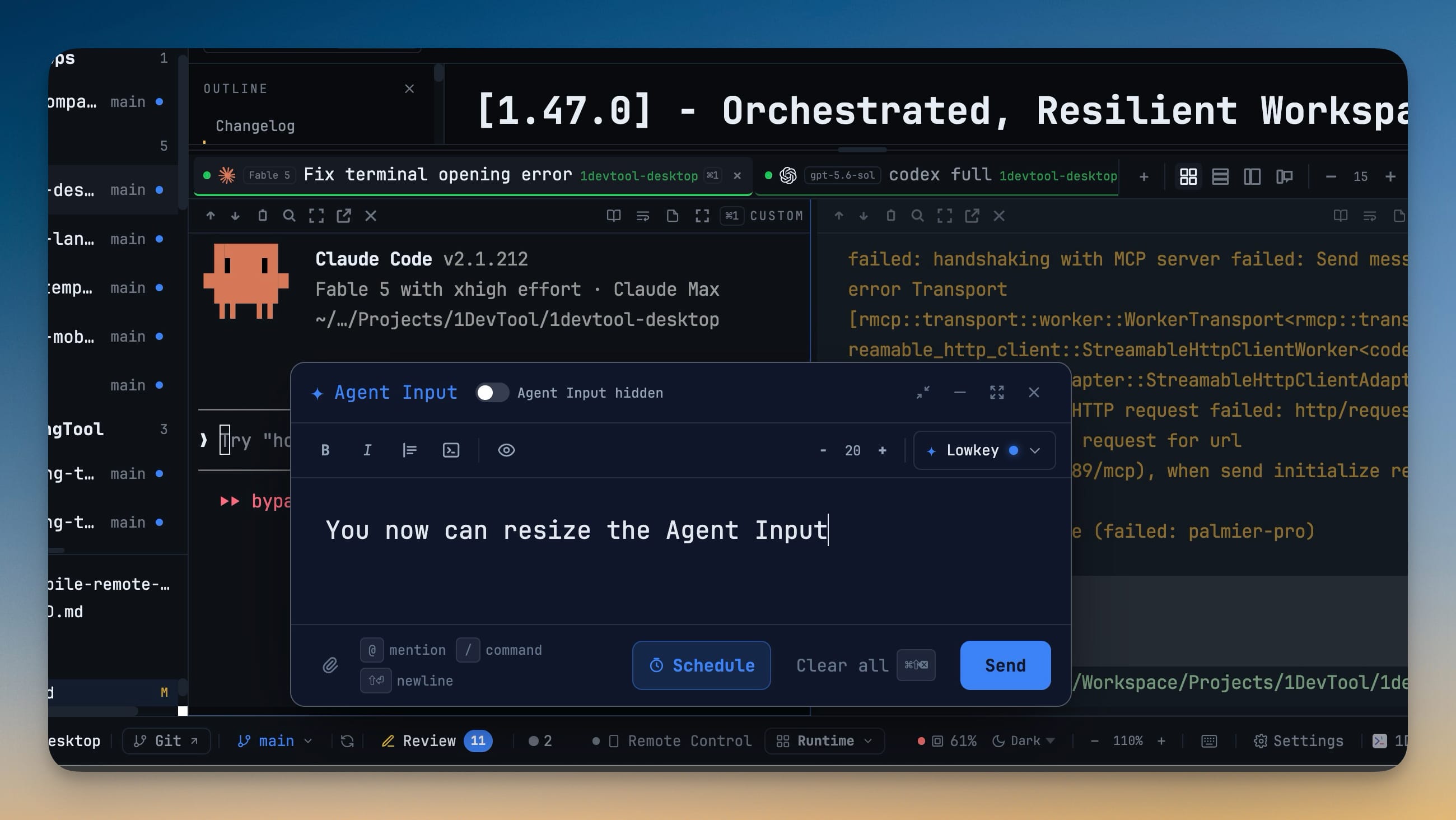
Why You Need This
How this feature boosts your daily productivity
Long prompts, attached files, and multi-agent handoffs quickly outgrow a narrow terminal pane. Floating Agent Input gives the composer its own movable canvas without forcing fullscreen, while automatic detachment keeps the drag handle and editor reachable when grid layouts become too small.
How It Works
Get started in 4 simple steps
Open Agent Input
Use the terminal composer to open Agent Input with the current terminal draft and any attachments.
Drag the header
Grab the Agent Input header and move the composer over any workspace panel; it detaches into a top-level floating layer.
Resize from any side
Drag an edge or corner to set the width and height. The box stays within the viewport and keeps a usable minimum editor size.
Reuse or dock the layout
The floating size is remembered globally. Click Dock back into the terminal pane when you want the anchored composer again.
Without 1DevTool
The manual way vs. the 1DevTool way
The Hard Way
The 1DevTool Way
Key Capabilities
Everything included with Floating, Resizable Agent Input
Why It Matters
The productivity impact of having ai productivity built into your workspace
Room to Write
Size the composer to the prompt instead of squeezing a long, structured instruction into a three-line pane.
Reachable in Tight Layouts
It detaches on its own when a pane gets too narrow, so the editor and its controls never get clipped out of reach.
Set It Once
Your floating size is remembered between sessions, so the composer opens the way you like it every time.
Dock When You Want
Snap the composer back into its terminal pane with one control whenever you want the anchored layout again.
More in AI Productivity
Other features in this category you might find useful
Prompt History
Search prompts and sticky notes from Remote Control while away from the desktop. Switch between This project and All projects, filter prompts by agent or notes by source, copy entries, delete with Operator access, and sync local prompt history.
Resume UI
Read any past AI session before you resume it. Resume AI Sessions is a split view with a searchable list of every Claude Code, Codex, Gemini CLI and other agent session on the left and a live preview of the project, branch, tool calls and conversation on the right, with Resume, bypass permissions and an editable command one click away.
Combine Sessions
Merge several past AI sessions into one opening prompt, or hand a single session to a different agent. Tick sessions in Resume AI Sessions, see a token estimate of the context they add, and send the result to a new chat with any agent or preset or to a terminal that is already open.
AI Diff Review Panel
Track every file modification any AI agent makes — Claude Code, Codex, Gemini, Amp, custom — and review, accept, or revert their work per file from a dedicated panel with inline diff overlays in the editor.
Ready to boost your workflow?
Download 1DevTool for free and experience Floating, Resizable Agent Input along with 333 other features — all in one app.