Query Editor & Results
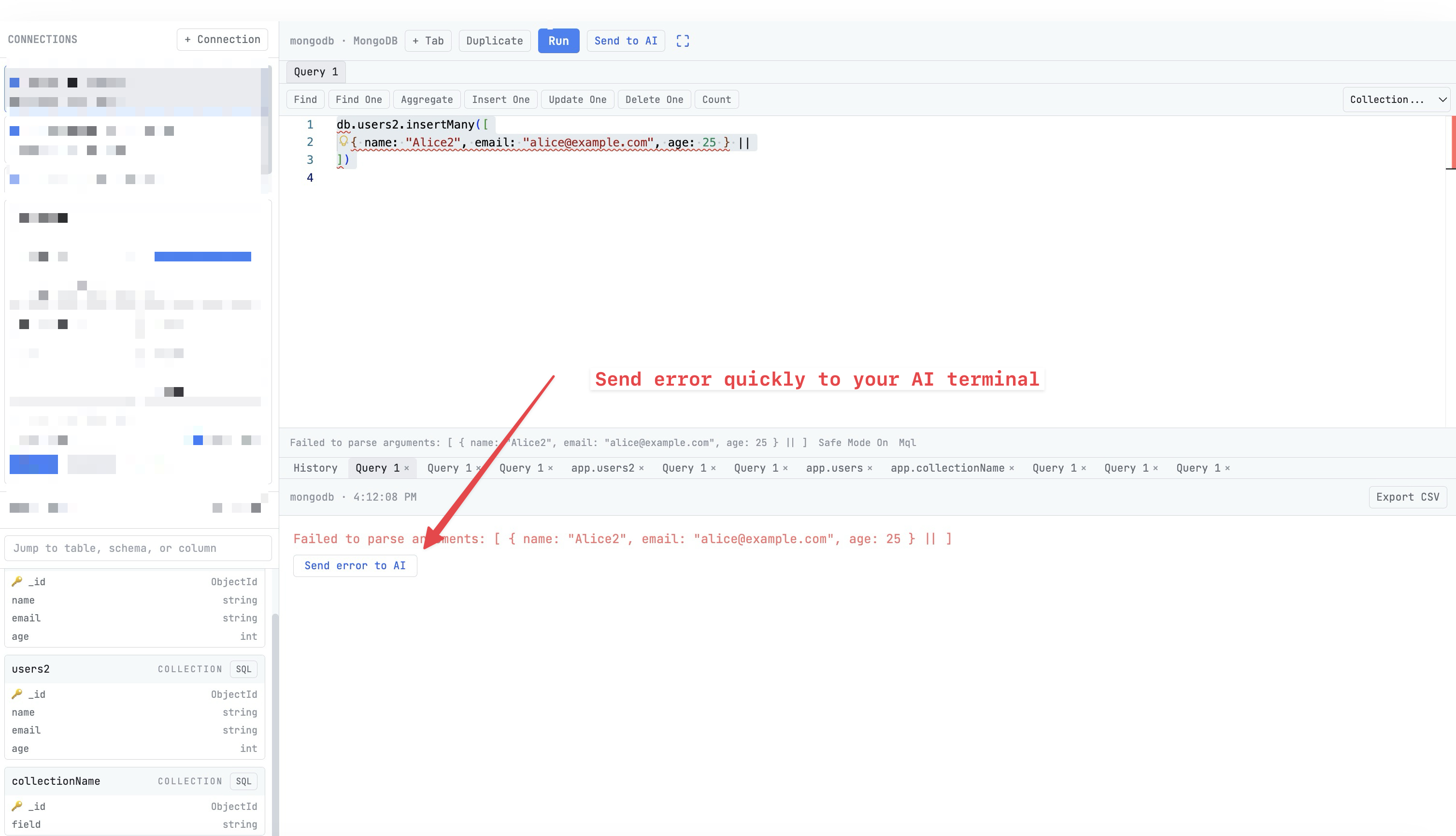
SQL editor with syntax highlighting, auto-formatting, multi-tab workspace, and exportable result grids.
Why You Need This
How this feature boosts your daily productivity
Writing queries in a basic terminal is painful — no syntax highlighting, no auto-completion, no way to see results in a table. The Query Editor gives you a proper IDE experience for your database work: syntax highlighting tuned per engine, SQL formatting at the click of a button, and tabular results you can sort, filter, and export to CSV. Run multiple queries in tabs, and send results directly to your AI agent for analysis.
How It Works
Get started in 4 simple steps
Connect to Your Database
Enter connection details or paste a connection string. Test the connection before saving. Supports 13 engines.
Browse Your Schema
Explore tables, columns, and relationships in the schema browser. Preview data with a click.
Write & Run Queries
Use the SQL editor with syntax highlighting and auto-formatting. View results in sortable tables.
Export & Analyze
Export results to CSV. Send query results to your AI agent for analysis or anomaly detection.
Without 1DevTool
The manual way vs. the 1DevTool way
The Hard Way
The 1DevTool Way
Key Capabilities
Everything included with Query Editor & Results
Why It Matters
The productivity impact of having database client built into your workspace
One Tool, 13 Engines
PostgreSQL, MySQL, MongoDB, Redis, Elasticsearch, and 8 more — all from a single, consistent interface.
Visual Schema Exploration
Browse tables, columns, and relationships visually instead of running DESCRIBE commands in a terminal.
Professional Query Editor
Syntax highlighting, auto-formatting, and tabular results make database work feel like using a dedicated IDE.
Safe by Default
Color-coded connections and safe mode prevent accidental writes to production databases.
More in Database Client
Other features in this category you might find useful
13 Database Engines
Connect to PostgreSQL, MySQL, MongoDB, Redis, Elasticsearch, ClickHouse, Cassandra, SurrealDB, Weaviate, InfluxDB, Kafka, CouchDB, and MSSQL.
Schema Browser
Browse table schemas, preview data, and filter tables. Edit rows directly in the results grid.
Database Workspace Table List
Use a tabbed database workspace with a connection rail, table list sidebar, and query tabs so schema browsing and SQL editing happen in one place.
SQL Server with Windows Authentication
Pick the auth mode in the SQL Server connection form and add a domain when you need one, instead of being forced onto a SQL login. Connection strings that already say `authentication=windows`, `trusted_connection` or `integrated security` fill the form in correctly, and copying one back out keeps it.
Ready to boost your workflow?
Download 1DevTool for free and experience Query Editor & Results along with 305 other features — all in one app.