Scheduled Jobs (Cron)
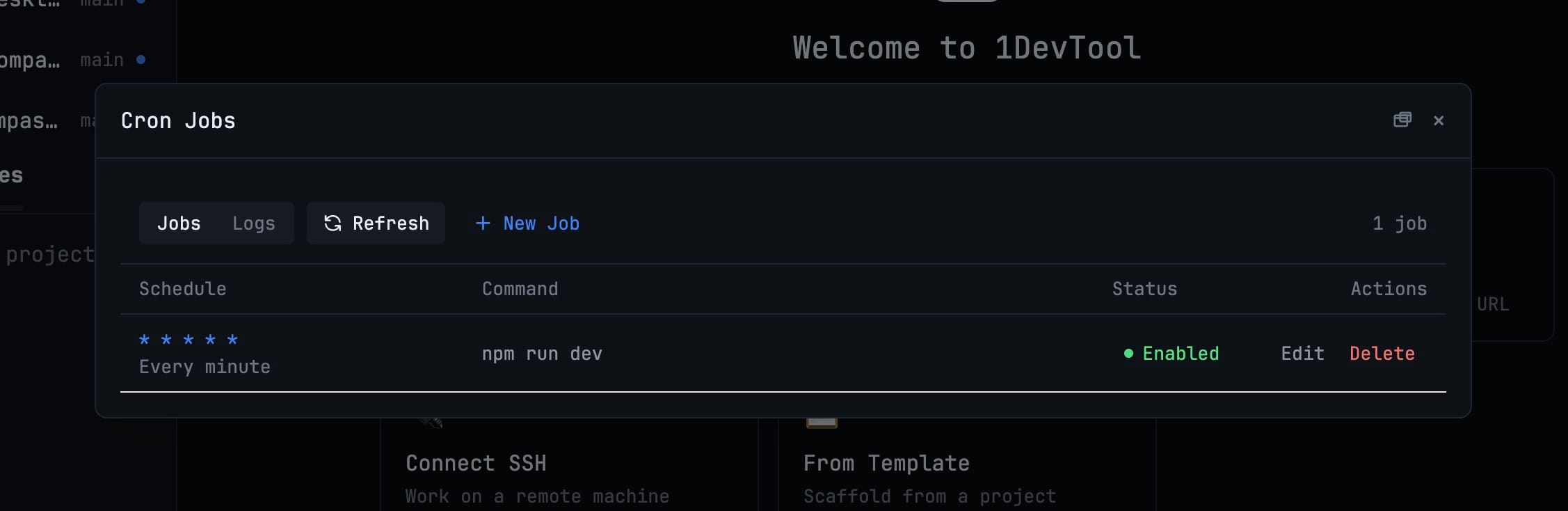
Manage macOS and Linux crontab jobs from the Runtime menu: add, edit, enable, disable, remove, and refresh scheduled commands with presets and plain-English timing previews. Windows users get direct guidance to Task Scheduler instead.
More Screenshots
Click any image to zoom in
Why You Need This
How this feature boosts your daily productivity
Editing crontab by hand means remembering five schedule fields, opening a terminal editor, and hoping nobody changed the file between reading and saving it. Cron Jobs puts the current user crontab into a focused manager, explains common schedules before you commit them, and refuses an edit when the underlying line changed outside 1DevTool.
How It Works
Get started in 4 simple steps
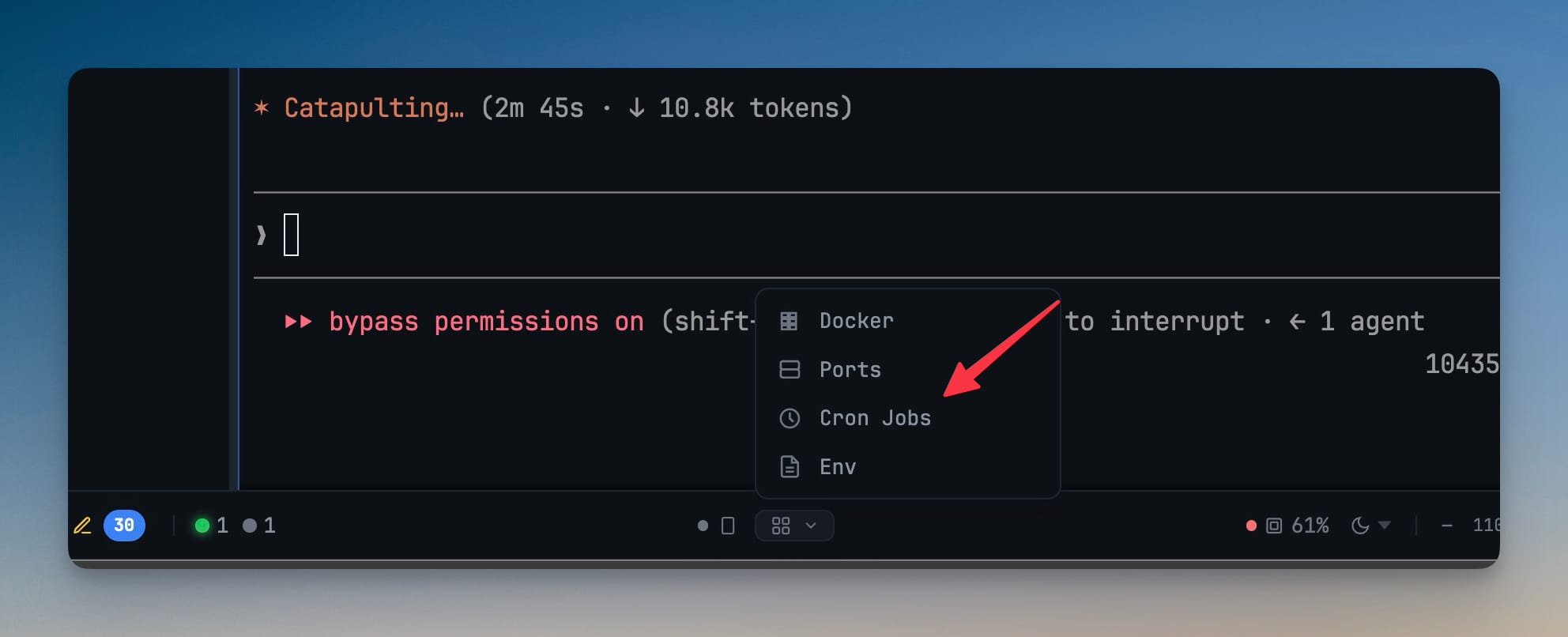
Open Runtime → Cron Jobs
Use the Runtime menu in the status bar and choose Cron Jobs to load every enabled and commented-out job in your current user crontab.
Click New Job
Choose a preset such as Every 5 minutes, Weekdays at 9:00, Monthly, or At system startup, or enter a five-field cron expression.
Enter the command and verify timing
Type the single-line command, confirm the plain-English schedule beside it, then click Add Job to write the updated crontab.
Maintain jobs in place
Refresh, edit, enable, disable, or delete jobs from the table; pop Cron Jobs into a separate window when you want it on another monitor.
Without 1DevTool
The manual way vs. the 1DevTool way
The Hard Way
The 1DevTool Way
Key Capabilities
Everything included with Scheduled Jobs (Cron)
Why It Matters
The productivity impact of having developer toolbox built into your workspace
No More Five-Field Guessing
Pick a preset or read the plain-English schedule before you save, instead of counting crontab fields and hoping the syntax holds.
A Panel You Will Actually Open
Cron stops being a thing you avoid in a terminal editor and becomes a table you add, edit, enable, and disable jobs from.
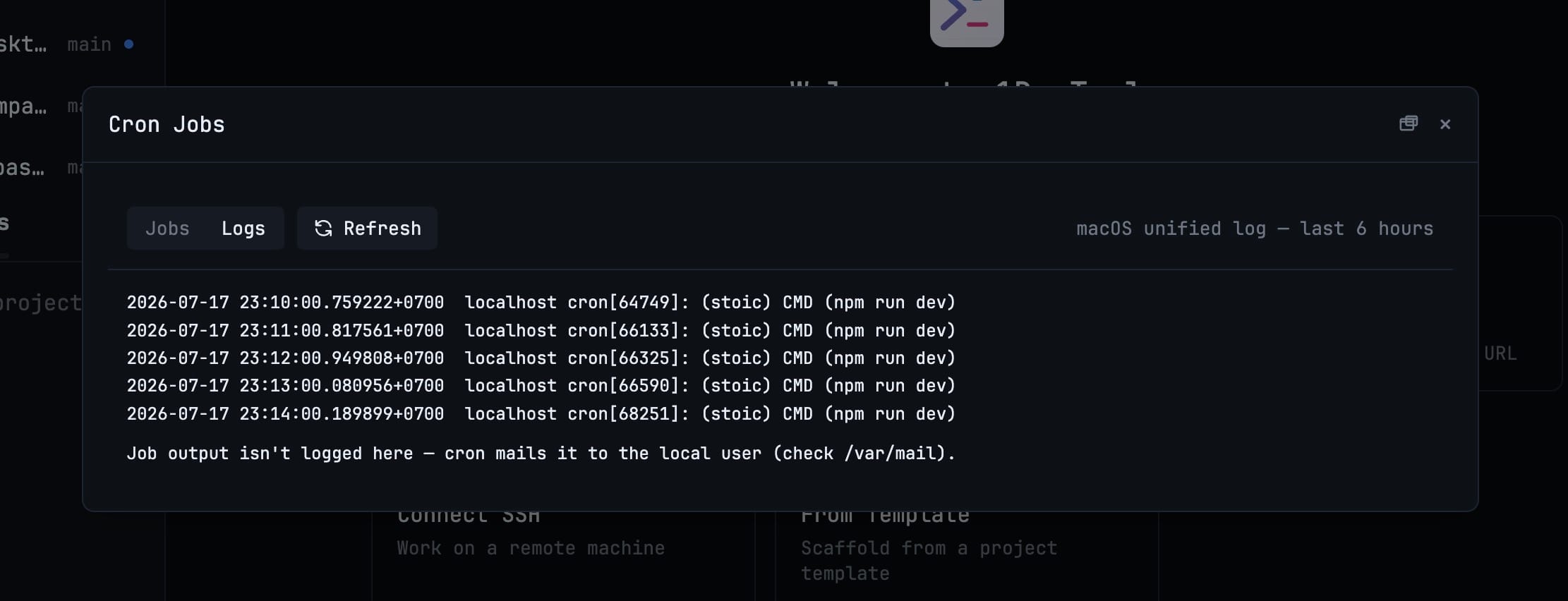
Proof It Ran
The Logs tab pulls recent runs from the system log, so you can confirm a job fired instead of wondering.
Safe Edits
1DevTool re-reads the crontab before writing and stops if another tool changed the line, so you never clobber an edit you did not make.
More in Developer ToolBox
Other features in this category you might find useful
JSON Formatter
Format, validate, and minify JSON with syntax highlighting and error detection.
JWT Decoder
Decode and inspect JWT tokens — view header, payload, and signature with expiration checking.
Regex Tester
Write and test regular expressions with real-time matching, capture group highlighting, and match details.
Diff Viewer
Compare two text blocks side-by-side with line-by-line diff highlighting.
Ready to boost your workflow?
Download 1DevTool for free and experience Scheduled Jobs (Cron) along with 333 other features — all in one app.