v1.21.3May 28, 2026
One-Click Postman, Bruno & Insomnia — HTML Preview
One-Click Postman, Bruno & Insomnia — HTML Preview. This release brings Open HTTP Collections By Clicking The File and Preview HTML Files In The Browser Panel.
Download v1.21.3
The download page always has the newest build; installers for this version are on GitHub.
What changed
New features
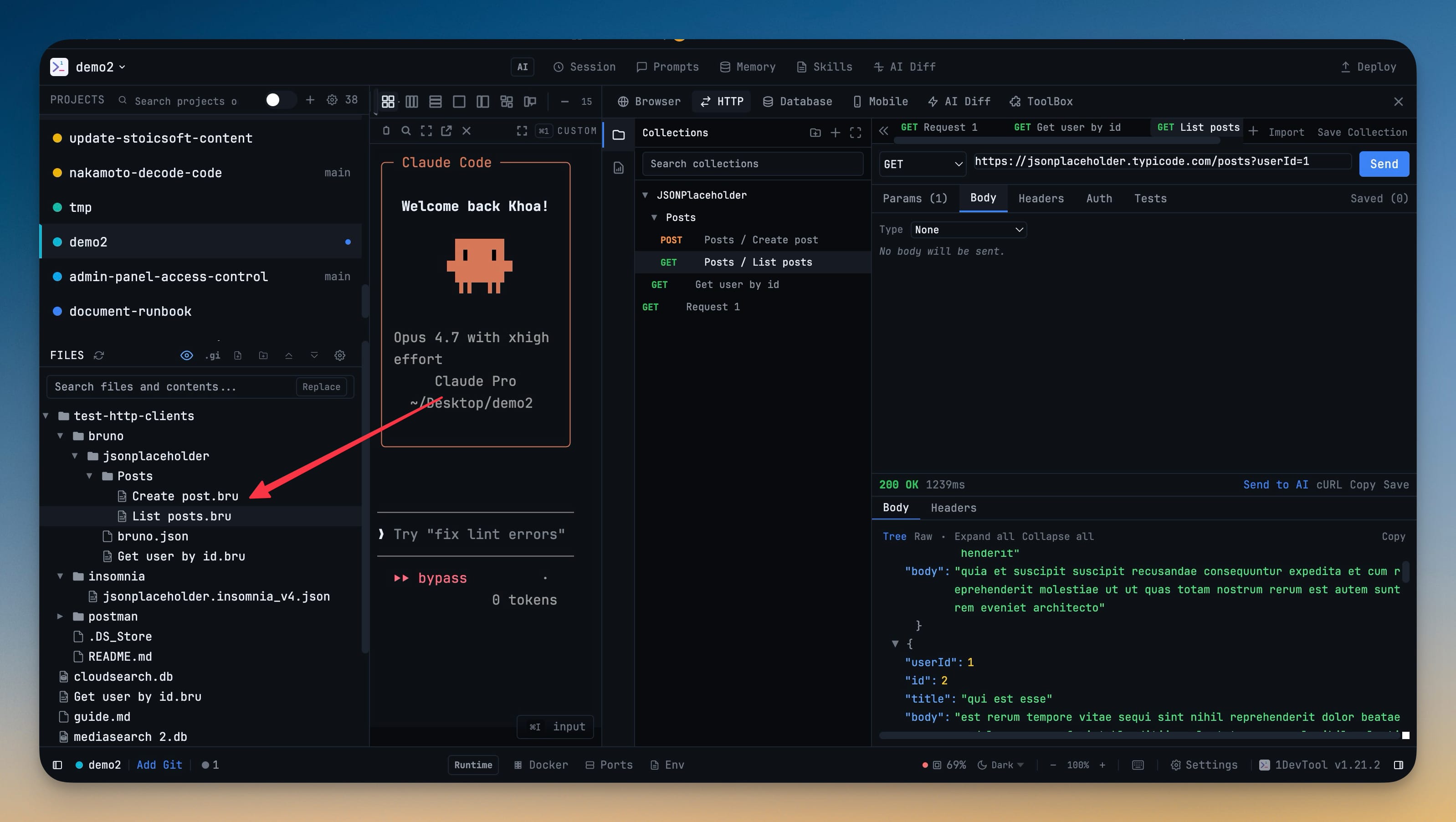
11- Click a Postman, Bruno, or Insomnia collection in the file explorer and every request opens in the HTTP client immediately — no manual import dialog, no copy-paste, no setup
- Supported formats — Postman v2.1 (.postman_collection.json), Insomnia v4 (.json), and Bruno folders/files (.bru)
- Folder structure is preserved in the HTTP sidebar — your nested folders from Postman or Bruno show up as a tree, not a flat list
- Environments come along for the ride — variables from Postman environments, Insomnia environments, and Bruno environments/*.bru files are imported alongside the requests
- Right-click → "Open in HTTP Client" for any recognized collection file from the file explorer context menu
- Dedicated file icons for .bru, .postman_collection.json, and Insomnia exports so collection files stand out in the file tree
- Re-clicking an already-imported file instantly switches the HTTP panel to that request instead of re-importing — fast jump between requests directly from the file tree
- Import summary toast tells you exactly what landed: "Imported 47 requests + 2 environments from MyCollection.postman_collection.json"
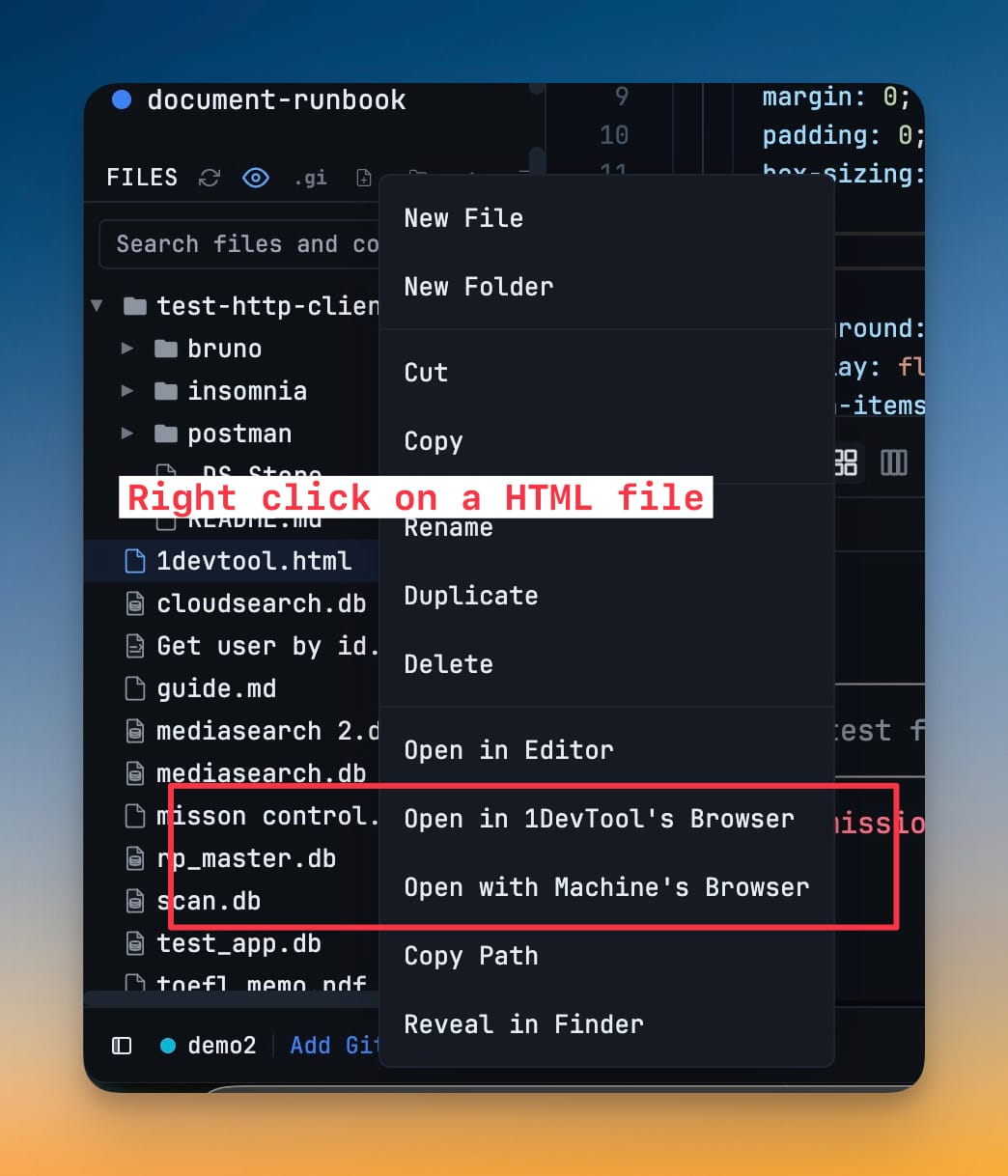
- Right-click any .html or .htm file in the file explorer and pick "Open in 1DevTool's Browser" to render it inside the built-in browser panel — perfect for previewing static sites, exported reports, or scratch HTML
- "Open with Machine's Browser" is right there too if you'd rather open it in Chrome, Safari, or your system default
- Same context menu pair is available for PDFs, audio, and video files
Improvements
2- Project dropdown in the breadcrumb now matches your sidebar order — projects appear in the same group-aware order shown in the project list (root groups first by order, then ungrouped projects), instead of insertion order
- Force scroll to bottom on terminal click is now off by default for new users — you can scroll up through AI agent output without the terminal yanking you back to the bottom on every click. Existing users keep their current setting; toggle it anytime in Settings → Terminal
Bug fixes
1- Fixed clicking an imported Bruno or Postman request file doing nothing — the HTTP panel now refreshes from project state when you click an already-imported request, instead of silently keeping the previous request on screen
Screenshots