v1.21.2May 26, 2026
SQLite Client & Keyboard Shortcut Guide
SQLite Client & Keyboard Shortcut Guide. Also in this release: SQLite Database Client.
Download v1.21.2
The download page always has the newest build; installers for this version are on GitHub.
What changed
New features
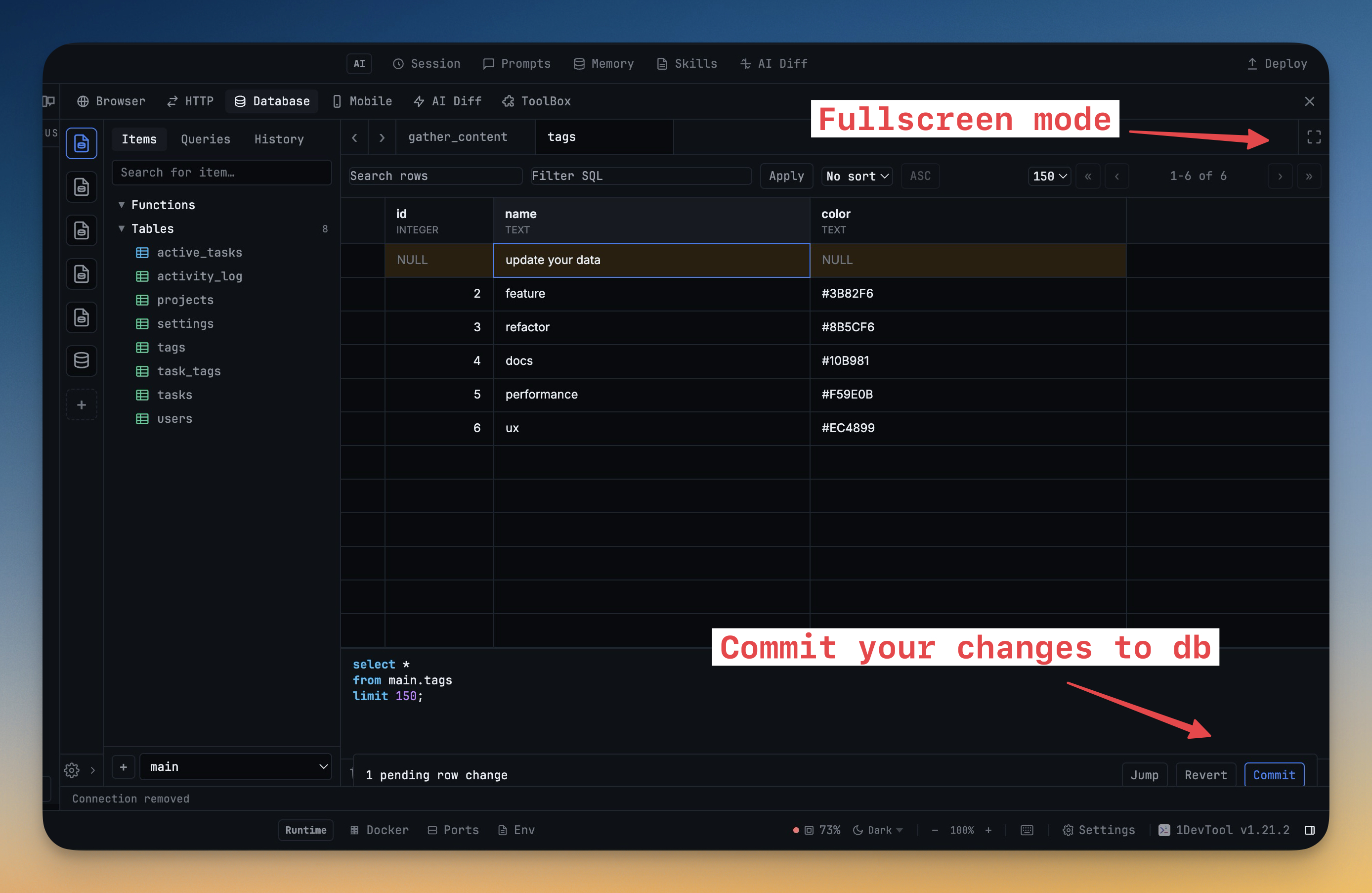
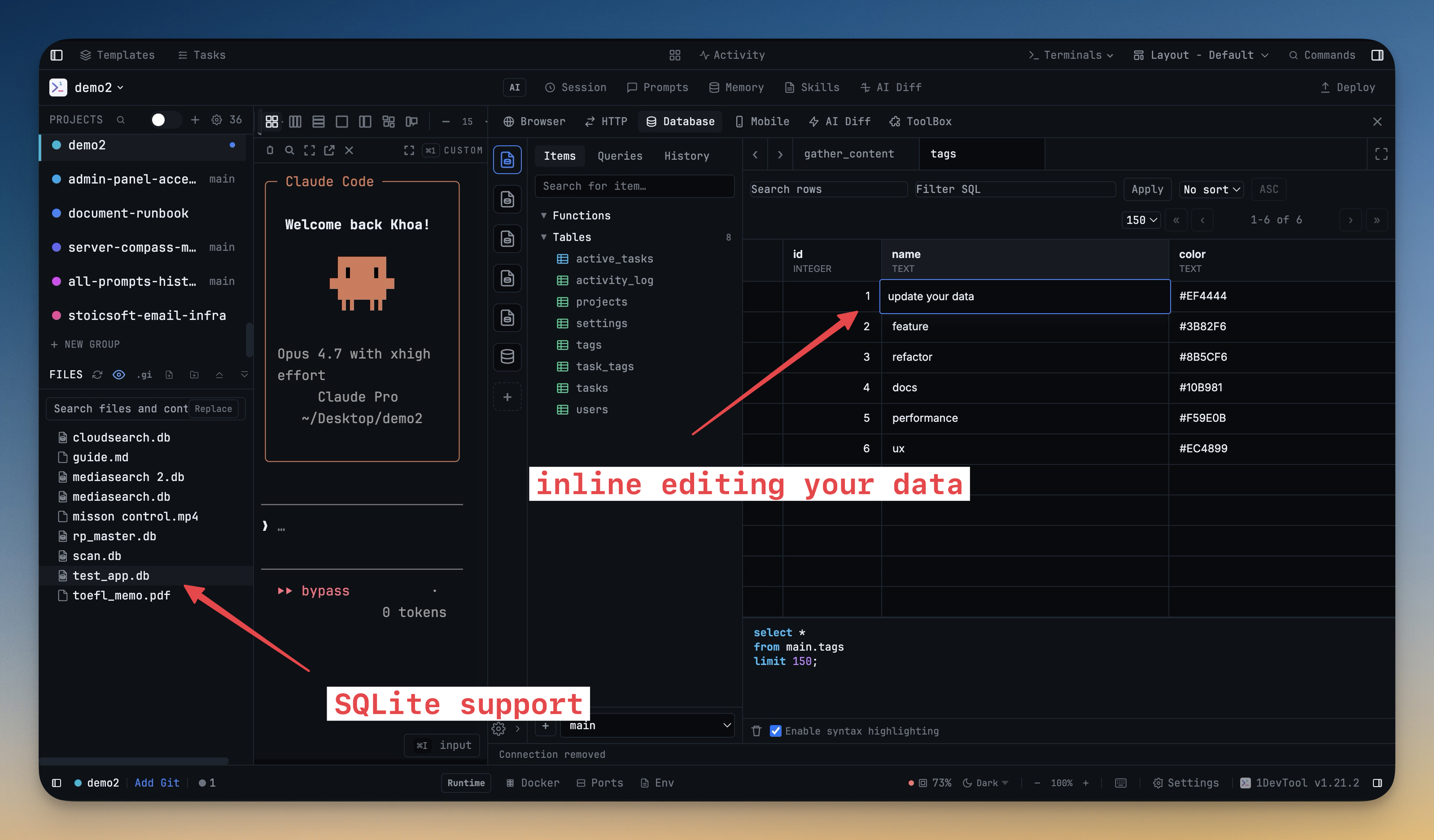
11- Connect to any SQLite database file from the database client — select SQLite as the engine, browse for the file, and start querying immediately with the same SQL editor and result grid you use for Postgres, MySQL, and every other engine
- Click a .sqlite, .sqlite3, or .db file in the file explorer and it opens directly in the database client — no need to manually create a connection first
- Right-click context menu on SQLite files includes "Open in Database Client" for a quick path from browsing files to running queries
- Dedicated file icon for SQLite files in the file explorer so database files stand out visually
- Browse button in the connection form lets you pick a SQLite file via your OS file picker instead of typing the path manually
- Smart form adaptation — selecting SQLite hides the host, port, user, password, and SSL fields since they don't apply to local file databases
- Row counts in the schema sidebar — table and view listings now show the number of rows next to each item so you can gauge data size at a glance
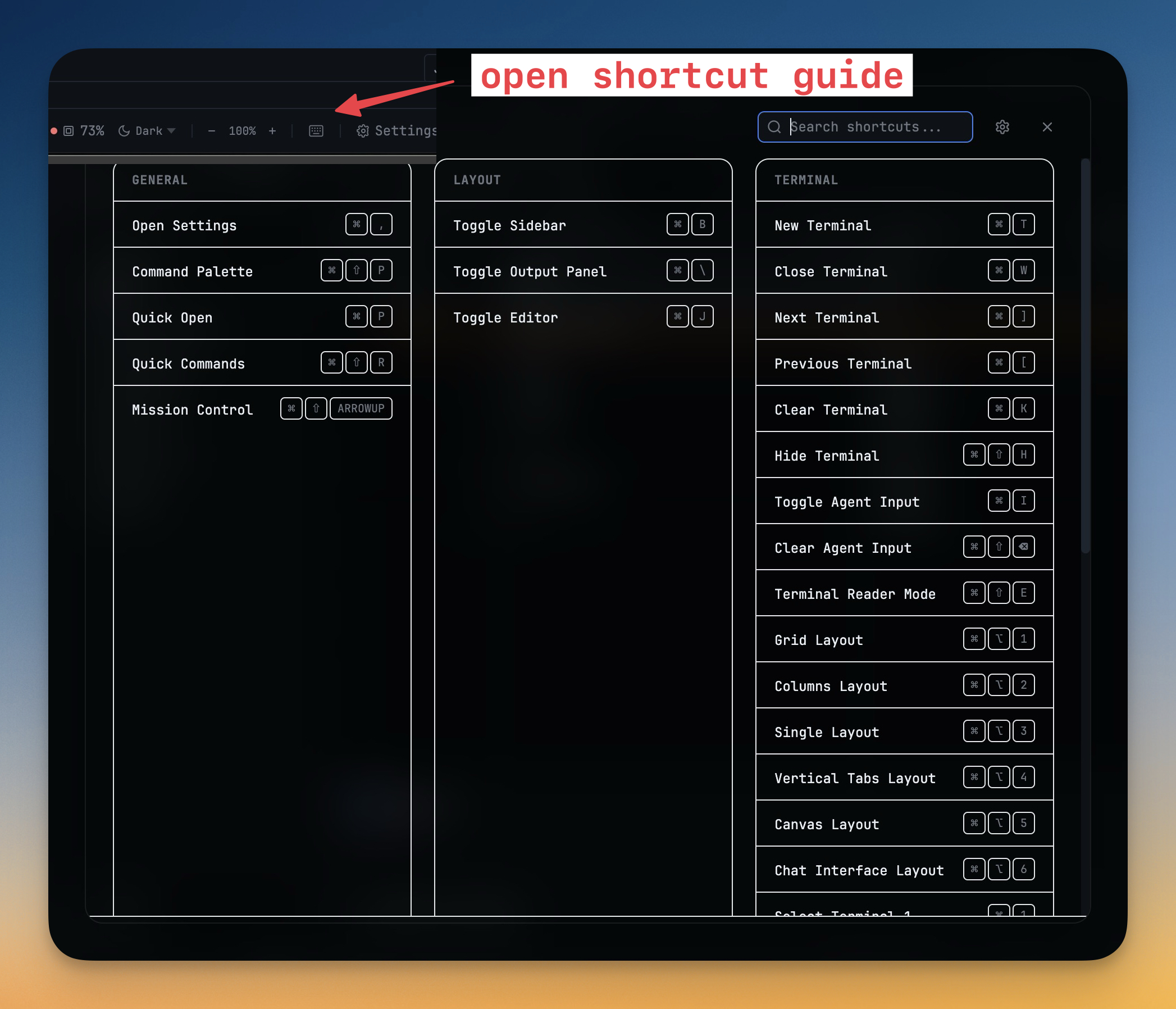
- Press ⌘/ to open a full-screen shortcut reference — a searchable overlay showing every keyboard shortcut organized by category (General, Layout, Terminal, Editor, Browser, Tasks)
- Search across all shortcuts by name, key combination, or description to find what you need instantly
- Link to Settings → Shortcuts in the header for quick access to customize any binding
- Animated open/close transitions with staggered category cards for a polished feel
Improvements
3- Schema loading indicator in the database sidebar — a spinner and skeleton placeholders appear while the schema is being fetched, replacing the previous blank state
- Connection rail is now collapsible — click the collapse button to shrink the connection sidebar to icon-only mode, giving more horizontal space to the query editor
- Loading spinner on the active connection icon while a schema fetch or connection test is in progress
Screenshots