v1.29.0June 26, 2026
Send HTTP requests, Query Databases from Remote Control
Send HTTP requests, Query Databases from Remote Control. This release brings Tools From Your Phone and Soft Light Theme.
Download v1.29.0
The download page always has the newest build; installers for this version are on GitHub.
What changed
New features
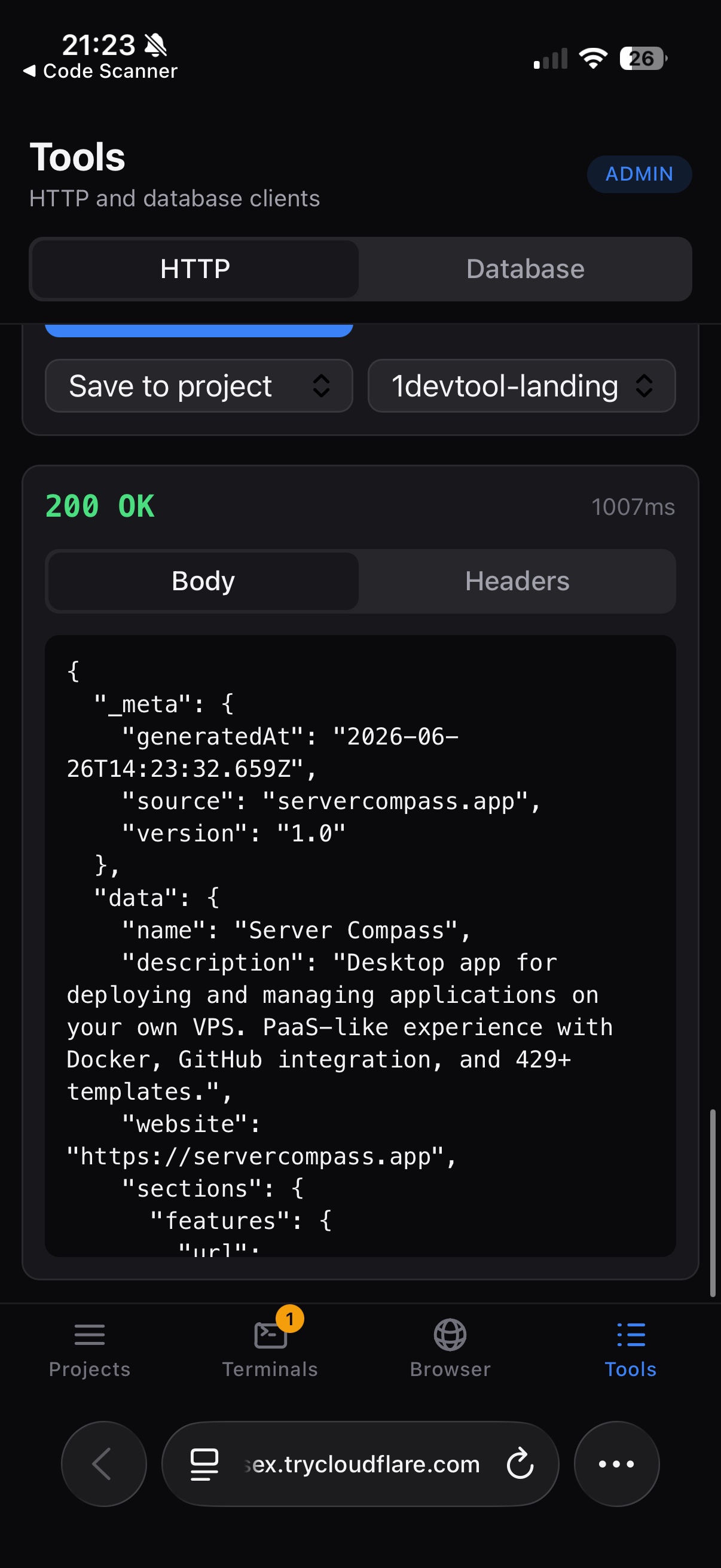
9- Send HTTP requests from Remote Control — open the new Tools tab on your phone to create or reuse saved requests, choose methods, headers, auth, body type, and send them through your desktop workspace
- Responses show status, latency, body, and headers so you can check an API without returning to your keyboard
- Save requests globally or back to a project so the phone and desktop stay in sync
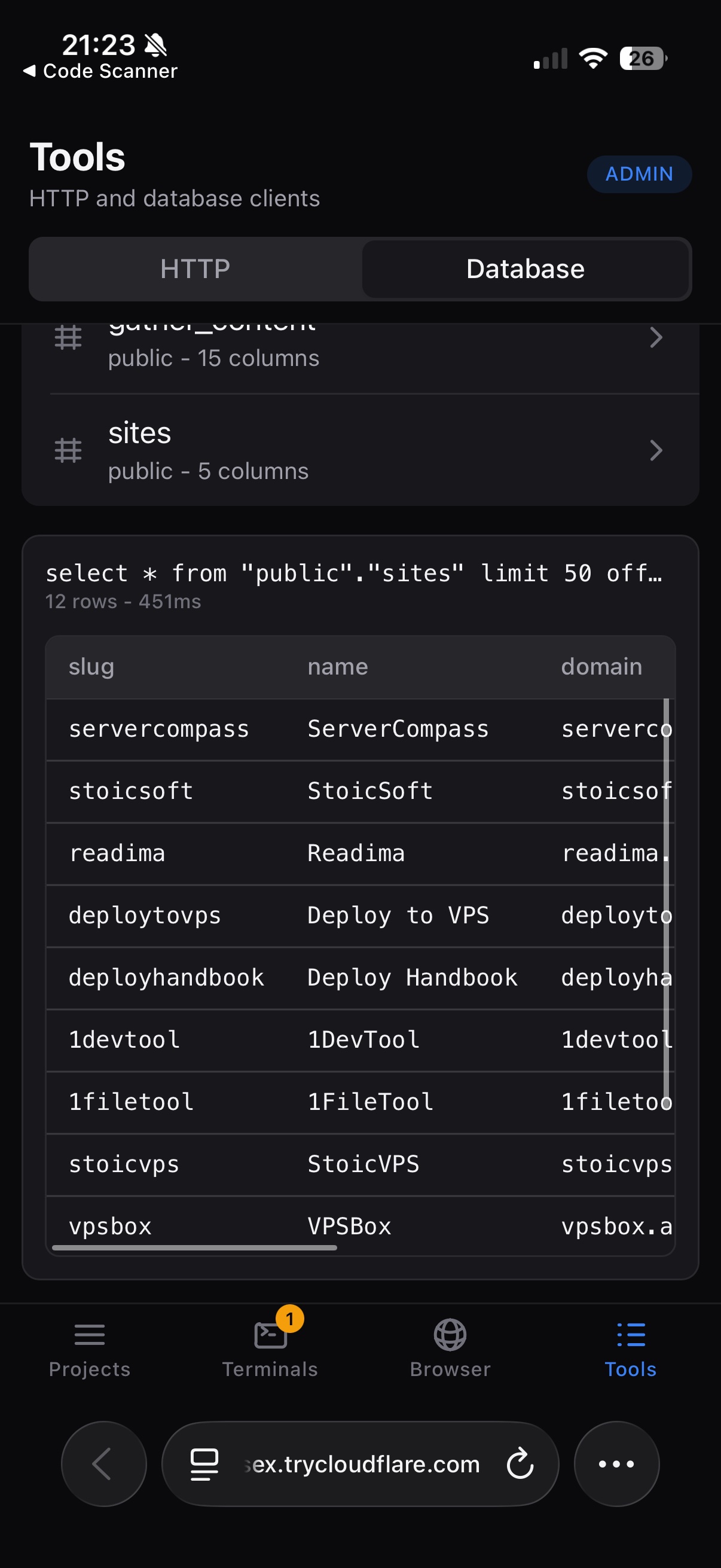
- Query databases from Remote Control — browse saved database connections, test a connection, load schema, run queries, and preview tables from your phone
- Results render as tables or raw output depending on the database response
- Respect operator permissions — HTTP and database tools require operator/admin access, matching their ability to send network requests and run database commands
- Use Soft Light as the default light theme — the editor, terminal, gutter, and main workspace now use a softer off-white canvas instead of pure white, reducing glare while keeping the UI crisp
- Inputs, menus, and other small controls stay white so they still read as raised surfaces
- Keep older light choices working — saved light-theme variants now resolve to Soft Light automatically, so existing preferences keep a consistent look after updating
Improvements
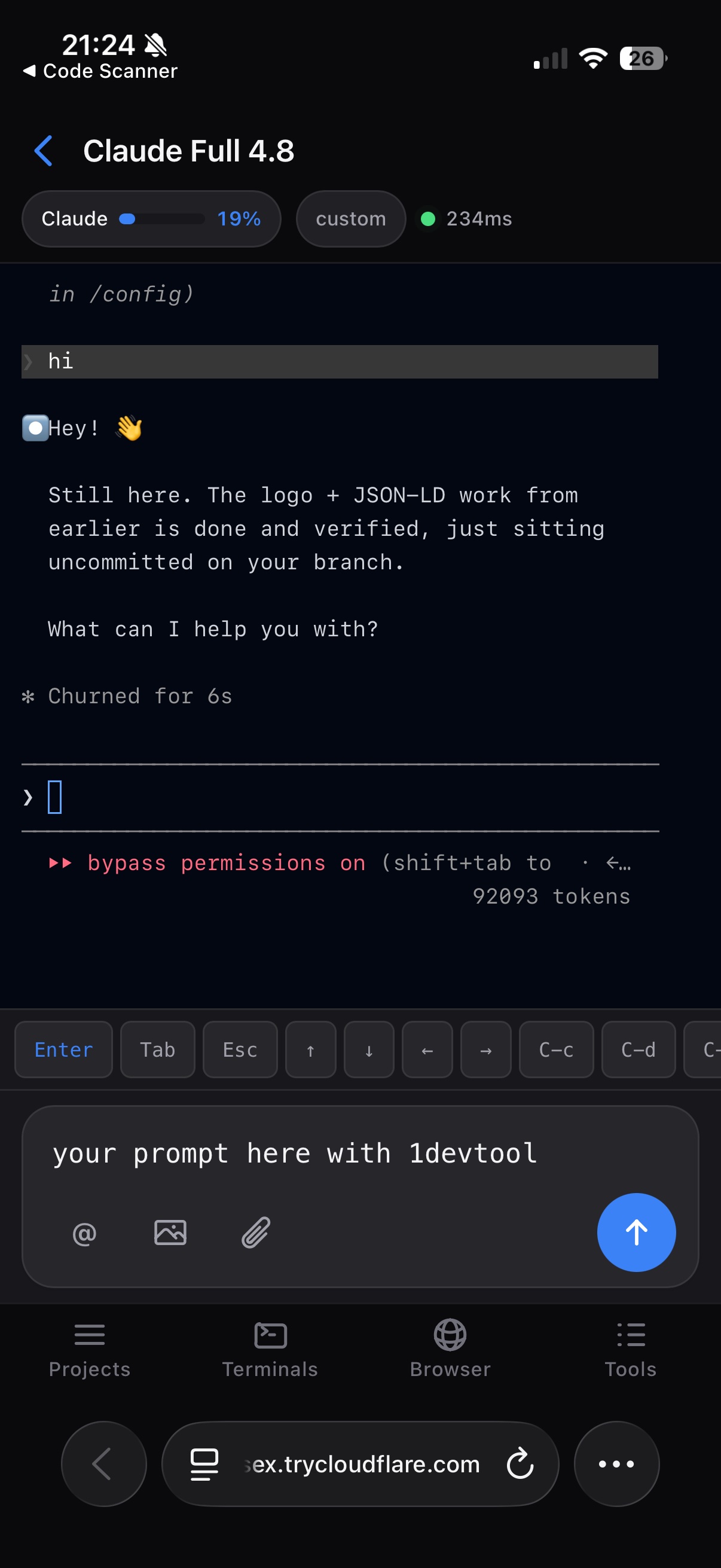
8- Cleaner phone terminal composer — the remote terminal now uses a chat-style message box with attachments, file mentions, skills, image upload, and send controls grouped together
- More stable phone navigation — the terminal composer and bottom tab bar now stay separated, so terminal output, floating controls, and navigation no longer compete for the same space
- Better scroll recovery on phone — terminal and resume screens show a clear scroll-to-bottom control when you are reviewing earlier output or session history
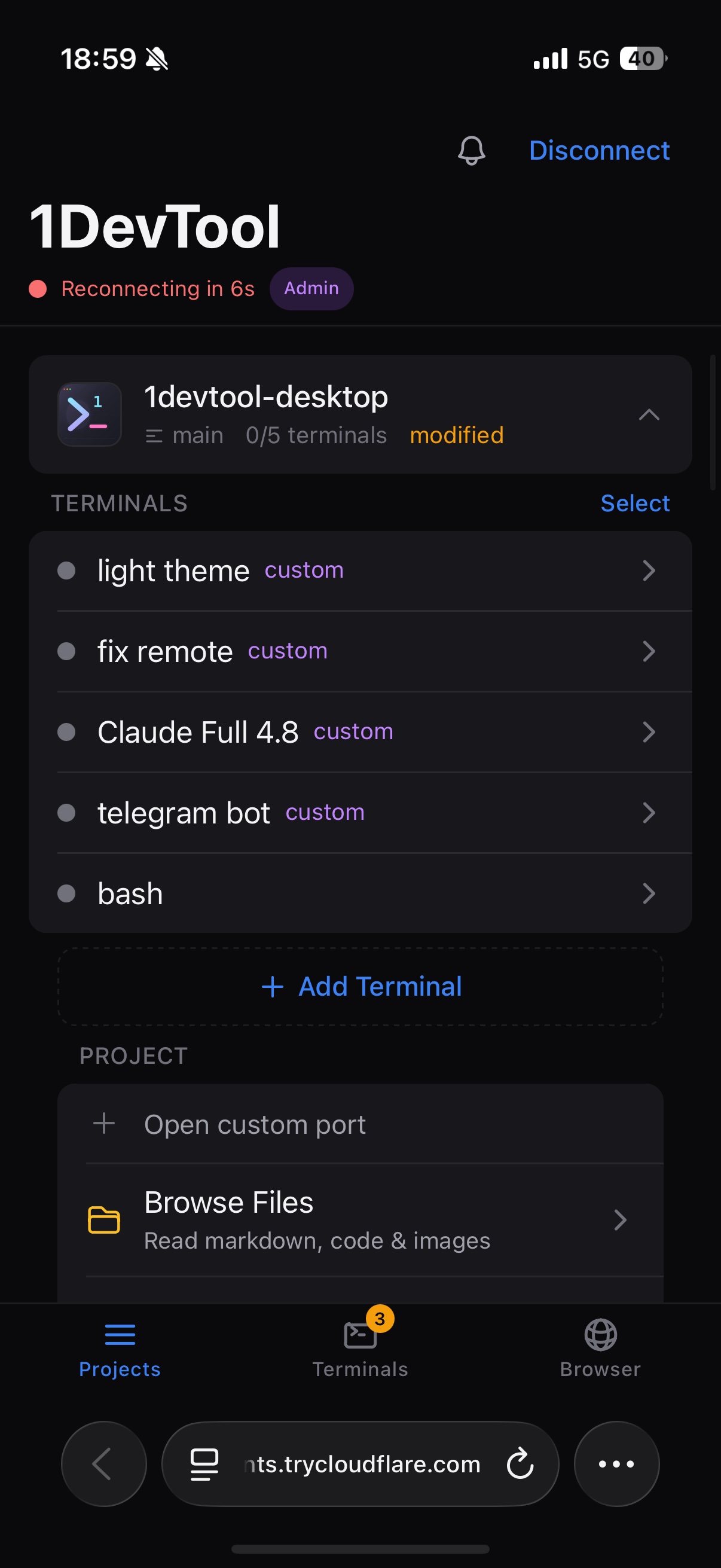
- Clearer iPhone Remote Control guidance — Remote settings and the connection trouble screen now explain when to stay in the QR scanner browser and when to use Cloudflare Tunnel for Safari
- Theme-aware Agent Input — the Agent Input overlay now follows the active theme accent for drop zones, attachment previews, preview controls, and the send button
- Minimize Agent Input without losing your draft — collapse the overlay to its header when it is in the way, then restore it with the draft still intact
- Keep terminal names while switching options — custom terminal names no longer disappear when you change shell or preset choices in the Add Terminal dialog
- Open theme settings faster — the status bar theme picker now includes a direct jump to Theme settings
Bug fixes
4- Fixed light theme colors not reaching every surface — switching themes now updates the app-wide theme markers and color scheme so more panels, terminal chrome, and shared controls follow the selected theme
- Fixed Claude prompts sent from the phone opening Rewind — Remote Control now sends phone-composed prompts without clearing an already-empty native composer first
- Fixed bottom controls hiding behind iPhone browser chrome — Remote Control accounts for phone safe areas and changing browser bars so the tab bar and composer stay reachable
- Fixed saved light-theme preferences drifting after the theme merge — old light ids now migrate to the supported Soft Light choice instead of leaving stale selections behind
Screenshots