v1.30.0June 30, 2026
The Git Client got a friendly redesign — and it now follows you across every project.
The Git Client got a friendly redesign — and it now follows you across every project.. This release brings Redesigned Git Client and Deeper Commit History.
Download v1.30.0
The download page always has the newest build; installers for this version are on GitHub.
What changed
New features
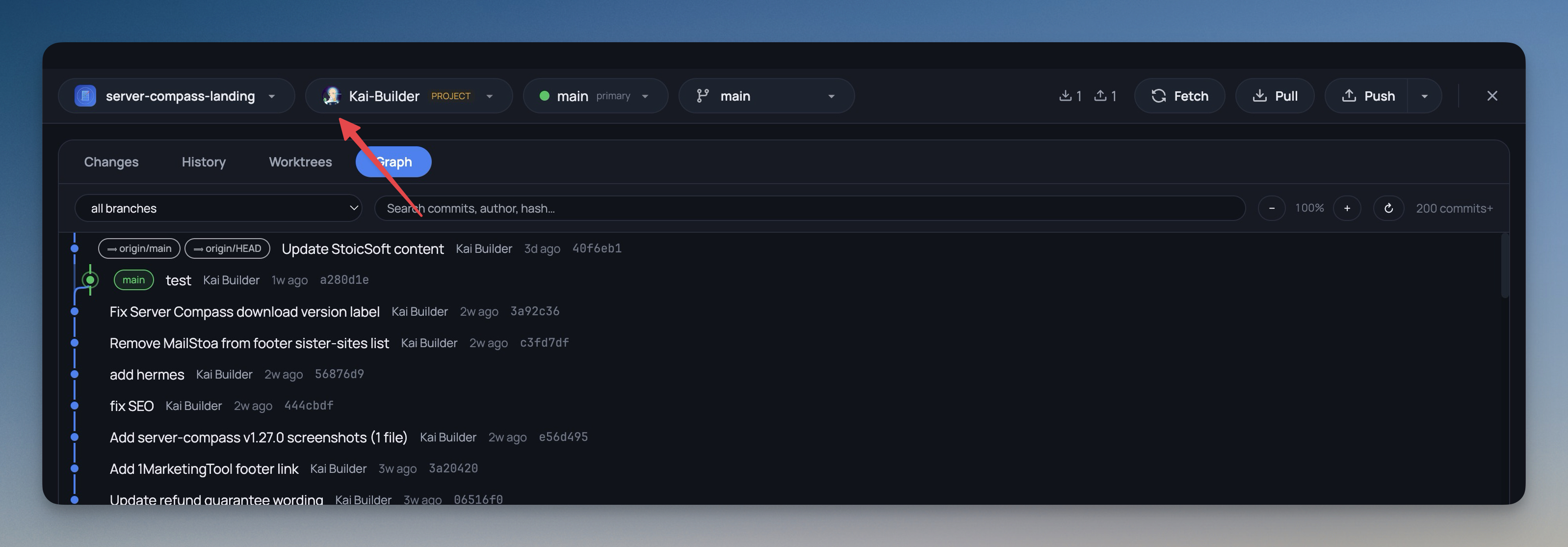
9- A warmer, friendlier Git client — the Git Client has a refreshed look with a soft sans-serif interface, rounded pill-style controls, the app's blue accent, and gently rounded panels
- Diffs, commit hashes, and file paths stay in a monospace font so code still reads like code
- Diff and file-status colors are unchanged, so additions, deletions, and changes look exactly as before
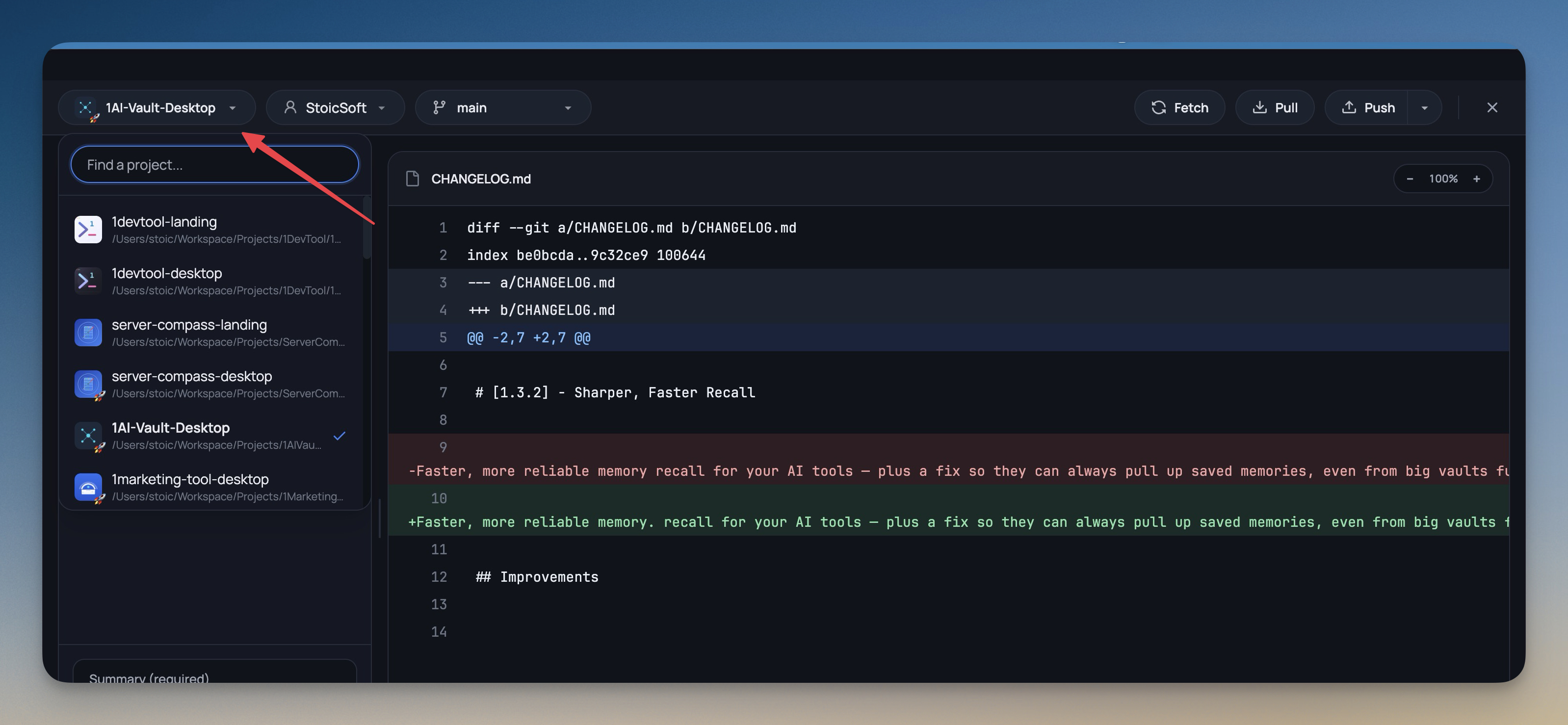
- Switch projects without leaving Git — the project name in the Git toolbar is now a picker; choose any project to view its changes, history, branches, and graph without closing and reopening the dialog
- Each project shows its own avatar, color, and emoji so the list is easy to scan
- See who you're committing as — the git account picker now shows your GitHub or GitLab profile picture for each account, with a colored initials badge when no avatar is available
- The same avatars now appear in Settings -> Git so your accounts are recognizable at a glance
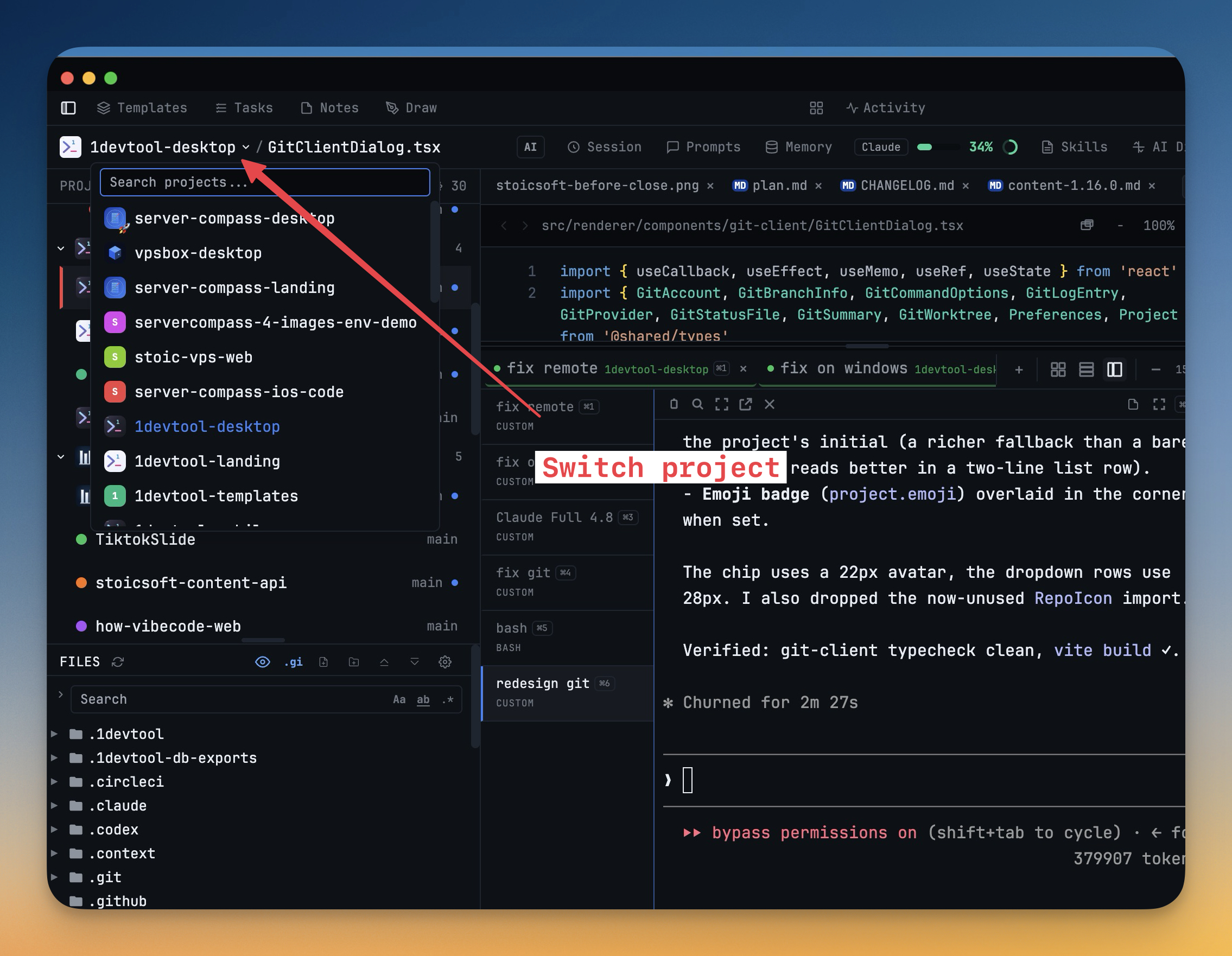
- Project avatars in the header — the project switcher in the top breadcrumb now shows each project's avatar and emoji too
- Browse your full project history — the History tab now loads older commits as you scroll instead of stopping at the most recent few, so you can scroll all the way back through the timeline
Improvements
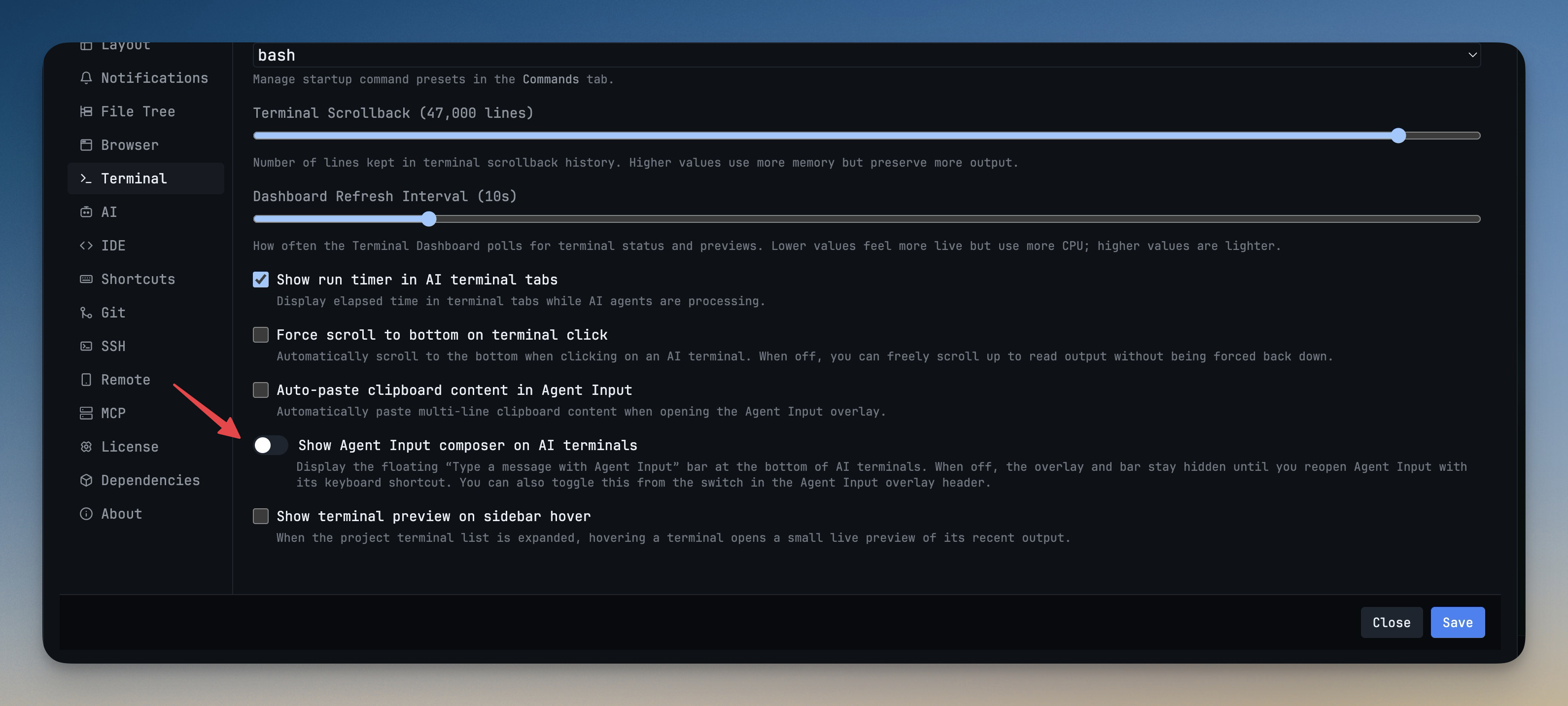
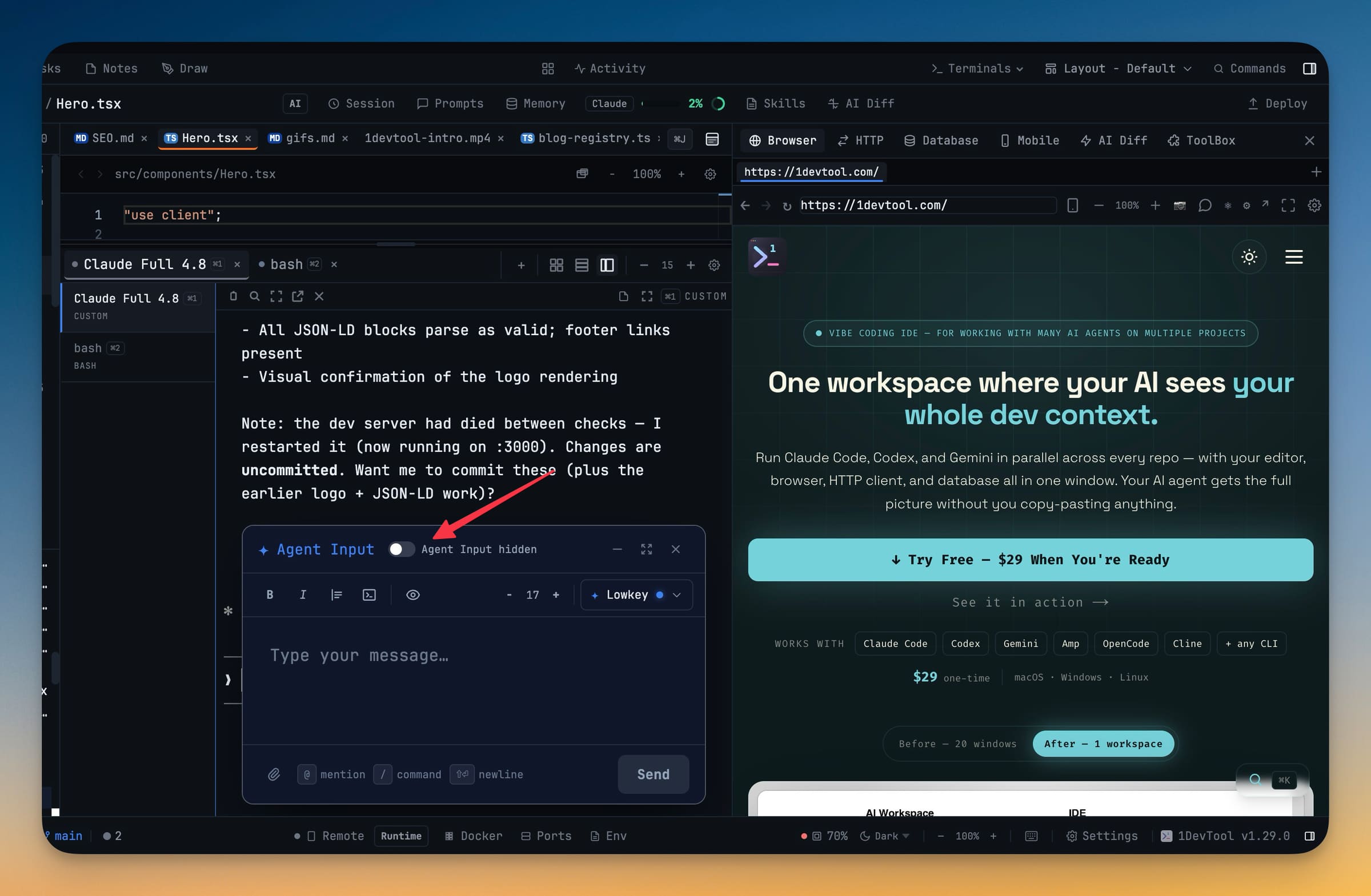
5- Choose whether the Agent Input bar appears — a new Terminal setting lets you hide the floating Agent Input composer on AI terminals; when it's off, a small ⌘I input pill (and its keyboard shortcut) reopens Agent Input whenever you need it
- You can also flip this toggle straight from the Agent Input overlay header
- Generated files show up instantly — files your AI agent creates inside build-output folders (such as dist, build, .next, coverage, target, and vendor) now appear in the File Explorer in real time instead of only after a refresh or project switch
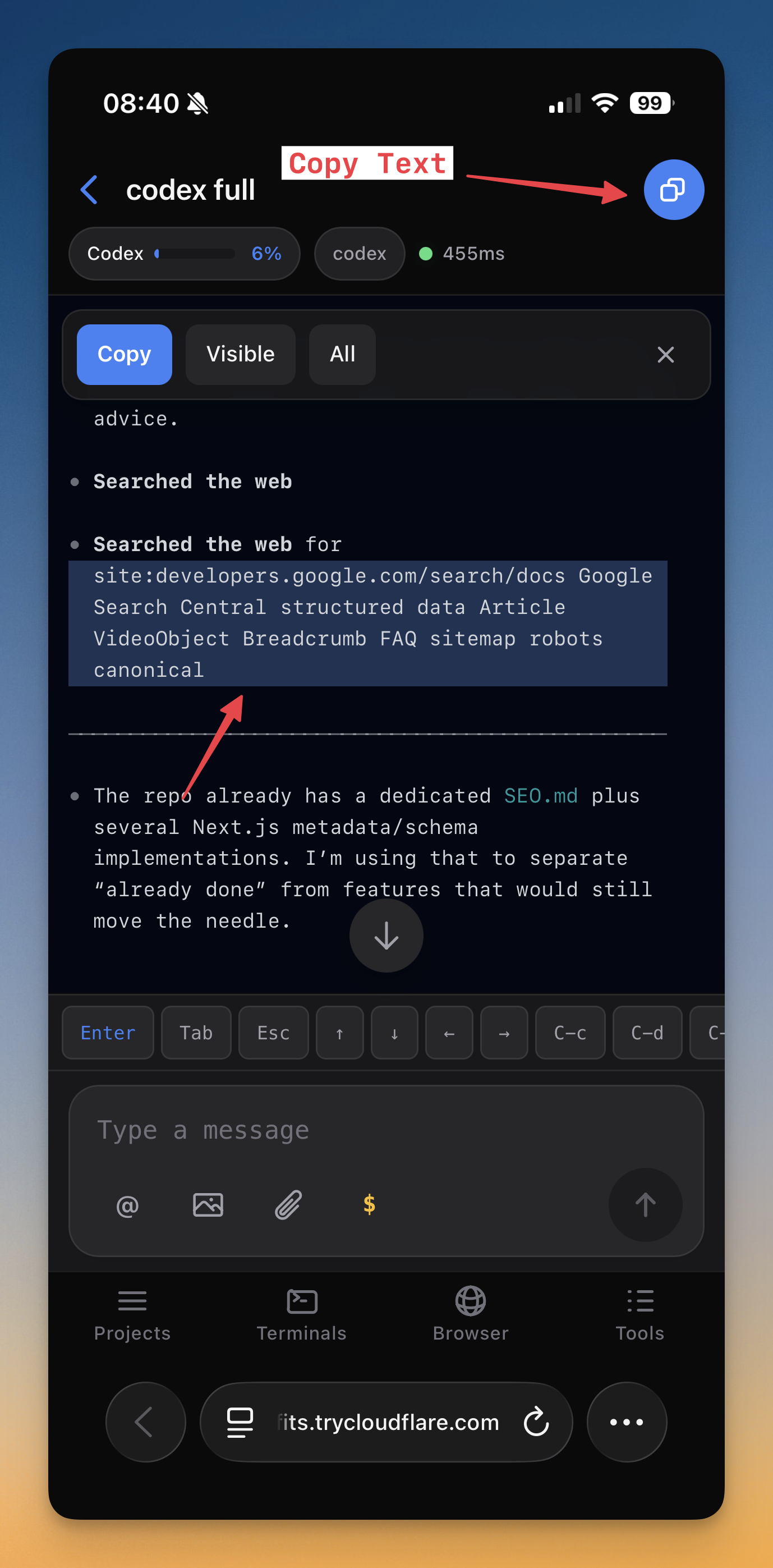
- Copy from the phone terminal — Remote Control can now copy terminal text to your phone's clipboard
- Jump straight to a project on your phone — tapping a project on the Remote Control dashboard now scrolls right to it
Bug fixes
2- Fixed pasting into Claude on Windows losing the cursor — pasting into a Claude prompt now keeps focus in the terminal, so your next keystrokes land in the prompt instead of disappearing
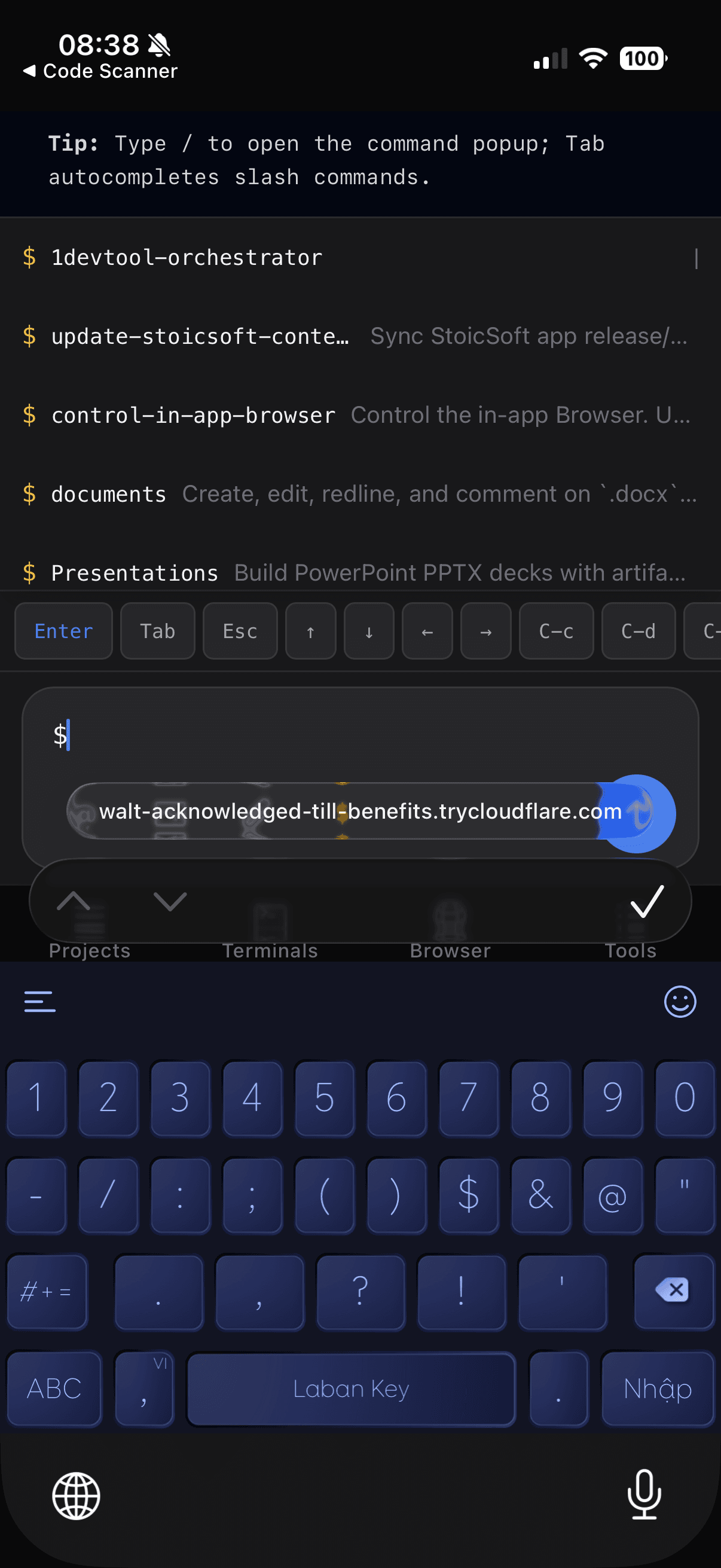
- Fixed Remote Control connection hiccups — phone connections are more reliable, with clearer recovery when a session reconnects
Screenshots