v1.33.0July 6, 2026
Multi-Repo Git Workspaces
Multi-Repo Git Workspaces. This release brings Multi-Repository Workspaces and CLI Discovery.
Download v1.33.0
The download page always has the newest build; installers for this version are on GitHub.
What changed
New features
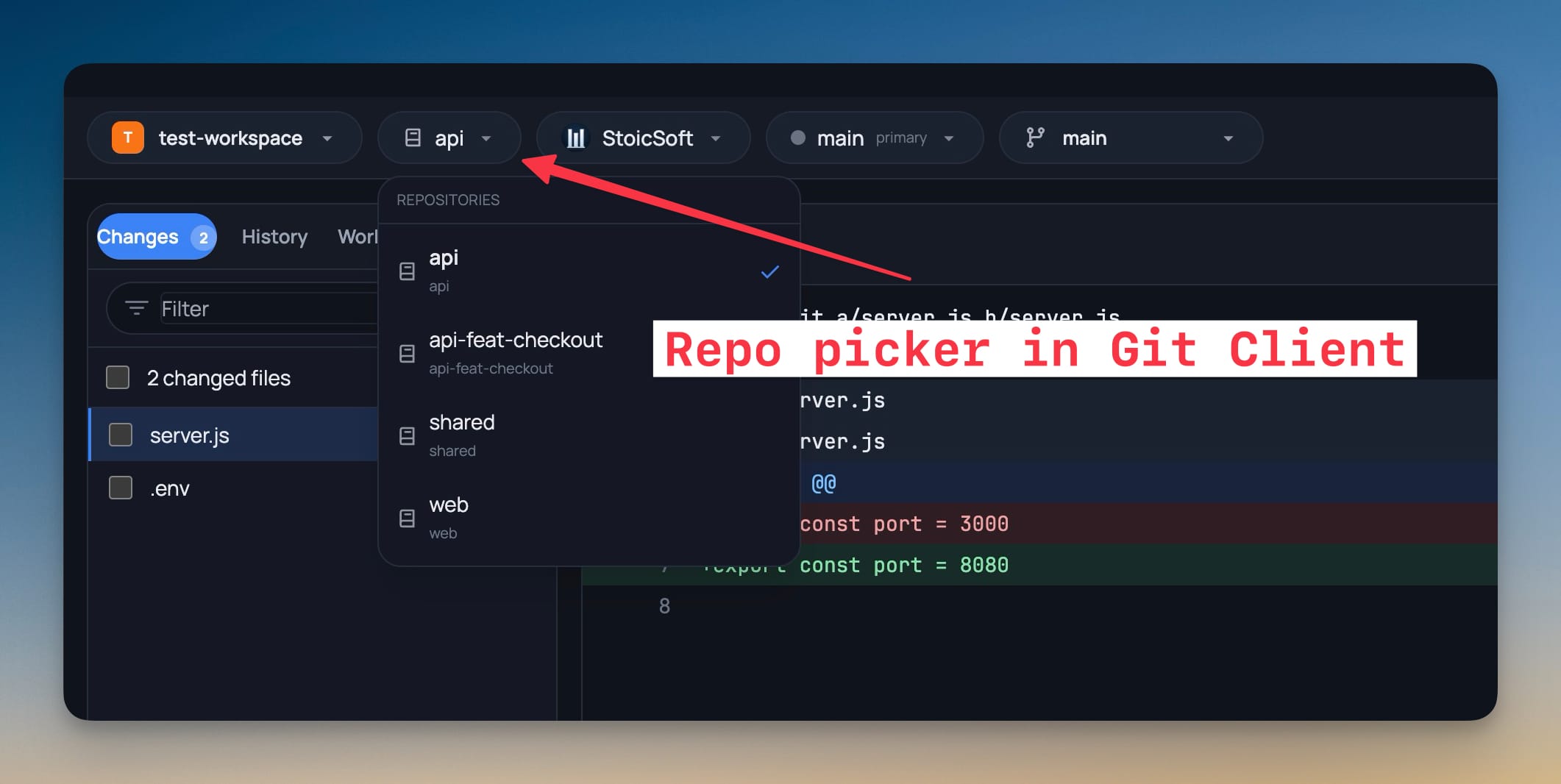
8- Work in project folders with several Git repositories — 1DevTool now detects independent repositories inside a workspace folder and lets you choose which repo the Git Client should operate on
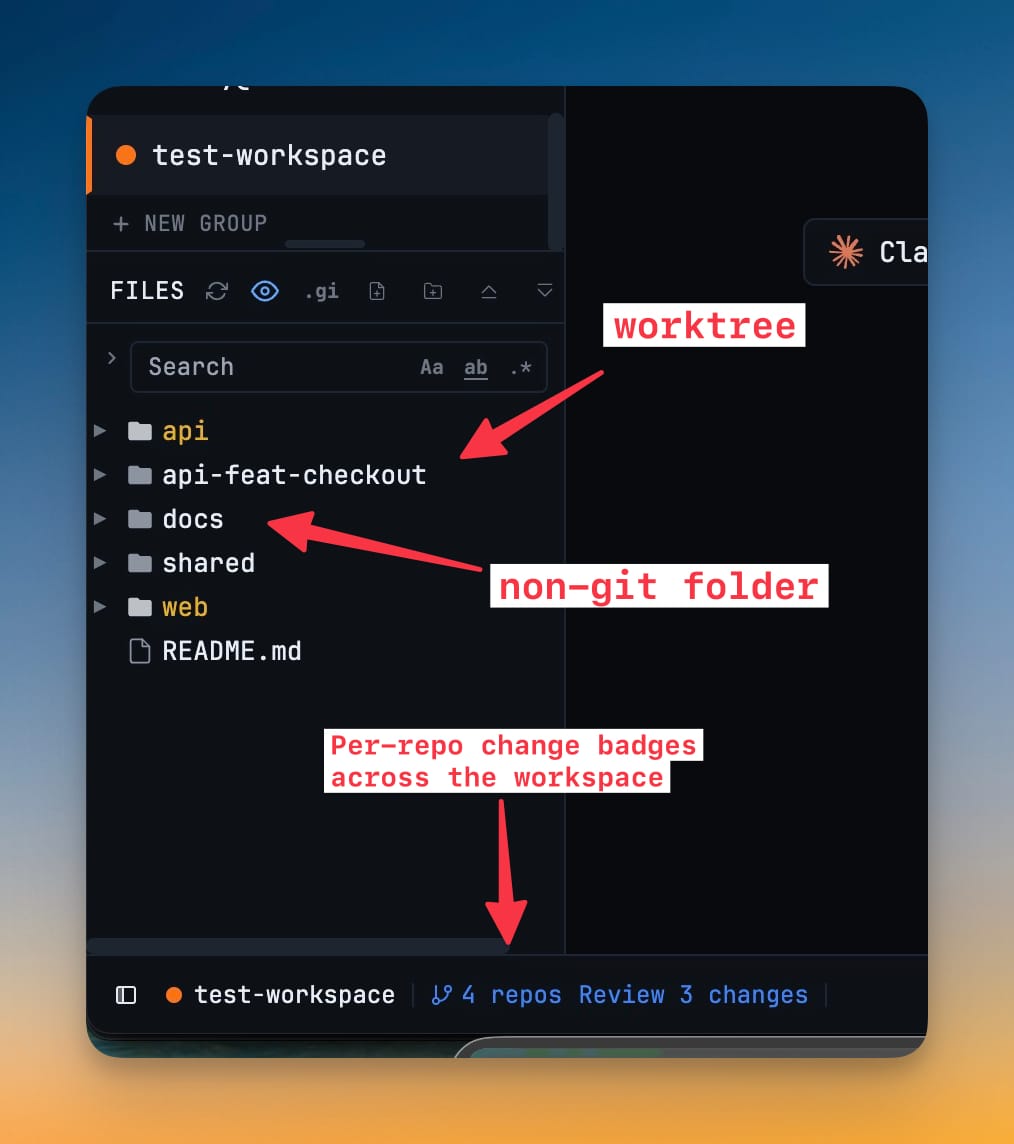
- The status bar shows how many repositories were found and opens the Git Client directly to the repository picker
- Changes, History, Worktrees, Graph, branches, commits, diffs, pull, push, and publish actions follow the selected repository
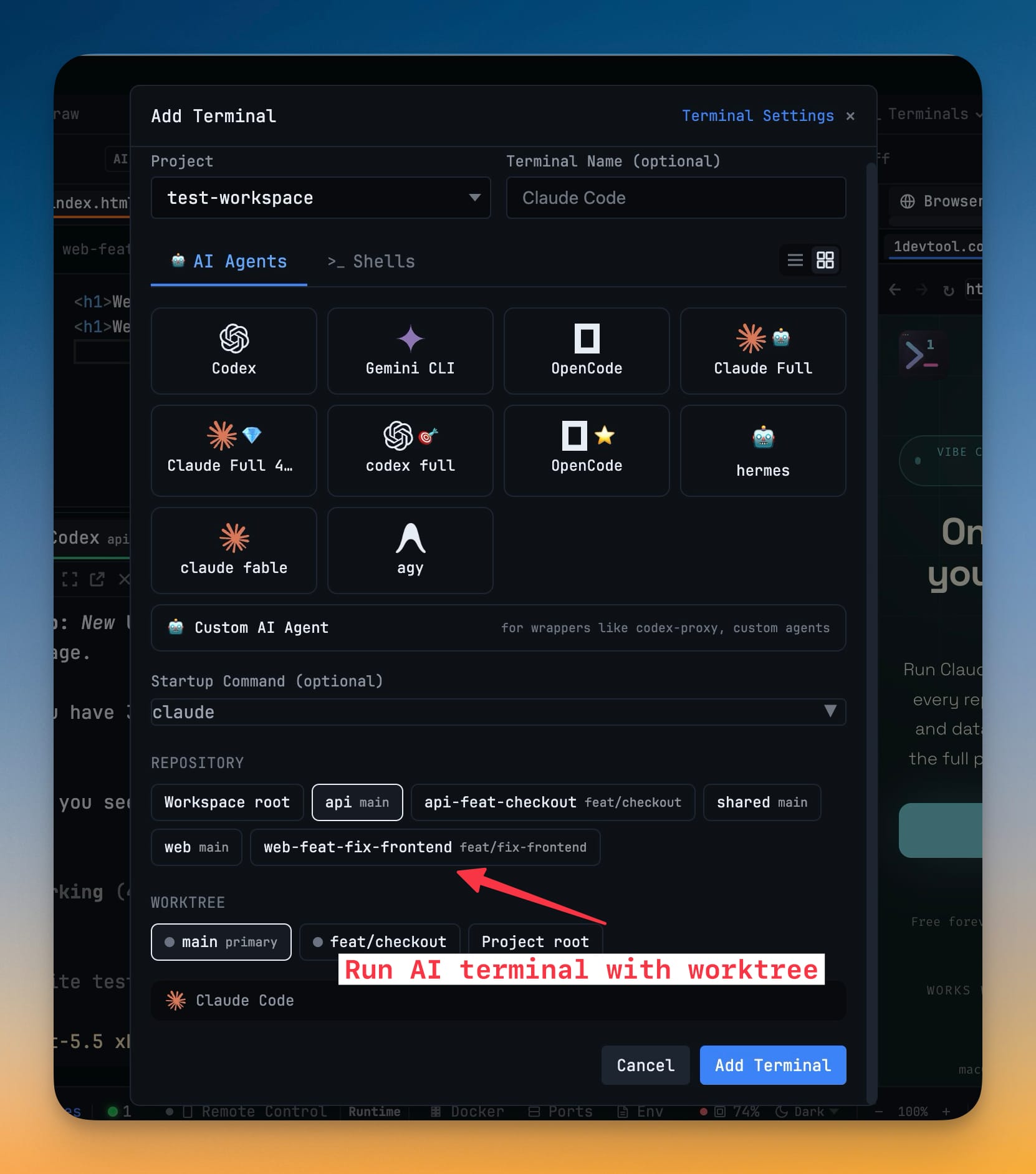
- Launch terminals inside nested repositories — Add Terminal now offers repository choices when a workspace contains multiple repos
- Choose Workspace root when an AI agent should coordinate across the full folder, or choose a specific repo when the terminal should start there
- Scan this machine for installed CLIs — the empty terminal screen now includes Scan My Machine to find AI agents and other developer commands installed on the current computer
- Detected AI agents can be opened directly from the scan results
- Slow, ambiguous, missing, and unverified commands show clearer status with rescan, retry, and install actions where available
Improvements
5- Show Git changes across nested repositories — File Explorer badges and status bar review counts now include changes from repos inside a workspace folder
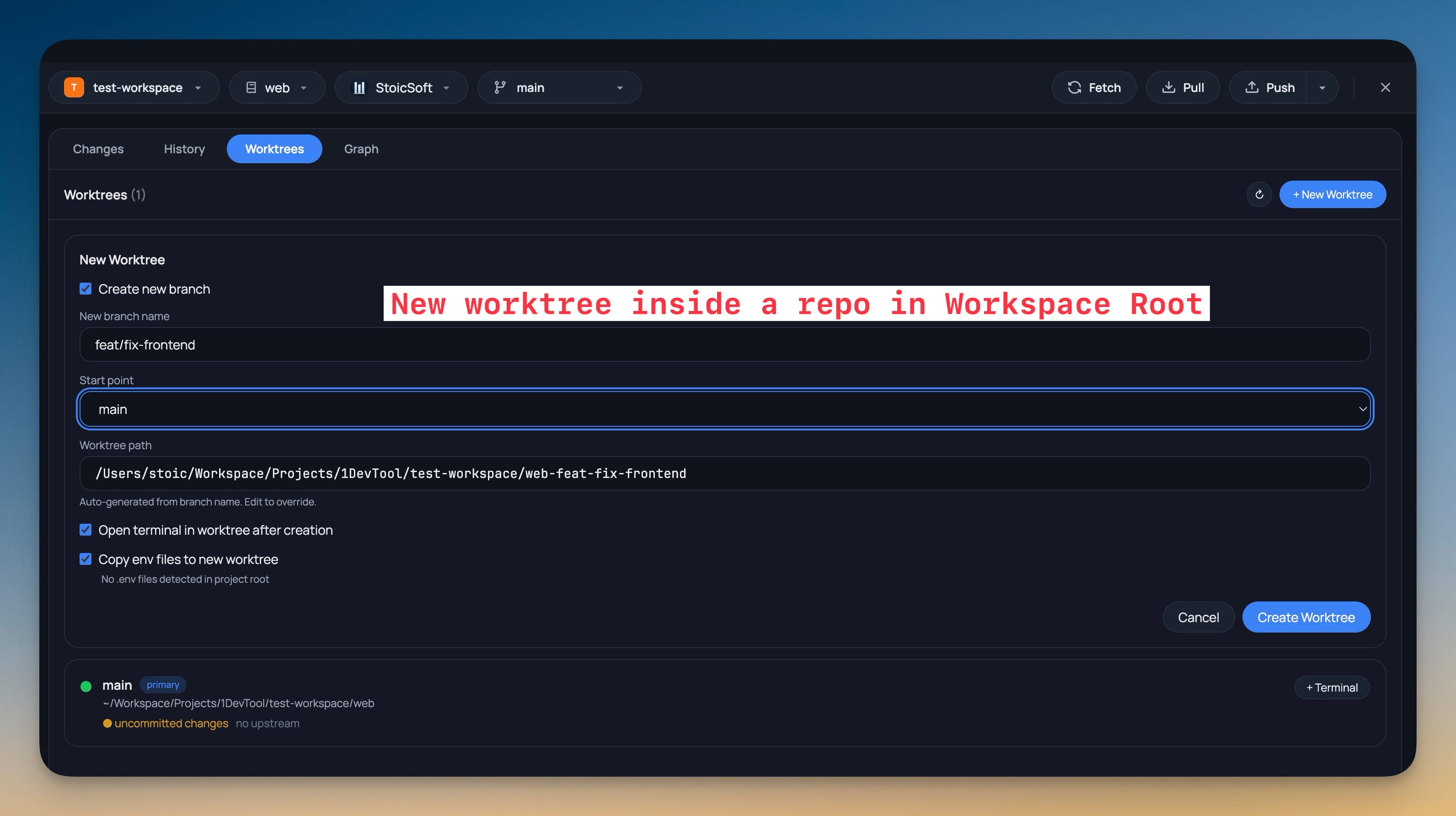
- Keep worktree actions scoped to the selected repo — creating, removing, pruning, locking, unlocking, and launching terminals from worktrees now follow the repo selected in the Git Client
- Find AI agent commands from more install locations — command detection now checks common Node, package-manager, and AI-agent install folders on macOS, Linux, and Windows
- Use recognizable agent logos in more places — Terminal Settings, Add Terminal, custom command rows, and preset lists now resolve more AI tool logos while still showing your custom icon when you set one
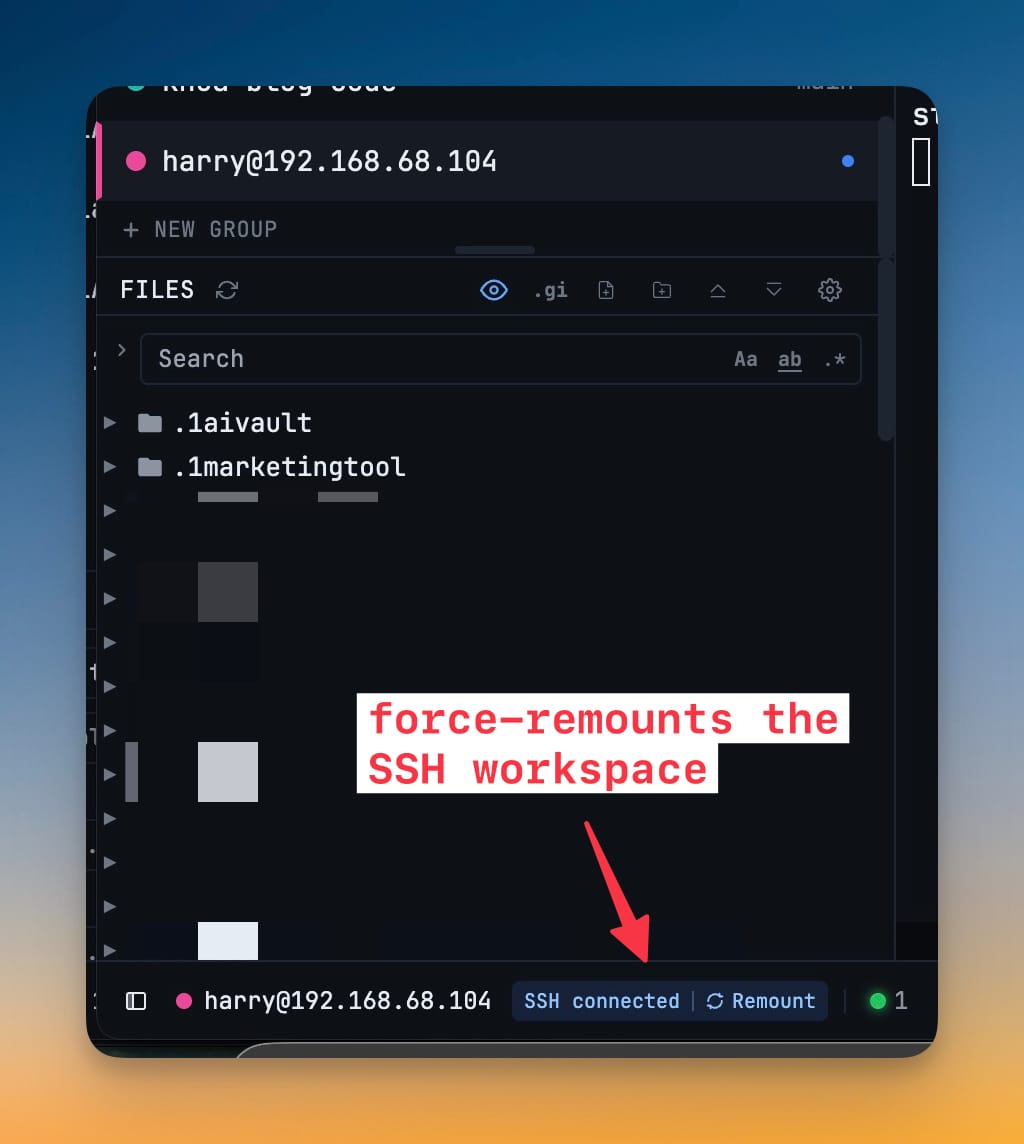
- Make SSH workspace recovery clearer — the SSH status pill now shows Mount, Retry, or Remount actions so remote workspace recovery is easier to understand
Bug fixes
5- Fixed Git panes showing stale repository data — switching projects, repositories, or worktrees now clears old selections while the new target loads
- Fixed worktree actions using the wrong repo in multi-root projects — worktree create, remove, prune, lock, and unlock actions no longer fall back to the outer workspace folder
- Fixed agent logos rendering incorrectly in packaged builds — AI agent marks now render reliably in production and stay visible across light and dark themes
- Fixed AI terminals opening against stale SSH mounts — new AI terminals only use an SSH mount path when the remote workspace is currently mounted
- Fixed repeated SSH mount requests stacking up — simultaneous mount attempts now share the same in-progress operation
Screenshots