v1.40.0July 15, 2026
Grok MCP tools, full Terminal Right controls, and stronger Windows workflows
Grok MCP tools, full Terminal Right controls, and stronger Windows workflows. Also in this release: Deeper Grok Integration.
Download v1.40.0
The download page always has the newest build; installers for this version are on GitHub.
What changed
New features
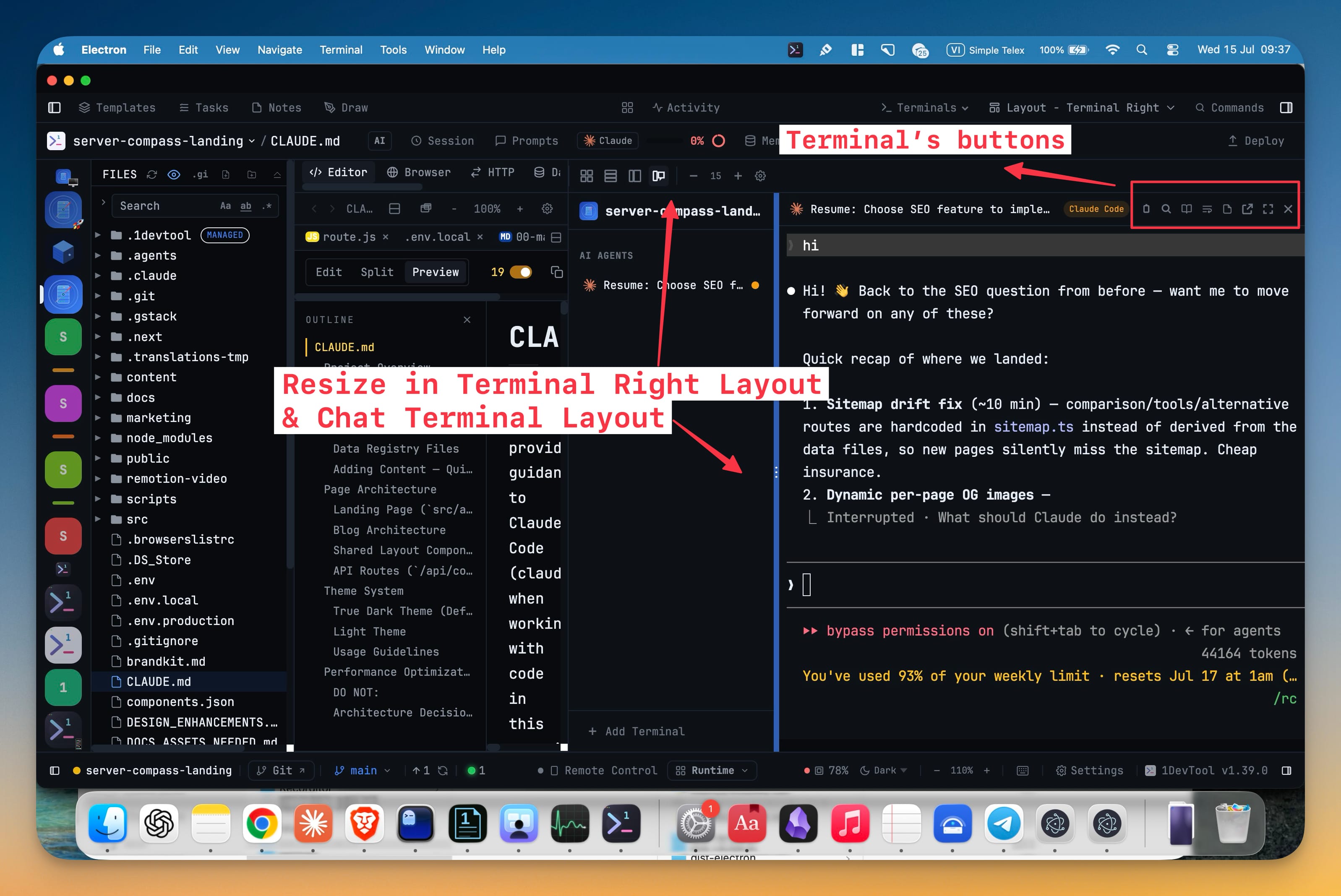
5- Control every terminal directly from Terminal Right — the active terminal now has the same actions as other layouts, including copy as Markdown, search, Reader Mode, reformat, notes, pop-out, fullscreen, and close
- Drag the channel-list divider to give terminal names or output more room
- Your preferred channel-list width is remembered for the project, and a double-click resets it
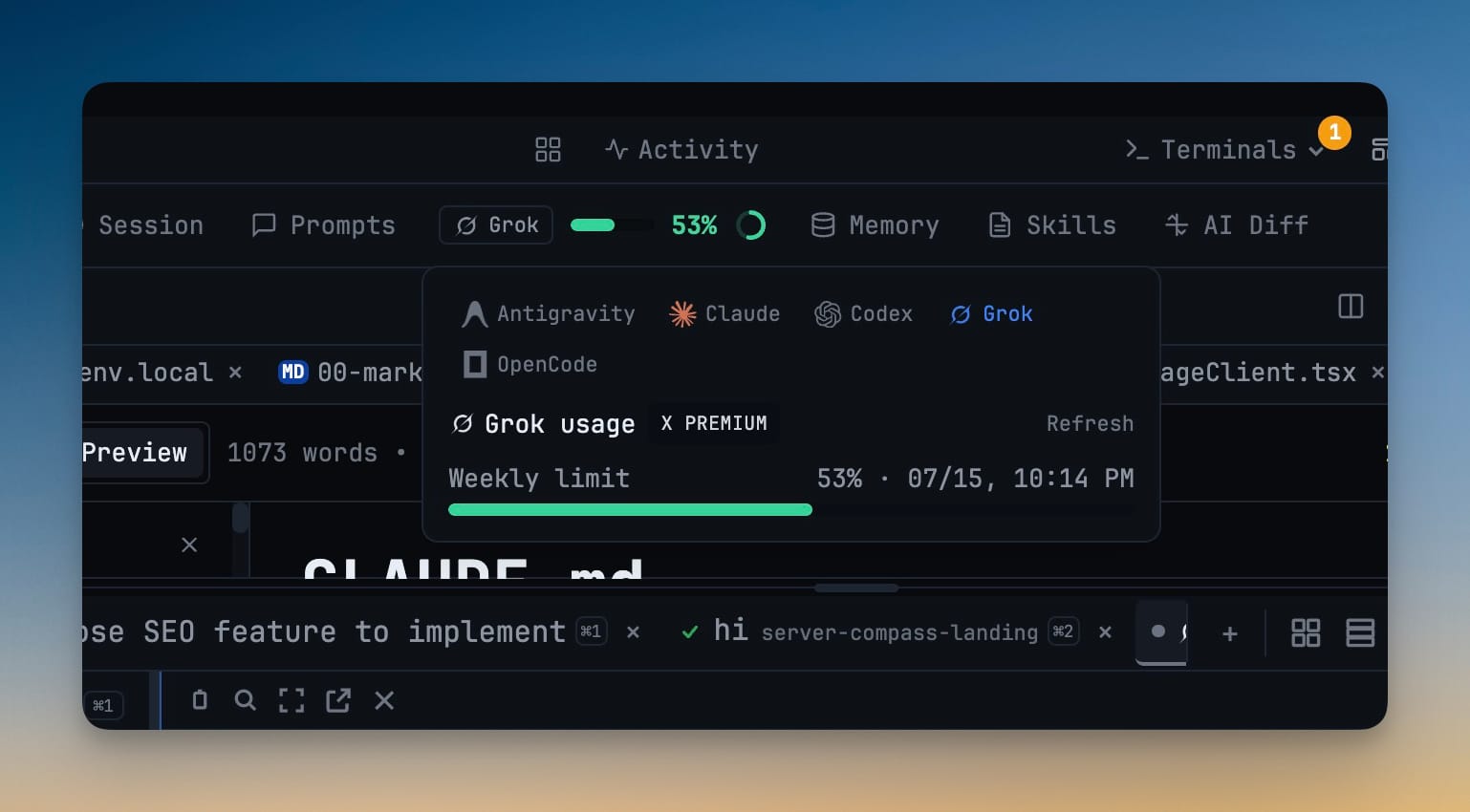
- Use 1DevTool MCP tools directly from Grok — new Grok sessions can discover and run your 1DevTool database and HTTP tools, while MCP Settings can view and manage Grok alongside the other supported AI agents
- Open delegated Grok conversations from their badges — click a Grok sub-agent badge to follow its live local transcript, including prompts, responses, reasoning, and tool activity
Improvements
1- Return to the same place in the File Explorer — expanded folders are remembered when you switch projects or worktree roots, including rapid switches immediately after expanding or collapsing a folder
Bug fixes
8- Fixed open editor tabs lagging behind external file changes — visible files now update reliably after edits from AI agents and other tools, including background tabs and files replaced on disk, without overwriting unsaved work
- Fixed Grok terminal selections disappearing before they could be copied — drag selection now stays active and opens the Copy menu even while Grok's native interface handles mouse input
- Fixed Cursor Agent prompts filling with mouse-event text — moving the pointer over a Cursor terminal no longer inserts streams of control-like characters into the prompt, including on Windows
- Fixed pop-out terminal history breaking after a resize — maximizing or resizing a separate terminal window no longer turns older output into left-edge marks or unreadable fragments
- Fixed Cline terminals showing Grok's quota — desktop and Remote Control now keep Cline identified and show clear "Quota unavailable" guidance instead of borrowing another agent's percentage
- Fixed toolbar and status-bar controls clipping in narrow windows — dense bars now compact at the right width, keeping branch, Remote Control, terminal status, and other actions on one readable row
- Fixed Windows delegation corrupting Vietnamese and other Unicode text — prompts handed from one AI agent to another now arrive with their original characters intact
- Fixed Windows AI terminals not scrolling in full-screen interfaces — Codex and other supported agents now receive wheel input correctly, including while Agent Input is open, and their jump-to-bottom control follows the same behavior
Screenshots