v1.39.0July 13, 2026
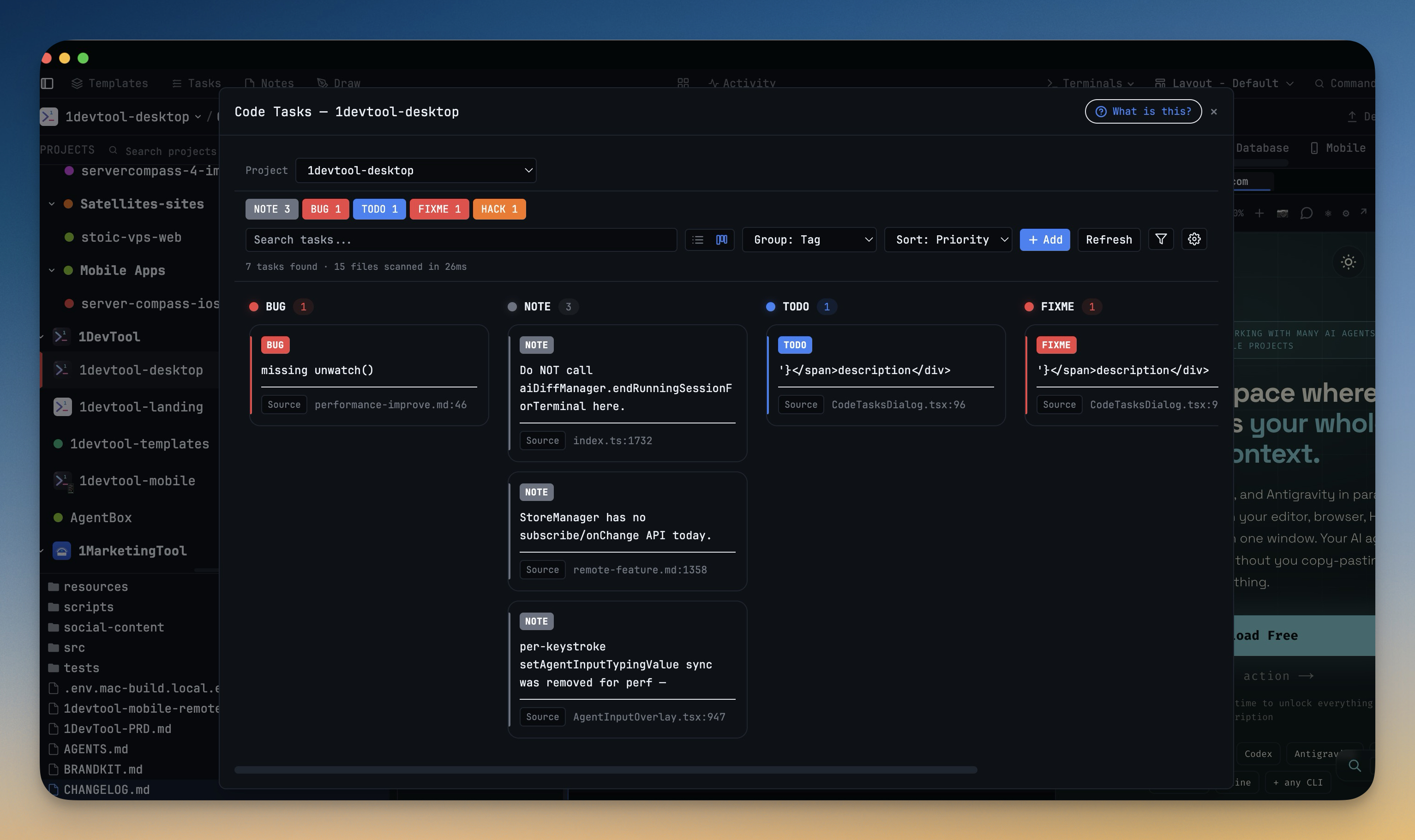
Code Tasks Board & Manual Tasks
Code Tasks Board & Manual Tasks. Plan your work on a Kanban board, Drag a task between columns to move it and Columns follow your current grouping (tag, priority, file, and more).
Download v1.39.0
The download page always has the newest build; installers for this version are on GitHub.
What changed
New features
7- Plan your work on a Kanban board — Code Tasks now opens as a drag-and-drop board, with a one-click toggle back to the classic list view
- Drag a task between columns to move it
- Columns follow your current grouping (tag, priority, file, and more)
- Create your own tasks by hand — add tasks that aren't tied to a TODO/FIXME comment, with a description, tag, priority (Normal, High, Critical), file, line, and author
- Edit or remove your manual tasks any time
- Manual tasks are saved with the project, side by side with the ones scanned from your code
- Filter and search your tasks — narrow the board or list by tag, priority, source (scanned vs. manual), or a quick text search
Improvements
5- Smoother panel resizing — dragging any divider (sidebars, the terminal split, the database sidebar, editor panels) now tracks your cursor instantly instead of stuttering on busy projects
- Dialogs open instantly — the Memory, Prompt History, Resume, Git, Database, and HTTP client dialogs now appear right away and fill in their content a moment later, instead of pausing before they show
- Faster database views — the results grid, document viewer, and key-value viewer stay responsive on large result sets
- Snappier Remote Control — the phone Dashboard and terminal list update more efficiently, so browsing your projects stays smooth as things change
- Discover 1AIVault from the Memory panel — a new card links to 1AIVault, a companion desktop memory vault for your AI tools (dismiss it any time)
Bug fixes
3- Fixed not being able to add terminals from your phone — creating, opening, or closing a terminal from Remote Control now works even when the desktop window is closed, instead of silently timing out
- Fixed long prompts splitting apart on Windows — pasting a long, multi-line message into a Cline terminal no longer breaks it into several separate queued messages
- Fixed sticky notes garbling accented text — typing Vietnamese and other composed characters into a sticky note no longer corrupts them mid-typing
Screenshots