v1.48.0July 17, 2026
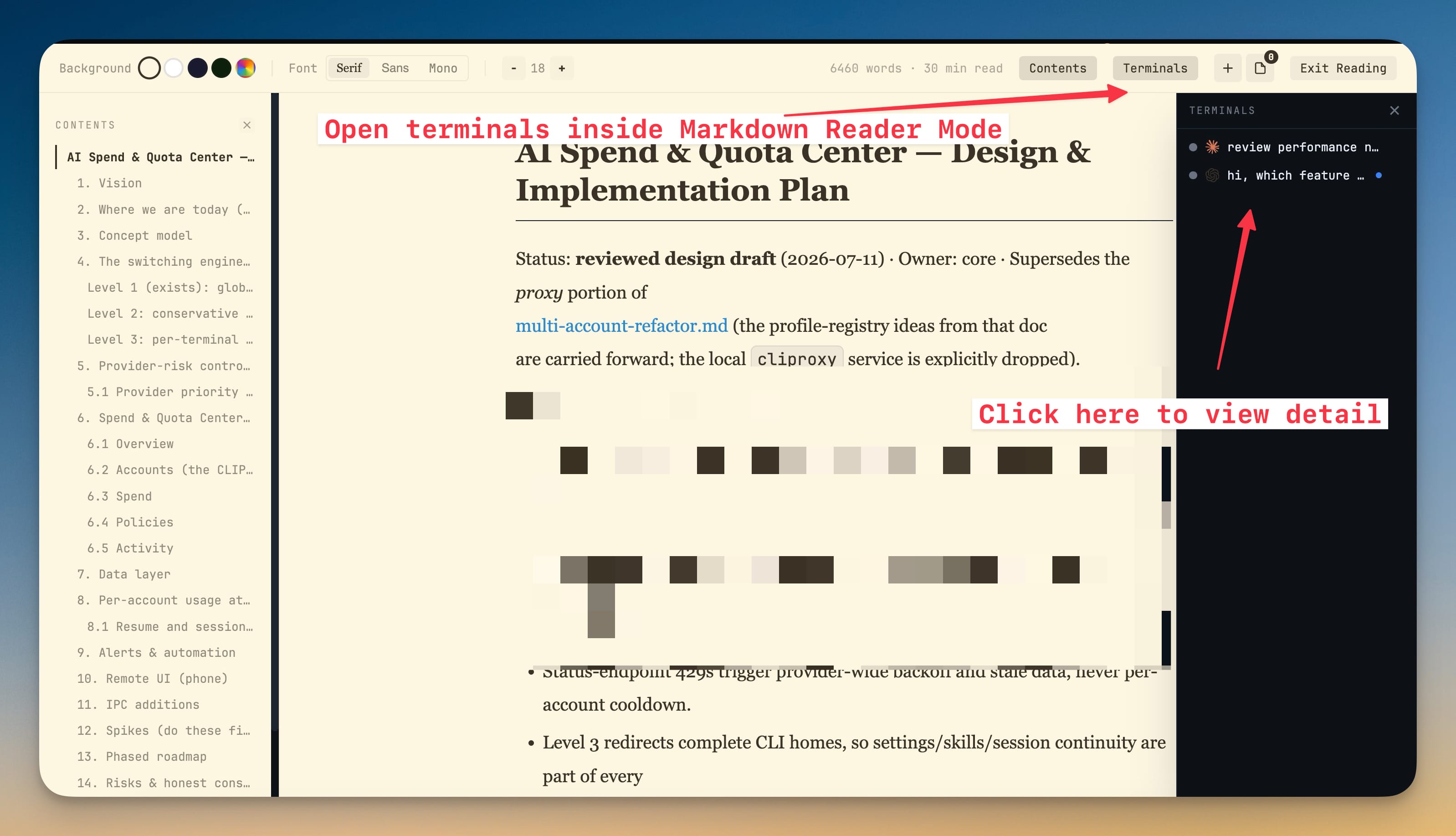
Terminals Inside Reader Mode
Terminals Inside Reader Mode. Also in this release: Scheduled Jobs (Cron), Floating, Resizable Agent Input, Look Up in the Terminal and Update-Time Terminal Protection.
Download v1.48.0
The download page always has the newest build; installers for this version are on GitHub.
What changed
New features
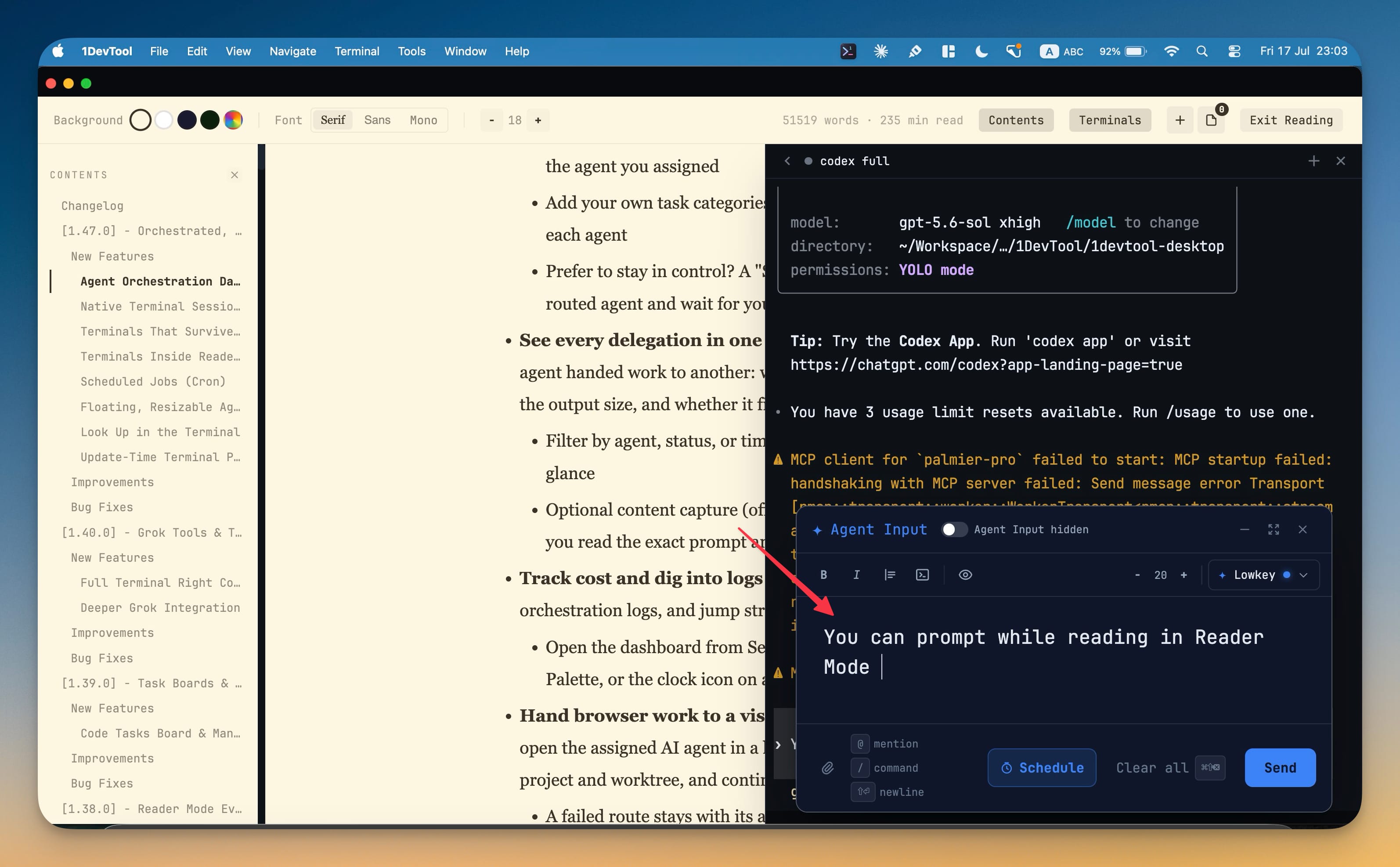
18- Run a terminal right next to what you're reading — while reading a Markdown file in Reader Mode, dock any of the project's terminals to the side to run commands or chat with an AI agent without leaving the reading view
- It's a real, live terminal — full output, scrollback, and Agent Input — not a static copy
- Closing the dock hands your scrollback back cleanly so nothing is lost
- Create a new terminal directly from the Reader Mode dock and return to the document without leaving full-screen reading
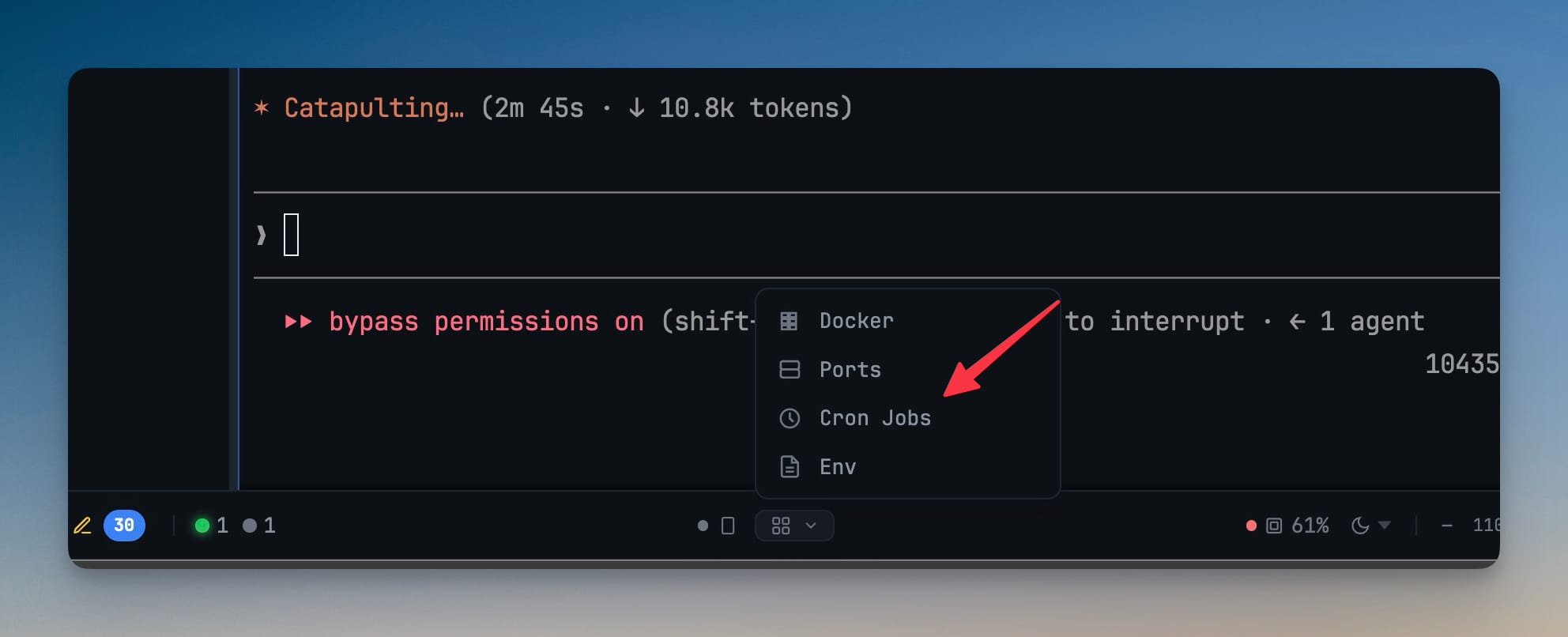
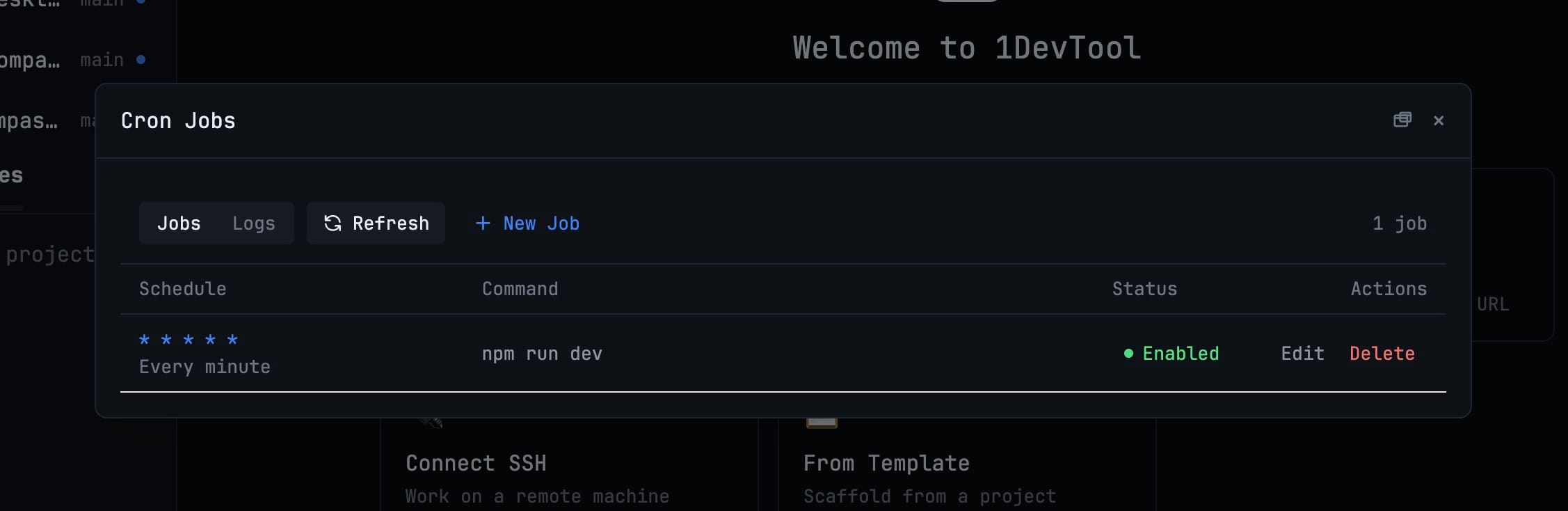
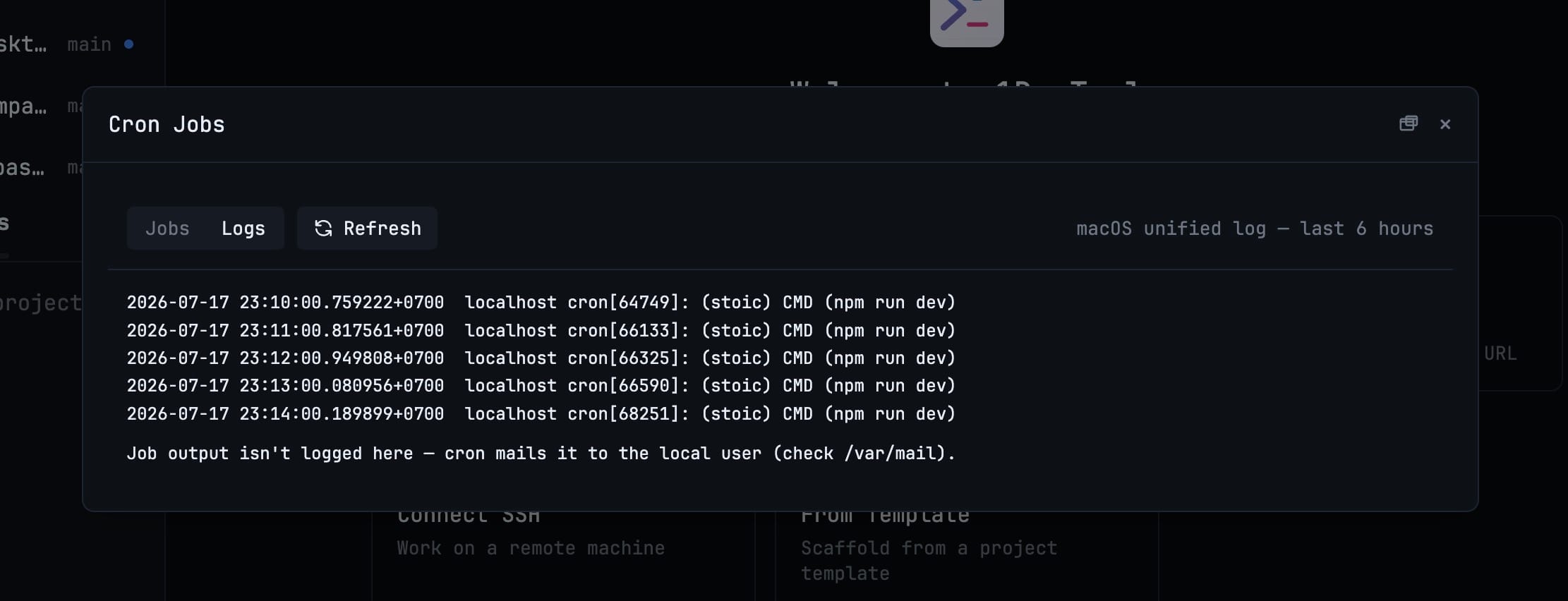
- Manage your scheduled tasks without leaving 1DevTool — a new Cron Jobs manager (under Runtime tools in the status bar) lists every job in your system crontab and lets you add, edit, enable, disable, or remove them
- Pick a ready-made schedule (every 5 minutes, hourly, weekdays at 9:00, monthly, at startup) or write your own
- Every schedule is spelled out in plain English so you can confirm exactly when a job runs
- Pop the manager out into its own window and drag it to any monitor
- Available on macOS and Linux (Windows points you to Task Scheduler)
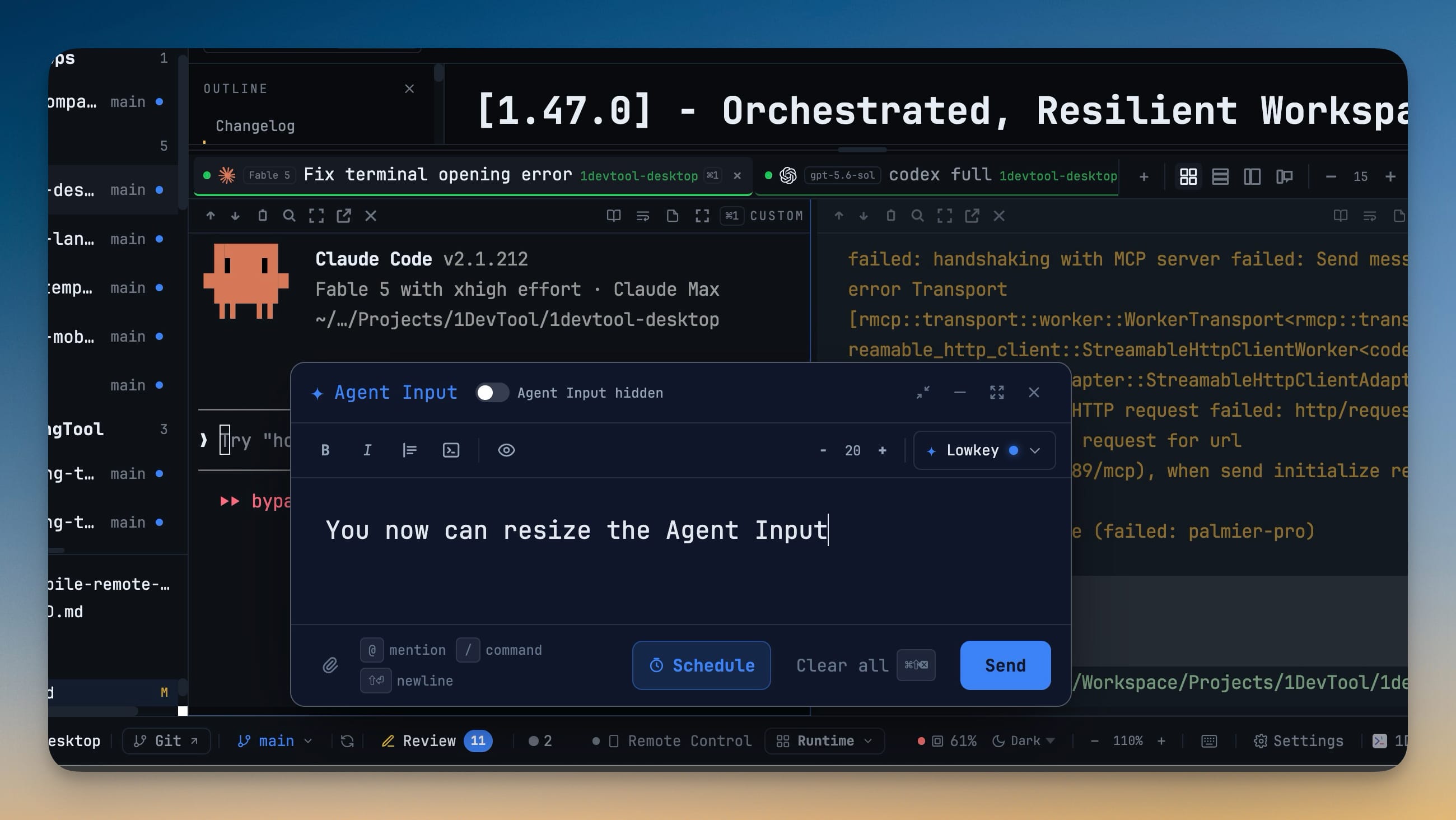
- Detach the Agent Input composer and place it anywhere — drag it around the window and resize it from any edge or corner when you want more room to write
- It automatically floats when the terminal pane is too narrow to hold it comfortably
- Your preferred size is remembered between sessions
- Look up any word straight from a terminal — select text, choose Look Up, and read its definition in an in-app popover without switching apps
- Shows a section for every dictionary you've activated in your system Dictionary settings, in your preferred order
- Jump to the full Dictionary app whenever you want more
- Choose how terminals behave before installing an update — the Restart & Install screen now includes the experimental terminal keep-alive option and explains exactly what will happen during this restart
- See whether running terminals will continue through the update or be saved and restored
- Changes made here stay in sync with Settings → Terminal and take effect at the correct restart
Improvements
10- Download updates without interrupting your work — updates can continue in the background with live progress in the header, automatically retry after temporary network failures, and install when you're ready
- A new Settings → Updates section lets you choose how updates notify you (Pill, Dialog, or Silent), whether they download automatically, and how often to check
- Restart & Install now completes a single reliable handoff to the new version instead of reopening the old build
- Refreshed License & Upgrade experience — a clearer license page with an at-a-glance Free vs Pro comparison, a focused upgrade prompt that highlights exactly the feature you reached a limit on, and a StoicSoft suite bundle for the complete toolkit
- Keep busy terminal workspaces responsive — live run indicators now update only while visible, pause when 1DevTool is in the background, and avoid refreshing every tab when a single AI agent starts or finishes
- Vertical Tabs shows one stable elapsed timer instead of duplicating it, long timers no longer shift tab content, and reduced-motion preferences are respected
- Closing a terminal now releases its saved status and timer state instead of leaving it behind for the rest of the app session
- Keep your reading position when focusing a terminal — clicking an AI terminal no longer pulls its output to the bottom, so you can select, focus, and continue reading older output without losing your place
- Paste into Agent Input only when you choose — opening the composer no longer reads or fills from the clipboard, and multiline terminal pastes are no longer redirected into it automatically
- Manual text paste inside Agent Input, terminal-copy line-wrap cleanup, and image attachments continue to work normally
Bug fixes
9- Prevented blank terminals when keep-alive is enabled in packaged macOS builds — shells and AI terminals now open correctly when the experimental background terminal service is active
- If that service cannot start a terminal, 1DevTool automatically falls back to normal session saving and restoration instead of leaving every terminal blank
- Restored the latest Agent Input text after Bring back — reopening the floating composer now picks up what you actually typed at the terminal prompt instead of showing an older or empty copy
- Images and files return as attachment chips, and your cursor stays where you left it so you can keep editing mid-message
- Preserved attached file and image mentions in long prompts — bringing a prompt back to the terminal and reopening Agent Input no longer loses mentions when an agent's file picker consumes Enter
- Stopped duplicate session tabs — resuming a conversation that's already open now takes you to the existing terminal, marked with an Open badge, on desktop and Remote Control
- Kept status-bar menus visible — the Runtime tools menu, branch picker, and memory panel now open reliably instead of being clipped, and status-bar labels stay readable at full-screen sizes
- Made background updates recover reliably — interrupted downloads retry automatically, update progress survives reopened windows, and repeated install clicks no longer create competing installers or relaunch the old version
- Kept routed work with the assigned agent — failed, timed-out, or unavailable delegations now stop and ask what to do instead of letting the host quietly take the task back
Screenshots