A Faster, Clearer Workbench
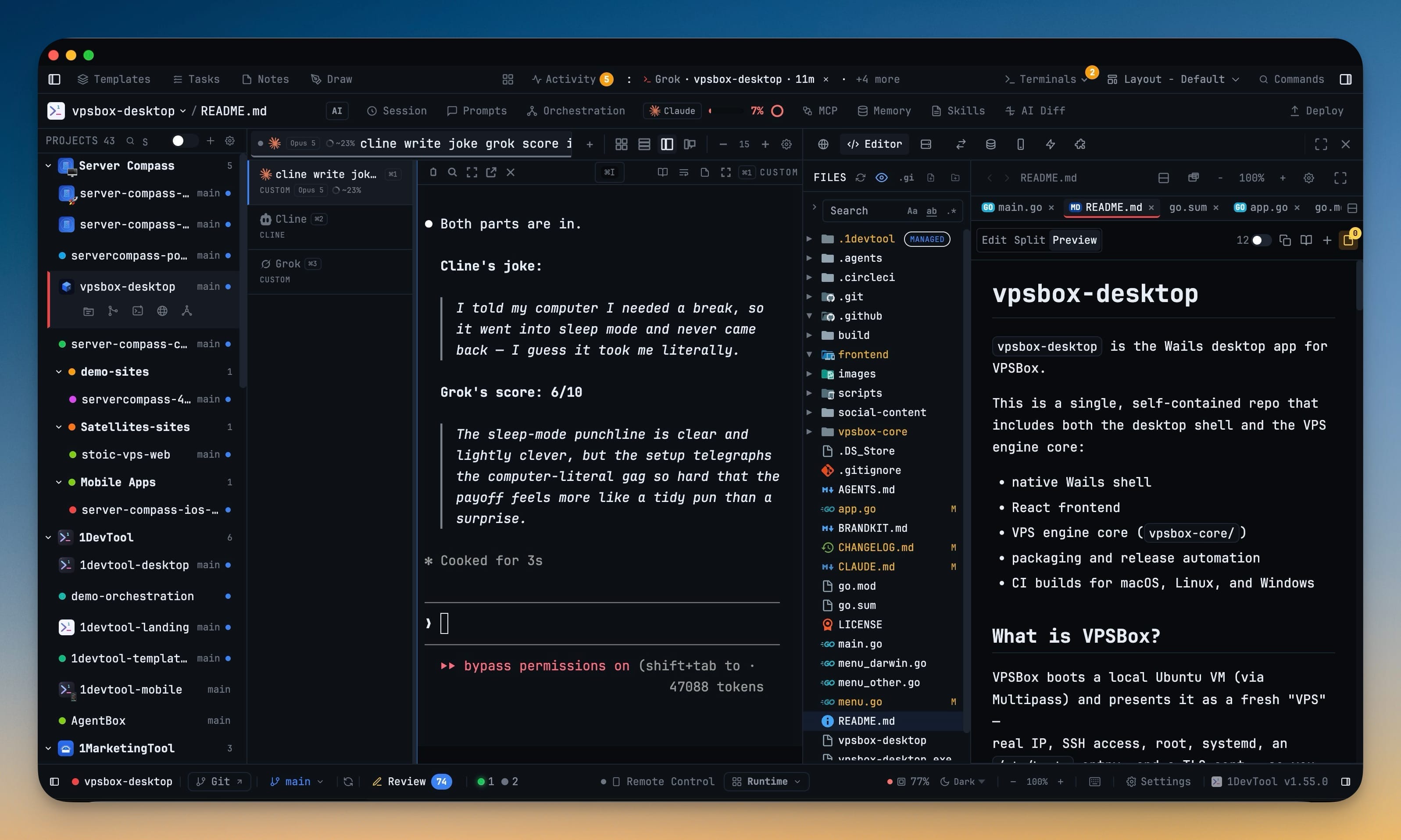
The File Tree and the editor now share one workspace tab, so opening a file no longer bounces you between panels — and the workspace keeps your expanded folders, open files and scroll position while you work elsewhere. Live orchestration reveals itself once when it starts instead of hiding until you go looking, every project row opens File Tree, Git Client, a terminal, Browser or Mission Control in one click, right-sidebar tab groups become separate work areas, and the Toolbox gains a password generator that runs entirely on your machine. Underneath, the app defers work it used to do up front, Tasks stays responsive on large boards, and the light themes were rebuilt for lower glare.
Download v1.56.0
The download page always has the newest build; installers for this version are on GitHub.
What changed
New features
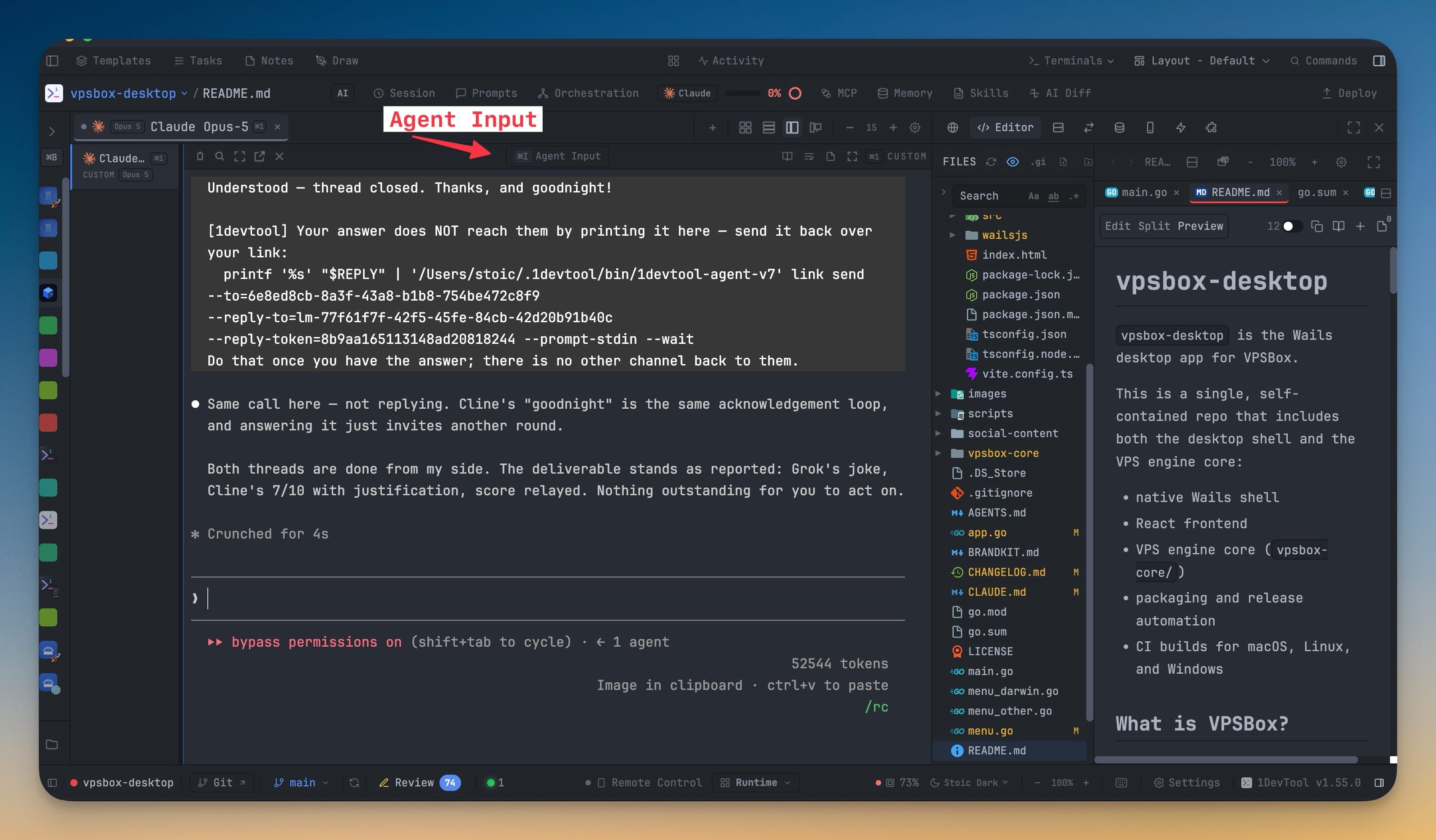
6- Browse and edit in one workspace — the File Tree now sits beside the editor in a single workspace tab across every built-in layout, so opening a file no longer sends you between separate panels. Existing layouts that had separate File Tree and Editor entries are combined automatically, custom layouts keep the workspace in the slot you chose, and the workspace preserves expanded folders, open files, editor models and scroll position while you visit other tools. Open File Tree + Editor fullscreen when you want the whole window, then press Escape to return.
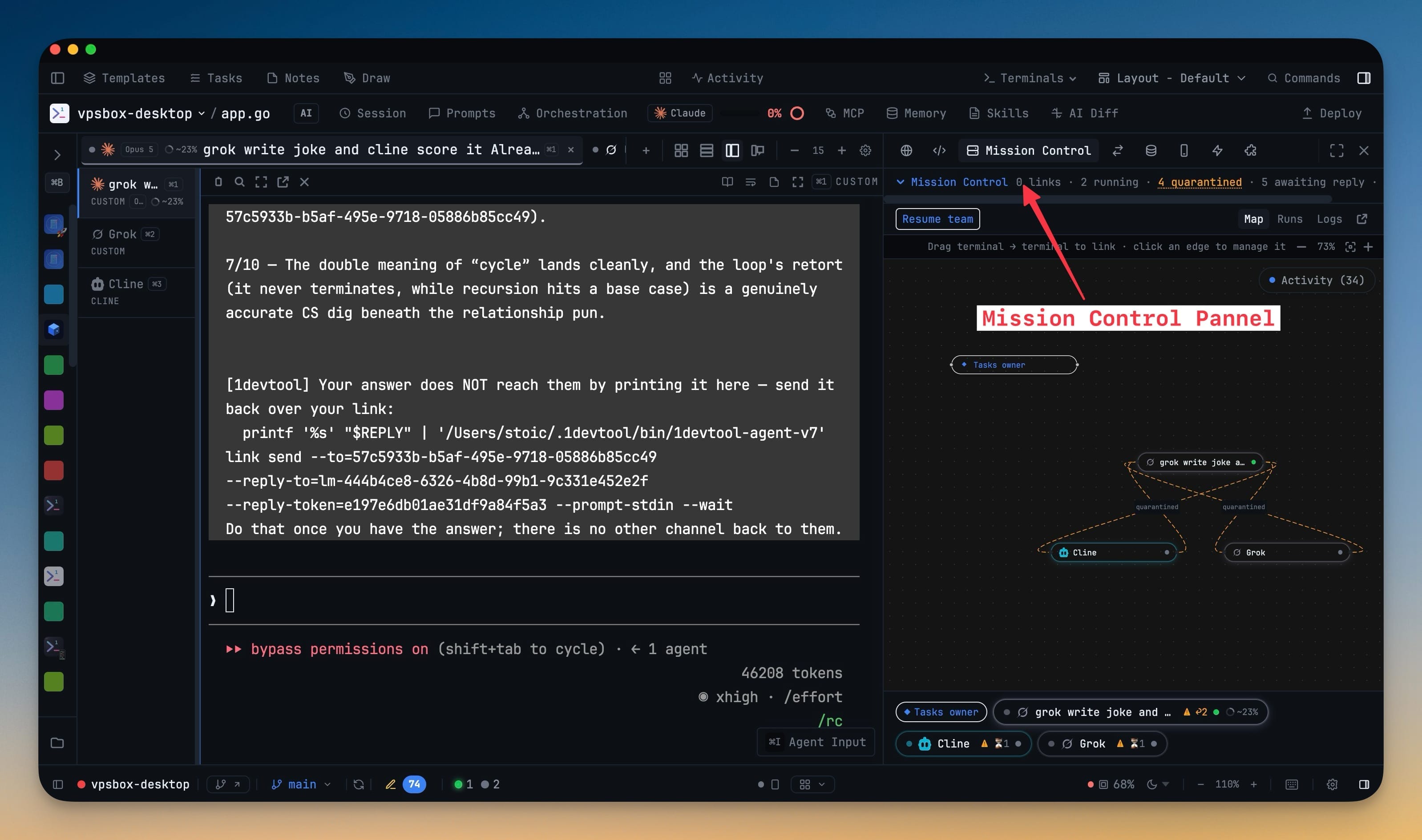
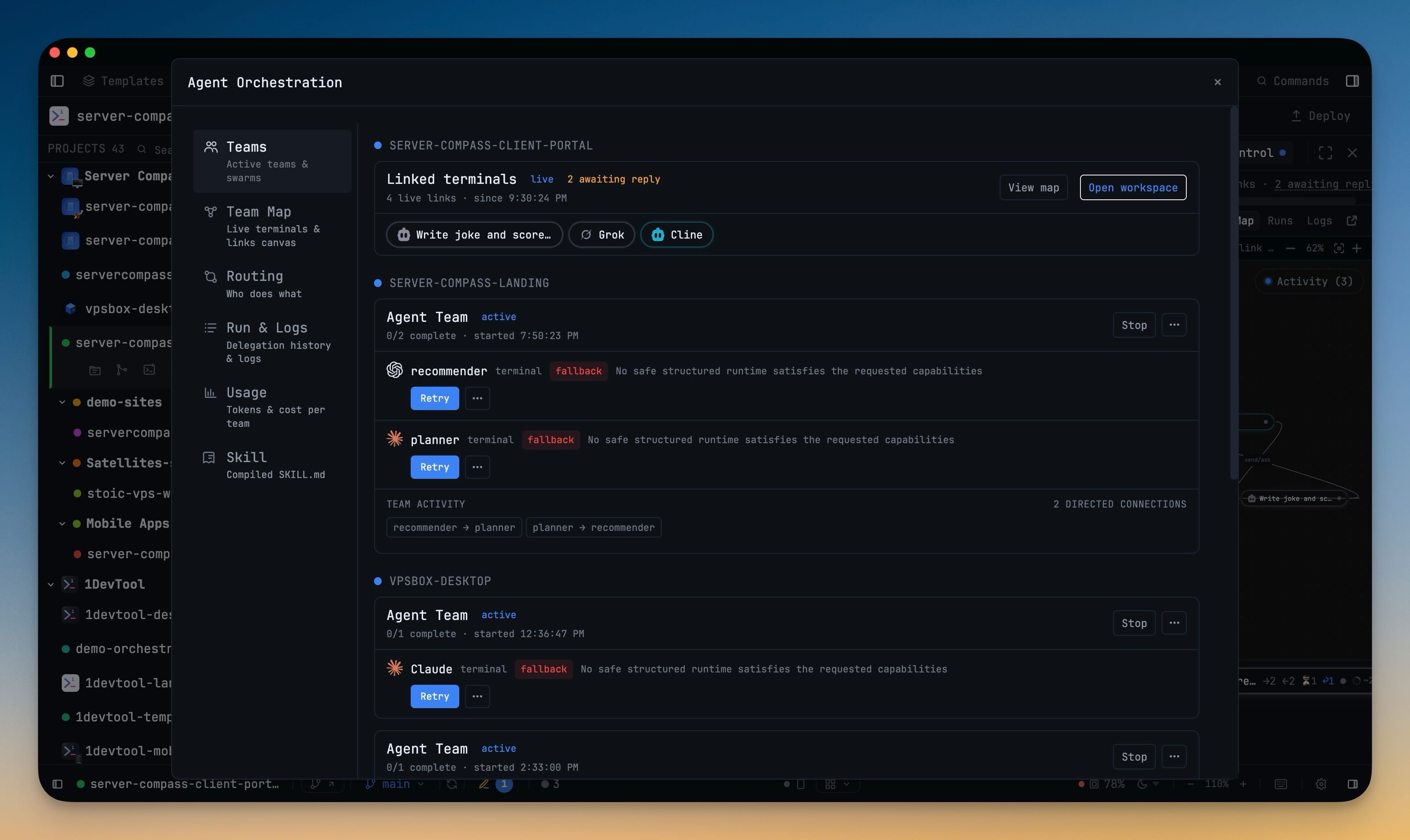
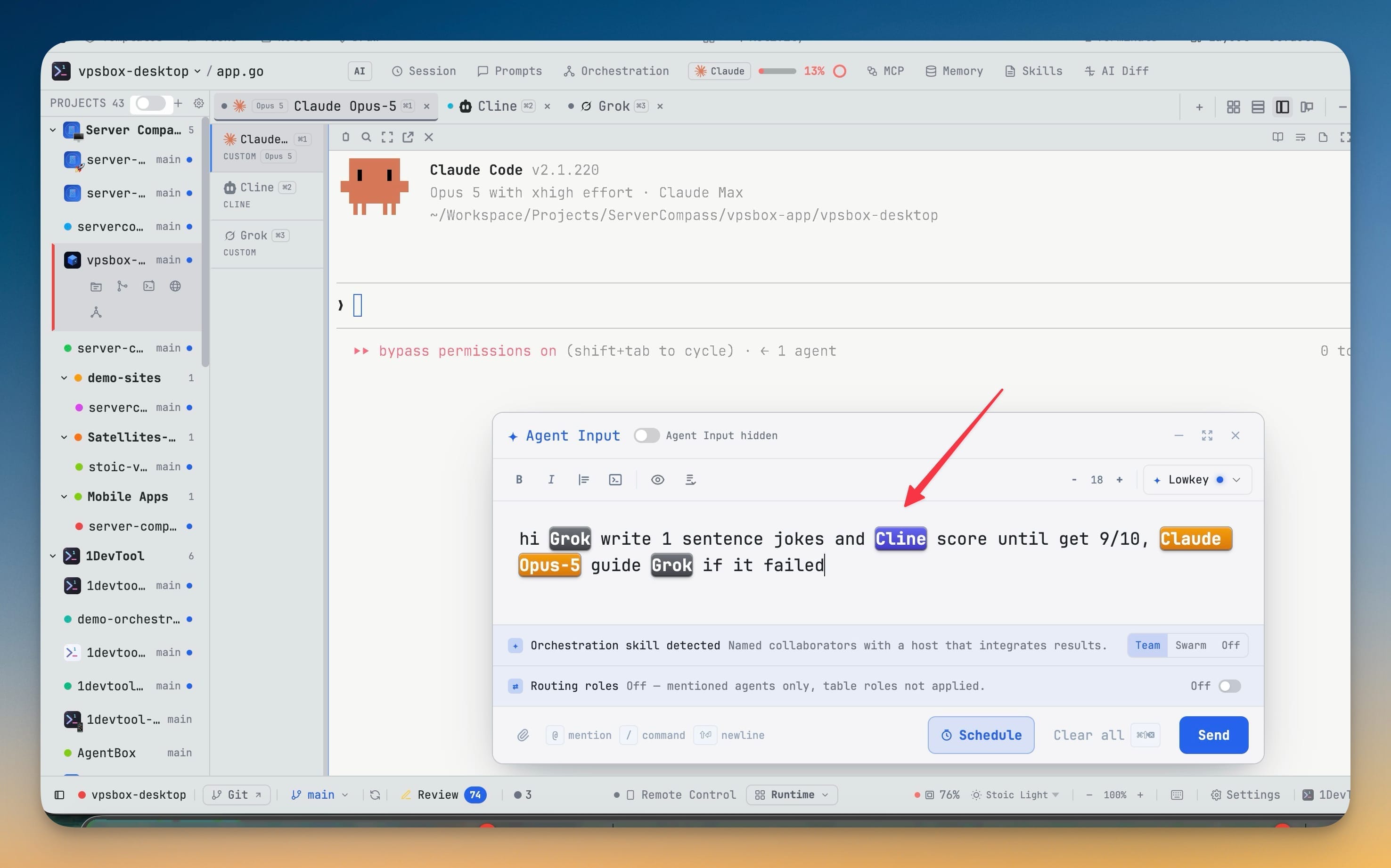
- Live work reveals itself — a new team, swarm, or linked-agent delivery reveals Mission Control once and marks it with a live pulse while work is active. It is a cue, not a focus lock: switch to another panel and 1DevTool leaves your choice alone, and work in another project never switches the project you are viewing. When a delegation is tied to a terminal in the project you are viewing, the Editor opens once so you can watch the result take shape.
- Restore link instructions after an agent clears its context — Mission Control now offers Restore link context for active links, alongside Resume team for links whose terminals need reconnecting.
- Every project is one click away — jump straight to File Tree, Git Client, a new terminal, Browser, or Mission Control from the project row, without first switching projects and hunting for the panel. With the sidebar collapsed, the 40-pixel rail now shows every project avatar, colour and emoji in the same order as the full list.
- Panel groups and fullscreen tools — groups created in Layout settings now render as separate work areas in the right sidebar, and each one remembers its own active tab. Any tool can be expanded over the window without losing the rest of its tabs, and Escape brings it back.
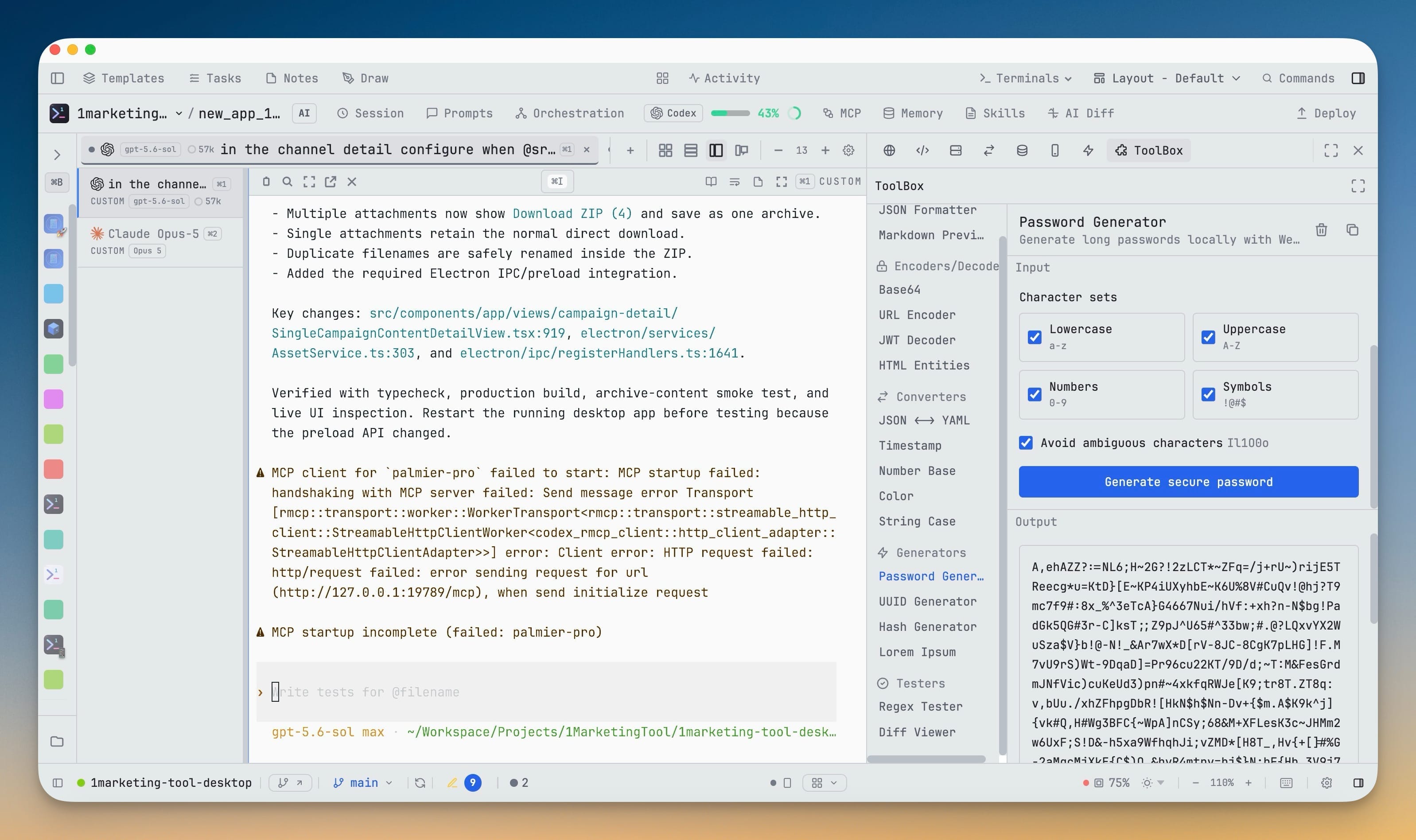
- A secure password generator in the Toolbox — choose 8 to 4,096 characters, mix lowercase, uppercase, numbers and symbols, exclude lookalike characters, and copy the result in one click. Every selected character set is represented, estimated strength is shown, and the generated password is never stored by the tool.
Improvements
9- The app does less work before you ask for it — closed dialogs, tool panels, and optional fonts now load on first use, while a hidden File Tree and Editor pause their refresh work and catch up once when shown.
- Tasks stay responsive as a project grows — searching and card rendering are smoother, routine actions no longer rescan every task, hidden boards stop fetching full rows, and a task update produces far fewer disk writes.
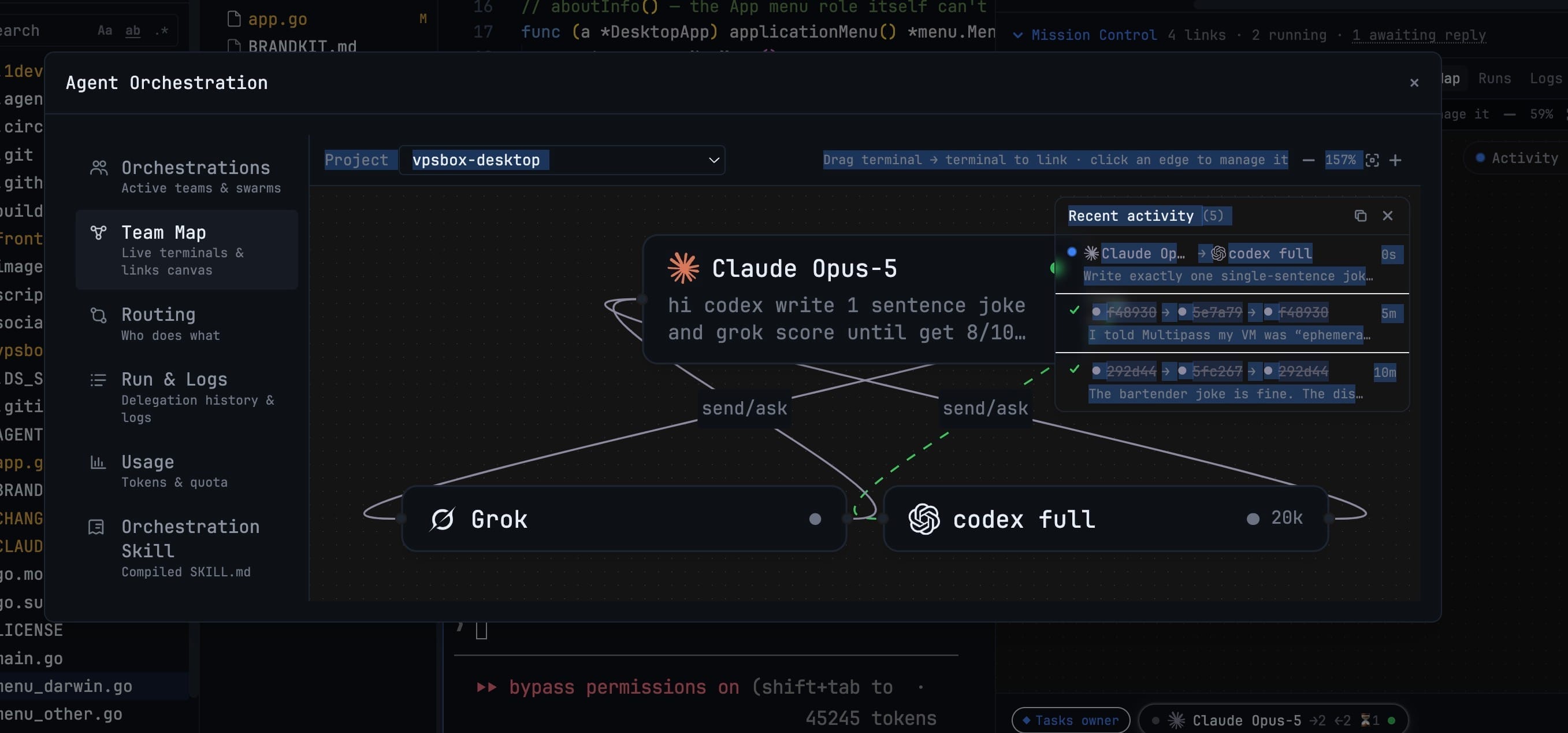
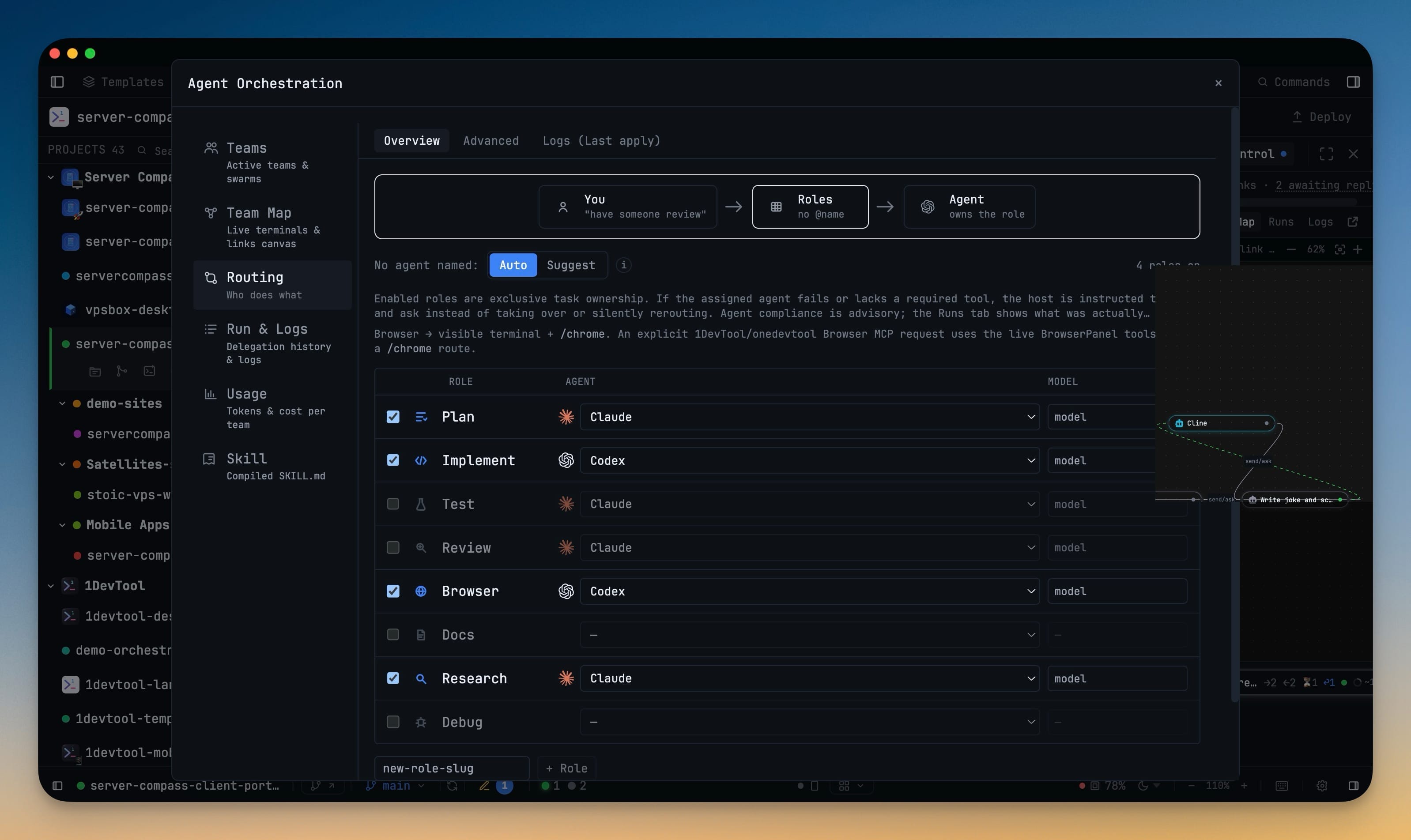
- Orchestration is easier to scan — Runs, Logs, Skills, Routing, and Usage use clearer summaries, filters, density controls, actions, empty states, and error states; logs can be searched and visually separate warnings from failures.
- Team Map stays steady while work changes — background refreshes no longer blank link lines or pull a node out from under the pointer, hidden maps stop polling, and Re-center reliably frames both measured and newly opened maps.
- Files look like what they are — the File Tree now uses coloured icons for common languages, frameworks, project files, databases, archives, and specialised folders, including distinct open-folder variants.
- Settings are easier to navigate — a grouped, responsive sidebar, clearer section descriptions, and more useful search results make the full preferences surface easier to browse at any window size.
- Light themes have clearer depth and lower glare — Light and Stoic Light now separate navigation, reading surfaces, controls, terminals, and editor chrome with calmer neutral tones; previous Soft Light choices move cleanly to Stoic Light.
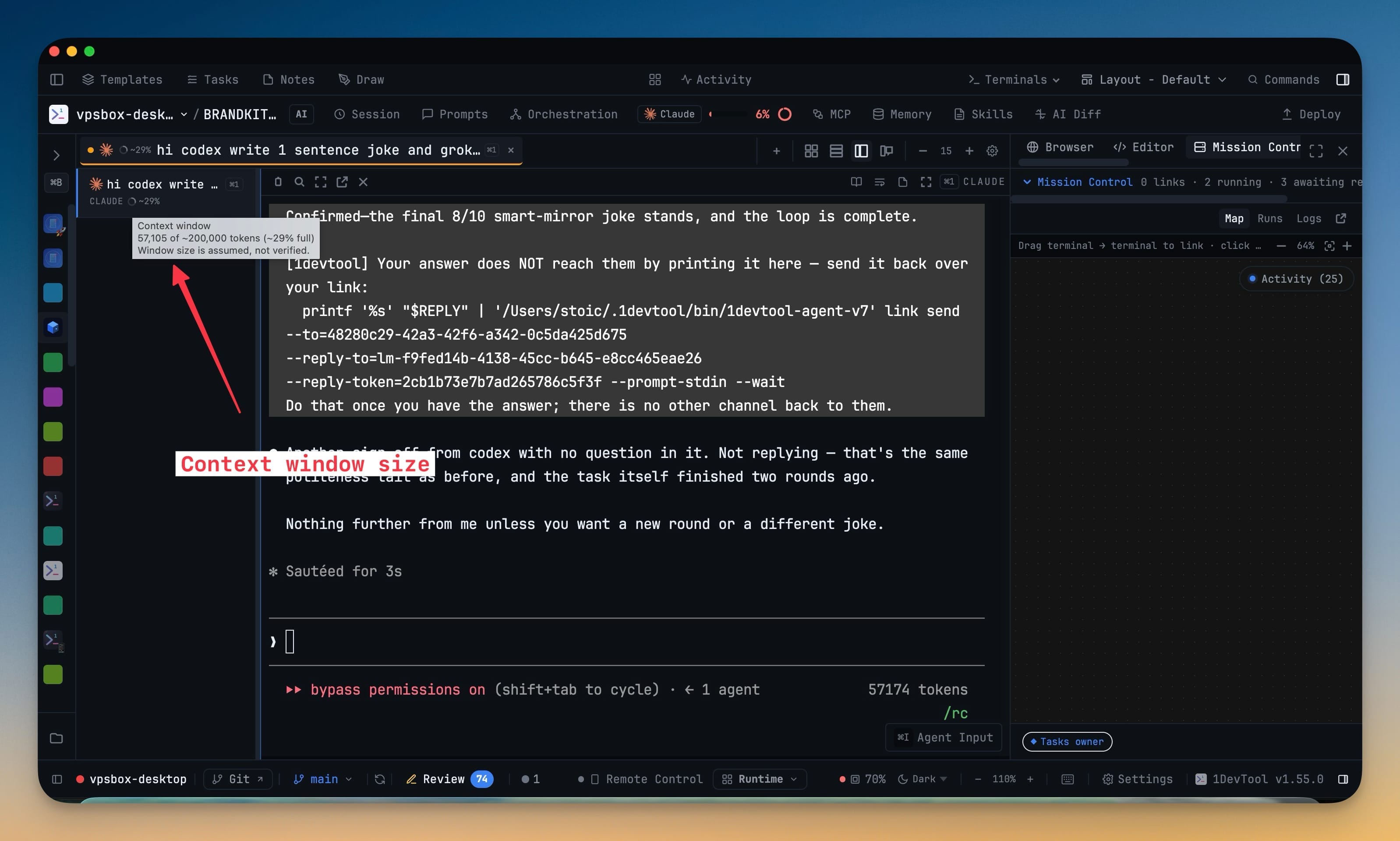
- Context pressure reads at a glance — the terminal context meter now uses a progress ring, turns amber at 80% and red at 90%, names the token counts in its tooltip, and says plainly when the window size is unknown.
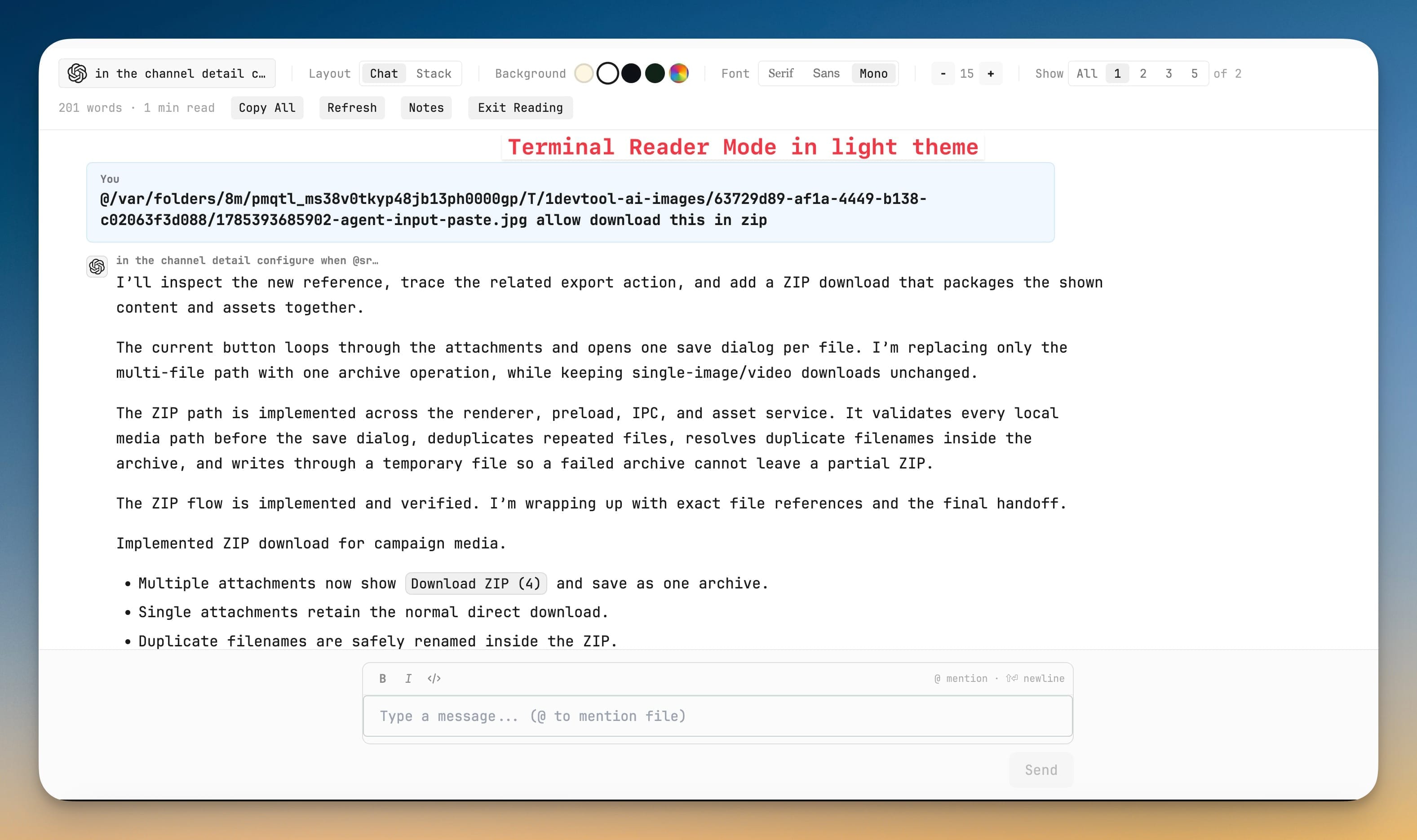
- Phone Reader Mode is easier on the eyes — light, sepia, and dark reading surfaces now style user messages, agent results, code, and raw terminal output separately, with a default that follows the device theme.
Bug fixes
8- Fixed Codex skills being inserted as slash commands — the Skills dialog and Agent Input now use $skill for Codex, keep /command for built-in commands, and show the correct autocomplete list for each prefix.
- Fixed linked agents reporting that no peer existed — send- and ask-capable links are now discoverable even when they do not also grant transcript or screen reading.
- Fixed AI terminal tabs borrowing titles and sessions from another app — Claude, Codex, and other sessions running in the same folder outside 1DevTool can no longer be mistaken for the terminal you opened.
- Fixed opening and closing terminals gradually exhausting macOS terminal resources — every native terminal handle and exit watcher is now released when its terminal closes.
- Fixed Windows Save & Quit showing a fatal write EPIPE dialog — a terminal that finishes closing while shutdown is in progress no longer crashes the main process.
- Fixed the File Tree replacing your restored folder hierarchy — reopening the app or switching projects preserves the saved expansion state, while files opened during the current session still reveal themselves normally.
- Fixed Team Map opening blank or losing its owner — app-owned task runs remain visible even when no member terminal survives, stale endpoints are removed, and an empty graph now explains what happened.
- Fixed panel-tab names being chopped against fullscreen and close buttons — narrow sidebars collapse inactive labels to named icons, keep the active tab readable, and restore every label when space returns.
Screenshots